
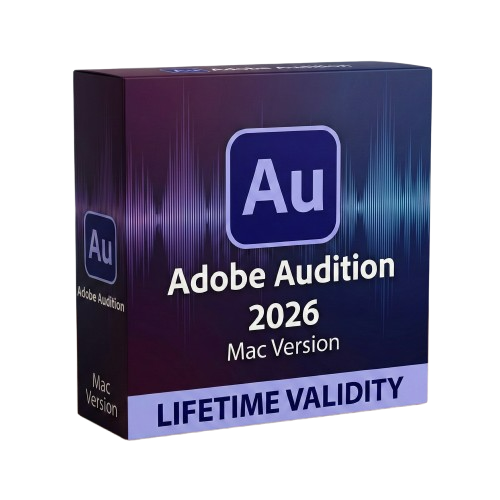
Adobe Audition 2026 for macOs Lifetime
- Lifetime Validity
- Instant Delivery on Email
- Supported on All Apple Mac Systems
- Any Installation Problem Freely Contact Us(Will Give You Support)
- Apple Silicon Native: Blazing fast performance on M1/M2/M3/M4 Macs.
- AI Speech Enhance: Turn bad audio into studio quality instantly.
- Generative Music: Create royalty-free background tracks with Firefly.
- Text-Based Editing: Edit your audio by cutting and pasting the transcript.
- Spectral Repair: Visually paint out beeps, hisses, and noises.
- Remix Tool: Auto-shorten music to fit your video length perfectly.
Original price was: ₹999.00.₹499.00Current price is: ₹499.00.
Description
Adobe Audition 2026 (Mac): The AI-Powered Audio Workstation
Adobe Audition 2026 for Mac is the industry’s most powerful digital audio workstation (DAW), now supercharged with the generative capabilities of Adobe Firefly and Adobe Sensei GenAI. Designed to run natively on Apple Silicon (M1, M2, M3, and M4), this release transforms audio post-production from a technical chore into a creative joy.
Whether you are a podcaster needing to fix a bad recording, a video editor smoothing out dialogue, or a sound designer creating immersive soundscapes, Audition 2026 delivers pristine results in seconds. It remains the ultimate tool for restoring, mixing, and mastering audio, now with the ability to generate music and voiceovers from scratch using simple text prompts.
Why Choose Adobe Audition 2026?
1. Native Apple Silicon Performance
- The Speed: Optimized for the unified memory architecture of Apple Silicon chips.
- The Benefit: Apply complex real-time effects, run heavy spectral noise reduction, and mix hundreds of tracks with zero latency. Render times for multitrack sessions are up to 4x faster than on Intel-based Macs.
2. Firefly for Audio Integration
- The Revolution: Generative AI is no longer just for images.
- The Benefit: Need a background track? Use the Generative Soundtrack tool to create royalty-free music that perfectly matches the mood and length of your project. Need a pickup line for a voiceover? Use Generative Speech to synthesize a voice that matches your speaker’s tone instantly.
3. Premiere Pro Interoperability
- The Workflow: Seamlessly round-trip between Premiere Pro and Audition.
- The Benefit: Send a sequence to Audition for advanced cleaning and mixing, and the changes update automatically in your video timeline. The new Shared Markers feature ensures your edit points are visible in both applications.
What’s New in Version 2026?
AI-Enhanced Speech Repair
- The Feature: The “Enhance Speech” tool has moved from beta to a fully adjustable effect.
- The Benefit: Turn an echoey iPhone recording into a professional studio sound with one dial. It removes reverb, background noise, and mic artifacts while preserving the natural character of the voice.
Text-Based Audio Editing 2.0
- The Workflow: Edit audio by editing text.
- The Benefit: Audition automatically transcribes your dialogue. You can cut filler words (like “um” and “uh”) or rearrange sentences by simply deleting or moving the text in the transcript window. The audio waveform updates instantly to match.
Auto-Ducking with AI
- The Feature: Smart audio mixing that listens.
- The Benefit: The Essential Sound panel now uses AI to detect when dialogue occurs and automatically lowers the volume of music and sound effects with smoother, more natural-sounding fades than ever before.
Key Features
- Spectral Frequency Display: Visualize audio like a heatmap to “see” and paint out specific noises like a phone ringing or a siren without affecting the dialogue.
- Essential Sound Panel: A beginner-friendly interface that lets you assign tags (Dialogue, Music, SFX) to clips and gives you simple sliders for “Clarity,” “Volume,” and “Repair.”
- Remix Tool: Automatically rearrange any song to fit a specific duration. Audition analyzes the beat and structure to make cuts and loops that are musically invisible.
- Multitrack Recording: Record multiple inputs simultaneously with low-latency monitoring, perfect for podcasting with multiple guests or recording live music.
- Loudness Radar: Ensure your audio meets broadcast standards (Netflix, YouTube, Spotify) with a single click using the ITU-R BS.1770-3 loudness meter.
System Requirements (Mac)
- Operating System: macOS Sonoma (version 14) or macOS Sequoia (version 15).
- Processor: Multicore Intel processor with 64-bit support or Apple Silicon (M1/M2/M3/M4).
- Memory (RAM): 8 GB minimum (16 GB or 32 GB recommended for complex multitrack sessions).
- Storage: 4 GB of available hard-disk space for installation; fast SSD recommended for app and media cache.
- Display: 1920 x 1080 or larger display (Retina display supported).
- Short Bullet Points (For Quick View)
- Apple Silicon Native: Blazing fast performance on M1/M2/M3/M4 Macs.
- AI Speech Enhance: Turn bad audio into studio quality instantly.
- Generative Music: Create royalty-free background tracks with Firefly.
- Text-Based Editing: Edit your audio by cutting and pasting the transcript.
- Spectral Repair: Visually paint out beeps, hisses, and noises.
- Remix Tool: Auto-shorten music to fit your video length perfectly.
- Essential Sound: Simple sliders for professional mixing results.
- Auto-Ducking: Automatically lower music volume when people speak.
- Broadcast Ready: Built-in loudness meters for Spotify and Netflix specs.
- Round-Trip: Seamless integration with Adobe Premiere Pro & After Effects.
Related Products
- AUTOMATIC DELIVERY INSTANTLY ON REGISTERED EMAIL .
- Any Installation Problem Freely Contact Us(Will Give You Support)
- Lifetime Validity
- Windows Version
- File Size: 1.21GB
- All Instruments Included
- Split mixed audio files into separate stems instantly with integrated AI spectral separation.
- Generate inspiring chord sequences automatically using the advanced AI Composition Assistant.
- Correct vocal pitch and timing transparently with the updated VariAudio 4 engine.
- Mix immersive spatial audio efficiently with the fully integrated Dolby Atmos Renderer.
- Control complex plugin parameters via the revamped, customizable MIDI Remote integration.
- Manage massive orchestral templates smoothly with the optimized Windows hybrid-core audio engine.
- AUTOMATIC DELIVERY INSTANTLY ON REGISTERED EMAIL .
- Any Installation Problem Freely Contact Us(Will Give You Support)
- Lifetime Validity
- Windows Version
- Works with Internet and Antivirus
- Automate assembly mates instantly with AI-powered fastener recognition.
- Generate complete 2D drawings from 3D models automatically with AI tools.
- Split component configurations into separate files in batches seamlessly.
- Skip unnecessary rebuilds for cosmetic changes to speed up large assemblies.
- Create reference points precisely using global XYZ coordinate values.
- Import massive neutral files in the background while you continue working.
- Render photorealistic images directly within the interface without switching apps.

- Lifetime Validity
- Instant Delivery on Email
- Any Installation Problem Freely Contact Us(Will Give You Support)
- Supported on Windows 10,11
- Works with Internet and Antivirus
- No Popup issue
- File Size: 5.56GB
- Frame Tool for easy masking
- Content-Aware Fill reimagined
- New multiple undo mode
- Usability improvements
- Transform proportionally by default
- Prevent accidental panel moves with Lock Workspace

- AUTOMATIC DELIVERY INSTANTLY ON REGISTERED EMAIL .
- Any Installation Problem Freely Contact Us(Will Give You Support)
- Lifetime Validity
- Windows Version
- Edit video content as easily as a text document with the AI-powered text-based editing workflow.
- Instantly remove or replace video backgrounds without a green screen using dynamic AI masking.
- Automatically generate and sync accurate captions and subtitles from your voiceover in seconds.
- Smooth out jerky mouse movements and customize cursor paths with advanced cursor effects.
- Record high-resolution 4K screen capture, webcam, and system audio simultaneously.
- Clean up background noise and balance vocal levels instantly with AI-enhanced audio filters.
- Access a vast library of royalty-free intros, motion graphics, and music directly within the editor.
- Engage viewers by adding interactive quizzes and clickable hotspots directly to your videos.
- Apply professional animations and behaviors to text and images with simple drag-and-drop actions.
- Export videos faster than ever with optimized GPU acceleration for modern hardware.

- AUTOMATIC DELIVERY INSTANTLY ON REGISTERED EMAIL .
- Any Installation Problem Freely Contact Us(Will Give You Support)
- Lifetime Validity
- Windows Version
- Size: 657 MB
- Version: 8.2
- Create watertight meshes instantly for 3D printing with the new ShrinkWrap tool.
- Generate dynamic 2D sections and plans directly from 3D models with ClippingDrawings.
- Model organic shapes with greater precision using supported SubD creases.
- Manipulate geometry intuitively with the new customized Auto Gumball.
- Extrude and modify faces instantly using the direct PushPull workflow.
- Render scenes significantly faster with the optimized Cycles engine.
- Customize the modernized interface to match your specific drafting workflow.
- AUTOMATIC DELIVERY INSTANTLY ON REGISTERED EMAIL .
- Any Installation Problem Freely Contact Us(Will Give You Support)
- Lifetime Validity
- Windows Version
- Works with Internet and Antivirus
- No Popup issue
- Mercury Playback Engine
- High-fidelity interchange
- Sync Settings
- Multicam editing
- Edit video faster than ever before

- AUTOMATIC DELIVERY INSTANTLY ON REGISTERED EMAIL .
- Any Installation Problem Freely Contact Us(Will Give You Support)
- Lifetime Validity
- Windows Version
- File Size: 1.84GB
- Visualize models with stunning depth and realism using the new graphics engine featuring native Ambient Occlusion.
- Generate unique, seamless textures instantly from simple text prompts with the integrated AI texture generator.
- Import complex Revit files accurately and efficiently with the enhanced, lighter-weight Revit Importer.
- Create 2D documentation in LayOut faster than ever with a new multi-threaded rendering engine that eliminates lag.
- Convert room scans from mobile devices automatically into clean, editable 3D geometry via Scan-to-Design.
- Collaborate in real-time by syncing projects seamlessly across Desktop, iPad, and Web versions.

- AUTOMATIC DELIVERY INSTANTLY ON REGISTERED EMAIL .
- Any Installation Problem Freely Contact Us(Will Give You Support)
- Lifetime Validity
- Windows Version
- Explore massive 3D scenes in 100% ray-traced real-time without waiting for renders.
- Sync changes instantly from 3ds Max, SketchUp, Rhino, and Revit via Live Link.
- Render photorealistic animations at lightning speeds using NVIDIA DLSS 3.5 support.
- Populate environments with millions of objects using the built-in Chaos Scatter tool.
- Switch between different lighting setups, materials, and moods instantly with Scene States.
- Visualize complex animated characters and deformable meshes perfectly in real-time.

- AUTOMATIC DELIVERY INSTANTLY ON REGISTERED EMAIL .
- Any Installation Problem Freely Contact Us(Will Give You Support)
- Lifetime Validity
- Windows Version
- Works with Internet and Antivirus
- No Popup issue
- Import and animate 3D models (GLB/GLTF) natively without external plugins.
- Isolate moving subjects instantly using the AI-powered Roto Brush 3.
- Access and edit key layer settings faster with the context-sensitive Properties Panel.
- Render previews and final exports simultaneously with Multi-Frame Rendering.
- Manage professional color workflows accurately with native OpenColorIO (ACES) support.
- Composite 3D objects realistically onto 2D footage using Shadow Catchers.
- Review and approve content seamlessly with the built-in Frame.io integration.

- AUTOMATIC DELIVERY INSTANTLY ON REGISTERED EMAIL .
- Any Installation Problem Freely Contact Us(Will Give You Support)
- Lifetime Validity
- Windows Version
- Works with Internet and Antivirus
- No Popup issue
- File Size: 462MB
- CorelDRAW X7 – Vector Illustration & Layout
- Corel PHOTO-PAINT X7 – Professional Photo Editing
- PowerTRACE – Convert Images to Vector
- Corel CONNECT – Search & Manage Content
- Corel CAPTURE – One-click Screenshot Tool
- Website Creator – Simple Website Building
- PhotoZoom Plugin – High-quality image enlargement

- AUTOMATIC DELIVERY INSTANTLY ON REGISTERED EMAIL .
- Any Installation Problem Freely Contact Us(Will Give You Support)
- Lifetime Validity
- Windows Version
- Works with Internet and Antivirus
- No Popup issue
- Convert freehand sketches into precise vector curves instantly with the revolutionary AI-powered LiveSketch tool.
- Design naturally using advanced support for stylus devices, touchscreens, and the Microsoft Surface Dial.
- Enjoy a crisp, scalable workspace with native support for Ultra HD 5K monitors and multi-screen setups.
- Remove imperfections from photos seamlessly using the advanced Healing Clone tool in Corel PHOTO-PAINT.
- Manipulate nodes and curves more efficiently with revamped vector shaping and editing tools.
- Organize and find the perfect typeface quickly with the enhanced filtering in Corel Font Manager.

- AUTOMATIC DELIVERY INSTANTLY ON REGISTERED EMAIL .
- Any Installation Problem Freely Contact Us(Will Give You Support)
- Lifetime Validity
- Mac Version
- Run natively on Apple Silicon (M1/M2/M3) for blazing-fast performance.
- Visualize models with realistic depth using the new Ambient Occlusion engine.
- Generate unique textures instantly with integrated AI-powered prompts.
- Sync projects seamlessly between Mac, iPad, and Web versions.
- Convert iPhone LiDAR scans into 3D models automatically via Scan-to-Design.
- Create 2D documentation faster with the optimized LayOut rendering engine.
- Import and export USDZ files easily for Apple AR visualization.