
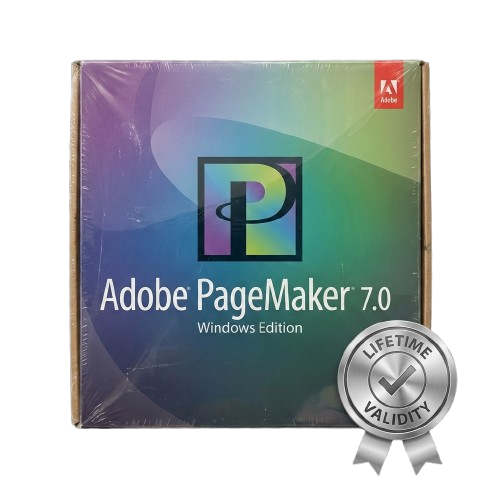
Adobe Pagemaker 7.0 for Lifetime
- AUTOMATIC DELIVERY INSTANTLY ON REGISTERED EMAIL .
- Any Installation Problem Freely Contact Us(Will Give You Support)
- Lifetime Validity
- Windows Version
- Merge text and graphics from databases instantly with the Data Merge feature.
- Place native Adobe Photoshop and Illustrator files directly without conversion.
- Export documents to secure, tagged Adobe PDF files for any device.
- Convert QuarkXPress and Microsoft Publisher files easily with built-in tools.
- Automate layout changes when resizing pages using the Adjust Layout feature.
- Ensure color consistency across devices with integrated Color Management.
- Edit text efficiently in a distraction-free window with the Story Editor.
Original price was: ₹999.00.₹499.00Current price is: ₹499.00.
Description
Adobe PageMaker 7.0 (Windows): The Classic Publishing Powerhouse
Adobe PageMaker 7.0 remains a legendary name in desktop publishing. Before InDesign became the industry standard, PageMaker was the tool that started the digital publishing revolution. It offers a simple, intuitive interface that allows you to create high-quality publications such as brochures, newsletters, flyers, and reports with ease.
Ideal for small businesses, educational institutions, and users with legacy archives, PageMaker 7.0 is renowned for its reliability and low system requirements. Whether you need to open decade-old .pmd files or create a quick mail-merge campaign without learning complex new software, PageMaker 7.0 is the efficient solution you can trust.
Why Choose PageMaker 7.0?
1. Legacy File Support
If you have years of archives stored in .pm6 or .pmd formats, PageMaker 7.0 is essential. It ensures you can open, edit, and reprint your historical documents without formatting errors or missing fonts.
2. Ease of Use
Unlike modern design suites that require steep learning curves, PageMaker uses a straightforward “pasteboard” metaphor. If you can use a word processor, you can learn PageMaker quickly. It allows for drag-and-drop layout design that is perfect for non-designers.
3. Efficient Performance
PageMaker 7.0 is incredibly lightweight. It installs in minutes and runs lightning-fast on older hardware or virtual machines, making it a perfect choice for reliable production on secondary office computers.
Key Features
Data Merge (Mail Merge)
- The Feature: Create hundreds of personalized form letters, mailing labels, or envelopes instantly.
- The Benefit: Simply link a CSV or database file containing names and addresses, and PageMaker will automatically generate a unique page for every entry. It’s perfect for direct mail marketing.
Adobe PDF Export
- The Feature: Built-in ability to export files directly to Adobe Portable Document Format (PDF).
- The Benefit: Create tagged PDFs that display correctly on any device, including smartphones and tablets, without needing separate Acrobat software.
Native Adobe Integration
- The Feature: Seamlessly place Adobe Photoshop (.psd) and Adobe Illustrator (.ai) files.
- The Benefit: You can drop in high-quality logos and images directly. Double-clicking a placed image will launch the original application for quick edits.
Converter Utility
- The Feature: Comes with built-in converters for Microsoft Publisher and QuarkXPress.
- The Benefit: Switch to PageMaker easily by converting your existing Publisher (97-2000) and Quark (3.3-4.1) files into editable PageMaker publications.
What You Can Create
- Business Collateral: Business cards, letterheads, and envelopes.
- Marketing Materials: Trifold brochures, flyers, and product catalogs.
- Publications: School yearbooks, church newsletters, and technical manuals.
- Long Documents: Books and reports with automatic table of contents and index generation.
System Requirements (Windows)
- Operating System: Microsoft Windows 98, Windows 2000, Windows ME, or Windows XP. (Runs on Windows 7, 8, 10, and 11 using “Compatibility Mode” or a Virtual Machine).
- Processor: Pentium III or 4 class processor.
- Memory (RAM): 32 MB of RAM (48 MB recommended).
- Hard Disk: 175 MB of available hard-disk space for installation.
- Display: 800 x 600 resolution with 8-bit / 256 colors.
Related Products
- Lifetime Validity
- Instant Delivery on Email
- Supported on All Apple Mac Systems
- Any Installation Problem Freely Contact Us(Will Give You Support)
- Works with Internet and Antivirus
- No Popup issue
- Maximize performance with native optimization for Apple Silicon (M1/M2/M3).
- Generate images and graphics on-canvas instantly with integrated Firefly AI.
- Format long documents automatically using AI-powered Auto Style presets.
- Import HEIC and WebP images natively without manual conversion.
- Streamline client feedback with the real-time Share for Review link.
- Publish interactive digital documents to the web with built-in analytics.
- Hide specific pages or spreads easily from final export and printing.
- Lifetime Validity
- Instant Delivery on Email
- Supported on All Apple Mac Systems
- Any Installation Problem Freely Contact Us(Will Give You Support)
- Works with Internet and Antivirus
- No Popup issue
- Automatically organize photos using Smart Collections
- Automatically import and process high-volume shoots
- Manage photos and volumes even when they’re offline
- Access and edit a comprehensive set of metadata fields
- Create virtual copies of photos to save hard-disk space
- Target specific areas of a photo for dodging and burning
- Enjoy state-of-the-art 64-bit memory handling

- AUTOMATIC DELIVERY INSTANTLY ON REGISTERED EMAIL .
- Any Installation Problem Freely Contact Us(Will Give You Support)
- Lifetime Validity
- Windows Version
- Works with Internet and Antivirus
- No Popup issue
- Import and animate 3D models (GLB/GLTF) natively without external plugins.
- Isolate moving subjects instantly using the AI-powered Roto Brush 3.
- Access and edit key layer settings faster with the context-sensitive Properties Panel.
- Render previews and final exports simultaneously with Multi-Frame Rendering.
- Manage professional color workflows accurately with native OpenColorIO (ACES) support.
- Composite 3D objects realistically onto 2D footage using Shadow Catchers.
- Review and approve content seamlessly with the built-in Frame.io integration.

- AUTOMATIC DELIVERY INSTANTLY ON REGISTERED EMAIL .
- Any Installation Problem Freely Contact Us(Will Give You Support)
- Lifetime Validity
- Windows Version
- Explore massive 3D scenes in 100% ray-traced real-time without waiting for renders.
- Sync changes instantly from 3ds Max, SketchUp, Rhino, and Revit via Live Link.
- Render photorealistic animations at lightning speeds using NVIDIA DLSS 3.5 support.
- Populate environments with millions of objects using the built-in Chaos Scatter tool.
- Switch between different lighting setups, materials, and moods instantly with Scene States.
- Visualize complex animated characters and deformable meshes perfectly in real-time.

- AUTOMATIC DELIVERY INSTANTLY ON REGISTERED EMAIL .
- Any Installation Problem Freely Contact Us(Will Give You Support)
- Lifetime Validity
- Windows Version
- Route complex PCB traces automatically with the new AI-driven auto-interactive router.
- Collaborate seamlessly with mechanical engineers via the enhanced real-time MCAD CoDesigner.
- Simulate power integrity and signal performance instantly within the unified design environment.
- Manage component shortages proactively with live supply chain data in ActiveBOM.
- Visualize multi-board systems and rigid-flex designs in photorealistic 3D detail.
- Sync all design changes and version history securely to the cloud with Altium 365.
- Define complex high-speed design rules easily using the visual Constraint Manager.
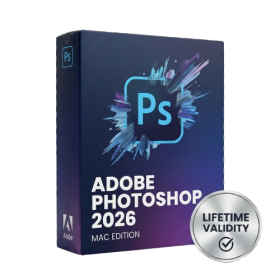
- Lifetime Validity
- Instant Delivery on Email
- Supported on All Apple Mac Systems
- Any Installation Problem Freely Contact Us(Will Give You Support)
- Works with Internet and Antivirus
- No Popup issue
- File Size: 8.07GB
- Frame Tool for easy masking
- Content-Aware Fill reimagined
- New multiple undo mode
- Usability improvements
- Transform proportionally by default
- Prevent accidental panel moves with Lock Workspace

- AUTOMATIC DELIVERY INSTANTLY ON REGISTERED EMAIL .
- Any Installation Problem Freely Contact Us(Will Give You Support)
- Lifetime Validity
- Windows Version
- Revit 2023, 2024, 2025, and 2026
- SketchUp 2024, 2025 and 2026
- Rhino 7.0 and 8.3 (or later)
- Archicad 27, 28 and 29
- Vectorworks 2024, 2025 and 2026
- Navigate scenes with a unified, redesigned user interface for faster workflows.
- Enhance export quality instantly with the AI-powered NVIDIA Denoiser.
- Simulate realistic colored shadows for glass and transparent materials.
- Upscale textures and assets automatically using the Chaos AI Enhancer.
- Apply pencil and watercolor effects with new Artistic Visual Modes.
- Immerse clients in designs with support for Meta Quest 3 and HTC Vive.

- AUTOMATIC DELIVERY INSTANTLY ON REGISTERED EMAIL .
- Any Installation Problem Freely Contact Us(Will Give You Support)
- Lifetime Validity
- Mac Version
- Apply realistic pixel-based brush strokes to vector paths with the new Painterly Brush tool.
- Experience blazing-fast performance with native optimization for Apple M1, M2, and M3 chips.
- Use your iPad as a secondary display and graphics tablet via Sidecar with full Apple Pencil support.
- Access and use online fonts instantly without manual installation using the new Remote Fonts feature.
- Isolate specific objects for distraction-free editing with the new Focus Mode.
- Convert low-quality bitmap images into crisp vectors automatically with AI-powered PowerTRACE.
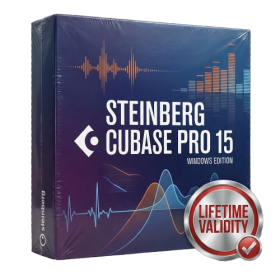
- AUTOMATIC DELIVERY INSTANTLY ON REGISTERED EMAIL .
- Any Installation Problem Freely Contact Us(Will Give You Support)
- Lifetime Validity
- Windows Version
- File Size: 1.21GB
- All Instruments Included
- Split mixed audio files into separate stems instantly with integrated AI spectral separation.
- Generate inspiring chord sequences automatically using the advanced AI Composition Assistant.
- Correct vocal pitch and timing transparently with the updated VariAudio 4 engine.
- Mix immersive spatial audio efficiently with the fully integrated Dolby Atmos Renderer.
- Control complex plugin parameters via the revamped, customizable MIDI Remote integration.
- Manage massive orchestral templates smoothly with the optimized Windows hybrid-core audio engine.

- AUTOMATIC DELIVERY INSTANTLY ON REGISTERED EMAIL .
- Any Installation Problem Freely Contact Us(Will Give You Support)
- Lifetime Validity
- Windows Version
- Works with Internet and Antivirus
- No Popup issue
- Automatically organize photos using Smart Collections
- Automatically import and process high-volume shoots
- Manage photos and volumes even when they’re offline
- Access and edit a comprehensive set of metadata fields
- Create virtual copies of photos to save hard disk space
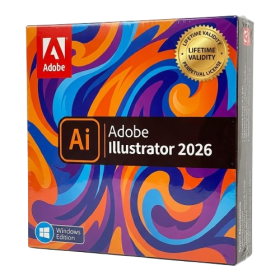
- AUTOMATIC DELIVERY INSTANTLY ON REGISTERED EMAIL .
- Any Installation Problem Freely Contact Us(Will Give You Support)
- Lifetime Validity
- Windows Version
- Works with Internet and Antivirus
- No Popup issue
- File Size: 3.33GB
- Create smoother, band-free color transitions with new gradient dithering and perceptual blending modes.
- Rotate 2D vector artwork in 3D space to explore dynamic angles with the innovative Turntable tool.
- Identify fonts from raster images or outlined text instantly using the AI-powered Retype feature.
- Organize files and collaborate seamlessly with team members using the new shared Projects workspace.
- Snap objects precisely to path tangents and perpendicular points with enhanced smart snapping tools.
- Wrap vector graphics automatically onto images of real-world objects with the realistic Mockup tool.

- AUTOMATIC DELIVERY INSTANTLY ON REGISTERED EMAIL .
- Any Installation Problem Freely Contact Us(Will Give You Support)
- Lifetime Validity
- Windows Version
- Edit video content as easily as a text document with the AI-powered text-based editing workflow.
- Instantly remove or replace video backgrounds without a green screen using dynamic AI masking.
- Automatically generate and sync accurate captions and subtitles from your voiceover in seconds.
- Smooth out jerky mouse movements and customize cursor paths with advanced cursor effects.
- Record high-resolution 4K screen capture, webcam, and system audio simultaneously.
- Clean up background noise and balance vocal levels instantly with AI-enhanced audio filters.
- Access a vast library of royalty-free intros, motion graphics, and music directly within the editor.
- Engage viewers by adding interactive quizzes and clickable hotspots directly to your videos.
- Apply professional animations and behaviors to text and images with simple drag-and-drop actions.
- Export videos faster than ever with optimized GPU acceleration for modern hardware.