
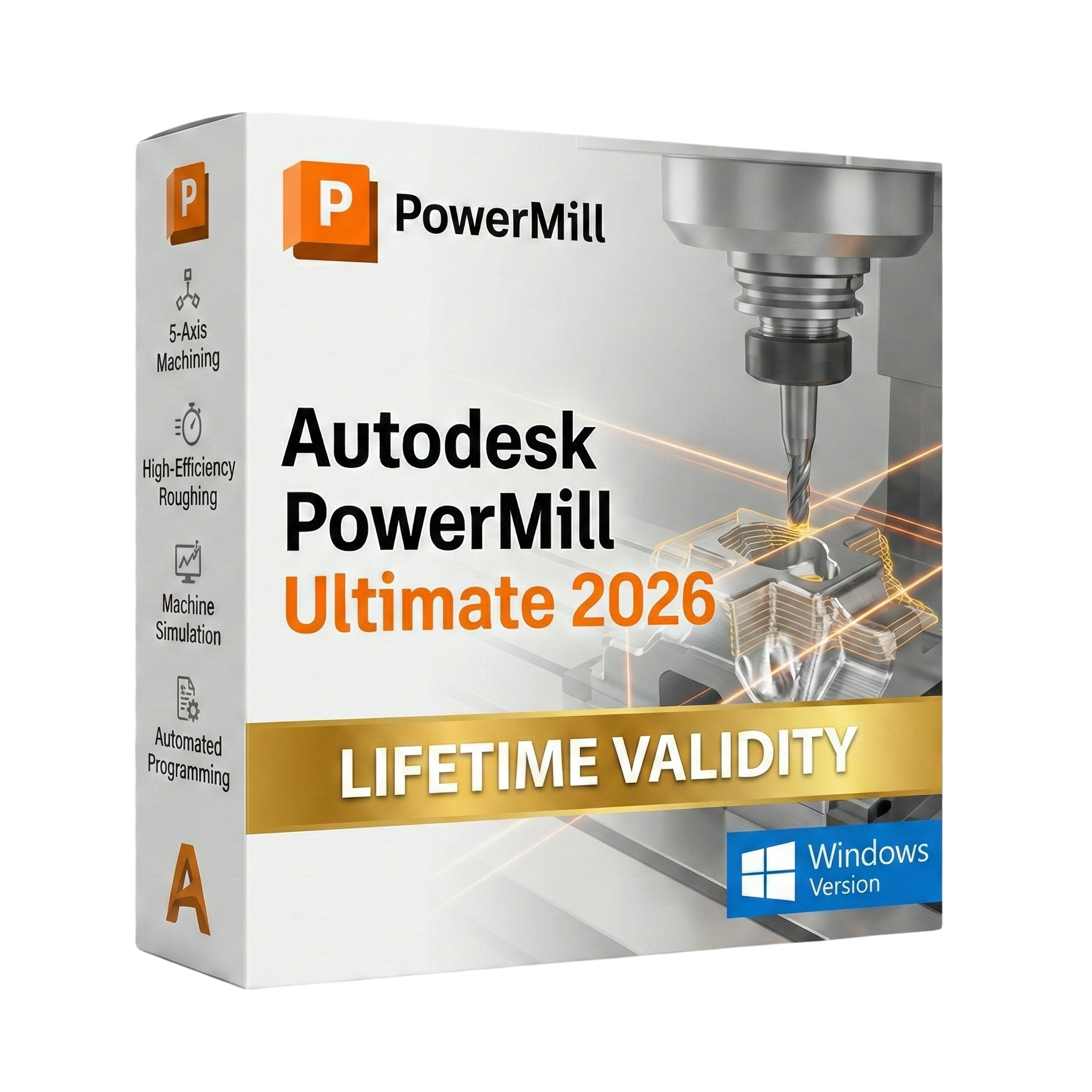
Autodesk PowerMill Ultimate 2026 for Lifetime
- AUTOMATIC DELIVERY INSTANTLY ON REGISTERED EMAIL .
- Any Installation Problem Freely Contact Us(Will Give You Support)
- Lifetime Validity
- Windows Version
- 5-Axis Expert: Complete control over tool axis limits and smoothing.
- Vortex Roughing: High-speed material removal that saves tool life.
- Collision Avoidance: Auto-tilting prevents holder collisions instantly.
- Flowline AI: Smart finishing for organic and complex surfaces.
- Hybrid Manufacturing: Program additive and subtractive paths together.
- Robot Interface: Drive 6-axis industrial robots for machining tasks.
Original price was: ₹999.00.₹499.00Current price is: ₹499.00.
Autodesk PowerMill Ultimate 2026 (Windows): The Master of Complex 5-Axis Machining
Autodesk PowerMill Ultimate 2026 is the premier high-speed and 5-axis CAM software designed for manufacturers who refuse to compromise on precision. If you are machining complex molds, dies, or aerospace components, PowerMill provides the control you need to drive your CNC machines to their absolute limits.
The 2026 release introduces a new era of AI-Assisted Finishing. By analyzing surface topology, PowerMill now automatically suggests the optimal toolpath strategy to minimize cusps and benching. Combined with its legendary collision avoidance and the new Hybrid Manufacturing module, PowerMill Ultimate 2026 allows you to rough, finish, and inspect even the most challenging geometries in a single, unified environment.
Why Choose PowerMill Ultimate 2026?
1. Unrivaled 5-Axis Control
- The Power: While other CAM systems rely on “black box” automation, PowerMill gives you manual control over every aspect of the tool axis.
- The Benefit: You can edit individual toolpath points, adjust lead/lean angles dynamically, and smooth out axis movements to prevent machine jerking. This results in superior surface finishes that require little to no manual polishing.
2. Vortex High-Efficiency Roughing
- The Strategy: The patented Vortex strategy maintains a constant tool load by controlling the engagement angle.
- The Benefit: You can cut deeper and faster using the full flute length of solid carbide tooling. This reduces cycle times by up to 60% while significantly extending tool life.
3. Automated Collision Avoidance
- The Safety: PowerMill doesn’t just check for collisions; it fixes them.
- The Benefit: If the software detects that the tool holder or shank will hit the part, it automatically tilts the tool axis away from the collision zone within your defined limits, ensuring your expensive 5-axis machine runs safely during lights-out production.
What’s New in Version 2026?
Flowline AI Finishing
- The Feature: A new finishing strategy that uses Machine Learning to follow the natural curvature of the part.
- The Benefit: It automatically creates smooth, flowing toolpaths across complex organic surfaces (like turbine blades or medical implants) without the need for manual guide curves.
Enhanced Additive Hybrid Workflow
- The Feature: Better integration for hybrid machines (CNC + 3D Printing heads).
- The Benefit: You can now simulate and program Directed Energy Deposition (DED) additive paths to build up features, followed immediately by subtractive milling paths to finish them—all in the same setup.
Setup Optimization
- The Feature: The “Optimize Orientation” tool now runs on the GPU.
- The Benefit: Instantly find the best part orientation to minimize 5-axis movements and avoid machine travel limits.
Key Features
- Electrode Wizard: Automates the design, machining, and inspection of EDM electrodes. It handles the sparking gaps and orbital paths automatically.
- Industrial Robot Programming: Program 6-axis robots for machining, deburring, and polishing as easily as a CNC mill.
- On-Machine Verification (OMV): Use your machine’s spindle probe to inspect the part before taking it off the table. PowerMill generates the probing paths and imports the results for verification.
- Stock Simulation: Accurate, high-resolution simulation of material removal. You can save the “Rest Stock” model at any point and use it as the starting block for the next operation.
- Rib Machining: specialized strategies for machining deep, thin ribs in molds using long, slender cutters without breaking them.
System Requirements (Windows)
- Operating System: Microsoft Windows 10 (64-bit) or Windows 11 Pro/Enterprise.
- Processor: Multiple core 64-bit processor, such as Intel Core i7/i9 or AMD Ryzen 7/9 (3 GHz or higher recommended).
- Memory (RAM): 16 GB minimum (32 GB or 64 GB strongly recommended for complex mold making).
- Graphics Card: NVIDIA Quadro or AMD Radeon Pro with at least 4 GB VRAM (8 GB+ recommended for smooth simulation).
- Disk Space: 160 GB of free space recommended (Software requires ~20 GB).
- Pointing Device: Three-button mouse.
Short Bullet Points (For Quick View)
- 5-Axis Expert: Complete control over tool axis limits and smoothing.
- Vortex Roughing: High-speed material removal that saves tool life.
- Collision Avoidance: Auto-tilting prevents holder collisions instantly.
- Flowline AI: Smart finishing for organic and complex surfaces.
- Hybrid Manufacturing: Program additive and subtractive paths together.
- Robot Interface: Drive 6-axis industrial robots for machining tasks.
- Electrode Wizard: Automated EDM electrode design and manufacturing.
- Machine Simulation: Full kinematic simulation of your specific CNC machine.
- Rest Machining: Intelligently targets only the material left behind.
- Surface Inspection: Generate probing paths for on-machine verification.
Related Products

- AUTOMATIC DELIVERY INSTANTLY ON REGISTERED EMAIL .
- Any Installation Problem Freely Contact Us(Will Give You Support)
- Lifetime Validity
- Windows Version
- Works with Internet and Antivirus
- No Popup issue
- File Size: 462MB
- CorelDRAW X7 – Vector Illustration & Layout
- Corel PHOTO-PAINT X7 – Professional Photo Editing
- PowerTRACE – Convert Images to Vector
- Corel CONNECT – Search & Manage Content
- Corel CAPTURE – One-click Screenshot Tool
- Website Creator – Simple Website Building
- PhotoZoom Plugin – High-quality image enlargement

- AUTOMATIC DELIVERY INSTANTLY ON REGISTERED EMAIL .
- Any Installation Problem Freely Contact Us(Will Give You Support)
- Lifetime Validity
- Mac Version
- Apply realistic pixel-based brush strokes to vector paths with the new Painterly Brush tool.
- Experience blazing-fast performance with native optimization for Apple M1, M2, and M3 chips.
- Use your iPad as a secondary display and graphics tablet via Sidecar with full Apple Pencil support.
- Access and use online fonts instantly without manual installation using the new Remote Fonts feature.
- Isolate specific objects for distraction-free editing with the new Focus Mode.
- Convert low-quality bitmap images into crisp vectors automatically with AI-powered PowerTRACE.

- Lifetime Validity
- Instant Delivery on Email
- Supported on All Apple Mac Systems
- Any Installation Problem Freely Contact Us(Will Give You Support)
- Works with Internet and Antivirus
- No Popup issue
- Experience blazing speeds with native Apple Silicon (M1/M2/M3) optimization.
- Generate editable vector graphics instantly from text prompts with Firefly AI.
- Wrap vector art realistically onto objects in images with the Mockup tool.
- Identify and convert raster text into editable fonts using AI Retype.
- Recolor artwork variations instantly using simple text descriptions.
- Sketch naturally using your iPad and Apple Pencil via Sidecar support.
- Collaborate efficiently with real-time comments via Share for Review.

- AUTOMATIC DELIVERY INSTANTLY ON REGISTERED EMAIL .
- Any Installation Problem Freely Contact Us(Will Give You Support)
- Lifetime Validity
- Windows Version
- Works with Internet and Antivirus
- No Popup issue
- Convert freehand sketches into precise vector curves instantly with the revolutionary AI-powered LiveSketch tool.
- Design naturally using advanced support for stylus devices, touchscreens, and the Microsoft Surface Dial.
- Enjoy a crisp, scalable workspace with native support for Ultra HD 5K monitors and multi-screen setups.
- Remove imperfections from photos seamlessly using the advanced Healing Clone tool in Corel PHOTO-PAINT.
- Manipulate nodes and curves more efficiently with revamped vector shaping and editing tools.
- Organize and find the perfect typeface quickly with the enhanced filtering in Corel Font Manager.
- AUTOMATIC DELIVERY INSTANTLY ON REGISTERED EMAIL .
- Any Installation Problem Freely Contact Us(Will Give You Support)
- Lifetime Validity
- Windows Version
- Works with Internet and Antivirus
- No Popup issue
- File Size: 3.33GB
- Create smoother, band-free color transitions with new gradient dithering and perceptual blending modes.
- Rotate 2D vector artwork in 3D space to explore dynamic angles with the innovative Turntable tool.
- Identify fonts from raster images or outlined text instantly using the AI-powered Retype feature.
- Organize files and collaborate seamlessly with team members using the new shared Projects workspace.
- Snap objects precisely to path tangents and perpendicular points with enhanced smart snapping tools.
- Wrap vector graphics automatically onto images of real-world objects with the realistic Mockup tool.
- Lifetime Validity
- Instant Delivery on Email
- Supported on All Apple Mac Systems
- Any Installation Problem Freely Contact Us(Will Give You Support)
- Works with Internet and Antivirus
- No Popup issue
- Maximize performance with native optimization for Apple Silicon (M1/M2/M3).
- Generate images and graphics on-canvas instantly with integrated Firefly AI.
- Format long documents automatically using AI-powered Auto Style presets.
- Import HEIC and WebP images natively without manual conversion.
- Streamline client feedback with the real-time Share for Review link.
- Publish interactive digital documents to the web with built-in analytics.
- Hide specific pages or spreads easily from final export and printing.
- AUTOMATIC DELIVERY INSTANTLY ON REGISTERED EMAIL .
- Any Installation Problem Freely Contact Us(Will Give You Support)
- Lifetime Validity
- Windows Version
- Works with Internet and Antivirus
- No Popup issue
- Edit PDFs: Directly edit text, fix typos, and swap images inside any PDF.
- Convert Files: Turn Word, Excel, and PowerPoint documents into PDFs and back again.
- E-Signatures: Fill and sign forms digitally, or request and track signatures from others.
- OCR Scanning: Convert scanned paper documents into editable, searchable text automatically.
- Merge Files: Combine multiple documents, images, and spreadsheets into a single PDF file.
- Create Forms: Build smart, fillable forms with dropdowns and checkboxes.
- Secure Data: Password-protect files and restrict others from copying or printing content.
- Cloud Sync: Access and work on your documents from desktop, mobile, or the web.

- Lifetime Validity
- Instant Delivery on Email
- Any Installation Problem Freely Contact Us(Will Give You Support)
- Supported on Windows 10,11
- Works with Internet and Antivirus
- No Popup issue
- File Size: 5.56GB
- Frame Tool for easy masking
- Content-Aware Fill reimagined
- New multiple undo mode
- Usability improvements
- Transform proportionally by default
- Prevent accidental panel moves with Lock Workspace
- AUTOMATIC DELIVERY INSTANTLY ON REGISTERED EMAIL .
- Any Installation Problem Freely Contact Us(Will Give You Support)
- Lifetime Validity
- Windows Version
- Place blocks automatically based on past usage patterns with AI-powered Smart Blocks.
- Track file changes and user history seamlessly via the Activity Insights dashboard.
- Import and auto-implement redline feedback directly from PDFs or printed paper.
- Experience significantly faster 2D graphics rendering and layout switching speeds.
- Run AutoLISP routines directly within the AutoCAD Web browser app.
- Count instances of objects or blocks instantly in a specified area.
- View multiple drawing files simultaneously with flexible, multi-monitor floating windows.
- Add design notes safely using the non-destructive Trace overlay layer.


- AUTOMATIC DELIVERY INSTANTLY ON REGISTERED EMAIL .
- Any Installation Problem Freely Contact Us(Will Give You Support)
- Lifetime Validity
- Works with Internet and Antivirus
- No Popup issue
- Windows Version
- File Size: 3.25GB
- Painterly Brush Tool: Apply realistic, pixel-based brush strokes (like oil or chalk) to vector paths.
- Vector Illustration: Professional tools for creating logos, signage, and complex vector art.
- Page Layout: Seamlessly handle multi-page documents like brochures and manuals.
- Photo Editing: Includes Corel PHOTO-PAINT 2025 for advanced image retouching and adjustment.
- Remote Fonts: Access and use online fonts instantly without needing to install them first.
- AI PowerTRACE: Automatically converts low-quality bitmap images into crisp, scalable vectors.
- Print to PDF: Redesigned export workflow for perfect print results with better color and bleed control.
- Focus Mode: Isolate specific objects while fading the background for distraction-free editing.
- Cross-Platform: Native support for both Windows 11 and macOS Sonoma.
- AUTOMATIC DELIVERY INSTANTLY ON REGISTERED EMAIL .
- Any Installation Problem Freely Contact Us(Will Give You Support)
- Lifetime Validity
- Windows Version
- File Size: 3.30GB
- AI Smart Blocks: Automatically detects repeated objects in your drawing and converts them into blocks to save time.
- Activity Insights: detailed event logs that track file history, version changes, and user edits.
- Markup Assist: Imports hand-drawn revisions from photos or PDFs directly into your CAD layers.
- Performance Boost: Opens large 2D and 3D files up to 11x faster than previous versions.
- Connected Support Files: Automatically syncs project standards (fonts, templates) from the cloud for the whole team.
- Web & Mobile: Includes access to AutoCAD on web browsers and mobile devices for on-site editing.
- Specialized Toolsets: Comes with 7 industry-specific toolkits (Architecture, Electrical, MEP, etc.) included.
- 3D Graphics: Improved 3D engine for smoother navigation and rendering of complex models.