
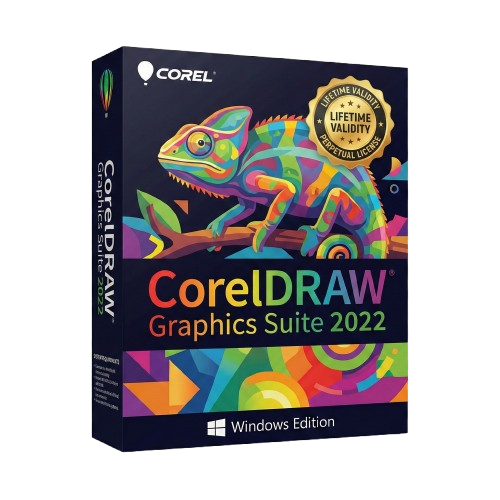
CorelDRAW Graphics Suite 2022 for Lifetime
- AUTOMATIC DELIVERY INSTANTLY ON REGISTERED EMAIL .
- Any Installation Problem Freely Contact Us(Will Give You Support)
- Lifetime Validity
- Windows Version
- Works with Internet and Antivirus
- No Popup issue
- Edit photos faster with non-destructive adjustments and a reimagined effects stack in Corel PHOTO-PAINT.
- View, manage, and move assets across all document pages simultaneously with the dynamic Multipage View.
- Gather real-time feedback from clients and colleagues directly inside your design file via cloud comments.
- Convert low-quality bitmap images into scalable vector graphics instantly with AI-powered PowerTRACE.
- Access and use Google Fonts directly within the font manager without manual installation.
Original price was: ₹999.00.₹499.00Current price is: ₹499.00.
Description
CorelDRAW Graphics Suite 2022: The Professional’s Choice for Creativity & Productivity
CorelDRAW Graphics Suite 2022 is the complete design solution for vector illustration, layout, photo editing, and typography. Built for fast-paced creative environments, this 2022 edition focuses on accelerating your workflow with a reimagined image editing experience and powerful asset management tools.
Whether you are designing manufacturing blueprints, marketing textiles, or large-format signage, CorelDRAW 2022 connects you with your team and your assets like never before. With the introduction of the dynamic Multipage View and the totally overhauled Adjustments Docker in Corel PHOTO-PAINT, you can execute complex projects in record time on Windows, Mac, or the Web.
What’s New in the 2022 Edition?
1. Faster Photo Editing
Corel PHOTO-PAINT 2022 received a massive upgrade.
- Non-Destructive Adjustments: Apply critical image adjustments (like curves, levels, and grayscale) in real-time without permanently altering the source pixels.
- New Adjustments Docker: A centralized hub for filters and effects that is up to 10x faster than previous versions. It allows you to stack effects and toggle them on/off instantly.
2. Multipage View
Manage big projects with ease.
- View All Pages: See all pages of your document on a single screen grid, rather than clicking through tabs.
- Move Assets Freely: Drag and drop design elements seamlessly between pages to compare variations or reorganize layouts instantly.
3. Enhanced Collaboration
- Cloud Comments: Share your designs directly with clients or colleagues. They can view, annotate, and comment on your design file in a web browser—no software installation required.
- Real-Time Feedback: Comments appear directly inside your CorelDRAW desktop app, allowing you to resolve issues and reply without leaving the canvas.
4. “Learn” Docker
- Personalized Tutorials: A smart learning pane that searches your library for tools and techniques based on how you work, offering tutorials and hints exactly when you need them.
Key Features
Vector Illustration & Layout
- Precision Drawing: Create curves with total control using professional shaping and drawing tools.
- Page Layout: Find all the tools you need to create layouts for brochures, multi-page documents, and newsletters.
- PowerTRACE™: Save time by converting low-quality bitmap images into scalable vector graphics with AI-assisted tracing.
Typography Engine
- Google Fonts Integration: Access the massive library of Google Fonts directly within the Corel Font Manager without needing to download them manually.
- Variable Fonts: Fine-tune font weight, width, and slant responsively to fit your design perfectly.
Web & Mobile
- CorelDRAW.app: Keep designing even when you are away from your computer. Use the web app on an iPad or laptop to show concepts to clients or make quick edits on the fly.
What’s Included?
- CorelDRAW®: Vector illustration and page layout.
- Corel PHOTO-PAINT™: Image editing and pixel-based design.
- Corel® Font Manager: Font exploration and management.
- PowerTRACE™: AI-powered bitmap-to-vector tracing.
- CorelDRAW.app: Online graphic design via web browser.
- CAPTURE™: Screen capture tool (Windows only).
- AfterShot™ HDR: RAW photo editor.
Why Choose CorelDRAW 2022?
- Flexible Purchasing: Available as a budget-friendly subscription or a one-time perpetual license.
- Performance: Optimized to utilize the full power of multi-core processors and GPUs for lag-free zooming and panning.
- File Compatibility: Ideally suited for manufacturing, it supports over 100 file formats including PDF, AI, PSD, SVG, DWG, and DXF.
System Requirements
Windows
- OS: Windows 11 or Windows 10 (Version 21H1 or later), 64-bit.
- Processor: Intel Core i3/5/7/9 or AMD Ryzen 3/5/7/9.
- RAM: 8 GB.
- Storage: 4.3 GB available hard disk space.
- Graphics: OpenCL 1.2 capable video card (3+ GB VRAM recommended).
Related Products

- Lifetime Validity
- Instant Delivery on Email
- Supported on All Apple Mac Systems
- Any Installation Problem Freely Contact Us(Will Give You Support)
- Works with Internet and Antivirus
- No Popup issue
- Render previews faster with native optimization for Apple Silicon (M1/M2/M3).
- Import and animate 3D models (GLB/GLTF) directly in the timeline.
- Isolate moving subjects instantly using the AI-powered Roto Brush 3.
- Preview and export simultaneously with high-speed Multi-Frame Rendering.
- Adjust layer settings quickly via the context-sensitive Properties Panel.
- Create realistic lighting and shadows with the native Advanced 3D renderer.
- Collaborate and review edits seamlessly with built-in Frame.io integration.
- AUTOMATIC DELIVERY INSTANTLY ON REGISTERED EMAIL .
- Any Installation Problem Freely Contact Us(Will Give You Support)
- Lifetime Validity
- Windows Version
- Works with Internet and Antivirus
- No Popup issue
- Generate images and vector graphics directly on the canvas with Firefly AI.
- Format long documents instantly using AI-powered Auto Style packs.
- Streamline review cycles with real-time web-based Share for Review.
- Hide specific spreads easily to exclude them from export or printing.
- Optimize PDF accessibility automatically with improved auto-tagging tools.
- Import HEIC, WebP, and JP2K image formats natively without conversion.
- Publish interactive documents to the web with built-in viewer analytics.
- Automate complex layout tasks securely using modern UXP scripting.

- AUTOMATIC DELIVERY INSTANTLY ON REGISTERED EMAIL .
- Any Installation Problem Freely Contact Us(Will Give You Support)
- Lifetime Validity
- Windows Version
- Works with Internet and Antivirus
- No Popup issue
- A complete graphic design suite combining vector illustration, page layout, and photo editing.
- Quickly convert bitmap images into editable vectors with the integrated Corel PowerTRACE.
- Apply fills to any enclosed area instantly, regardless of the object’s structure, using the Smart Fill tool.
- Adjust color and tone easily in a single interface with the Image Adjustment Lab.
- Includes Corel PHOTO-PAINT X3 for professional image retouching and bitmap creation.
- Precisely mask and remove backgrounds from photos using the intuitive Cutout Lab.
- Remove unwanted areas from objects, groups, or imported graphics with the Crop tool.
- Enhanced text handling and OpenType support provide precise control over typography.
- Add depth to your designs with interactive contour, bevel, and drop shadow tools.
- Includes a massive library of clipart, fonts, and high-quality photos for immediate use.

- AUTOMATIC DELIVERY INSTANTLY ON REGISTERED EMAIL .
- Any Installation Problem Freely Contact Us(Will Give You Support)
- Lifetime Validity
- Windows Version
- Explore massive 3D scenes in 100% ray-traced real-time without waiting for renders.
- Sync changes instantly from 3ds Max, SketchUp, Rhino, and Revit via Live Link.
- Render photorealistic animations at lightning speeds using NVIDIA DLSS 3.5 support.
- Populate environments with millions of objects using the built-in Chaos Scatter tool.
- Switch between different lighting setups, materials, and moods instantly with Scene States.
- Visualize complex animated characters and deformable meshes perfectly in real-time.

- Lifetime Validity
- Instant Delivery on Email
- Any Installation Problem Freely Contact Us(Will Give You Support)
- Supported on Windows 10,11
- Works with Internet and Antivirus
- No Popup issue
- File Size: 5.56GB
- Frame Tool for easy masking
- Content-Aware Fill reimagined
- New multiple undo mode
- Usability improvements
- Transform proportionally by default
- Prevent accidental panel moves with Lock Workspace

- AUTOMATIC DELIVERY INSTANTLY ON REGISTERED EMAIL .
- Any Installation Problem Freely Contact Us(Will Give You Support)
- Lifetime Validity
- Windows Version
- Works with Internet and Antivirus
- No Popup issue
- Automatically organize photos using Smart Collections
- Automatically import and process high-volume shoots
- Manage photos and volumes even when they’re offline
- Access and edit a comprehensive set of metadata fields
- Create virtual copies of photos to save hard disk space

- AUTOMATIC DELIVERY INSTANTLY ON REGISTERED EMAIL .
- Any Installation Problem Freely Contact Us(Will Give You Support)
- Lifetime Validity
- Windows Version
- Works with Internet and Antivirus
- No Popup issue
- Import and animate 3D models (GLB/GLTF) natively without external plugins.
- Isolate moving subjects instantly using the AI-powered Roto Brush 3.
- Access and edit key layer settings faster with the context-sensitive Properties Panel.
- Render previews and final exports simultaneously with Multi-Frame Rendering.
- Manage professional color workflows accurately with native OpenColorIO (ACES) support.
- Composite 3D objects realistically onto 2D footage using Shadow Catchers.
- Review and approve content seamlessly with the built-in Frame.io integration.
- AUTOMATIC DELIVERY INSTANTLY ON REGISTERED EMAIL .
- Any Installation Problem Freely Contact Us(Will Give You Support)
- Lifetime Validity
- Windows Version
- Smooth skin naturally while preserving texture using advanced AI algorithms.
- Generate precise skin masks automatically to isolate subjects instantly.
- Process massive batches of photos rapidly with optimized multi-core performance.
- Remove blemishes and imperfections without blurring eyelashes or eyebrows.
- Even out skin tones to correct redness and blotchiness effortlessly.
- Apply professional retouching styles quickly with a customizable preset library.
- Fine-tune mask selection manually with the interactive refinement brush.

- AUTOMATIC DELIVERY INSTANTLY ON REGISTERED EMAIL .
- Any Installation Problem Freely Contact Us(Will Give You Support)
- Lifetime Validity
- Windows Version
- Route complex PCB traces automatically with the new AI-driven auto-interactive router.
- Collaborate seamlessly with mechanical engineers via the enhanced real-time MCAD CoDesigner.
- Simulate power integrity and signal performance instantly within the unified design environment.
- Manage component shortages proactively with live supply chain data in ActiveBOM.
- Visualize multi-board systems and rigid-flex designs in photorealistic 3D detail.
- Sync all design changes and version history securely to the cloud with Altium 365.
- Define complex high-speed design rules easily using the visual Constraint Manager.

- Lifetime Validity
- Instant Delivery on Email
- Supported on All Apple Mac Systems
- Any Installation Problem Freely Contact Us(Will Give You Support)
- Works with Internet and Antivirus
- No Popup issue
- Experience blazing speeds with native Apple Silicon (M1/M2/M3) optimization.
- Generate editable vector graphics instantly from text prompts with Firefly AI.
- Wrap vector art realistically onto objects in images with the Mockup tool.
- Identify and convert raster text into editable fonts using AI Retype.
- Recolor artwork variations instantly using simple text descriptions.
- Sketch naturally using your iPad and Apple Pencil via Sidecar support.
- Collaborate efficiently with real-time comments via Share for Review.
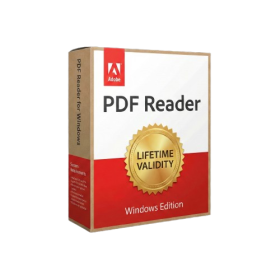
- AUTOMATIC DELIVERY INSTANTLY ON REGISTERED EMAIL .
- Any Installation Problem Freely Contact Us(Will Give You Support)
- Lifetime Validity
- Windows Version
- Works with Internet and Antivirus
- No Popup issue
- Edit PDFs: Directly edit text, fix typos, and swap images inside any PDF.
- Convert Files: Turn Word, Excel, and PowerPoint documents into PDFs and back again.
- E-Signatures: Fill and sign forms digitally, or request and track signatures from others.
- OCR Scanning: Convert scanned paper documents into editable, searchable text automatically.
- Merge Files: Combine multiple documents, images, and spreadsheets into a single PDF file.
- Create Forms: Build smart, fillable forms with dropdowns and checkboxes.
- Secure Data: Password-protect files and restrict others from copying or printing content.
- Cloud Sync: Access and work on your documents from desktop, mobile, or the web.
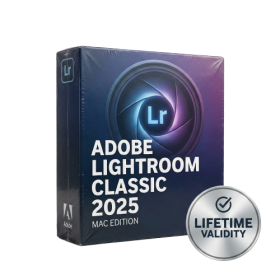
- Lifetime Validity
- Instant Delivery on Email
- Supported on All Apple Mac Systems
- Any Installation Problem Freely Contact Us(Will Give You Support)
- Works with Internet and Antivirus
- No Popup issue
- Automatically organize photos using Smart Collections
- Automatically import and process high-volume shoots
- Manage photos and volumes even when they’re offline
- Access and edit a comprehensive set of metadata fields
- Create virtual copies of photos to save hard-disk space
- Target specific areas of a photo for dodging and burning
- Enjoy state-of-the-art 64-bit memory handling