
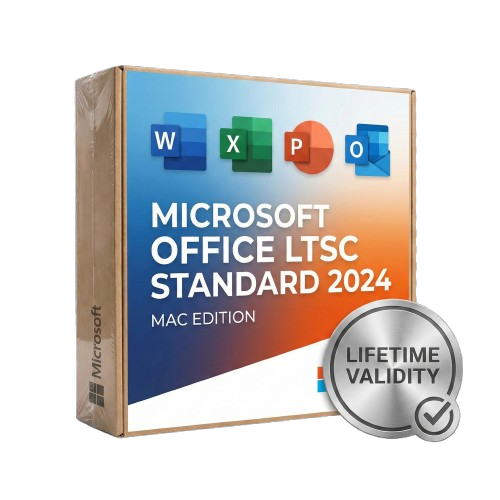
Microsoft Office LTSC Standard 2024 for Mac Lifetime
- Lifetime Validity
- Instant Delivery on Email
- Supported on All Apple Mac Systems
- Any Installation Problem Freely Contact Us(Will Give You Support)
- Secure a perpetual license with a one-time purchase and no recurring subscription.
- Experience peak performance with native optimization for Apple Silicon (M1/M2/M3).
- Find data efficiently in Excel with the powerful XLOOKUP and Dynamic Arrays.
- Insert live camera feeds directly into PowerPoint slides using the Cameo feature.
- Save documents compatible with the latest OpenDocument Format (ODF) 1.4.
- Manage email effortlessly with the streamlined and faster Outlook for Mac.
- Create accessible content easily with improved Accessibility Checker tools.
- Operate securely in offline environments without cloud connectivity requirements.
- Benefit from a fixed feature set that prevents unexpected interface changes.
Original price was: ₹999.00.₹499.00Current price is: ₹499.00.
Description
Microsoft Office LTSC Standard 2024 (Mac): The Professional’s Perpetual Choice
Microsoft Office LTSC (Long-Term Servicing Channel) Standard 2024 for Mac is the latest perpetual release of the essential productivity suite, designed specifically for commercial and government customers who require a stable, locked-in feature set without the need for a subscription.
Built to perform seamlessly on macOS, this suite combines the classic tools you rely on—Word, Excel, PowerPoint, Outlook, and OneNote—with modern performance optimizations. It is the ideal solution for regulated devices that cannot accept frequent updates or for users who prefer a one-time purchase over the Microsoft 365 cloud model.
Why Choose Office LTSC 2024?
1. One-Time Purchase, Forever Usage
Say goodbye to monthly fees. Office LTSC 2024 is a perpetual license. You pay once and own the software for the life of your device. It receives five years of support for security and quality updates, but the feature set remains stable, ensuring your workflow never breaks due to an unexpected UI change.
2. Optimized for Apple Silicon
Office 2024 is engineered to run natively on Apple Silicon (M1, M2, and M3) processors as well as Intel-based Macs.
- Instant Launch: Apps open instantly.
- Battery Efficiency: Optimized code ensures you can work longer on your MacBook without draining the battery.
- macOS Integration: Enjoy support for macOS specific features like Continuity Camera and the native full-screen view.
3. Offline Capability
Unlike Microsoft 365, Office LTSC 2024 does not require an internet connection to function after activation. It is built for secure, offline environments where data privacy and air-gapped stability are paramount.
What’s Included?
Microsoft Word 2024
Create professional documents with confidence.
- OpenDocument Format (ODF) 1.4: Full support for the latest open standard, ensuring better compatibility with non-Microsoft software.
- Performance: Faster scrolling and smoother typing on long, complex documents.
- Accessibility: Improved accessibility checker to ensure your documents are readable by everyone.
Microsoft Excel 2024
Analyze data with speed and precision.
- Dynamic Arrays: Write one formula and return an array of values.
- XLOOKUP: Find what you need in a table or range row by row, replacing the older VLOOKUP.
- New Functions: Includes 14 new text and array functions to manipulate text and arrays in your worksheets.
- Smoother Charts: Enhanced rendering for large datasets and complex visualizations.
Microsoft PowerPoint 2024
Present like a pro.
- Cameo Integration: Insert your live camera feed directly into a PowerPoint slide. You can resize, style, and animate your camera feed just like any other object.
- Recording Studio: Record your presentation with voiceover, slide timings, and ink gestures, then export it as a video.
Microsoft Outlook 2024
Manage your communication efficiently.
- Improved Search: Find emails, contacts, and appointments faster with enhanced search filters.
- Meeting Creation: Streamlined options for scheduling meetings and managing time zones.
Microsoft OneNote 2024
- Digital Notebook: Organize your notes, research, and ideas in a free-form digital notebook that saves automatically.
LTSC 2024 vs. Microsoft 365: What’s the Difference?
It is important to understand what LTSC offers compared to the subscription version:
- No AI Copilot: LTSC does not include cloud-based AI features like Microsoft Copilot.
- No Cloud Storage: Does not include the 1TB OneDrive storage found in 365 plans.
- Static Features: You get the features available at launch. New features released by Microsoft in the future are not added to LTSC versions (only security patches).
System Requirements (Mac)
- Operating System: The three most recent versions of macOS (Sequoia, Sonoma, Ventura).
- Processor: Apple Silicon (M1/M2/M3) or Intel processor.
- RAM: 4 GB RAM.
- Disk Space: 10 GB of available disk space; HFS+ hard disk format (also known as macOS Extended) or APFS updates may require additional storage over time.
- Display: 1280 x 800 screen resolution.
Related Products

- AUTOMATIC DELIVERY INSTANTLY ON REGISTERED EMAIL .
- Any Installation Problem Freely Contact Us(Will Give You Support)
- Lifetime Validity
- Works with Internet and Antivirus
- No Popup issue
- Windows Version
- File Size: 3.25GB
- Painterly Brush Tool: Apply realistic, pixel-based brush strokes (like oil or chalk) to vector paths.
- Vector Illustration: Professional tools for creating logos, signage, and complex vector art.
- Page Layout: Seamlessly handle multi-page documents like brochures and manuals.
- Photo Editing: Includes Corel PHOTO-PAINT 2025 for advanced image retouching and adjustment.
- Remote Fonts: Access and use online fonts instantly without needing to install them first.
- AI PowerTRACE: Automatically converts low-quality bitmap images into crisp, scalable vectors.
- Print to PDF: Redesigned export workflow for perfect print results with better color and bleed control.
- Focus Mode: Isolate specific objects while fading the background for distraction-free editing.
- Cross-Platform: Native support for both Windows 11 and macOS Sonoma.

- Lifetime Validity
- Instant Delivery on Email
- Any Installation Problem Freely Contact Us(Will Give You Support)
- Supported on Windows 10,11
- Works with Internet and Antivirus
- No Popup issue
- File Size: 5.56GB
- Frame Tool for easy masking
- Content-Aware Fill reimagined
- New multiple undo mode
- Usability improvements
- Transform proportionally by default
- Prevent accidental panel moves with Lock Workspace
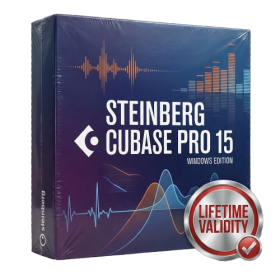
- AUTOMATIC DELIVERY INSTANTLY ON REGISTERED EMAIL .
- Any Installation Problem Freely Contact Us(Will Give You Support)
- Lifetime Validity
- Windows Version
- File Size: 1.21GB
- All Instruments Included
- Split mixed audio files into separate stems instantly with integrated AI spectral separation.
- Generate inspiring chord sequences automatically using the advanced AI Composition Assistant.
- Correct vocal pitch and timing transparently with the updated VariAudio 4 engine.
- Mix immersive spatial audio efficiently with the fully integrated Dolby Atmos Renderer.
- Control complex plugin parameters via the revamped, customizable MIDI Remote integration.
- Manage massive orchestral templates smoothly with the optimized Windows hybrid-core audio engine.
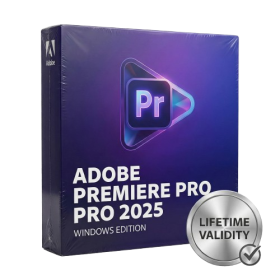
- AUTOMATIC DELIVERY INSTANTLY ON REGISTERED EMAIL .
- Any Installation Problem Freely Contact Us(Will Give You Support)
- Lifetime Validity
- Windows Version
- Works with Internet and Antivirus
- No Popup issue
- Mercury Playback Engine
- High-fidelity interchange
- Sync Settings
- Multicam editing
- Edit video faster than ever before

- AUTOMATIC DELIVERY INSTANTLY ON REGISTERED EMAIL .
- Any Installation Problem Freely Contact Us(Will Give You Support)
- Lifetime Validity
- Windows Version
- For 3ds Max 2021 – 2026
- Render and clip real-world 3D scans natively with full Gaussian Splatting support.
- Simulate complex light fixtures significantly faster using the new V-Ray Luminaire.
- Generate accurate stars, moon, and phases instantly with the procedural Night Sky.
- Create PBR materials from simple photos automatically with the AI Material Generator.
- Stream interactive 3D scenes to clients via a web link with Chaos Cloud Streaming.
- Analyze scene performance and spot bottlenecks precisely using the V-Ray Profiler.
- Render realistic caustics and refractions at high speeds with updated V-Ray GPU.

- AUTOMATIC DELIVERY INSTANTLY ON REGISTERED EMAIL .
- Any Installation Problem Freely Contact Us(Will Give You Support)
- Lifetime Validity
- Windows Version
- Revit 2023, 2024, 2025, and 2026
- SketchUp 2024, 2025 and 2026
- Rhino 7.0 and 8.3 (or later)
- Archicad 27, 28 and 29
- Vectorworks 2024, 2025 and 2026
- Navigate scenes with a unified, redesigned user interface for faster workflows.
- Enhance export quality instantly with the AI-powered NVIDIA Denoiser.
- Simulate realistic colored shadows for glass and transparent materials.
- Upscale textures and assets automatically using the Chaos AI Enhancer.
- Apply pencil and watercolor effects with new Artistic Visual Modes.
- Immerse clients in designs with support for Meta Quest 3 and HTC Vive.
- AUTOMATIC DELIVERY INSTANTLY ON REGISTERED EMAIL .
- Any Installation Problem Freely Contact Us(Will Give You Support)
- Lifetime Validity
- Windows Version
- Automate assembly mates instantly with AI-powered fastener recognition.
- Generate complete 2D drawings from 3D models automatically with AI tools.
- Split component configurations into separate files in batches seamlessly.
- Skip unnecessary rebuilds for cosmetic changes to speed up large assemblies.
- Create reference points precisely using global XYZ coordinate values.
- Import massive neutral files in the background while you continue working.
- Render photorealistic images directly within the interface without switching apps.
- AUTOMATIC DELIVERY INSTANTLY ON REGISTERED EMAIL .
- Any Installation Problem Freely Contact Us(Will Give You Support)
- Lifetime Validity
- Windows Version
- Works with Internet and Antivirus
- No Popup issue
- File Size: 3.33GB
- Create smoother, band-free color transitions with new gradient dithering and perceptual blending modes.
- Rotate 2D vector artwork in 3D space to explore dynamic angles with the innovative Turntable tool.
- Identify fonts from raster images or outlined text instantly using the AI-powered Retype feature.
- Organize files and collaborate seamlessly with team members using the new shared Projects workspace.
- Snap objects precisely to path tangents and perpendicular points with enhanced smart snapping tools.
- Wrap vector graphics automatically onto images of real-world objects with the realistic Mockup tool.

- AUTOMATIC DELIVERY INSTANTLY ON REGISTERED EMAIL .
- Any Installation Problem Freely Contact Us(Will Give You Support)
- Lifetime Validity
- Windows Version
- Map video onto complex geometric structures and surfaces with advanced projection mapping tools.
- Stitch multiple projectors into a single seamless widescreen image with soft edge blending.
- Sync video with lighting fixtures using DMX input and advanced LED pixel mapping.
- Lock your visuals perfectly to show tracks and DJ sets using SMPTE timecode input.
- Mix unlimited layers of video, effects, and generative content in real-time.
- Correct mistakes instantly during live setup with the fully integrated Undo/Redo feature.

- Lifetime Validity
- Instant Delivery on Email
- Any Installation Problem Freely Contact Us(Will Give You Support)
- Supported on Windows 10,11
- Pre-Activated for Lifetime Validity
- Works with Internet and Antivirus
- No Popup issue
Adobe Photoshop is the industry-leading digital image editing and design application that offers the tools to create anything you can imagine.

- AUTOMATIC DELIVERY INSTANTLY ON REGISTERED EMAIL .
- Any Installation Problem Freely Contact Us(Will Give You Support)
- Lifetime Validity
- Mac Version
- Run natively on Apple Silicon (M1/M2/M3) for blazing-fast performance.
- Visualize models with realistic depth using the new Ambient Occlusion engine.
- Generate unique textures instantly with integrated AI-powered prompts.
- Sync projects seamlessly between Mac, iPad, and Web versions.
- Convert iPhone LiDAR scans into 3D models automatically via Scan-to-Design.
- Create 2D documentation faster with the optimized LayOut rendering engine.
- Import and export USDZ files easily for Apple AR visualization.

- Lifetime Validity
- Instant Delivery on Email
- Supported on All Apple Mac Systems
- Any Installation Problem Freely Contact Us(Will Give You Support)
- Works with Internet and Antivirus
- No Popup issue
- Render previews faster with native optimization for Apple Silicon (M1/M2/M3).
- Import and animate 3D models (GLB/GLTF) directly in the timeline.
- Isolate moving subjects instantly using the AI-powered Roto Brush 3.
- Preview and export simultaneously with high-speed Multi-Frame Rendering.
- Adjust layer settings quickly via the context-sensitive Properties Panel.
- Create realistic lighting and shadows with the native Advanced 3D renderer.
- Collaborate and review edits seamlessly with built-in Frame.io integration.