
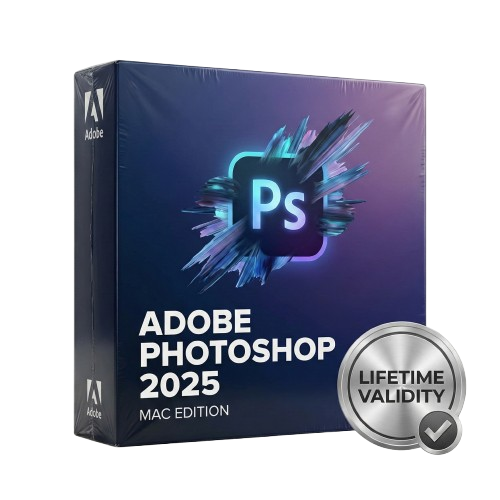
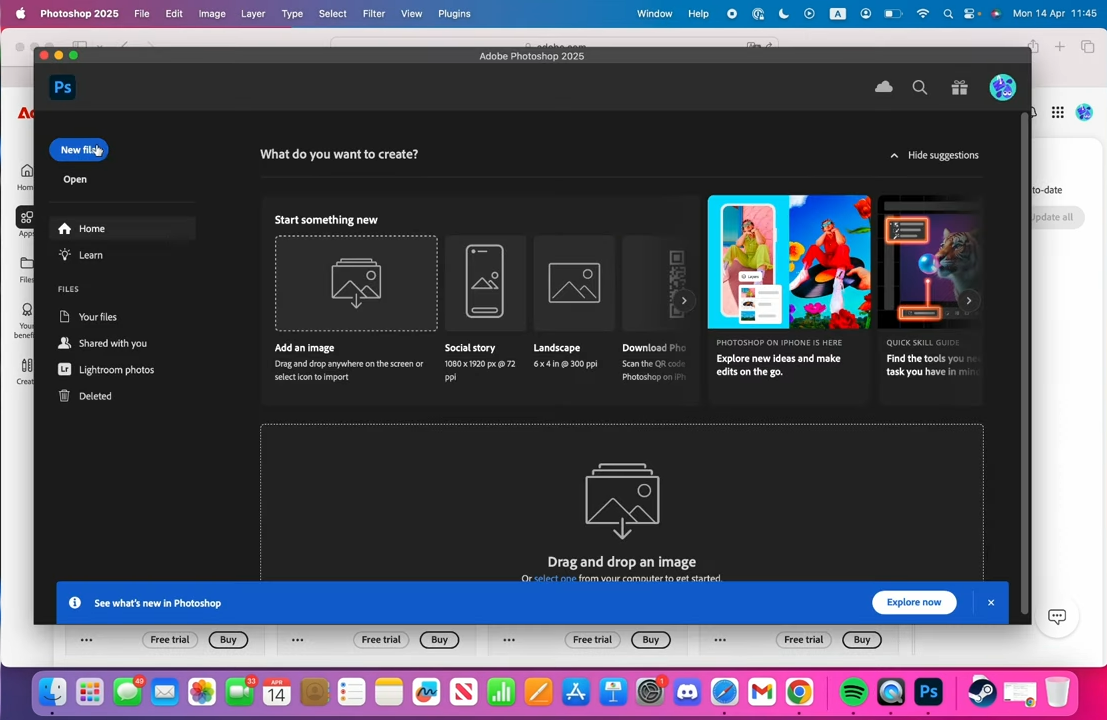
Photoshop 2025 for Mac Lifetime
- Lifetime Validity
- Instant Delivery on Email
- Works with Internet and Antivirus
- No Popup issue
- Any Installation Problem Freely Contact Us(Will Give You Support)
- Supported on all Apple Mac Products
- Pre-Activated for Lifetime Validity
Adobe Photoshop is the industry-leading digital image editing and design application that offers the tools to create anything you can imagine.
Original price was: ₹999.00.₹499.00Current price is: ₹499.00.
Description
Product Overview
Adobe Photoshop 2025 (Mac): The World’s Best Imaging Software, Supercharged by AI
Adobe Photoshop 2025 for Mac redefines what is possible in digital imaging. Combining the industry-standard power of pixel-perfect editing with the revolutionary speed of Adobe Firefly 3 Generative AI, this release allows you to create anything you can imagine—instantly.
Optimized explicitly for macOS and Apple Silicon (M1, M2, and M3) chips, Photoshop 2025 runs faster and smoother than ever before. Whether you are retouching high-res portraits on a MacBook Pro or designing complex composites on a Mac Studio, the new graphics engine utilizes the full power of Metal to deliver real-time performance on even the heaviest files.
What’s New in Photoshop 2025?
1. Generative Fill with Reference Image
Take control of AI generation. Instead of relying solely on text prompts, you can now upload a reference image to guide the style, color, and structure of the generated content.
- Result: The AI output matches your specific aesthetic or brand guidelines perfectly.
2. Generate Background
Swap environments in a single click. The new Generate Background feature automatically selects your subject, masks it, and generates a completely new, lighting-consistent background based on your text prompt.
3. The “Distraction Removal” Tool
The Remove Tool has been upgraded with smart detection.
- Auto-Detect: It can now automatically identify and remove common distractions like power lines, cables, and random people in the background without you having to brush over them manually.
4. Adjustment Brush Tool
Paint non-destructive adjustments directly onto your image. Combine the traditional workflow of masking and adjustment layers into one intuitive tool—simply select “Exposure” or “Saturation” and paint exactly where you want that effect to appear.
Designed Exclusively for Mac
Photoshop 2025 feels like a native extension of your Mac.
- Native Apple Silicon Speed: Built to run natively on M1, M2, and M3 processors, delivering up to 2x faster filter performance and instant launch times.
- Pro Display XDR Support: Edit with confidence using High Dynamic Range (HDR) support. See your images with true-to-life brightness and contrast on Apple’s Liquid Retina XDR displays.
- iPad Sidecar: Use your iPad as a precise secondary display and graphics tablet. Paint masks and retouch photos using your Apple Pencil with zero lag.
- Unified Gestures: Use intuitive pinch, zoom, and rotate gestures on your Trackpad or Magic Mouse to navigate your canvas fluidly.
Key Features
Generative AI (Firefly)
- Generative Expand: Drag the crop tool beyond your image borders and watch Photoshop fill in the empty space with matching content automatically.
- Text to Image: Generate full asset layers from scratch using simple text descriptions directly inside the Photoshop canvas.
Professional Retouching
- Neural Filters: Change expressions, age facial features, or transfer color palettes from one image to another using simple sliders powered by machine learning.
- Camera Raw Filter: Process RAW files with ultimate control over color grading, noise reduction, and optics correction before you even start editing.
Design & Typography
- Contextual Task Bar: A floating menu that stays by your active selection, predicting your next move (like “Select Subject” or “Mask”) to keep you in the flow.
- Live Gradients: Edit gradients directly on the canvas with on-screen controls, allowing you to tweak color stops and blending in real-time.
Why Upgrade to the 2025 Release?
- Speed: The new “Reference Image” feature for Generative Fill saves hours of trial-and-error prompting.
- Precision: The Adjustment Brush brings the ease of Lightroom’s local adjustments directly into Photoshop’s layer-based workflow.
- Simplicity: Removing complex distractions (like fences or wires) is now a one-click automatic process.
System Requirements (Mac)
- Operating System: macOS Sequoia (15), macOS Sonoma (14), or macOS Ventura (13).
- Processor: Apple Silicon (M1/M2/M3) or Multicore Intel processor with SSE 4.2 support.
- RAM: 16 GB RAM (32 GB recommended for generative AI tasks).
- Graphics: GPU with Metal support and 4 GB of GPU memory (8 GB recommended).
- Storage: 20 GB of available hard-disk space (High-speed SSD required).
- Internet: Required for product activation and Generative AI features.
Related Products

- AUTOMATIC DELIVERY INSTANTLY ON REGISTERED EMAIL .
- Any Installation Problem Freely Contact Us(Will Give You Support)
- Lifetime Validity
- Windows Version
- Edit video content as easily as a text document with the AI-powered text-based editing workflow.
- Instantly remove or replace video backgrounds without a green screen using dynamic AI masking.
- Automatically generate and sync accurate captions and subtitles from your voiceover in seconds.
- Smooth out jerky mouse movements and customize cursor paths with advanced cursor effects.
- Record high-resolution 4K screen capture, webcam, and system audio simultaneously.
- Clean up background noise and balance vocal levels instantly with AI-enhanced audio filters.
- Access a vast library of royalty-free intros, motion graphics, and music directly within the editor.
- Engage viewers by adding interactive quizzes and clickable hotspots directly to your videos.
- Apply professional animations and behaviors to text and images with simple drag-and-drop actions.
- Export videos faster than ever with optimized GPU acceleration for modern hardware.

- AUTOMATIC DELIVERY INSTANTLY ON REGISTERED EMAIL .
- Any Installation Problem Freely Contact Us(Will Give You Support)
- Lifetime Validity
- Windows Version
- Works with Internet and Antivirus
- No Popup issue
- Automatically organize photos using Smart Collections
- Automatically import and process high-volume shoots
- Manage photos and volumes even when they’re offline
- Access and edit a comprehensive set of metadata fields
- Create virtual copies of photos to save hard disk space

- Lifetime Validity
- Instant Delivery on Email
- Supported on All Apple Mac Systems
- Any Installation Problem Freely Contact Us(Will Give You Support)
- Works with Internet and Antivirus
- No Popup issue
- Render previews faster with native optimization for Apple Silicon (M1/M2/M3).
- Import and animate 3D models (GLB/GLTF) directly in the timeline.
- Isolate moving subjects instantly using the AI-powered Roto Brush 3.
- Preview and export simultaneously with high-speed Multi-Frame Rendering.
- Adjust layer settings quickly via the context-sensitive Properties Panel.
- Create realistic lighting and shadows with the native Advanced 3D renderer.
- Collaborate and review edits seamlessly with built-in Frame.io integration.

- AUTOMATIC DELIVERY INSTANTLY ON REGISTERED EMAIL .
- Any Installation Problem Freely Contact Us(Will Give You Support)
- Lifetime Validity
- Windows Version
- Works with Internet and Antivirus
- No Popup issue
- Convert freehand sketches into precise vector curves instantly with the revolutionary AI-powered LiveSketch tool.
- Design naturally using advanced support for stylus devices, touchscreens, and the Microsoft Surface Dial.
- Enjoy a crisp, scalable workspace with native support for Ultra HD 5K monitors and multi-screen setups.
- Remove imperfections from photos seamlessly using the advanced Healing Clone tool in Corel PHOTO-PAINT.
- Manipulate nodes and curves more efficiently with revamped vector shaping and editing tools.
- Organize and find the perfect typeface quickly with the enhanced filtering in Corel Font Manager.

- AUTOMATIC DELIVERY INSTANTLY ON REGISTERED EMAIL .
- Any Installation Problem Freely Contact Us(Will Give You Support)
- Lifetime Validity
- Windows Version
- Works with Internet and Antivirus
- No Popup issue
- File Size: 462MB
- CorelDRAW X7 – Vector Illustration & Layout
- Corel PHOTO-PAINT X7 – Professional Photo Editing
- PowerTRACE – Convert Images to Vector
- Corel CONNECT – Search & Manage Content
- Corel CAPTURE – One-click Screenshot Tool
- Website Creator – Simple Website Building
- PhotoZoom Plugin – High-quality image enlargement
- AUTOMATIC DELIVERY INSTANTLY ON REGISTERED EMAIL .
- Any Installation Problem Freely Contact Us(Will Give You Support)
- Lifetime Validity
- Windows Version
- Works with Internet and Antivirus
- No Popup issue
- Mercury Playback Engine
- High-fidelity interchange
- Sync Settings
- Multicam editing
- Edit video faster than ever before

- AUTOMATIC DELIVERY INSTANTLY ON REGISTERED EMAIL .
- Any Installation Problem Freely Contact Us(Will Give You Support)
- Lifetime Validity
- Windows Version
- Size: 657 MB
- Version: 8.2
- Create watertight meshes instantly for 3D printing with the new ShrinkWrap tool.
- Generate dynamic 2D sections and plans directly from 3D models with ClippingDrawings.
- Model organic shapes with greater precision using supported SubD creases.
- Manipulate geometry intuitively with the new customized Auto Gumball.
- Extrude and modify faces instantly using the direct PushPull workflow.
- Render scenes significantly faster with the optimized Cycles engine.
- Customize the modernized interface to match your specific drafting workflow.

- AUTOMATIC DELIVERY INSTANTLY ON REGISTERED EMAIL .
- Any Installation Problem Freely Contact Us(Will Give You Support)
- Lifetime Validity
- Mac Version
- Run natively on Apple Silicon (M1/M2/M3) for blazing-fast performance.
- Visualize models with realistic depth using the new Ambient Occlusion engine.
- Generate unique textures instantly with integrated AI-powered prompts.
- Sync projects seamlessly between Mac, iPad, and Web versions.
- Convert iPhone LiDAR scans into 3D models automatically via Scan-to-Design.
- Create 2D documentation faster with the optimized LayOut rendering engine.
- Import and export USDZ files easily for Apple AR visualization.
- AUTOMATIC DELIVERY INSTANTLY ON REGISTERED EMAIL .
- Any Installation Problem Freely Contact Us(Will Give You Support)
- Lifetime Validity
- Windows Version
- Smooth skin naturally while preserving texture using advanced AI algorithms.
- Generate precise skin masks automatically to isolate subjects instantly.
- Process massive batches of photos rapidly with optimized multi-core performance.
- Remove blemishes and imperfections without blurring eyelashes or eyebrows.
- Even out skin tones to correct redness and blotchiness effortlessly.
- Apply professional retouching styles quickly with a customizable preset library.
- Fine-tune mask selection manually with the interactive refinement brush.

- Lifetime Validity
- Instant Delivery on Email
- Any Installation Problem Freely Contact Us(Will Give You Support)
- Supported on Windows 10,11
- Works with Internet and Antivirus
- No Popup issue
- File Size: 5.56GB
- Frame Tool for easy masking
- Content-Aware Fill reimagined
- New multiple undo mode
- Usability improvements
- Transform proportionally by default
- Prevent accidental panel moves with Lock Workspace

- AUTOMATIC DELIVERY INSTANTLY ON REGISTERED EMAIL .
- Any Installation Problem Freely Contact Us(Will Give You Support)
- Lifetime Validity
- Mac Version
- Apply realistic pixel-based brush strokes to vector paths with the new Painterly Brush tool.
- Experience blazing-fast performance with native optimization for Apple M1, M2, and M3 chips.
- Use your iPad as a secondary display and graphics tablet via Sidecar with full Apple Pencil support.
- Access and use online fonts instantly without manual installation using the new Remote Fonts feature.
- Isolate specific objects for distraction-free editing with the new Focus Mode.
- Convert low-quality bitmap images into crisp vectors automatically with AI-powered PowerTRACE.
- AUTOMATIC DELIVERY INSTANTLY ON REGISTERED EMAIL .
- Any Installation Problem Freely Contact Us(Will Give You Support)
- Lifetime Validity
- Windows Version
- Works with Internet and Antivirus
- Automate assembly mates instantly with AI-powered fastener recognition.
- Generate complete 2D drawings from 3D models automatically with AI tools.
- Split component configurations into separate files in batches seamlessly.
- Skip unnecessary rebuilds for cosmetic changes to speed up large assemblies.
- Create reference points precisely using global XYZ coordinate values.
- Import massive neutral files in the background while you continue working.
- Render photorealistic images directly within the interface without switching apps.