
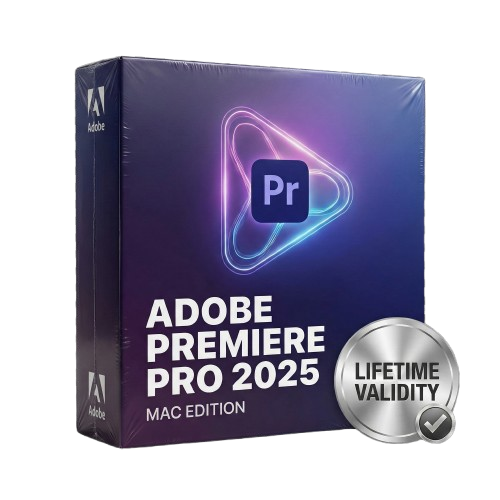
Premiere Pro 2025 for Mac Lifetime
- Lifetime Validity
- Instant Delivery on Email
- Any Installation Problem Freely Contact Us(Will Give You Support)
- Supported on all Apple Mac Products
- Pre-Activated for Lifetime
- Works with Internet and Antivirus
- No Popup issue
- Extend short clips seamlessly using the new AI-powered Generative Extend tool.
- Remove unwanted objects or add new elements to video scenes instantly with Generative Fill.
- Edit videos rapidly by cutting and rearranging text in the auto-generated transcript.
- Clean up noisy dialogue to studio quality instantly with AI Enhanced Speech.
- Experience real-time 8K playback and fast rendering with native Apple Silicon optimization.
- Create precise audio fades visually by dragging interactive handles on the clips.
- Match colors across different cameras and HDR formats automatically with Auto Tone Mapping.
Original price was: ₹999.00.₹499.00Current price is: ₹499.00.
Description
Adobe Premiere Pro CC for MacOS Overview
It is an integrated, efficient workflow that lets you polish your work without leaving your timeline. Automated tools powered by Adobe Sensei speed up time-consuming tasks so that you can focus on your story.
Premiere Pro comes with the all-new Premiere Rush CC, an all-in-one app that works across your devices. Capture footage on your phone, then edit and share to social channels on your phone, tablet, or desktop. Or open your Rush files in Premiere Pro if you want to take them further.
Edit footage in any modern format, from 8K to virtual reality. Broad native file support and simple proxy workflows make working with your media, even on mobile workstations, easy. Delivering optimized content for any screen or platform is faster than ever.
Features of Adobe Premiere Pro CC for MacOS
- Mercury Playback Engine
- High-fidelity interchange
- Sync Settings
- Multicam editing
- Edit video faster than ever before
- Project and media management
- Broad format support
- End-to-end metadata workflow
- Greater audience reach
- Mobile editing with all-new Premiere Rush
- End-to-end VR 180
- Intelligent audio cleanup
- Data-driven infographics Motion Graphics templates
- Adobe Stock enhancements
- Creative Cloud Library improvements
- Theater Mode in Adobe Immersive Environment
- Australian closed-captioning standard
System Requirements and Technical Details
- Processor: Intel 64-bit CPU
- Apple M1/M2 chip
- Operating system: macOS X v10.15 or later
- RAM: 16 GB of RAM (32 GB recommended)
- 4 GB of GPU VRAM
- Hard disk space: Fast internal SSD (recommended) for app installation and cache – plus provisional space for media
- Monitor resolution: 1920 x 1080 or greater display resolution
- Video card: 32-bit video card
Installation:
If you need another language:
Remove the Install folder from the DMG image before this action (to any location on your Mac and install from there) – If you need another language, before installing Premiere Pro, go to the Install folder – products – driver.xml (right-click on it) – open in TextEdit – (at the very bottom, find the line “ru_RU” and in it, change ru_RU, for example, to en_US so that the line becomes something like “en_US”.
The program is installed in Russian
- Remove the previous installation of Premiere Pro (if installed)
- Use Adobe Creative Cloud Cleaner Tool to remove all remnants of the previous Premiere Pro
- Install Full Creative Cloud from the Extra folder
- Install Premiere Pro itself – in the Install folder, run Install.command
- Use Adobe Activation Tool:
RMB (on Adobe Activation Tool) -> Open
Go to the Programs folder -> Adobe Premiere Pro (this is the folder, the program is inside)
Move Premiere Pro to the Adobe Activation Tool window
Press the blue button
Related Products
- AUTOMATIC DELIVERY INSTANTLY ON REGISTERED EMAIL .
- Any Installation Problem Freely Contact Us(Will Give You Support)
- Lifetime Validity
- Windows Version
- Smooth skin naturally while preserving texture using advanced AI algorithms.
- Generate precise skin masks automatically to isolate subjects instantly.
- Process massive batches of photos rapidly with optimized multi-core performance.
- Remove blemishes and imperfections without blurring eyelashes or eyebrows.
- Even out skin tones to correct redness and blotchiness effortlessly.
- Apply professional retouching styles quickly with a customizable preset library.
- Fine-tune mask selection manually with the interactive refinement brush.
- Lifetime Validity
- Instant Delivery on Email
- Supported on All Apple Mac Systems
- Any Installation Problem Freely Contact Us(Will Give You Support)
- Works with Internet and Antivirus
- No Popup issue
- Experience blazing speeds with native Apple Silicon (M1/M2/M3) optimization.
- Generate editable vector graphics instantly from text prompts with Firefly AI.
- Wrap vector art realistically onto objects in images with the Mockup tool.
- Identify and convert raster text into editable fonts using AI Retype.
- Recolor artwork variations instantly using simple text descriptions.
- Sketch naturally using your iPad and Apple Pencil via Sidecar support.
- Collaborate efficiently with real-time comments via Share for Review.
- Lifetime Validity
- Instant Delivery on Email
- Any Installation Problem Freely Contact Us(Will Give You Support)
- Supported on Windows 10,11
- Pre-Activated for Lifetime Validity
- Works with Internet and Antivirus
- No Popup issue
Adobe Photoshop is the industry-leading digital image editing and design application that offers the tools to create anything you can imagine.
- Lifetime Validity
- Instant Delivery on Email
- Supported on All Apple Mac Systems
- Any Installation Problem Freely Contact Us(Will Give You Support)
- Works with Internet and Antivirus
- No Popup issue
- Maximize performance with native optimization for Apple Silicon (M1/M2/M3).
- Generate images and graphics on-canvas instantly with integrated Firefly AI.
- Format long documents automatically using AI-powered Auto Style presets.
- Import HEIC and WebP images natively without manual conversion.
- Streamline client feedback with the real-time Share for Review link.
- Publish interactive digital documents to the web with built-in analytics.
- Hide specific pages or spreads easily from final export and printing.
- AUTOMATIC DELIVERY INSTANTLY ON REGISTERED EMAIL .
- Any Installation Problem Freely Contact Us(Will Give You Support)
- Lifetime Validity
- Windows Version
- For 3ds Max 2021 – 2026
- Render and clip real-world 3D scans natively with full Gaussian Splatting support.
- Simulate complex light fixtures significantly faster using the new V-Ray Luminaire.
- Generate accurate stars, moon, and phases instantly with the procedural Night Sky.
- Create PBR materials from simple photos automatically with the AI Material Generator.
- Stream interactive 3D scenes to clients via a web link with Chaos Cloud Streaming.
- Analyze scene performance and spot bottlenecks precisely using the V-Ray Profiler.
- Render realistic caustics and refractions at high speeds with updated V-Ray GPU.

- AUTOMATIC DELIVERY INSTANTLY ON REGISTERED EMAIL .
- Any Installation Problem Freely Contact Us(Will Give You Support)
- Lifetime Validity
- Windows Version
- Works with Internet and Antivirus
- No Popup issue
- File Size: 462MB
- CorelDRAW X7 – Vector Illustration & Layout
- Corel PHOTO-PAINT X7 – Professional Photo Editing
- PowerTRACE – Convert Images to Vector
- Corel CONNECT – Search & Manage Content
- Corel CAPTURE – One-click Screenshot Tool
- Website Creator – Simple Website Building
- PhotoZoom Plugin – High-quality image enlargement
- AUTOMATIC DELIVERY INSTANTLY ON REGISTERED EMAIL .
- Any Installation Problem Freely Contact Us(Will Give You Support)
- Lifetime Validity
- Windows Version
- Works with Internet and Antivirus
- No Popup issue
- File Size: 3.33GB
- Create smoother, band-free color transitions with new gradient dithering and perceptual blending modes.
- Rotate 2D vector artwork in 3D space to explore dynamic angles with the innovative Turntable tool.
- Identify fonts from raster images or outlined text instantly using the AI-powered Retype feature.
- Organize files and collaborate seamlessly with team members using the new shared Projects workspace.
- Snap objects precisely to path tangents and perpendicular points with enhanced smart snapping tools.
- Wrap vector graphics automatically onto images of real-world objects with the realistic Mockup tool.

- AUTOMATIC DELIVERY INSTANTLY ON REGISTERED EMAIL .
- Any Installation Problem Freely Contact Us(Will Give You Support)
- Lifetime Validity
- Windows Version
- Route complex PCB traces automatically with the new AI-driven auto-interactive router.
- Collaborate seamlessly with mechanical engineers via the enhanced real-time MCAD CoDesigner.
- Simulate power integrity and signal performance instantly within the unified design environment.
- Manage component shortages proactively with live supply chain data in ActiveBOM.
- Visualize multi-board systems and rigid-flex designs in photorealistic 3D detail.
- Sync all design changes and version history securely to the cloud with Altium 365.
- Define complex high-speed design rules easily using the visual Constraint Manager.
- AUTOMATIC DELIVERY INSTANTLY ON REGISTERED EMAIL .
- Any Installation Problem Freely Contact Us(Will Give You Support)
- Lifetime Validity
- Windows Version
- Works with Internet and Antivirus
- No Popup issue
- Import and animate 3D models (GLB/GLTF) natively without external plugins.
- Isolate moving subjects instantly using the AI-powered Roto Brush 3.
- Access and edit key layer settings faster with the context-sensitive Properties Panel.
- Render previews and final exports simultaneously with Multi-Frame Rendering.
- Manage professional color workflows accurately with native OpenColorIO (ACES) support.
- Composite 3D objects realistically onto 2D footage using Shadow Catchers.
- Review and approve content seamlessly with the built-in Frame.io integration.
- AUTOMATIC DELIVERY INSTANTLY ON REGISTERED EMAIL .
- Any Installation Problem Freely Contact Us(Will Give You Support)
- Lifetime Validity
- Windows Version
- Size: 657 MB
- Version: 8.2
- Create watertight meshes instantly for 3D printing with the new ShrinkWrap tool.
- Generate dynamic 2D sections and plans directly from 3D models with ClippingDrawings.
- Model organic shapes with greater precision using supported SubD creases.
- Manipulate geometry intuitively with the new customized Auto Gumball.
- Extrude and modify faces instantly using the direct PushPull workflow.
- Render scenes significantly faster with the optimized Cycles engine.
- Customize the modernized interface to match your specific drafting workflow.

- AUTOMATIC DELIVERY INSTANTLY ON REGISTERED EMAIL .
- Any Installation Problem Freely Contact Us(Will Give You Support)
- Lifetime Validity
- Windows Version
- Revit 2023, 2024, 2025, and 2026
- SketchUp 2024, 2025 and 2026
- Rhino 7.0 and 8.3 (or later)
- Archicad 27, 28 and 29
- Vectorworks 2024, 2025 and 2026
- Navigate scenes with a unified, redesigned user interface for faster workflows.
- Enhance export quality instantly with the AI-powered NVIDIA Denoiser.
- Simulate realistic colored shadows for glass and transparent materials.
- Upscale textures and assets automatically using the Chaos AI Enhancer.
- Apply pencil and watercolor effects with new Artistic Visual Modes.
- Immerse clients in designs with support for Meta Quest 3 and HTC Vive.

- AUTOMATIC DELIVERY INSTANTLY ON REGISTERED EMAIL .
- Any Installation Problem Freely Contact Us(Will Give You Support)
- Lifetime Validity
- Windows Version
- File Size: 1.84GB
- Visualize models with stunning depth and realism using the new graphics engine featuring native Ambient Occlusion.
- Generate unique, seamless textures instantly from simple text prompts with the integrated AI texture generator.
- Import complex Revit files accurately and efficiently with the enhanced, lighter-weight Revit Importer.
- Create 2D documentation in LayOut faster than ever with a new multi-threaded rendering engine that eliminates lag.
- Convert room scans from mobile devices automatically into clean, editable 3D geometry via Scan-to-Design.
- Collaborate in real-time by syncing projects seamlessly across Desktop, iPad, and Web versions.