
SolidWorks 2026 Premium for Lifetime
- AUTOMATIC DELIVERY INSTANTLY ON REGISTERED EMAIL .
- Any Installation Problem Freely Contact Us(Will Give You Support)
- Lifetime Validity
- Windows Version
- Works with Internet and Antivirus
- Automate assembly mates instantly with AI-powered fastener recognition.
- Generate complete 2D drawings from 3D models automatically with AI tools.
- Split component configurations into separate files in batches seamlessly.
- Skip unnecessary rebuilds for cosmetic changes to speed up large assemblies.
- Create reference points precisely using global XYZ coordinate values.
- Import massive neutral files in the background while you continue working.
- Render photorealistic images directly within the interface without switching apps.
₹550.00
Description
SOLIDWORKS 2026 Premium for Windows is a high-end 3D CAD, simulation, and product design software developed for engineers, designers, and manufacturing professionals. It provides a complete solution for designing complex parts, assemblies, and systems while integrating advanced simulation, validation, and visualization tools.
The Premium edition includes everything from standard modeling tools to advanced features like motion analysis, structural simulation, and routing for pipes, cables, and electrical systems—making it ideal for professional engineering workflows.
At its core, SOLIDWORKS offers powerful parametric 3D modeling, allowing users to create precise and fully editable designs. Engineers can build complex assemblies with thousands of components while maintaining performance and control.
🔧 Key Capabilities
- 3D Modeling & Assemblies – Create detailed parts and large assemblies
- Simulation Tools – Test stress, motion, and real-world behavior
- Routing & Electrical Design – Design pipes, tubes, and wiring systems
- Sheet Metal & Weldments – Specialized tools for manufacturing workflows
- Technical Drawings – Generate production-ready documentation
- Data Management (PDM) – Manage design data and collaboration
🚀 What’s New in 2026
SOLIDWORKS 2026 introduces major improvements in performance, usability, and collaboration:
- ⚡ Background Processing for Imports – Work while large files load
- 🧠 AI & Workflow Enhancements – Smarter tools and automation
- 🧩 Improved Large Assembly Handling – Faster performance with complex models
- 🎨 Enhanced Rendering & Materials – More realistic visualization
- 🔗 Better Collaboration Tools – Improved cloud and team workflows
These updates make the 2026 version faster, more efficient, and better suited for modern engineering environments.
Features of the program
- In the SOLIDWORKS CAM chapter, the topic More Parameters for Tapered Shanks and Support for Barrel Tool Type contains incorrect information. The Barrel tool type is not supported.
- In the Import/Export chapter, the topic Exporting Using Extended Reality contains incorrect information. In the table in step 3:
- The Output and Geometry options are not available.
- The Animation option Export Animations is renamed to Export to Motion Studies.
- In the SOLIDWORKS 3D Interconnect chapter, the topic Exporting to the Revit Family Format contains incorrect information. The functionality is not supported and has been removed from the software.
- In the SOLIDWORKS MBD chapter, a new topic was added, Publishing to 3D PDF, which contains the following information:
- Updates to the user interface for Publish to 3D PDF help you better visualize your selections’ impact on the final output. The new Template Selection dialog box provides large previews of available templates, including previews of each page of multipage templates. After you select a template, as you make selections in the PropertyManager, an extensive preview of the PDF document lets you see the effects of your selections.
System Requirements for SolidWorks
- Processor: 3.3 GHz or higher clock speed
- Operating System: Windows 10/11 64-bit
- Memory: 32GB (16GB minimum)
- Hard Drive: Solid State Drive (SSD), maintaining at least 20GB of free space
- Graphics Card
Related Products
- AUTOMATIC DELIVERY INSTANTLY ON REGISTERED EMAIL .
- Any Installation Problem Freely Contact Us(Will Give You Support)
- Lifetime Validity
- Mac Version
- Run natively on Apple Silicon (M1/M2/M3) for blazing-fast performance.
- Visualize models with realistic depth using the new Ambient Occlusion engine.
- Generate unique textures instantly with integrated AI-powered prompts.
- Sync projects seamlessly between Mac, iPad, and Web versions.
- Convert iPhone LiDAR scans into 3D models automatically via Scan-to-Design.
- Create 2D documentation faster with the optimized LayOut rendering engine.
- Import and export USDZ files easily for Apple AR visualization.
- AUTOMATIC DELIVERY INSTANTLY ON REGISTERED EMAIL .
- Any Installation Problem Freely Contact Us(Will Give You Support)
- Lifetime Validity
- Windows Version
- Map video onto complex geometric structures and surfaces with advanced projection mapping tools.
- Stitch multiple projectors into a single seamless widescreen image with soft edge blending.
- Sync video with lighting fixtures using DMX input and advanced LED pixel mapping.
- Lock your visuals perfectly to show tracks and DJ sets using SMPTE timecode input.
- Mix unlimited layers of video, effects, and generative content in real-time.
- Correct mistakes instantly during live setup with the fully integrated Undo/Redo feature.

- AUTOMATIC DELIVERY INSTANTLY ON REGISTERED EMAIL .
- Any Installation Problem Freely Contact Us(Will Give You Support)
- Lifetime Validity
- Windows Version
- File Size: 1.84GB
- Visualize models with stunning depth and realism using the new graphics engine featuring native Ambient Occlusion.
- Generate unique, seamless textures instantly from simple text prompts with the integrated AI texture generator.
- Import complex Revit files accurately and efficiently with the enhanced, lighter-weight Revit Importer.
- Create 2D documentation in LayOut faster than ever with a new multi-threaded rendering engine that eliminates lag.
- Convert room scans from mobile devices automatically into clean, editable 3D geometry via Scan-to-Design.
- Collaborate in real-time by syncing projects seamlessly across Desktop, iPad, and Web versions.
- Lifetime Validity
- Instant Delivery on Email
- Supported on All Apple Mac Systems
- Any Installation Problem Freely Contact Us(Will Give You Support)
- Works with Internet and Antivirus
- No Popup issue
- Render previews faster with native optimization for Apple Silicon (M1/M2/M3).
- Import and animate 3D models (GLB/GLTF) directly in the timeline.
- Isolate moving subjects instantly using the AI-powered Roto Brush 3.
- Preview and export simultaneously with high-speed Multi-Frame Rendering.
- Adjust layer settings quickly via the context-sensitive Properties Panel.
- Create realistic lighting and shadows with the native Advanced 3D renderer.
- Collaborate and review edits seamlessly with built-in Frame.io integration.
- Lifetime Validity
- Instant Delivery on Email
- Supported on All Apple Mac Systems
- Any Installation Problem Freely Contact Us(Will Give You Support)
- Works with Internet and Antivirus
- No Popup issue
- Automatically organize photos using Smart Collections
- Automatically import and process high-volume shoots
- Manage photos and volumes even when they’re offline
- Access and edit a comprehensive set of metadata fields
- Create virtual copies of photos to save hard-disk space
- Target specific areas of a photo for dodging and burning
- Enjoy state-of-the-art 64-bit memory handling

- AUTOMATIC DELIVERY INSTANTLY ON REGISTERED EMAIL .
- Any Installation Problem Freely Contact Us(Will Give You Support)
- Lifetime Validity
- Windows Version
- Works with Internet and Antivirus
- No Popup issue
- File Size: 462MB
- CorelDRAW X7 – Vector Illustration & Layout
- Corel PHOTO-PAINT X7 – Professional Photo Editing
- PowerTRACE – Convert Images to Vector
- Corel CONNECT – Search & Manage Content
- Corel CAPTURE – One-click Screenshot Tool
- Website Creator – Simple Website Building
- PhotoZoom Plugin – High-quality image enlargement
- AUTOMATIC DELIVERY INSTANTLY ON REGISTERED EMAIL .
- Any Installation Problem Freely Contact Us(Will Give You Support)
- Lifetime Validity
- Windows Version
- For 3ds Max 2021 – 2026
- Render and clip real-world 3D scans natively with full Gaussian Splatting support.
- Simulate complex light fixtures significantly faster using the new V-Ray Luminaire.
- Generate accurate stars, moon, and phases instantly with the procedural Night Sky.
- Create PBR materials from simple photos automatically with the AI Material Generator.
- Stream interactive 3D scenes to clients via a web link with Chaos Cloud Streaming.
- Analyze scene performance and spot bottlenecks precisely using the V-Ray Profiler.
- Render realistic caustics and refractions at high speeds with updated V-Ray GPU.
- AUTOMATIC DELIVERY INSTANTLY ON REGISTERED EMAIL .
- Any Installation Problem Freely Contact Us(Will Give You Support)
- Lifetime Validity
- Windows Version
- Size: 657 MB
- Version: 8.2
- Create watertight meshes instantly for 3D printing with the new ShrinkWrap tool.
- Generate dynamic 2D sections and plans directly from 3D models with ClippingDrawings.
- Model organic shapes with greater precision using supported SubD creases.
- Manipulate geometry intuitively with the new customized Auto Gumball.
- Extrude and modify faces instantly using the direct PushPull workflow.
- Render scenes significantly faster with the optimized Cycles engine.
- Customize the modernized interface to match your specific drafting workflow.
- AUTOMATIC DELIVERY INSTANTLY ON REGISTERED EMAIL .
- Any Installation Problem Freely Contact Us(Will Give You Support)
- Lifetime Validity
- Windows Version
- Works with Internet and Antivirus
- No Popup issue
- Edit PDFs: Directly edit text, fix typos, and swap images inside any PDF.
- Convert Files: Turn Word, Excel, and PowerPoint documents into PDFs and back again.
- E-Signatures: Fill and sign forms digitally, or request and track signatures from others.
- OCR Scanning: Convert scanned paper documents into editable, searchable text automatically.
- Merge Files: Combine multiple documents, images, and spreadsheets into a single PDF file.
- Create Forms: Build smart, fillable forms with dropdowns and checkboxes.
- Secure Data: Password-protect files and restrict others from copying or printing content.
- Cloud Sync: Access and work on your documents from desktop, mobile, or the web.
- Lifetime Validity
- Instant Delivery on Email
- Supported on All Apple Mac Systems
- Any Installation Problem Freely Contact Us(Will Give You Support)
- Works with Internet and Antivirus
- No Popup issue
- File Size: 8.07GB
- Frame Tool for easy masking
- Content-Aware Fill reimagined
- New multiple undo mode
- Usability improvements
- Transform proportionally by default
- Prevent accidental panel moves with Lock Workspace
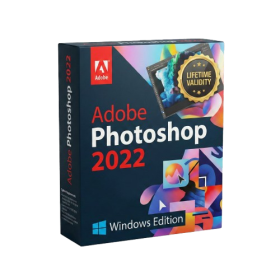
- Lifetime Validity
- Instant Delivery on Email
- Any Installation Problem Freely Contact Us(Will Give You Support)
- Supported on Windows 10,11
- Pre-Activated for Lifetime Validity
- Works with Internet and Antivirus
- No Popup issue
Adobe Photoshop is the industry-leading digital image editing and design application that offers the tools to create anything you can imagine.

- AUTOMATIC DELIVERY INSTANTLY ON REGISTERED EMAIL .
- Any Installation Problem Freely Contact Us(Will Give You Support)
- Lifetime Validity
- Windows Version
- Revit 2023, 2024, 2025, and 2026
- SketchUp 2024, 2025 and 2026
- Rhino 7.0 and 8.3 (or later)
- Archicad 27, 28 and 29
- Vectorworks 2024, 2025 and 2026
- Navigate scenes with a unified, redesigned user interface for faster workflows.
- Enhance export quality instantly with the AI-powered NVIDIA Denoiser.
- Simulate realistic colored shadows for glass and transparent materials.
- Upscale textures and assets automatically using the Chaos AI Enhancer.
- Apply pencil and watercolor effects with new Artistic Visual Modes.
- Immerse clients in designs with support for Meta Quest 3 and HTC Vive.