
SolidWorks 2026 Premium for Lifetime
- AUTOMATIC DELIVERY INSTANTLY ON REGISTERED EMAIL .
- Any Installation Problem Freely Contact Us(Will Give You Support)
- Lifetime Validity
- Windows Version
- Works with Internet and Antivirus
- Automate assembly mates instantly with AI-powered fastener recognition.
- Generate complete 2D drawings from 3D models automatically with AI tools.
- Split component configurations into separate files in batches seamlessly.
- Skip unnecessary rebuilds for cosmetic changes to speed up large assemblies.
- Create reference points precisely using global XYZ coordinate values.
- Import massive neutral files in the background while you continue working.
- Render photorealistic images directly within the interface without switching apps.
₹550.00
Description
SOLIDWORKS 2026 Premium for Windows is a high-end 3D CAD, simulation, and product design software developed for engineers, designers, and manufacturing professionals. It provides a complete solution for designing complex parts, assemblies, and systems while integrating advanced simulation, validation, and visualization tools.
The Premium edition includes everything from standard modeling tools to advanced features like motion analysis, structural simulation, and routing for pipes, cables, and electrical systems—making it ideal for professional engineering workflows.
At its core, SOLIDWORKS offers powerful parametric 3D modeling, allowing users to create precise and fully editable designs. Engineers can build complex assemblies with thousands of components while maintaining performance and control.
🔧 Key Capabilities
- 3D Modeling & Assemblies – Create detailed parts and large assemblies
- Simulation Tools – Test stress, motion, and real-world behavior
- Routing & Electrical Design – Design pipes, tubes, and wiring systems
- Sheet Metal & Weldments – Specialized tools for manufacturing workflows
- Technical Drawings – Generate production-ready documentation
- Data Management (PDM) – Manage design data and collaboration
🚀 What’s New in 2026
SOLIDWORKS 2026 introduces major improvements in performance, usability, and collaboration:
- ⚡ Background Processing for Imports – Work while large files load
- 🧠 AI & Workflow Enhancements – Smarter tools and automation
- 🧩 Improved Large Assembly Handling – Faster performance with complex models
- 🎨 Enhanced Rendering & Materials – More realistic visualization
- 🔗 Better Collaboration Tools – Improved cloud and team workflows
These updates make the 2026 version faster, more efficient, and better suited for modern engineering environments.
Features of the program
- In the SOLIDWORKS CAM chapter, the topic More Parameters for Tapered Shanks and Support for Barrel Tool Type contains incorrect information. The Barrel tool type is not supported.
- In the Import/Export chapter, the topic Exporting Using Extended Reality contains incorrect information. In the table in step 3:
- The Output and Geometry options are not available.
- The Animation option Export Animations is renamed to Export to Motion Studies.
- In the SOLIDWORKS 3D Interconnect chapter, the topic Exporting to the Revit Family Format contains incorrect information. The functionality is not supported and has been removed from the software.
- In the SOLIDWORKS MBD chapter, a new topic was added, Publishing to 3D PDF, which contains the following information:
- Updates to the user interface for Publish to 3D PDF help you better visualize your selections’ impact on the final output. The new Template Selection dialog box provides large previews of available templates, including previews of each page of multipage templates. After you select a template, as you make selections in the PropertyManager, an extensive preview of the PDF document lets you see the effects of your selections.
System Requirements for SolidWorks
- Processor: 3.3 GHz or higher clock speed
- Operating System: Windows 10/11 64-bit
- Memory: 32GB (16GB minimum)
- Hard Drive: Solid State Drive (SSD), maintaining at least 20GB of free space
- Graphics Card
Related Products

- Lifetime Validity
- Instant Delivery on Email
- Any Installation Problem Freely Contact Us(Will Give You Support)
- Supported on Windows 10,11
- Pre-Activated for Lifetime Validity
- Works with Internet and Antivirus
- No Popup issue
Adobe Photoshop is the industry-leading digital image editing and design application that offers the tools to create anything you can imagine.
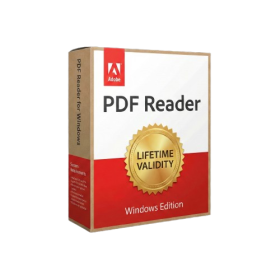
- AUTOMATIC DELIVERY INSTANTLY ON REGISTERED EMAIL .
- Any Installation Problem Freely Contact Us(Will Give You Support)
- Lifetime Validity
- Windows Version
- Works with Internet and Antivirus
- No Popup issue
- Edit PDFs: Directly edit text, fix typos, and swap images inside any PDF.
- Convert Files: Turn Word, Excel, and PowerPoint documents into PDFs and back again.
- E-Signatures: Fill and sign forms digitally, or request and track signatures from others.
- OCR Scanning: Convert scanned paper documents into editable, searchable text automatically.
- Merge Files: Combine multiple documents, images, and spreadsheets into a single PDF file.
- Create Forms: Build smart, fillable forms with dropdowns and checkboxes.
- Secure Data: Password-protect files and restrict others from copying or printing content.
- Cloud Sync: Access and work on your documents from desktop, mobile, or the web.

- AUTOMATIC DELIVERY INSTANTLY ON REGISTERED EMAIL .
- Any Installation Problem Freely Contact Us(Will Give You Support)
- Lifetime Validity
- Windows Version
- Works with Internet and Antivirus
- No Popup issue
- Import and animate 3D models (GLB/GLTF) natively without external plugins.
- Isolate moving subjects instantly using the AI-powered Roto Brush 3.
- Access and edit key layer settings faster with the context-sensitive Properties Panel.
- Render previews and final exports simultaneously with Multi-Frame Rendering.
- Manage professional color workflows accurately with native OpenColorIO (ACES) support.
- Composite 3D objects realistically onto 2D footage using Shadow Catchers.
- Review and approve content seamlessly with the built-in Frame.io integration.
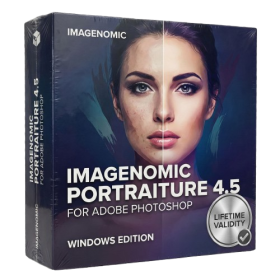
- AUTOMATIC DELIVERY INSTANTLY ON REGISTERED EMAIL .
- Any Installation Problem Freely Contact Us(Will Give You Support)
- Lifetime Validity
- Windows Version
- Smooth skin naturally while preserving texture using advanced AI algorithms.
- Generate precise skin masks automatically to isolate subjects instantly.
- Process massive batches of photos rapidly with optimized multi-core performance.
- Remove blemishes and imperfections without blurring eyelashes or eyebrows.
- Even out skin tones to correct redness and blotchiness effortlessly.
- Apply professional retouching styles quickly with a customizable preset library.
- Fine-tune mask selection manually with the interactive refinement brush.

- Lifetime Validity
- Instant Delivery on Email
- Supported on All Apple Mac Systems
- Any Installation Problem Freely Contact Us(Will Give You Support)
- Works with Internet and Antivirus
- No Popup issue
- Render previews faster with native optimization for Apple Silicon (M1/M2/M3).
- Import and animate 3D models (GLB/GLTF) directly in the timeline.
- Isolate moving subjects instantly using the AI-powered Roto Brush 3.
- Preview and export simultaneously with high-speed Multi-Frame Rendering.
- Adjust layer settings quickly via the context-sensitive Properties Panel.
- Create realistic lighting and shadows with the native Advanced 3D renderer.
- Collaborate and review edits seamlessly with built-in Frame.io integration.

- AUTOMATIC DELIVERY INSTANTLY ON REGISTERED EMAIL .
- Any Installation Problem Freely Contact Us(Will Give You Support)
- Lifetime Validity
- Windows Version
- Works with Internet and Antivirus
- No Popup issue
- A complete graphic design suite combining vector illustration, page layout, and photo editing.
- Quickly convert bitmap images into editable vectors with the integrated Corel PowerTRACE.
- Apply fills to any enclosed area instantly, regardless of the object’s structure, using the Smart Fill tool.
- Adjust color and tone easily in a single interface with the Image Adjustment Lab.
- Includes Corel PHOTO-PAINT X3 for professional image retouching and bitmap creation.
- Precisely mask and remove backgrounds from photos using the intuitive Cutout Lab.
- Remove unwanted areas from objects, groups, or imported graphics with the Crop tool.
- Enhanced text handling and OpenType support provide precise control over typography.
- Add depth to your designs with interactive contour, bevel, and drop shadow tools.
- Includes a massive library of clipart, fonts, and high-quality photos for immediate use.

- AUTOMATIC DELIVERY INSTANTLY ON REGISTERED EMAIL .
- Any Installation Problem Freely Contact Us(Will Give You Support)
- Lifetime Validity
- Mac Version
- Run natively on Apple Silicon (M1/M2/M3) for blazing-fast performance.
- Visualize models with realistic depth using the new Ambient Occlusion engine.
- Generate unique textures instantly with integrated AI-powered prompts.
- Sync projects seamlessly between Mac, iPad, and Web versions.
- Convert iPhone LiDAR scans into 3D models automatically via Scan-to-Design.
- Create 2D documentation faster with the optimized LayOut rendering engine.
- Import and export USDZ files easily for Apple AR visualization.

- AUTOMATIC DELIVERY INSTANTLY ON REGISTERED EMAIL .
- Any Installation Problem Freely Contact Us(Will Give You Support)
- Lifetime Validity
- Windows Version
- Explore massive 3D scenes in 100% ray-traced real-time without waiting for renders.
- Sync changes instantly from 3ds Max, SketchUp, Rhino, and Revit via Live Link.
- Render photorealistic animations at lightning speeds using NVIDIA DLSS 3.5 support.
- Populate environments with millions of objects using the built-in Chaos Scatter tool.
- Switch between different lighting setups, materials, and moods instantly with Scene States.
- Visualize complex animated characters and deformable meshes perfectly in real-time.
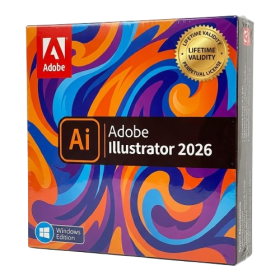
- AUTOMATIC DELIVERY INSTANTLY ON REGISTERED EMAIL .
- Any Installation Problem Freely Contact Us(Will Give You Support)
- Lifetime Validity
- Windows Version
- Works with Internet and Antivirus
- No Popup issue
- File Size: 3.33GB
- Create smoother, band-free color transitions with new gradient dithering and perceptual blending modes.
- Rotate 2D vector artwork in 3D space to explore dynamic angles with the innovative Turntable tool.
- Identify fonts from raster images or outlined text instantly using the AI-powered Retype feature.
- Organize files and collaborate seamlessly with team members using the new shared Projects workspace.
- Snap objects precisely to path tangents and perpendicular points with enhanced smart snapping tools.
- Wrap vector graphics automatically onto images of real-world objects with the realistic Mockup tool.

- AUTOMATIC DELIVERY INSTANTLY ON REGISTERED EMAIL .
- Any Installation Problem Freely Contact Us(Will Give You Support)
- Lifetime Validity
- Windows Version
- Size: 657 MB
- Version: 8.2
- Create watertight meshes instantly for 3D printing with the new ShrinkWrap tool.
- Generate dynamic 2D sections and plans directly from 3D models with ClippingDrawings.
- Model organic shapes with greater precision using supported SubD creases.
- Manipulate geometry intuitively with the new customized Auto Gumball.
- Extrude and modify faces instantly using the direct PushPull workflow.
- Render scenes significantly faster with the optimized Cycles engine.
- Customize the modernized interface to match your specific drafting workflow.

- AUTOMATIC DELIVERY INSTANTLY ON REGISTERED EMAIL .
- Any Installation Problem Freely Contact Us(Will Give You Support)
- Lifetime Validity
- Windows Version
- Works with Internet and Antivirus
- No Popup issue
- File Size: 462MB
- CorelDRAW X7 – Vector Illustration & Layout
- Corel PHOTO-PAINT X7 – Professional Photo Editing
- PowerTRACE – Convert Images to Vector
- Corel CONNECT – Search & Manage Content
- Corel CAPTURE – One-click Screenshot Tool
- Website Creator – Simple Website Building
- PhotoZoom Plugin – High-quality image enlargement

- AUTOMATIC DELIVERY INSTANTLY ON REGISTERED EMAIL .
- Any Installation Problem Freely Contact Us(Will Give You Support)
- Lifetime Validity
- Windows Version
- Edit video content as easily as a text document with the AI-powered text-based editing workflow.
- Instantly remove or replace video backgrounds without a green screen using dynamic AI masking.
- Automatically generate and sync accurate captions and subtitles from your voiceover in seconds.
- Smooth out jerky mouse movements and customize cursor paths with advanced cursor effects.
- Record high-resolution 4K screen capture, webcam, and system audio simultaneously.
- Clean up background noise and balance vocal levels instantly with AI-enhanced audio filters.
- Access a vast library of royalty-free intros, motion graphics, and music directly within the editor.
- Engage viewers by adding interactive quizzes and clickable hotspots directly to your videos.
- Apply professional animations and behaviors to text and images with simple drag-and-drop actions.
- Export videos faster than ever with optimized GPU acceleration for modern hardware.