
VisTitle software is based on Windows Operation System. The system of original 64 bit software (latest version) works on the basis of parallel CPU and GPU, make full use of 64 bit computing and CPU multi-core and multi-thread, apply rendering algorithm of GPU programmable language, and maximize the computing power of current hardware. VisTitle can create 2D titles, 3D titles, and 3D stereo titles in SD, HD, and 2K or 4K resolution. It can apply high quality real-time rendering* of broadcast-level to texts and objects rapidly with high performance.
-20%LimitedSold Out








VisDOM VisTitle V2.9 – Title software
Brand: VisDOM
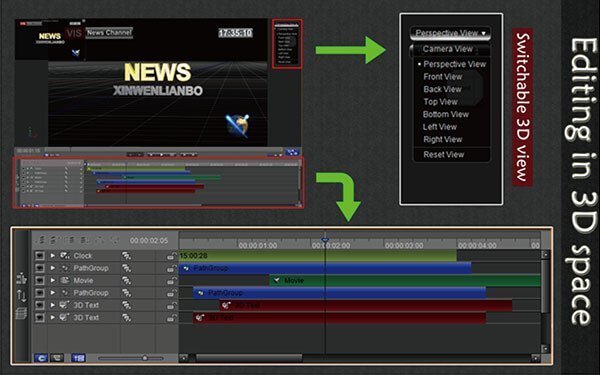
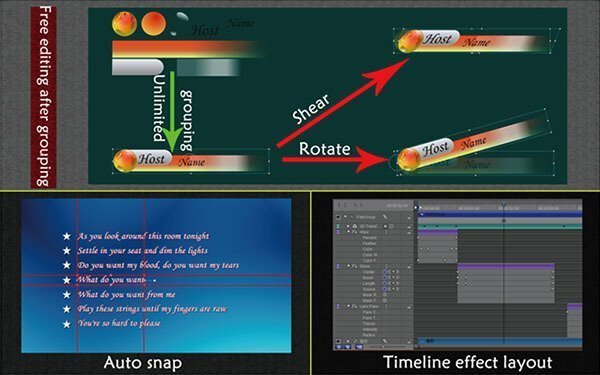
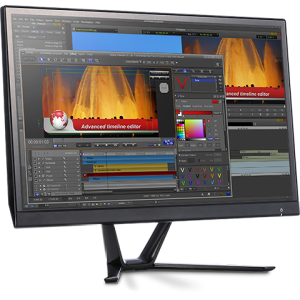
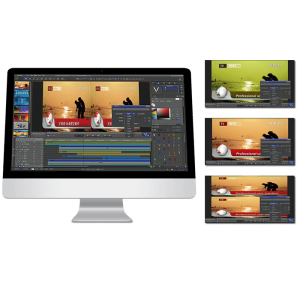
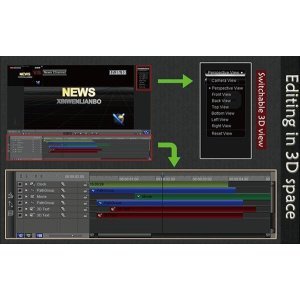
VisTitle can achieve seamless integration with video on the timeline of various NLE system (EDIUS, Adobe Premiere Pro, and Avid Media Composer) during the process of title editing, making title editing more efficient and more convenient.
Original price was: ₹25,999.00.₹20,899.00Current price is: ₹20,899.00.
Out of stock
Description
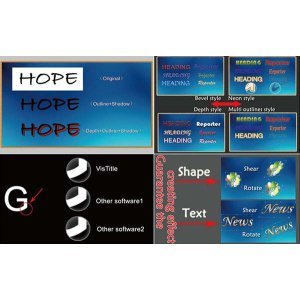
The strength of VisTitle lies in the range of possiblities that the software offers as a plug-in for EDIUS. VisTitle offers a clear menu structure and presets, so you can immediately start being creative – even when your are new to the software. Advanced users can adjust all settings accordingly to their individual needs and create complex compositions.
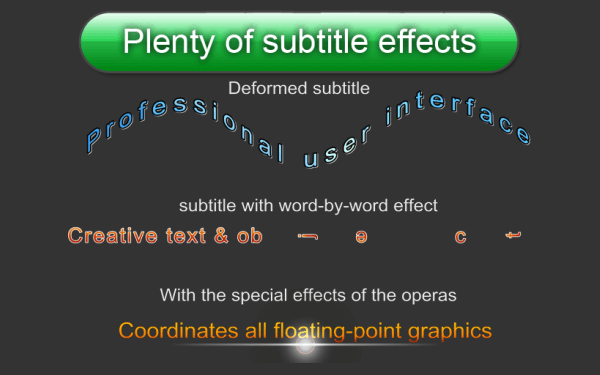
With VisTitle you can not only create subtitles or rolling titles but also complex 3D animations. Since VisTitle was designed for EDIUS it can be integrated seamlessly and guarantees an ideal workflow.
Have you worked already with a motion graphics program? If so then you might know how long it takes to learn such a software, before you can really achieve good results. But when not used regularly lots of functionalities will be forgotten soon again.
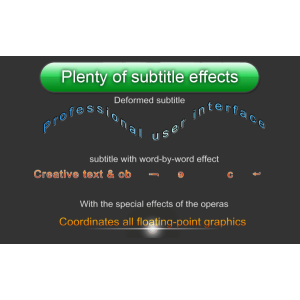
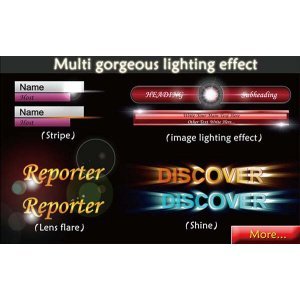
In VisTitle it is easy even for beginners to choose the right object from a variety of professional presets and add it to the timeline (for e.g. for a subtitle). With only few clicks all presets can be customized.
Double click on the VisTitle clip on the EDIUS timeline and a menu window will open. Here you can type in typical details needed for a lower-third (like name and occupation of an interviewee).
Of course all parameters can be set individually. With VisTitle you can achieve good results in very short time and with minimum effort. You can preview your work in real-time during the whole process.
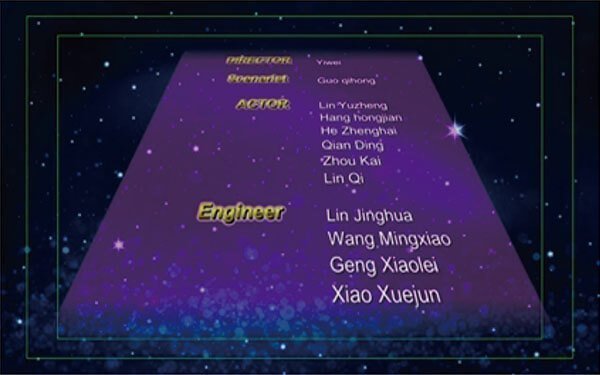
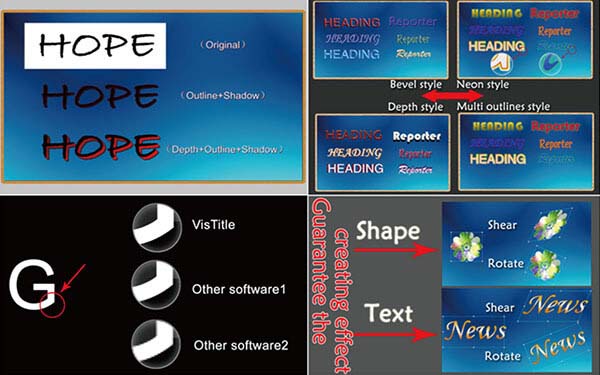
Even for ambitious users VisTitle offers almost all possibilities for a complex compositing. Various objects like animated text, 3D objects or graphics can be simply applied on a timeline.
Optional plug-ins for VisTitle 2.9
There are five additional plug-ins available to make complex animations easier to create.
- 3D particles
Supports different kinds of particle emitters, such as point emitter, line emitter, rectancle ermitter, circle emitter, box emitter, sphere emitter and so on. It also supports 3D transforming based on keyframes. Single or multiple particle streams can be included – and everything with a real-time preview.
- Handwriting
Simplifies the animation of selfmade strokes and contours. Keyframes can be set to adjust the radius and contours of the strokes – including cubic bezier.
- Karaoke
A great tool for everyone who produces Karaoke videos and knows about the difficulties to keep music and subtitles in sync. This plug-in supports the import of lyric text files as well as mp3 and wav audio files and displays the waveform in the audio track. It also allows to set titles while listening to the timeline at the same time – of course in real-time.
- 2D Path to 3D
Extrude any Bezier curve in Z direction to create 3D objects, especially used for 3D particle objects. Supports depth parameters, bevel effects with adjustable parameters and many more.
- 3D Chart
The 3D Chart plug-in can be used to create 2D/3D chart animations, including cylinder, pie graph etc. The chart data can be adjusted via keyframes on the timeline. Supports 3D light and 3D chart animations based on keyframes.
Related Products
-21%LimitedSold Out
Brand: Acon Digital
Acon DeVerberate 2 – Reverb Reduction Plug-in
Original price was: ₹8,700.00.₹6,900.00Current price is: ₹6,900.00.
- Improve dialog and location sound
- Forensic specialists can improve speech intelligibility
- Attenuate reverberation in existing recordings
- Boost the natural reverberation in existing recordings
- Change the perceived distance in a mix by changing the balance between the direct sound and the reverberation
Out of stock
-33%LimitedSold Out
Brand: Grass Valley
EDIUS X (EDIUS 10) Workgroup | Video Editing Software (EDU)
Original price was: ₹42,000.00.₹28,000.00Current price is: ₹28,000.00.

Grass Valley EDIUS X Workgroup : Edit Anything, Fast
- Background Rendering
- GV Job Monitor
- H.265 Export
- Optimized Performance
- Optimized Audio Sync Performance
- 8K file export (H.265/HEVC, ProRes, DNxHR
Out of stock
-26%LimitedSold Out
Brand: Grass Valley
EDIUS X (EDIUS 10) Workgroup | Video Editing Software (Upgrade)
Original price was: ₹38,000.00.₹28,000.00Current price is: ₹28,000.00.
Grass Valley EDIUS X Workgroup : Edit Anything, Fast
- EDIUS X Workgroup Upgrade from Workgroup 9 – This is the version for you if you already have EDIUS Workgroup 9. When activating the program you will have to type in your EDIUS 9 serial number as well.
- Commercial License
- Background Rendering
- GV Job Monitor
- H.265 Export
- Optimized Performance
- Optimized Audio Sync Performance
- 8K file export (H.265/HEVC, ProRes, DNxHR
Out of stock
-20%LimitedSold Out
Brand: NewBlue
NewBlue EDIUS Effects
Original price was: ₹14,999.00.₹11,999.00Current price is: ₹11,999.00.
NewBlue EDIUS Effects with the best 15 NewBlue filters for EDIUS 9 or X
Out of stock
-83%Limited

Brand: Satyam Film
After Effects CC Invitation/Save The Date Templates
Original price was: ₹3,000.00.₹499.00Current price is: ₹499.00.
-30%LimitedSold Out
Brand: Grass Valley
EDIUS X (EDIUS 10) Pro | Video Editing Software (Jump Upgrade)
Original price was: ₹29,990.00.₹20,999.00Current price is: ₹20,999.00.
Grass Valley EDIUS X Pro : Edit Anything, Fast
- EDIUS X Pro Jump Upgrade – This is the version for you if you already have EDIUS version 2-8, EDIUS Neo 1-3.5, EDIUS EDU (educational version) or EDIUS Pro Home Edition. When activating the program you will have to type in your previous EDIUS serial number as well.
- Background Rendering
- GV Job Monitor
- H.265 Export
- Optimized Performance
- Optimized Audio Sync Performance
- Native Support for the Latest Cameras and Codecs
Out of stock
-20%LimitedSold Out

EDIUS 9 Projects + After Effects Projects Dongle (Galaxy Pro) With 2TB HDD
Original price was: ₹20,000.00.₹15,999.00Current price is: ₹15,999.00.
 Galaxy Pro: EDIUS Pro 7/8/9 & Adobe After Effects Wedding Projects Dongle One Project are available Multi Types Like Transition, Frames & 3D. Satyam Film Develops 4K, Full HD Projects. Wedding Projects Developer.
- 3 Free Installation Support & Guide
- (Incase Damage Or Wrong Product, Required Unboxing Video)
- Wedding Projects Demo Link
Out of stock
-22%LimitedSold Out
Brand: Grass Valley
EDIUS Pro 9 | Grass Valley | Video Editing Software | Wedding Projects
Original price was: ₹31,999.00.₹24,999.00Current price is: ₹24,999.00.
- Superior 4K HDR workflow
- 700+ Wedding Projects & 3D Effects For EDIUS 9 & Adobe After Effects*
- Real-time conversion of frame rates on the same timeline delivers more efficient editing into the hands of editors
- Fast, flexible user interface, including unlimited video, audio, title and graphics tracks
- 60/50p timecode display
- RED RAW decode GPU support
- Primary color correction (RGB)
- 3-way color correction (YUV)
Out of stock
-29%LimitedSold Out
Brand: ABSoft
ABSoft Neat Video 5 – noise reduction for digital video (EDIUS) – Pro Edition
Original price was: ₹12,999.00.₹9,199.00Current price is: ₹9,199.00.
- Pro Edition
- Premium Noise Reduction and Sharpening
- Intuitive Noise Profiling
- Instant Visual Feedback
- Comprehensive Host Integration
- Excellent Hardware Optimization
Out of stock
-80%Limited
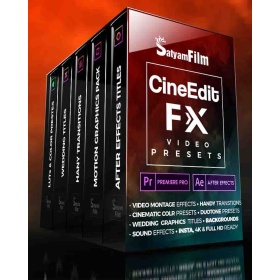
Brand: Satyam Film
Premiere Pro & After Effects Video Effects Presets : CineEdit FX
Original price was: ₹2,500.00.₹499.00Current price is: ₹499.00.
-6%LimitedSold Out

Brand: FXHome
HitFilm Pro VFX & Video Editing Software
Original price was: ₹26,000.00.₹24,499.00Current price is: ₹24,499.00.
Professional editing, compositing & VFX software all rolled into one. Includes huge toolkit of 875+ VFX & presets, advanced 3D camera tracking, world-class text, chroma key, color grading tools and much more. For editors, visual effects and motion graphics artists.
- 12 months of updates & technical support
- 3 seat license – run on 3 computers simultaneously
Out of stock
-42%LimitedSold Out
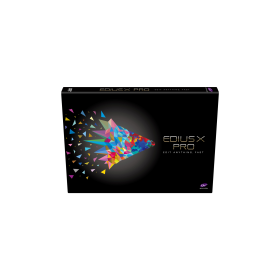
Brand: Grass Valley
EDIUS X Pro | Video Editing Software (EDU)
Original price was: ₹26,000.00.₹14,999.00Current price is: ₹14,999.00.
Grass Valley EDIUS X Pro : Edit Anything, Fast
- Background Rendering
- GV Job Monitor
- H.265 Export
- Optimized Performance
- Optimized Audio Sync Performance
- Native Support for the Latest Cameras and Codecs
Out of stock