
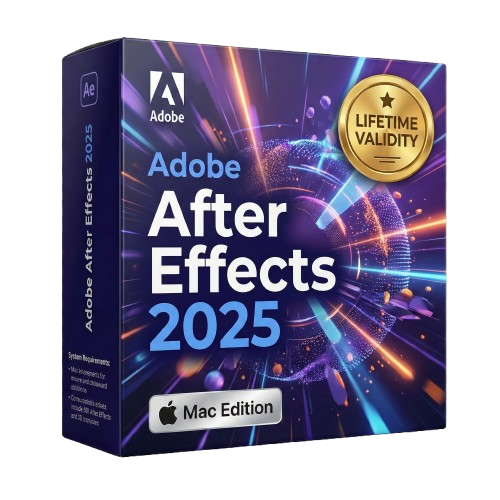
Adobe After Effects 2025 macOS for Lifetime
- Lifetime Validity
- Instant Delivery on Email
- Supported on All Apple Mac Systems
- Any Installation Problem Freely Contact Us(Will Give You Support)
- Works with Internet and Antivirus
- No Popup issue
- Render previews faster with native optimization for Apple Silicon (M1/M2/M3).
- Import and animate 3D models (GLB/GLTF) directly in the timeline.
- Isolate moving subjects instantly using the AI-powered Roto Brush 3.
- Preview and export simultaneously with high-speed Multi-Frame Rendering.
- Adjust layer settings quickly via the context-sensitive Properties Panel.
- Create realistic lighting and shadows with the native Advanced 3D renderer.
- Collaborate and review edits seamlessly with built-in Frame.io integration.
Original price was: ₹999.00.₹499.00Current price is: ₹499.00.
Description
Overview of Adobe After Effects CC for MacOS Benefits
Create animated titles, credits, and lower thirds. Start from scratch or with one of the animation presets available inside the app. There are countless ways to make your text move with After Effects, from spin to swipe to slide.
Combine videos and images to send a UFO across the sky, blur out a logo, or create an explosion—endless possibilities. There are hundreds of effects to get the look you want, from adding fog to changing colors to making it snow.
After Effects works seamlessly with other Adobe apps, creates comps, and immediately sees how they look in Premiere Pro CC with Adobe Dynamic Link. Import work from Photoshop, Illustrator, Illustrator, Illustrator, Illustrator, Illustrator, Character Animator, Adobe XD, and Animate CC. Use Team Projects to collaborate with editors no matter where they’re located. And After Effects is integrated with 300+ software and hardware partners.
Adobe offers a complete set of animation apps that work with all your ideas—and each other. Use After Effects CC to create cinematic movie titles, intros, transitions, and more; use Animate CC to create interactive vector animations for games, apps, and the web. Animate characters in real-time with Character Animator CC. And move seamlessly between them with the most comprehensive integration out there.
Overview of Adobe After Effects CC for MacOS Features
- Advanced puppet tools for mesh sculpting
- Get depth passes from native 3D elements
- Supercharge your animation flow
- Responsive Design — Time
System Requirements and Technical Details
- 64-bit CPU
- macOS 10.12 or later
- Apple M1 chip
- 4 GB of RAM (8 GB recommended)
- 4 GB of available hard disk space for installation; additional free space required during installation (cannot install on a volume that uses a case-sensitive file system or on removable flash storage devices)
- Additional disk space for disk cache (10 GB recommended)
- 1280×900 display
- DVD-ROM drive for installation from DVD media
- QuickTime 7.6.6 software required for QuickTime features
- Optional: Adobe-certified GPU card for GPU-accelerated ray-traced 3D renderer
Installation:
If you need another language:
Remove the Install folder from the DMG image before this action (to any location on your Mac and install from there) – If you need another language, before installing After Effects, go to the Install folder – products – driver.xml (right-click on it) – open in TextEdit – (at the very bottom, find the line “ru_RU” and in it, change ru_RU, for example, to en_US so that the line becomes something like “en_US”.
The program is installed in Russian.
- Remove the previous installation of After Effects (if installed)
- Use the Adobe Creative Cloud Cleaner Tool to remove all remnants of the previous After Effects
- Install Full Creative Cloud from the Extra folder
- Install After Effects itself – in the Install folder, run Install.command
- Use the Adobe Activation Tool:
RMB (on Adobe Activation Tool) -> Open
Go to the Programs folder -> Adobe After Effects (this is the folder, the program is inside)
Move After Effects to the Adobe Activation Tool window
Press the blue button
Related Products
- Lifetime Validity
- Instant Delivery on Email
- Supported on All Apple Mac Systems
- Any Installation Problem Freely Contact Us(Will Give You Support)
- Works with Internet and Antivirus
- No Popup issue
- Automatically organize photos using Smart Collections
- Automatically import and process high-volume shoots
- Manage photos and volumes even when they’re offline
- Access and edit a comprehensive set of metadata fields
- Create virtual copies of photos to save hard-disk space
- Target specific areas of a photo for dodging and burning
- Enjoy state-of-the-art 64-bit memory handling
- Lifetime Validity
- Instant Delivery on Email
- Supported on All Apple Mac Systems
- Any Installation Problem Freely Contact Us(Will Give You Support)
- Works with Internet and Antivirus
- No Popup issue
- File Size: 8.07GB
- Frame Tool for easy masking
- Content-Aware Fill reimagined
- New multiple undo mode
- Usability improvements
- Transform proportionally by default
- Prevent accidental panel moves with Lock Workspace
- AUTOMATIC DELIVERY INSTANTLY ON REGISTERED EMAIL .
- Any Installation Problem Freely Contact Us(Will Give You Support)
- Lifetime Validity
- Windows Version
- Works with Internet and Antivirus
- No Popup issue
- Generate images and vector graphics directly on the canvas with Firefly AI.
- Format long documents instantly using AI-powered Auto Style packs.
- Streamline review cycles with real-time web-based Share for Review.
- Hide specific spreads easily to exclude them from export or printing.
- Optimize PDF accessibility automatically with improved auto-tagging tools.
- Import HEIC, WebP, and JP2K image formats natively without conversion.
- Publish interactive documents to the web with built-in viewer analytics.
- Automate complex layout tasks securely using modern UXP scripting.

- Lifetime Validity
- Instant Delivery on Email
- Any Installation Problem Freely Contact Us(Will Give You Support)
- Supported on all Apple Mac Products
- Pre-Activated for Lifetime
- Works with Internet and Antivirus
- No Popup issue
- Extend short clips seamlessly using the new AI-powered Generative Extend tool.
- Remove unwanted objects or add new elements to video scenes instantly with Generative Fill.
- Edit videos rapidly by cutting and rearranging text in the auto-generated transcript.
- Clean up noisy dialogue to studio quality instantly with AI Enhanced Speech.
- Experience real-time 8K playback and fast rendering with native Apple Silicon optimization.
- Create precise audio fades visually by dragging interactive handles on the clips.
- Match colors across different cameras and HDR formats automatically with Auto Tone Mapping.

- Lifetime Validity
- Instant Delivery on Email
- Any Installation Problem Freely Contact Us(Will Give You Support)
- Supported on Windows 10,11
- Pre-Activated for Lifetime Validity
- Works with Internet and Antivirus
- No Popup issue
Adobe Photoshop is the industry-leading digital image editing and design application that offers the tools to create anything you can imagine.
- Lifetime Validity
- Instant Delivery on Email
- Works with Internet and Antivirus
- No Popup issue
- Any Installation Problem Freely Contact Us(Will Give You Support)
- Supported on all Apple Mac Products
- Pre-Activated for Lifetime Validity
Adobe Photoshop is the industry-leading digital image editing and design application that offers the tools to create anything you can imagine.

- AUTOMATIC DELIVERY INSTANTLY ON REGISTERED EMAIL .
- Any Installation Problem Freely Contact Us(Will Give You Support)
- Lifetime Validity
- Windows Version
- Works with Internet and Antivirus
- No Popup issue
- Convert freehand sketches into precise vector curves instantly with the revolutionary AI-powered LiveSketch tool.
- Design naturally using advanced support for stylus devices, touchscreens, and the Microsoft Surface Dial.
- Enjoy a crisp, scalable workspace with native support for Ultra HD 5K monitors and multi-screen setups.
- Remove imperfections from photos seamlessly using the advanced Healing Clone tool in Corel PHOTO-PAINT.
- Manipulate nodes and curves more efficiently with revamped vector shaping and editing tools.
- Organize and find the perfect typeface quickly with the enhanced filtering in Corel Font Manager.

- AUTOMATIC DELIVERY INSTANTLY ON REGISTERED EMAIL .
- Any Installation Problem Freely Contact Us(Will Give You Support)
- Lifetime Validity
- Windows Version
- Smooth skin naturally while preserving texture using advanced AI algorithms.
- Generate precise skin masks automatically to isolate subjects instantly.
- Process massive batches of photos rapidly with optimized multi-core performance.
- Remove blemishes and imperfections without blurring eyelashes or eyebrows.
- Even out skin tones to correct redness and blotchiness effortlessly.
- Apply professional retouching styles quickly with a customizable preset library.
- Fine-tune mask selection manually with the interactive refinement brush.

- AUTOMATIC DELIVERY INSTANTLY ON REGISTERED EMAIL .
- Any Installation Problem Freely Contact Us(Will Give You Support)
- Lifetime Validity
- Windows Version
- For 3ds Max 2021 – 2026
- Render and clip real-world 3D scans natively with full Gaussian Splatting support.
- Simulate complex light fixtures significantly faster using the new V-Ray Luminaire.
- Generate accurate stars, moon, and phases instantly with the procedural Night Sky.
- Create PBR materials from simple photos automatically with the AI Material Generator.
- Stream interactive 3D scenes to clients via a web link with Chaos Cloud Streaming.
- Analyze scene performance and spot bottlenecks precisely using the V-Ray Profiler.
- Render realistic caustics and refractions at high speeds with updated V-Ray GPU.
- AUTOMATIC DELIVERY INSTANTLY ON REGISTERED EMAIL .
- Any Installation Problem Freely Contact Us(Will Give You Support)
- Lifetime Validity
- Windows Version
- Automate assembly mates instantly with AI-powered fastener recognition.
- Generate complete 2D drawings from 3D models automatically with AI tools.
- Split component configurations into separate files in batches seamlessly.
- Skip unnecessary rebuilds for cosmetic changes to speed up large assemblies.
- Create reference points precisely using global XYZ coordinate values.
- Import massive neutral files in the background while you continue working.
- Render photorealistic images directly within the interface without switching apps.

- AUTOMATIC DELIVERY INSTANTLY ON REGISTERED EMAIL .
- Any Installation Problem Freely Contact Us(Will Give You Support)
- Lifetime Validity
- Windows Version
- Map video onto complex geometric structures and surfaces with advanced projection mapping tools.
- Stitch multiple projectors into a single seamless widescreen image with soft edge blending.
- Sync video with lighting fixtures using DMX input and advanced LED pixel mapping.
- Lock your visuals perfectly to show tracks and DJ sets using SMPTE timecode input.
- Mix unlimited layers of video, effects, and generative content in real-time.
- Correct mistakes instantly during live setup with the fully integrated Undo/Redo feature.

- AUTOMATIC DELIVERY INSTANTLY ON REGISTERED EMAIL .
- Any Installation Problem Freely Contact Us(Will Give You Support)
- Lifetime Validity
- Windows Version
- Route complex PCB traces automatically with the new AI-driven auto-interactive router.
- Collaborate seamlessly with mechanical engineers via the enhanced real-time MCAD CoDesigner.
- Simulate power integrity and signal performance instantly within the unified design environment.
- Manage component shortages proactively with live supply chain data in ActiveBOM.
- Visualize multi-board systems and rigid-flex designs in photorealistic 3D detail.
- Sync all design changes and version history securely to the cloud with Altium 365.
- Define complex high-speed design rules easily using the visual Constraint Manager.