
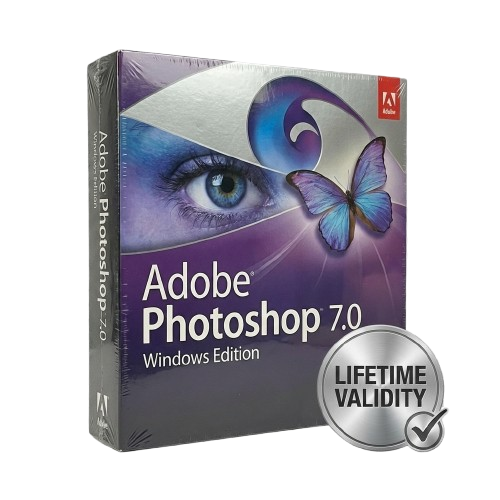
Adobe Photoshop 7.0 for Lifetime
- AUTOMATIC DELIVERY INSTANTLY ON REGISTERED EMAIL .
- Any Installation Problem Freely Contact Us(Will Give You Support)
- Lifetime Validity
- Windows Version
- Retouch photos effortlessly with the revolutionary Healing Brush and Patch tools.
- Organize and view image thumbnails instantly using the new File Browser.
- Create realistic artistic effects with the fully upgraded natural media Paint Engine.
- Remove unwanted color casts automatically with the one-click Auto Color command.
- Save custom palette layouts to suit different projects with Workspaces.
- Check spelling across multiple languages directly within your designs.
- Store specific tool settings for repeated use with the new Tool Presets.
₹450.00
Description
Adobe Photoshop 7.0 (Windows): The Timeless Classic for Fast, Efficient Editing
Adobe Photoshop 7.0 is widely considered one of the most reliable and efficient versions of the world’s standard image-editing software. Originally released in 2002, this version is legendary for its speed, stability, and the introduction of the revolutionary Healing Brush.
Unlike modern versions that require heavy system resources and cloud subscriptions, Photoshop 7.0 is a lightweight powerhouse. It installs quickly, opens instantly, and runs smoothly on older hardware or low-spec laptops. It remains the preferred choice for users who want the core professional tools—layers, color correction, and retouching—without the “bloat” of 3D engines or AI processors.
What Defined This Release?
1. The Healing Brush & Patch Tool
This was the version that changed photo restoration forever.
-
Healing Brush: Effortlessly remove dust, scratches, blemishes, and wrinkles. Unlike the Clone Stamp, the Healing Brush preserves the shading, lighting, texture, and transparency of the source area, blending the repair seamlessly into the surrounding pixels.
-
Patch Tool: Select a large area (like a scratch on a wall) and drag it to a clean area. Photoshop 7.0 automatically matches the texture and lighting to “patch” the flaw instantly.
2. The File Browser
Before Adobe Bridge, there was the Photoshop 7.0 File Browser. It allows you to visually locate, sort, and manage your images directly inside the application. You can rotate, rank, and rename batches of files without ever opening them, streamlining your workflow significantly.
3. New Painting Engine
Photoshop 7.0 introduced a painting engine that simulates traditional media techniques. You can use presets to create realistic effects like dry brush, watercolor, and charcoal. The brush dynamics allow you to control size, opacity, and color jitter based on stylus pressure and tilt (if using a tablet).
Key Features
- Auto Color Command: A smarter alternative to Auto Levels. It analyzes the image to remove color casts (like the green tint from fluorescent lights) and corrects the contrast in one click.
- Workspaces: Customize your layout. If you have a specific arrangement of palettes for retouching and a different one for web design, you can save these “Workspaces” and switch between them instantly.
- Web Design with ImageReady: Comes bundled with Adobe ImageReady 7.0. Create complex web rollovers, slice images for faster loading, and optimize GIFs with dithered transparency to ensure clean edges on any background.
- Spell Checker: A built-in multi-language spell checker ensures your text layers and advertisements are typo-free directly on the canvas.
- Liquid Sky (Liquify): The enhanced Liquify tool gives you fluid control to warp, twirl, and push pixels—perfect for slimming subjects or creating artistic distortions.
Why Choose Photoshop 7.0 Today?
- Performance: It requires a fraction of the RAM that modern Creative Cloud apps use. It is the perfect solution for netbooks, older Windows XP/7 machines, or virtual machines.
- Perpetual Utility: No monthly fees, no internet login required, and no cloud synchronization. It is strictly offline software that belongs to you.
- Simplicity: It offers a cleaner, less cluttered interface that allows beginners to learn the fundamentals of layers and masking without getting lost in complex menus.
System Requirements (Windows)
- Operating System: Windows 98, Windows 2000, Windows ME, Windows XP (Runs on Windows 7/10/11 with Compatibility Mode).
- Processor: Intel Pentium III or 4 class processor.
- RAM: 128 MB of RAM (192 MB recommended).
- Hard Disk: 280 MB of available hard-disk space.
- Display: 800×600 color monitor with 16-bit video card.
Related Products

- AUTOMATIC DELIVERY INSTANTLY ON REGISTERED EMAIL .
- Any Installation Problem Freely Contact Us(Will Give You Support)
- Lifetime Validity
- Windows Version
- Map video onto complex geometric structures and surfaces with advanced projection mapping tools.
- Stitch multiple projectors into a single seamless widescreen image with soft edge blending.
- Sync video with lighting fixtures using DMX input and advanced LED pixel mapping.
- Lock your visuals perfectly to show tracks and DJ sets using SMPTE timecode input.
- Mix unlimited layers of video, effects, and generative content in real-time.
- Correct mistakes instantly during live setup with the fully integrated Undo/Redo feature.

- AUTOMATIC DELIVERY INSTANTLY ON REGISTERED EMAIL .
- Any Installation Problem Freely Contact Us(Will Give You Support)
- Lifetime Validity
- Mac Version
- Apply realistic pixel-based brush strokes to vector paths with the new Painterly Brush tool.
- Experience blazing-fast performance with native optimization for Apple M1, M2, and M3 chips.
- Use your iPad as a secondary display and graphics tablet via Sidecar with full Apple Pencil support.
- Access and use online fonts instantly without manual installation using the new Remote Fonts feature.
- Isolate specific objects for distraction-free editing with the new Focus Mode.
- Convert low-quality bitmap images into crisp vectors automatically with AI-powered PowerTRACE.

- AUTOMATIC DELIVERY INSTANTLY ON REGISTERED EMAIL .
- Any Installation Problem Freely Contact Us(Will Give You Support)
- Lifetime Validity
- Windows Version
- Revit 2023, 2024, 2025, and 2026
- SketchUp 2024, 2025 and 2026
- Rhino 7.0 and 8.3 (or later)
- Archicad 27, 28 and 29
- Vectorworks 2024, 2025 and 2026
- Navigate scenes with a unified, redesigned user interface for faster workflows.
- Enhance export quality instantly with the AI-powered NVIDIA Denoiser.
- Simulate realistic colored shadows for glass and transparent materials.
- Upscale textures and assets automatically using the Chaos AI Enhancer.
- Apply pencil and watercolor effects with new Artistic Visual Modes.
- Immerse clients in designs with support for Meta Quest 3 and HTC Vive.

- AUTOMATIC DELIVERY INSTANTLY ON REGISTERED EMAIL .
- Any Installation Problem Freely Contact Us(Will Give You Support)
- Lifetime Validity
- Windows Version
- Works with Internet and Antivirus
- No Popup issue
- Convert freehand sketches into precise vector curves instantly with the revolutionary AI-powered LiveSketch tool.
- Design naturally using advanced support for stylus devices, touchscreens, and the Microsoft Surface Dial.
- Enjoy a crisp, scalable workspace with native support for Ultra HD 5K monitors and multi-screen setups.
- Remove imperfections from photos seamlessly using the advanced Healing Clone tool in Corel PHOTO-PAINT.
- Manipulate nodes and curves more efficiently with revamped vector shaping and editing tools.
- Organize and find the perfect typeface quickly with the enhanced filtering in Corel Font Manager.
- AUTOMATIC DELIVERY INSTANTLY ON REGISTERED EMAIL .
- Any Installation Problem Freely Contact Us(Will Give You Support)
- Lifetime Validity
- Windows Version
- Works with Internet and Antivirus
- No Popup issue
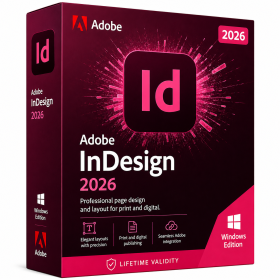
- Generate images and vector graphics directly on the canvas with Firefly AI.
- Format long documents instantly using AI-powered Auto Style packs.
- Streamline review cycles with real-time web-based Share for Review.
- Hide specific spreads easily to exclude them from export or printing.
- Optimize PDF accessibility automatically with improved auto-tagging tools.
- Import HEIC, WebP, and JP2K image formats natively without conversion.
- Publish interactive documents to the web with built-in viewer analytics.
- Automate complex layout tasks securely using modern UXP scripting.
- Lifetime Validity
- Instant Delivery on Email
- Supported on All Apple Mac Systems
- Any Installation Problem Freely Contact Us(Will Give You Support)
- Works with Internet and Antivirus
- No Popup issue
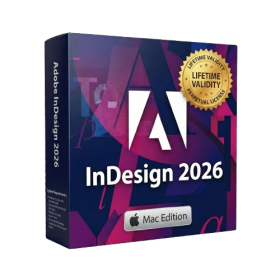
- Maximize performance with native optimization for Apple Silicon (M1/M2/M3).
- Generate images and graphics on-canvas instantly with integrated Firefly AI.
- Format long documents automatically using AI-powered Auto Style presets.
- Import HEIC and WebP images natively without manual conversion.
- Streamline client feedback with the real-time Share for Review link.
- Publish interactive digital documents to the web with built-in analytics.
- Hide specific pages or spreads easily from final export and printing.
- Lifetime Validity
- Instant Delivery on Email
- Works with Internet and Antivirus
- No Popup issue
- Any Installation Problem Freely Contact Us(Will Give You Support)
- Supported on all Apple Mac Products
- Pre-Activated for Lifetime Validity
Adobe Photoshop is the industry-leading digital image editing and design application that offers the tools to create anything you can imagine.

- AUTOMATIC DELIVERY INSTANTLY ON REGISTERED EMAIL .
- Any Installation Problem Freely Contact Us(Will Give You Support)
- Lifetime Validity
- Windows Version
- Route complex PCB traces automatically with the new AI-driven auto-interactive router.
- Collaborate seamlessly with mechanical engineers via the enhanced real-time MCAD CoDesigner.
- Simulate power integrity and signal performance instantly within the unified design environment.
- Manage component shortages proactively with live supply chain data in ActiveBOM.
- Visualize multi-board systems and rigid-flex designs in photorealistic 3D detail.
- Sync all design changes and version history securely to the cloud with Altium 365.
- Define complex high-speed design rules easily using the visual Constraint Manager.

- AUTOMATIC DELIVERY INSTANTLY ON REGISTERED EMAIL .
- Any Installation Problem Freely Contact Us(Will Give You Support)
- Lifetime Validity
- Windows Version
- Size: 657 MB
- Version: 8.2
- Create watertight meshes instantly for 3D printing with the new ShrinkWrap tool.
- Generate dynamic 2D sections and plans directly from 3D models with ClippingDrawings.
- Model organic shapes with greater precision using supported SubD creases.
- Manipulate geometry intuitively with the new customized Auto Gumball.
- Extrude and modify faces instantly using the direct PushPull workflow.
- Render scenes significantly faster with the optimized Cycles engine.
- Customize the modernized interface to match your specific drafting workflow.

- Lifetime Validity
- Instant Delivery on Email
- Supported on All Apple Mac Systems
- Any Installation Problem Freely Contact Us(Will Give You Support)
- Works with Internet and Antivirus
- No Popup issue
- Experience blazing speeds with native Apple Silicon (M1/M2/M3) optimization.
- Generate editable vector graphics instantly from text prompts with Firefly AI.
- Wrap vector art realistically onto objects in images with the Mockup tool.
- Identify and convert raster text into editable fonts using AI Retype.
- Recolor artwork variations instantly using simple text descriptions.
- Sketch naturally using your iPad and Apple Pencil via Sidecar support.
- Collaborate efficiently with real-time comments via Share for Review.
- Lifetime Validity
- Instant Delivery on Email
- Supported on All Apple Mac Systems
- Any Installation Problem Freely Contact Us(Will Give You Support)
- Works with Internet and Antivirus
- No Popup issue
- File Size: 8.07GB
- Frame Tool for easy masking
- Content-Aware Fill reimagined
- New multiple undo mode
- Usability improvements
- Transform proportionally by default
- Prevent accidental panel moves with Lock Workspace

- AUTOMATIC DELIVERY INSTANTLY ON REGISTERED EMAIL .
- Any Installation Problem Freely Contact Us(Will Give You Support)
- Lifetime Validity
- Windows Version
- Works with Internet and Antivirus
- No Popup issue
- Edit photos faster with non-destructive adjustments and a reimagined effects stack in Corel PHOTO-PAINT.
- View, manage, and move assets across all document pages simultaneously with the dynamic Multipage View.
- Gather real-time feedback from clients and colleagues directly inside your design file via cloud comments.
- Convert low-quality bitmap images into scalable vector graphics instantly with AI-powered PowerTRACE.
- Access and use Google Fonts directly within the font manager without manual installation.