
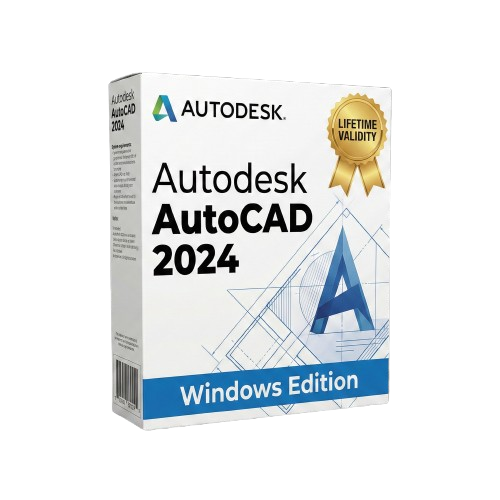
AutoCAD 2024 for Lifetime
- AUTOMATIC DELIVERY INSTANTLY ON REGISTERED EMAIL .
- Any Installation Problem Freely Contact Us(Will Give You Support)
- Lifetime Validity
- Windows Version
- Place blocks automatically based on past usage patterns with AI-powered Smart Blocks.
- Track file changes and user history seamlessly via the Activity Insights dashboard.
- Import and auto-implement redline feedback directly from PDFs or printed paper.
- Experience significantly faster 2D graphics rendering and layout switching speeds.
- Run AutoLISP routines directly within the AutoCAD Web browser app.
- Count instances of objects or blocks instantly in a specified area.
- View multiple drawing files simultaneously with flexible, multi-monitor floating windows.
- Add design notes safely using the non-destructive Trace overlay layer.
Original price was: ₹999.00.₹499.00Current price is: ₹499.00.
Autodesk AutoCAD 2024 (Windows): Design for the Future with AI Acceleration
AutoCAD 2024 for Windows is more than just a drafting tool; it is a smart collaborative hub that uses machine learning to speed up your creativity. This 2024 release represents a massive leap forward in automation, designed to eliminate repetitive tasks so you can focus on innovation.
Whether you are an architect, engineer, or construction professional, AutoCAD 2024 adapts to your workflow. With the new Smart Blocks engine and unprecedented 2D graphics performance, this version allows you to open files, place objects, and complete drawings significantly faster than previous generations. Plus, with the inclusion of seven specialized toolsets (including Architecture, Electrical, and MEP), you have an industry-specific library at your fingertips.
What’s New in AutoCAD 2024?
1. Smart Blocks (AI Placement)
Stop manually adjusting block positions. The new Smart Blocks feature uses machine learning to learn how you place specific blocks in your drawing. It then suggests the next placement automatically, snapping it to the correct rotation and scale based on your previous actions.
2. Activity Insights
Stay in the loop without sending an email. The new Activity Insights dashboard provides a comprehensive event log for your DWG files. You can see who edited the file, when it was published, and track version history across your entire team’s network or cloud storage.
3. Markup Import & Markup Assist
Bridge the gap between paper and pixels.
- Import: Take a photo of a printed drawing with hand-written feedback or import a PDF with text comments.
- Assist: AutoCAD 2024 uses AI to interpret the text and redlines, allowing you to insert them as actual geometry or modify existing drawing objects with a single click.
4. Massive Performance Boost
- 2D Graphics: Experience up to 9x faster switching between layout tabs compared to AutoCAD 2023.
- Stability: Improved stability and fidelity specifically for Windows 10 and 11, ensuring large drawings load quickly and pan smoothly.
Key Features
The “One AutoCAD” Experience
Your subscription includes access to industry-specific toolsets that boost productivity by up to 63%:
- Architecture Toolset: 8,500+ intelligent architectural objects.
- Electrical Toolset: Electrical design features to create, modify, and document electrical controls systems.
- MEP, Mechanical, Plant 3D, Map 3D, and Raster Design Toolsets.
Collaboration & Mobility
- Trace: Add design change notes and markups safely on a separate layer without altering your existing drawing.
- AutoCAD Web: For the first time, run AutoLISP routines directly in the AutoCAD Web app, allowing you to use your custom automation scripts in a browser.
- Share: Send a controlled copy of your drawing to teammates or clients to view or edit from anywhere.
Automation
- Count: Automate the counting of blocks or geometry with the
COUNTcommand. It highlights the items in the drawing and creates a dynamic table that updates as you design. - Push to Autodesk Docs: Publish your drawing sheets as PDFs directly to the cloud for field access.
Why Upgrade to AutoCAD 2024?
- Speed: The 2D graphics engine overhaul makes day-to-day panning and zooming noticeably snappier.
- Intelligence: The AI features (Smart Blocks and Markup Assist) actively remove manual steps from your workflow.
- Insight: Knowing who changed a file and when (Activity Insights) solves version control headaches for project managers.
System Requirements (Windows)
- Operating System: Windows 11 or Windows 10 version 1809 or above (64-bit only).
- Processor: 2.5–2.9 GHz processor (3+ GHz recommended). ARM Processors are not supported.
- Memory: 8 GB RAM (16 GB or 32 GB recommended for heavy 3D use).
- Graphics: 2 GB GPU with 29 GB/s Bandwidth (8 GB GPU with 106 GB/s Bandwidth recommended for 4K).
- Disk Space: 10 GB free disk space (SSD recommended).
- Display: 1920 x 1080 resolution (up to 3840 x 2160 supported).
Related Products
- AUTOMATIC DELIVERY INSTANTLY ON REGISTERED EMAIL .
- Any Installation Problem Freely Contact Us(Will Give You Support)
- Lifetime Validity
- Windows Version
- Works with Internet and Antivirus
- No Popup issue
- Generate images and vector graphics directly on the canvas with Firefly AI.
- Format long documents instantly using AI-powered Auto Style packs.
- Streamline review cycles with real-time web-based Share for Review.
- Hide specific spreads easily to exclude them from export or printing.
- Optimize PDF accessibility automatically with improved auto-tagging tools.
- Import HEIC, WebP, and JP2K image formats natively without conversion.
- Publish interactive documents to the web with built-in viewer analytics.
- Automate complex layout tasks securely using modern UXP scripting.

- Lifetime Validity
- Instant Delivery on Email
- Supported on All Apple Mac Systems
- Any Installation Problem Freely Contact Us(Will Give You Support)
- Works with Internet and Antivirus
- No Popup issue
- Render previews faster with native optimization for Apple Silicon (M1/M2/M3).
- Import and animate 3D models (GLB/GLTF) directly in the timeline.
- Isolate moving subjects instantly using the AI-powered Roto Brush 3.
- Preview and export simultaneously with high-speed Multi-Frame Rendering.
- Adjust layer settings quickly via the context-sensitive Properties Panel.
- Create realistic lighting and shadows with the native Advanced 3D renderer.
- Collaborate and review edits seamlessly with built-in Frame.io integration.

- AUTOMATIC DELIVERY INSTANTLY ON REGISTERED EMAIL .
- Any Installation Problem Freely Contact Us(Will Give You Support)
- Lifetime Validity
- Works with Internet and Antivirus
- No Popup issue
- Windows Version
- File Size: 3.25GB
- Painterly Brush Tool: Apply realistic, pixel-based brush strokes (like oil or chalk) to vector paths.
- Vector Illustration: Professional tools for creating logos, signage, and complex vector art.
- Page Layout: Seamlessly handle multi-page documents like brochures and manuals.
- Photo Editing: Includes Corel PHOTO-PAINT 2025 for advanced image retouching and adjustment.
- Remote Fonts: Access and use online fonts instantly without needing to install them first.
- AI PowerTRACE: Automatically converts low-quality bitmap images into crisp, scalable vectors.
- Print to PDF: Redesigned export workflow for perfect print results with better color and bleed control.
- Focus Mode: Isolate specific objects while fading the background for distraction-free editing.
- Cross-Platform: Native support for both Windows 11 and macOS Sonoma.
- AUTOMATIC DELIVERY INSTANTLY ON REGISTERED EMAIL .
- Any Installation Problem Freely Contact Us(Will Give You Support)
- Lifetime Validity
- Windows Version
- The material design includes a variety of models, shapes, materials, and high complexity and detail.
- Have different effects in terms of animating
- Having complete and professional modeling tools
- Ability to import the output of various animation software and computer design and engineering
- Support for multiple extensions to apply visual effects
- Create the light source in the desired location and thus the formation of the shadow object
- Lifetime Validity
- Instant Delivery on Email
- Any Installation Problem Freely Contact Us(Will Give You Support)
- Supported on Windows 10,11
- Pre-Activated for Lifetime Validity
- Streamline your modeling workflows by working directly in perspective views.
- When you import or link certain items into a model, you can apply tags to these items.
- Use the Split Element tool on structural columns and framing elements
- To ensure that structural connections from this application adhere to the latest standards
- Resize runs of corresponding fabrication parts using the Properties palette or the Edit Parts dialog.

- AUTOMATIC DELIVERY INSTANTLY ON REGISTERED EMAIL .
- Any Installation Problem Freely Contact Us(Will Give You Support)
- Lifetime Validity
- Windows Version
- Navigate scenes with a unified, redesigned user interface for faster workflows.
- Enhance export quality instantly with the AI-powered NVIDIA Denoiser.
- Simulate realistic colored shadows for glass and transparent materials.
- Upscale textures and assets automatically using the Chaos AI Enhancer.
- Apply pencil and watercolor effects with new Artistic Visual Modes.
- Immerse clients in designs with support for Meta Quest 3 and HTC Vive.
- AUTOMATIC DELIVERY INSTANTLY ON REGISTERED EMAIL .
- Any Installation Problem Freely Contact Us(Will Give You Support)
- Lifetime Validity
- Windows Version
- Automate assembly mates instantly with AI-powered fastener recognition.
- Generate complete 2D drawings from 3D models automatically with AI tools.
- Split component configurations into separate files in batches seamlessly.
- Skip unnecessary rebuilds for cosmetic changes to speed up large assemblies.
- Create reference points precisely using global XYZ coordinate values.
- Import massive neutral files in the background while you continue working.
- Render photorealistic images directly within the interface without switching apps.

- AUTOMATIC DELIVERY INSTANTLY ON REGISTERED EMAIL .
- Any Installation Problem Freely Contact Us(Will Give You Support)
- Lifetime Validity
- Windows Version
- Map video onto complex geometric structures and surfaces with advanced projection mapping tools.
- Stitch multiple projectors into a single seamless widescreen image with soft edge blending.
- Sync video with lighting fixtures using DMX input and advanced LED pixel mapping.
- Lock your visuals perfectly to show tracks and DJ sets using SMPTE timecode input.
- Mix unlimited layers of video, effects, and generative content in real-time.
- Correct mistakes instantly during live setup with the fully integrated Undo/Redo feature.

- AUTOMATIC DELIVERY INSTANTLY ON REGISTERED EMAIL .
- Any Installation Problem Freely Contact Us(Will Give You Support)
- Lifetime Validity
- Windows Version
- Render and clip real-world 3D scans natively with full Gaussian Splatting support.
- Simulate complex light fixtures significantly faster using the new V-Ray Luminaire.
- Generate accurate stars, moon, and phases instantly with the procedural Night Sky.
- Create PBR materials from simple photos automatically with the AI Material Generator.
- Stream interactive 3D scenes to clients via a web link with Chaos Cloud Streaming.
- Analyze scene performance and spot bottlenecks precisely using the V-Ray Profiler.
- Render realistic caustics and refractions at high speeds with updated V-Ray GPU.
- Lifetime Validity
- Instant Delivery on Email
- Works with Internet and Antivirus
- No Popup issue
- Any Installation Problem Freely Contact Us(Will Give You Support)
- Supported on all Apple Mac Products
- Pre-Activated for Lifetime Validity
Adobe Photoshop is the industry-leading digital image editing and design application that offers the tools to create anything you can imagine.

- AUTOMATIC DELIVERY INSTANTLY ON REGISTERED EMAIL .
- Any Installation Problem Freely Contact Us(Will Give You Support)
- Lifetime Validity
- Mac Version
- Apply realistic pixel-based brush strokes to vector paths with the new Painterly Brush tool.
- Experience blazing-fast performance with native optimization for Apple M1, M2, and M3 chips.
- Use your iPad as a secondary display and graphics tablet via Sidecar with full Apple Pencil support.
- Access and use online fonts instantly without manual installation using the new Remote Fonts feature.
- Isolate specific objects for distraction-free editing with the new Focus Mode.
- Convert low-quality bitmap images into crisp vectors automatically with AI-powered PowerTRACE.

- AUTOMATIC DELIVERY INSTANTLY ON REGISTERED EMAIL .
- Any Installation Problem Freely Contact Us(Will Give You Support)
- Lifetime Validity
- Windows Version
- Works with Internet and Antivirus
- No Popup issue
- Edit photos faster with non-destructive adjustments and a reimagined effects stack in Corel PHOTO-PAINT.
- View, manage, and move assets across all document pages simultaneously with the dynamic Multipage View.
- Gather real-time feedback from clients and colleagues directly inside your design file via cloud comments.
- Convert low-quality bitmap images into scalable vector graphics instantly with AI-powered PowerTRACE.
- Access and use Google Fonts directly within the font manager without manual installation.