
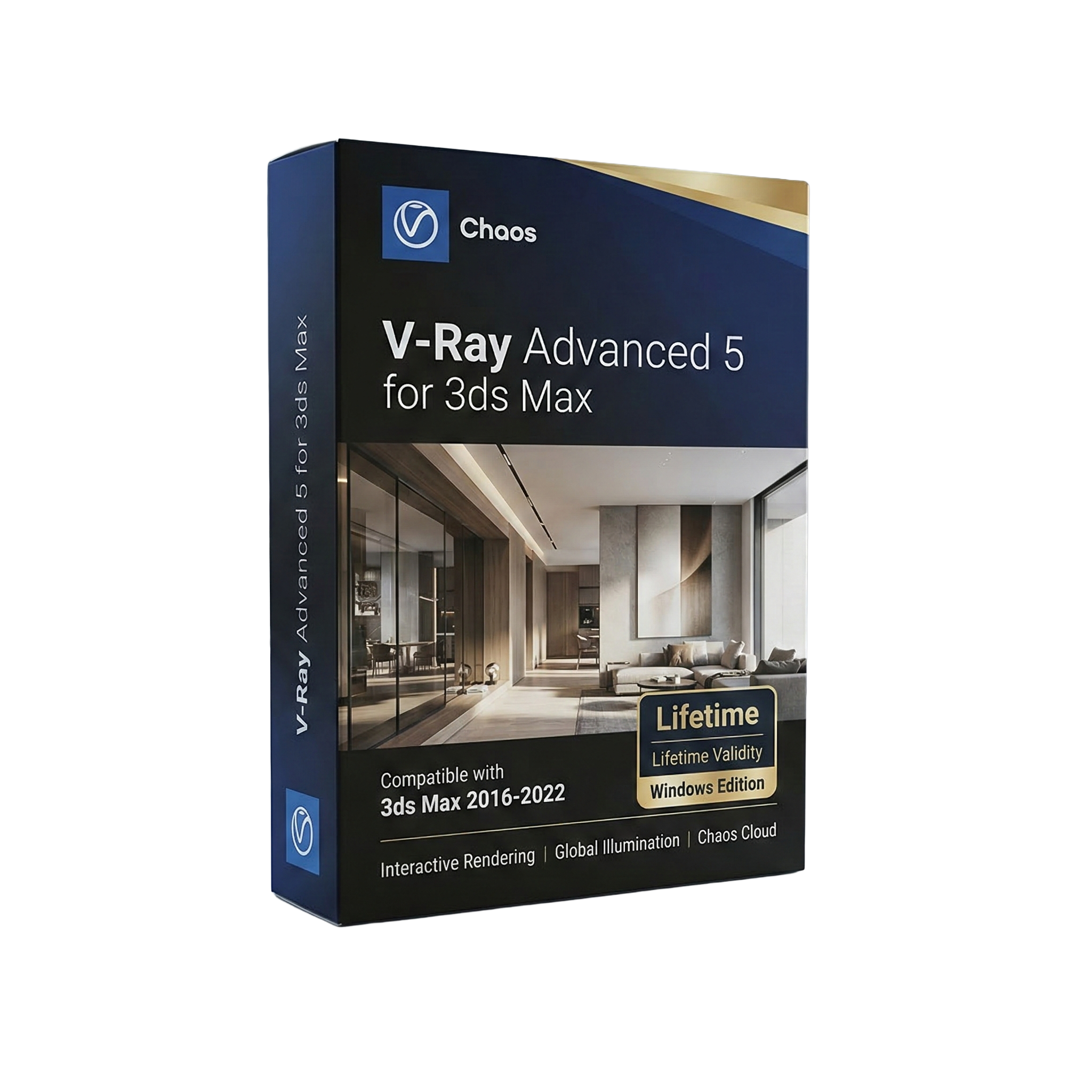
Chaos V-Ray Advanced 5 for 3ds Max 2016-2022
- AUTOMATIC DELIVERY INSTANTLY ON REGISTERED EMAIL .
- Any Installation Problem Freely Contact Us(Will Give You Support)
- Lifetime Validity
- Windows Version
- File Size: 3.24GB
✔ Photorealistic rendering engine with global illumination
✔ Supports both CPU and GPU rendering for faster performance
✔ Advanced lighting tools including HDRI, Sun & Sky
✔ Realistic materials with reflections, refractions, and textures
✔ V-Ray Frame Buffer (VFB) for real-time render preview and adjustments
✔ Chaos Cosmos library with ready-to-use assets and materials
✔ Smart rendering optimization for improved workflow efficiency
Original price was: ₹999.00.₹499.00Current price is: ₹499.00.
Description
Chaos V-Ray Advanced 5 for 3ds Max – Professional Rendering Solution for 3ds Max
Chaos V-Ray Advanced 5 for 3ds Max (2016–2022) is a powerful and industry-leading rendering plugin used by architects, 3D artists, and designers to create photorealistic images and animations. Developed by Chaos, V-Ray is widely trusted for its speed, accuracy, and high-quality output.
V-Ray 5 enhances the rendering workflow with advanced lighting, materials, and rendering tools, allowing users to produce stunning visuals for architecture, product design, and visual effects. It integrates seamlessly with 3ds Max, making it a perfect solution for professional 3D visualization.
Key Features of Chaos V-Ray Advanced 5
Photorealistic Rendering Engine
V-Ray 5 delivers highly realistic renders using advanced global illumination, lighting, and shading techniques. It accurately simulates real-world light behavior for lifelike results.
GPU and CPU Rendering
The software supports both CPU and GPU rendering, allowing users to choose the best performance option based on their hardware. This flexibility helps speed up rendering times significantly.
Advanced Lighting Tools
V-Ray includes powerful lighting systems such as:
- Dome light for HDRI lighting
- Sun & Sky system
- Adaptive light evaluation
- Real-world lighting controls
These tools help create natural and realistic lighting environments.
Realistic Materials and Textures
V-Ray provides a comprehensive material system for creating realistic surfaces. Users can simulate glass, metal, plastic, fabric, and more with accurate reflections and refractions.
V-Ray Frame Buffer (VFB)
The built-in V-Ray Frame Buffer allows users to preview and fine-tune renders in real time. It includes color correction, exposure control, and post-processing tools directly inside the renderer.
Scene Intelligence and Automation
V-Ray 5 introduces smart features that optimize rendering performance and improve workflow efficiency. It automatically adjusts settings for better results and faster rendering.
Chaos Cosmos Asset Library
Access a large library of ready-to-use assets including models, materials, and HDRIs. This helps speed up scene creation and enhances visual quality.
Seamless Integration with 3ds Max
V-Ray integrates directly into the 3ds Max interface, allowing users to work within their existing workflow without switching software.
Benefits of Using V-Ray Advanced 5
Photorealistic Results
Create high-quality renders for professional projects.
Flexible Rendering Options
Use CPU or GPU for faster performance.
Efficient Workflow
Built-in tools and assets reduce production time.
Industry-Standard Solution
Widely used in architecture, VFX, and product design.
Enhanced Visualization
Produce realistic lighting, materials, and environments.
Who Should Use V-Ray Advanced 5?
This software is ideal for:
- 3D artists
- Architects and interior designers
- Visualization specialists
- Product designers
- Animation and VFX professionals
- Students and creative professionals
System Requirements
Supported Software: 3ds Max 2016–2022
Operating System: Windows 7 / 8 / 10 / 11 (64-bit)
Processor: Multi-core Intel or AMD CPU
RAM: Minimum 8 GB (16 GB recommended)
GPU: NVIDIA/AMD GPU (for GPU rendering)
Storage: Minimum 2 GB free disk space
Related Products

- Lifetime Validity
- Instant Delivery on Email
- Any Installation Problem Freely Contact Us(Will Give You Support)
- Supported on Windows 10,11
- Works with Internet and Antivirus
- No Popup issue
- File Size: 5.56GB
- Frame Tool for easy masking
- Content-Aware Fill reimagined
- New multiple undo mode
- Usability improvements
- Transform proportionally by default
- Prevent accidental panel moves with Lock Workspace

- AUTOMATIC DELIVERY INSTANTLY ON REGISTERED EMAIL .
- Any Installation Problem Freely Contact Us(Will Give You Support)
- Lifetime Validity
- Windows Version
- Route complex PCB traces automatically with the new AI-driven auto-interactive router.
- Collaborate seamlessly with mechanical engineers via the enhanced real-time MCAD CoDesigner.
- Simulate power integrity and signal performance instantly within the unified design environment.
- Manage component shortages proactively with live supply chain data in ActiveBOM.
- Visualize multi-board systems and rigid-flex designs in photorealistic 3D detail.
- Sync all design changes and version history securely to the cloud with Altium 365.
- Define complex high-speed design rules easily using the visual Constraint Manager.

- AUTOMATIC DELIVERY INSTANTLY ON REGISTERED EMAIL .
- Any Installation Problem Freely Contact Us(Will Give You Support)
- Lifetime Validity
- Windows Version
- Map video onto complex geometric structures and surfaces with advanced projection mapping tools.
- Stitch multiple projectors into a single seamless widescreen image with soft edge blending.
- Sync video with lighting fixtures using DMX input and advanced LED pixel mapping.
- Lock your visuals perfectly to show tracks and DJ sets using SMPTE timecode input.
- Mix unlimited layers of video, effects, and generative content in real-time.
- Correct mistakes instantly during live setup with the fully integrated Undo/Redo feature.
- AUTOMATIC DELIVERY INSTANTLY ON REGISTERED EMAIL .
- Any Installation Problem Freely Contact Us(Will Give You Support)
- Lifetime Validity
- Windows Version
- File Size: 1.21GB
- All Instruments Included
- Split mixed audio files into separate stems instantly with integrated AI spectral separation.
- Generate inspiring chord sequences automatically using the advanced AI Composition Assistant.
- Correct vocal pitch and timing transparently with the updated VariAudio 4 engine.
- Mix immersive spatial audio efficiently with the fully integrated Dolby Atmos Renderer.
- Control complex plugin parameters via the revamped, customizable MIDI Remote integration.
- Manage massive orchestral templates smoothly with the optimized Windows hybrid-core audio engine.

- AUTOMATIC DELIVERY INSTANTLY ON REGISTERED EMAIL .
- Any Installation Problem Freely Contact Us(Will Give You Support)
- Lifetime Validity
- Windows Version
- Edit video content as easily as a text document with the AI-powered text-based editing workflow.
- Instantly remove or replace video backgrounds without a green screen using dynamic AI masking.
- Automatically generate and sync accurate captions and subtitles from your voiceover in seconds.
- Smooth out jerky mouse movements and customize cursor paths with advanced cursor effects.
- Record high-resolution 4K screen capture, webcam, and system audio simultaneously.
- Clean up background noise and balance vocal levels instantly with AI-enhanced audio filters.
- Access a vast library of royalty-free intros, motion graphics, and music directly within the editor.
- Engage viewers by adding interactive quizzes and clickable hotspots directly to your videos.
- Apply professional animations and behaviors to text and images with simple drag-and-drop actions.
- Export videos faster than ever with optimized GPU acceleration for modern hardware.
- Lifetime Validity
- Instant Delivery on Email
- Supported on All Apple Mac Systems
- Any Installation Problem Freely Contact Us(Will Give You Support)
- Works with Internet and Antivirus
- No Popup issue
- Maximize performance with native optimization for Apple Silicon (M1/M2/M3).
- Generate images and graphics on-canvas instantly with integrated Firefly AI.
- Format long documents automatically using AI-powered Auto Style presets.
- Import HEIC and WebP images natively without manual conversion.
- Streamline client feedback with the real-time Share for Review link.
- Publish interactive digital documents to the web with built-in analytics.
- Hide specific pages or spreads easily from final export and printing.

- AUTOMATIC DELIVERY INSTANTLY ON REGISTERED EMAIL .
- Any Installation Problem Freely Contact Us(Will Give You Support)
- Lifetime Validity
- Mac Version
- Apply realistic pixel-based brush strokes to vector paths with the new Painterly Brush tool.
- Experience blazing-fast performance with native optimization for Apple M1, M2, and M3 chips.
- Use your iPad as a secondary display and graphics tablet via Sidecar with full Apple Pencil support.
- Access and use online fonts instantly without manual installation using the new Remote Fonts feature.
- Isolate specific objects for distraction-free editing with the new Focus Mode.
- Convert low-quality bitmap images into crisp vectors automatically with AI-powered PowerTRACE.

- AUTOMATIC DELIVERY INSTANTLY ON REGISTERED EMAIL .
- Any Installation Problem Freely Contact Us(Will Give You Support)
- Lifetime Validity
- Windows Version
- File Size: 1.84GB
- Visualize models with stunning depth and realism using the new graphics engine featuring native Ambient Occlusion.
- Generate unique, seamless textures instantly from simple text prompts with the integrated AI texture generator.
- Import complex Revit files accurately and efficiently with the enhanced, lighter-weight Revit Importer.
- Create 2D documentation in LayOut faster than ever with a new multi-threaded rendering engine that eliminates lag.
- Convert room scans from mobile devices automatically into clean, editable 3D geometry via Scan-to-Design.
- Collaborate in real-time by syncing projects seamlessly across Desktop, iPad, and Web versions.

- AUTOMATIC DELIVERY INSTANTLY ON REGISTERED EMAIL .
- Any Installation Problem Freely Contact Us(Will Give You Support)
- Lifetime Validity
- Windows Version
- For 3ds Max 2021 – 2026
- Render and clip real-world 3D scans natively with full Gaussian Splatting support.
- Simulate complex light fixtures significantly faster using the new V-Ray Luminaire.
- Generate accurate stars, moon, and phases instantly with the procedural Night Sky.
- Create PBR materials from simple photos automatically with the AI Material Generator.
- Stream interactive 3D scenes to clients via a web link with Chaos Cloud Streaming.
- Analyze scene performance and spot bottlenecks precisely using the V-Ray Profiler.
- Render realistic caustics and refractions at high speeds with updated V-Ray GPU.

- AUTOMATIC DELIVERY INSTANTLY ON REGISTERED EMAIL .
- Any Installation Problem Freely Contact Us(Will Give You Support)
- Lifetime Validity
- Works with Internet and Antivirus
- No Popup issue
- Windows Version
- File Size: 3.25GB
- Painterly Brush Tool: Apply realistic, pixel-based brush strokes (like oil or chalk) to vector paths.
- Vector Illustration: Professional tools for creating logos, signage, and complex vector art.
- Page Layout: Seamlessly handle multi-page documents like brochures and manuals.
- Photo Editing: Includes Corel PHOTO-PAINT 2025 for advanced image retouching and adjustment.
- Remote Fonts: Access and use online fonts instantly without needing to install them first.
- AI PowerTRACE: Automatically converts low-quality bitmap images into crisp, scalable vectors.
- Print to PDF: Redesigned export workflow for perfect print results with better color and bleed control.
- Focus Mode: Isolate specific objects while fading the background for distraction-free editing.
- Cross-Platform: Native support for both Windows 11 and macOS Sonoma.

- Lifetime Validity
- Instant Delivery on Email
- Supported on All Apple Mac Systems
- Any Installation Problem Freely Contact Us(Will Give You Support)
- Works with Internet and Antivirus
- No Popup issue
- Render previews faster with native optimization for Apple Silicon (M1/M2/M3).
- Import and animate 3D models (GLB/GLTF) directly in the timeline.
- Isolate moving subjects instantly using the AI-powered Roto Brush 3.
- Preview and export simultaneously with high-speed Multi-Frame Rendering.
- Adjust layer settings quickly via the context-sensitive Properties Panel.
- Create realistic lighting and shadows with the native Advanced 3D renderer.
- Collaborate and review edits seamlessly with built-in Frame.io integration.

- AUTOMATIC DELIVERY INSTANTLY ON REGISTERED EMAIL .
- Any Installation Problem Freely Contact Us(Will Give You Support)
- Lifetime Validity
- Windows Version
- Works with Internet and Antivirus
- No Popup issue
- Edit photos faster with non-destructive adjustments and a reimagined effects stack in Corel PHOTO-PAINT.
- View, manage, and move assets across all document pages simultaneously with the dynamic Multipage View.
- Gather real-time feedback from clients and colleagues directly inside your design file via cloud comments.
- Convert low-quality bitmap images into scalable vector graphics instantly with AI-powered PowerTRACE.
- Access and use Google Fonts directly within the font manager without manual installation.