
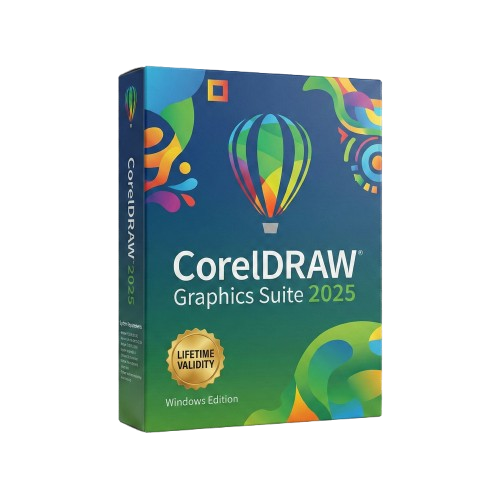
CorelDRAW Graphics Suite 2025 for Lifetime
- AUTOMATIC DELIVERY INSTANTLY ON REGISTERED EMAIL .
- Any Installation Problem Freely Contact Us(Will Give You Support)
- Lifetime Validity
- Works with Internet and Antivirus
- No Popup issue
- Windows Version
- File Size: 3.25GB
- Painterly Brush Tool: Apply realistic, pixel-based brush strokes (like oil or chalk) to vector paths.
- Vector Illustration: Professional tools for creating logos, signage, and complex vector art.
- Page Layout: Seamlessly handle multi-page documents like brochures and manuals.
- Photo Editing: Includes Corel PHOTO-PAINT 2025 for advanced image retouching and adjustment.
- Remote Fonts: Access and use online fonts instantly without needing to install them first.
- AI PowerTRACE: Automatically converts low-quality bitmap images into crisp, scalable vectors.
- Print to PDF: Redesigned export workflow for perfect print results with better color and bleed control.
- Focus Mode: Isolate specific objects while fading the background for distraction-free editing.
- Cross-Platform: Native support for both Windows 11 and macOS Sonoma.
Original price was: ₹999.00.₹499.00Current price is: ₹499.00.
Bought Together

- AUTOMATIC DELIVERY INSTANTLY ON REGISTERED EMAIL .
- Any Installation Problem Freely Contact Us(Will Give You Support)
- Lifetime Validity
- Works with Internet and Antivirus
- No Popup issue
- Windows Version
- File Size: 3.25GB
- Painterly Brush Tool: Apply realistic, pixel-based brush strokes (like oil or chalk) to vector paths.
- Vector Illustration: Professional tools for creating logos, signage, and complex vector art.
- Page Layout: Seamlessly handle multi-page documents like brochures and manuals.
- Photo Editing: Includes Corel PHOTO-PAINT 2025 for advanced image retouching and adjustment.
- Remote Fonts: Access and use online fonts instantly without needing to install them first.
- AI PowerTRACE: Automatically converts low-quality bitmap images into crisp, scalable vectors.
- Print to PDF: Redesigned export workflow for perfect print results with better color and bleed control.
- Focus Mode: Isolate specific objects while fading the background for distraction-free editing.
- Cross-Platform: Native support for both Windows 11 and macOS Sonoma.
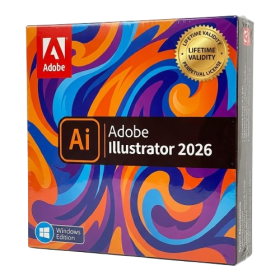
- AUTOMATIC DELIVERY INSTANTLY ON REGISTERED EMAIL .
- Any Installation Problem Freely Contact Us(Will Give You Support)
- Lifetime Validity
- Windows Version
- Works with Internet and Antivirus
- No Popup issue
- File Size: 3.33GB
- Create smoother, band-free color transitions with new gradient dithering and perceptual blending modes.
- Rotate 2D vector artwork in 3D space to explore dynamic angles with the innovative Turntable tool.
- Identify fonts from raster images or outlined text instantly using the AI-powered Retype feature.
- Organize files and collaborate seamlessly with team members using the new shared Projects workspace.
- Snap objects precisely to path tangents and perpendicular points with enhanced smart snapping tools.
- Wrap vector graphics automatically onto images of real-world objects with the realistic Mockup tool.
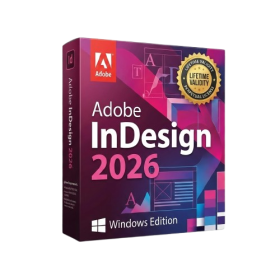
- AUTOMATIC DELIVERY INSTANTLY ON REGISTERED EMAIL .
- Any Installation Problem Freely Contact Us(Will Give You Support)
- Lifetime Validity
- Windows Version
- Works with Internet and Antivirus
- No Popup issue
- Generate images and vector graphics directly on the canvas with Firefly AI.
- Format long documents instantly using AI-powered Auto Style packs.
- Streamline review cycles with real-time web-based Share for Review.
- Hide specific spreads easily to exclude them from export or printing.
- Optimize PDF accessibility automatically with improved auto-tagging tools.
- Import HEIC, WebP, and JP2K image formats natively without conversion.
- Publish interactive documents to the web with built-in viewer analytics.
- Automate complex layout tasks securely using modern UXP scripting.

- Lifetime Validity
- Instant Delivery on Email
- Any Installation Problem Freely Contact Us(Will Give You Support)
- Supported on Windows 10,11
- Works with Internet and Antivirus
- No Popup issue
- File Size: 5.56GB
- Frame Tool for easy masking
- Content-Aware Fill reimagined
- New multiple undo mode
- Usability improvements
- Transform proportionally by default
- Prevent accidental panel moves with Lock Workspace
Description
CorelDRAW Graphics Suite 2025: The Ultimate Design Toolkit for Professionals
Break down creative barriers with CorelDRAW Graphics Suite 2025, the all-in-one design solution trusted by millions of graphics professionals worldwide. Whether you are designing signage, logos, vehicle wraps, textiles, or technical illustrations, this 2025 edition delivers the speed, power, and precision you need to meet any deadline.
Updated with cutting-edge features like the new Painterly Brush Tool and Remote Fonts, CorelDRAW 2025 blurs the line between vector and raster, allowing you to create organic, hand-drawn art with the flexibility of vector curves. Fully optimized for Windows 11 and macOS Sonoma, this suite is your key to crafting breathtaking visuals on any platform.
What’s New in CorelDRAW 2025?
Stay ahead of the curve with the latest 2025 updates designed to accelerate your workflow:
- Painterly Brush Tool: The game-changer for illustrators. Apply pixel-based brush strokes (like oil, chalk, or watercolor) to vector paths. You get the realistic look of a painting with the limitless editing capability of a vector line.
- Remote Fonts: Say goodbye to “missing font” errors. Access and use remote fonts instantly in your documents without needing to manually download and install them first.
- Streamlined Print to PDF: A redesigned export workflow that gives you total control over color management, bleed, and crop marks, ensuring your designs look perfect when they hit the press.
- Focus Mode: Isolate single objects or groups of objects to edit them in a vacuum, fading out the rest of your artwork to avoid accidental clicks and distractions.
- Enhanced Web Capability: Design on the go with the improved CorelDRAW.app, allowing you to access your work from any browser or iPad.
Key Features
1. Vector Illustration & Page Layout
- Professional Vector Tools: Turn basic lines and shapes into complex works of art with robust shaping and drawing tools.
- Page Layout: Find all the tools you need to create layouts for brochures, multi-page documents, and newsletters. Toggle between single-page and multipage editing for maximum creative freedom.
- Typography Engine: Arrange type beautifully with a complete set of typography tools. Add effects like block shadows and contours, and fine-tune fonts responsively with variable font support.
2. Advanced Photo Editing
- Corel PHOTO-PAINT 2025: Stop switching between apps. Retouch and enhance your photos with powerful layer-based photo editing tools built directly into the suite.
- AI-Powered Adjustments: Upsample low-res images, remove JPEG compression artifacts, and create masks faster than ever with Smart Selection.
3. Time-Saving AI Tools
- PowerTRACE™: Skip the manual tracing. AI-assisted PowerTRACE™ delivers the best bitmap-to-vector results in the industry, turning low-quality images into scalable vector graphics in seconds.
- Non-Destructive Effects: Apply bitmap effects to both vectors and bitmaps without altering the source image. Experiment fearlessly with the freedom to revert changes anytime.
4. Collaboration & Asset Management
- Cloud Collaboration: Gather feedback and comments from clients and colleagues directly inside your design file via the cloud.
- Corel Font Manager: Organize and manage your font library, and use your favorite fonts without installing them.
What’s Included in the Suite?
- CorelDRAW® 2025: Vector illustration and page layout.
- Corel PHOTO-PAINT™ 2025: Image editing and pixel-based design.
- Corel® Font Manager 2025: Font exploration and management.
- PowerTRACE™: AI-powered bitmap-to-vector tracing.
- CorelDRAW.app: Online vector illustration and graphic design via web browser.
- CAPTURE™: Screen capture tool (Windows only).
- AfterShot™ HDR: RAW photo editor.
System Requirements
Windows
- OS: Windows 11 or Windows 10 (Version 21H2 or later), 64-bit.
- Processor: Intel Core i3/5/7/9 or AMD Ryzen 3/5/7/9/Threadripper, EPYC.
- RAM: 8 GB RAM (16 GB recommended).
- Storage: 5.5 GB available hard disk space.
- Graphics: OpenCL 1.2-enabled video card with 3+ GB VRAM.
Reviews (5)
Related Products

- AUTOMATIC DELIVERY INSTANTLY ON REGISTERED EMAIL .
- Any Installation Problem Freely Contact Us(Will Give You Support)
- Lifetime Validity
- Windows Version
- Explore massive 3D scenes in 100% ray-traced real-time without waiting for renders.
- Sync changes instantly from 3ds Max, SketchUp, Rhino, and Revit via Live Link.
- Render photorealistic animations at lightning speeds using NVIDIA DLSS 3.5 support.
- Populate environments with millions of objects using the built-in Chaos Scatter tool.
- Switch between different lighting setups, materials, and moods instantly with Scene States.
- Visualize complex animated characters and deformable meshes perfectly in real-time.

- AUTOMATIC DELIVERY INSTANTLY ON REGISTERED EMAIL .
- Any Installation Problem Freely Contact Us(Will Give You Support)
- Lifetime Validity
- Mac Version
- Run natively on Apple Silicon (M1/M2/M3) for blazing-fast performance.
- Visualize models with realistic depth using the new Ambient Occlusion engine.
- Generate unique textures instantly with integrated AI-powered prompts.
- Sync projects seamlessly between Mac, iPad, and Web versions.
- Convert iPhone LiDAR scans into 3D models automatically via Scan-to-Design.
- Create 2D documentation faster with the optimized LayOut rendering engine.
- Import and export USDZ files easily for Apple AR visualization.

- AUTOMATIC DELIVERY INSTANTLY ON REGISTERED EMAIL .
- Any Installation Problem Freely Contact Us(Will Give You Support)
- Lifetime Validity
- Mac Version
- Apply realistic pixel-based brush strokes to vector paths with the new Painterly Brush tool.
- Experience blazing-fast performance with native optimization for Apple M1, M2, and M3 chips.
- Use your iPad as a secondary display and graphics tablet via Sidecar with full Apple Pencil support.
- Access and use online fonts instantly without manual installation using the new Remote Fonts feature.
- Isolate specific objects for distraction-free editing with the new Focus Mode.
- Convert low-quality bitmap images into crisp vectors automatically with AI-powered PowerTRACE.
- AUTOMATIC DELIVERY INSTANTLY ON REGISTERED EMAIL .
- Any Installation Problem Freely Contact Us(Will Give You Support)
- Lifetime Validity
- Windows Version
- Works with Internet and Antivirus
- No Popup issue
- Edit PDFs: Directly edit text, fix typos, and swap images inside any PDF.
- Convert Files: Turn Word, Excel, and PowerPoint documents into PDFs and back again.
- E-Signatures: Fill and sign forms digitally, or request and track signatures from others.
- OCR Scanning: Convert scanned paper documents into editable, searchable text automatically.
- Merge Files: Combine multiple documents, images, and spreadsheets into a single PDF file.
- Create Forms: Build smart, fillable forms with dropdowns and checkboxes.
- Secure Data: Password-protect files and restrict others from copying or printing content.
- Cloud Sync: Access and work on your documents from desktop, mobile, or the web.

- AUTOMATIC DELIVERY INSTANTLY ON REGISTERED EMAIL .
- Any Installation Problem Freely Contact Us(Will Give You Support)
- Lifetime Validity
- Windows Version
- Works with Internet and Antivirus
- No Popup issue
- Automatically organize photos using Smart Collections
- Automatically import and process high-volume shoots
- Manage photos and volumes even when they’re offline
- Access and edit a comprehensive set of metadata fields
- Create virtual copies of photos to save hard disk space

- AUTOMATIC DELIVERY INSTANTLY ON REGISTERED EMAIL .
- Any Installation Problem Freely Contact Us(Will Give You Support)
- Lifetime Validity
- Windows Version
- Works with Internet and Antivirus
- No Popup issue
- File Size: 462MB
- CorelDRAW X7 – Vector Illustration & Layout
- Corel PHOTO-PAINT X7 – Professional Photo Editing
- PowerTRACE – Convert Images to Vector
- Corel CONNECT – Search & Manage Content
- Corel CAPTURE – One-click Screenshot Tool
- Website Creator – Simple Website Building
- PhotoZoom Plugin – High-quality image enlargement

- Lifetime Validity
- Instant Delivery on Email
- Any Installation Problem Freely Contact Us(Will Give You Support)
- Supported on Windows 10,11
- Pre-Activated for Lifetime Validity
- Works with Internet and Antivirus
- No Popup issue
Adobe Photoshop is the industry-leading digital image editing and design application that offers the tools to create anything you can imagine.

- AUTOMATIC DELIVERY INSTANTLY ON REGISTERED EMAIL .
- Any Installation Problem Freely Contact Us(Will Give You Support)
- Lifetime Validity
- Windows Version
- Map video onto complex geometric structures and surfaces with advanced projection mapping tools.
- Stitch multiple projectors into a single seamless widescreen image with soft edge blending.
- Sync video with lighting fixtures using DMX input and advanced LED pixel mapping.
- Lock your visuals perfectly to show tracks and DJ sets using SMPTE timecode input.
- Mix unlimited layers of video, effects, and generative content in real-time.
- Correct mistakes instantly during live setup with the fully integrated Undo/Redo feature.
- Lifetime Validity
- Instant Delivery on Email
- Supported on All Apple Mac Systems
- Any Installation Problem Freely Contact Us(Will Give You Support)
- Works with Internet and Antivirus
- No Popup issue
- Maximize performance with native optimization for Apple Silicon (M1/M2/M3).
- Generate images and graphics on-canvas instantly with integrated Firefly AI.
- Format long documents automatically using AI-powered Auto Style presets.
- Import HEIC and WebP images natively without manual conversion.
- Streamline client feedback with the real-time Share for Review link.
- Publish interactive digital documents to the web with built-in analytics.
- Hide specific pages or spreads easily from final export and printing.
- AUTOMATIC DELIVERY INSTANTLY ON REGISTERED EMAIL .
- Any Installation Problem Freely Contact Us(Will Give You Support)
- Lifetime Validity
- Windows Version
- Works with Internet and Antivirus
- Automate assembly mates instantly with AI-powered fastener recognition.
- Generate complete 2D drawings from 3D models automatically with AI tools.
- Split component configurations into separate files in batches seamlessly.
- Skip unnecessary rebuilds for cosmetic changes to speed up large assemblies.
- Create reference points precisely using global XYZ coordinate values.
- Import massive neutral files in the background while you continue working.
- Render photorealistic images directly within the interface without switching apps.
- Lifetime Validity
- Instant Delivery on Email
- Works with Internet and Antivirus
- No Popup issue
- Any Installation Problem Freely Contact Us(Will Give You Support)
- Supported on all Apple Mac Products
- Pre-Activated for Lifetime Validity
Adobe Photoshop is the industry-leading digital image editing and design application that offers the tools to create anything you can imagine.

- AUTOMATIC DELIVERY INSTANTLY ON REGISTERED EMAIL .
- Any Installation Problem Freely Contact Us(Will Give You Support)
- Lifetime Validity
- Windows Version
- Works with Internet and Antivirus
- No Popup issue
- Import and animate 3D models (GLB/GLTF) natively without external plugins.
- Isolate moving subjects instantly using the AI-powered Roto Brush 3.
- Access and edit key layer settings faster with the context-sensitive Properties Panel.
- Render previews and final exports simultaneously with Multi-Frame Rendering.
- Manage professional color workflows accurately with native OpenColorIO (ACES) support.
- Composite 3D objects realistically onto 2D footage using Shadow Catchers.
- Review and approve content seamlessly with the built-in Frame.io integration.
Madhu kumar (verified owner) –
incredible one-time purchase!
[...]Rajni Mishra (verified owner) –
The download link arrived instantly after purchase. Installation was quick
[...]sharmavsiahli224 (verified owner) –
Whether I’m creating logos, brochures, or social media graphics, CorelDRAW Graphics Suite 2025 delivers top results. Lifetime access makes it even better!
[...]itsrviv (verified owner) –
CorelDRAW Graphics Suite 2025 lifetime purchase. Installation was smooth, no annoying popups
[...]manojkumar.namburi2 (verified owner) –
I was looking for professional design software without constant subscription prompts or popup clutter — this delivers! CorelDRAW 2025 runs smoothly, no annoying popups, and everything is fully legal. Very happy with this purchase!
[...]