
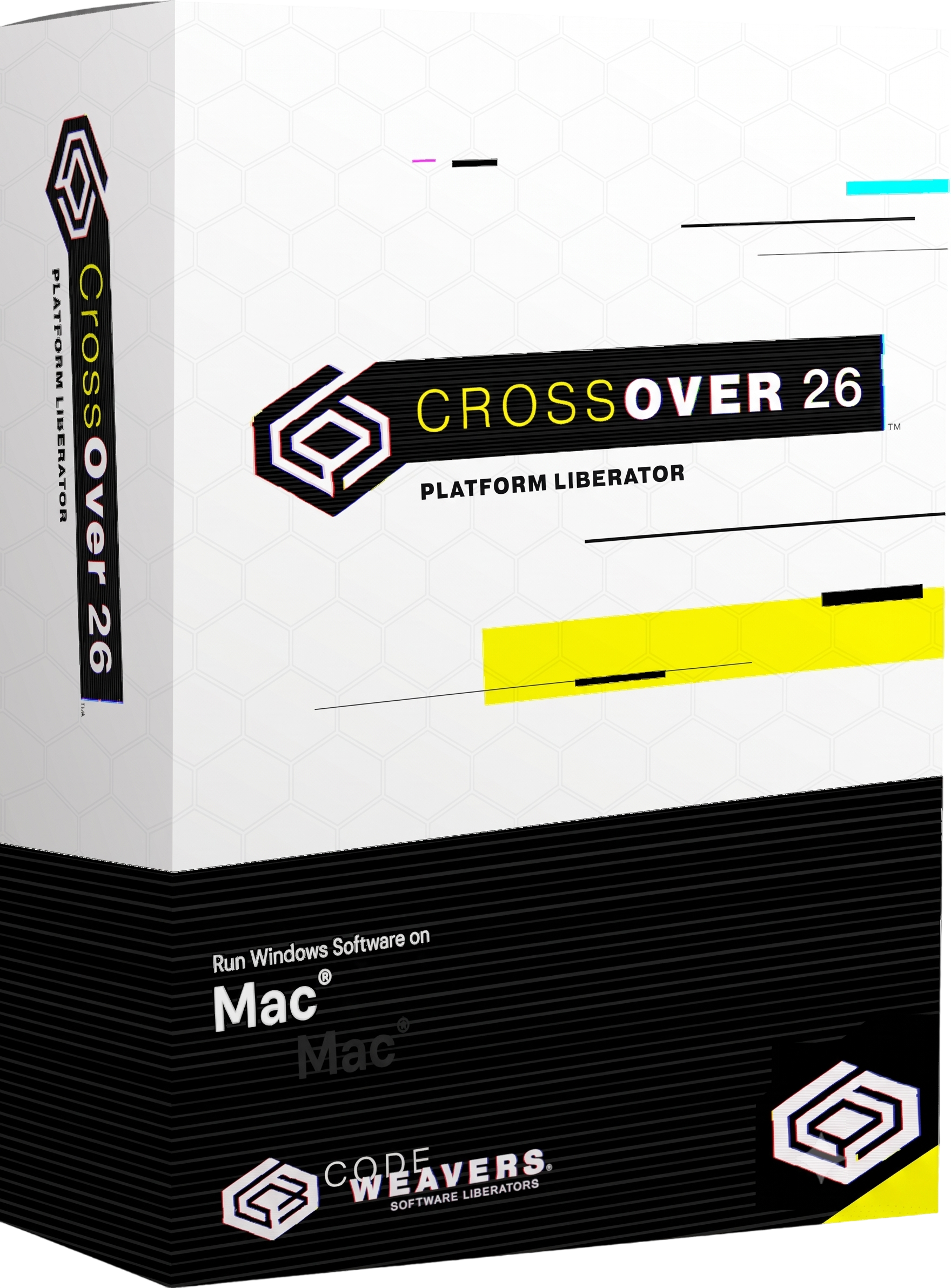
CrossOver 26 for Mac Lifetime
- AUTOMATIC DELIVERY INSTANTLY ON REGISTERED EMAIL .
- Any Installation Problem Freely Contact Us(Will Give You Support)
- Lifetime Validity
- Mac Version
- Windows compatibility software for macOS
- Runs supported Windows applications without installing Windows
- Based on Wine 11.0
- Apple Silicon and Intel Mac support
- D3DMetal 3.0 and DXMT v0.72
- vkd3d 1.18 for DirectX 12 compatibility
- Wine Mono 10.4.1
- Bottle-based Windows application environments
- Supports productivity software, utilities, development tools, and games
- Major improvements for modern DirectX games
- Supports macOS Tahoe 26
- Current 26.x maintenance releases include 26.3.0
₹500.00
Description
CrossOver 26 for Mac by CodeWeavers is a compatibility layer that allows users to run many Microsoft Windows applications and games directly on macOS without installing Windows or using a traditional virtual machine. It is based on the open-source Wine project and integrates Windows applications into the Mac desktop environment so that supported programs can be launched much like native Mac applications. CrossOver is available for both Intel-based Macs and Apple Silicon Macs and is particularly useful for users who need Windows-only productivity software, utilities, development tools, or games on macOS.
CrossOver organizes Windows applications into isolated bottles, which contain the Windows compatibility environment and application-specific configuration. Users can install supported Windows software through CrossOver’s Installer Assistant, configure individual bottles, manage Windows dependencies, create shortcuts, and integrate applications with macOS. This approach avoids the overhead of running a complete Windows operating system and allows supported applications to coexist with normal Mac applications.
The major CrossOver 26 release, launched on February 10, 2026, upgraded the underlying compatibility technology to Wine 11.0, incorporating more than 6,000 upstream improvements. It also introduced D3DMetal 3.0, DXMT v0.72, Wine Mono 10.4.1, and vkd3d 1.18, improving Windows API compatibility and DirectX translation. These changes significantly expanded compatibility with modern Windows software and games on Mac.
CrossOver 26 is particularly significant for Apple Silicon gaming and graphics workloads. The updated graphics translation stack enables a number of demanding Windows games to run on supported Macs, including titles such as Helldivers 2, Starfield, God of War Ragnarök, Final Fantasy VII Rebirth, Borderlands 4, and Warhammer 40,000: Darktide. Compatibility remains application-specific, however, and CodeWeavers maintains a searchable compatibility database because not every Windows application works equally well.
The 26.x series has continued to receive maintenance releases. CrossOver 26.3.0, released July 21, 2026, fixed issues affecting Diablo IV, Epic Games Launcher downloads, and GOG Galaxy on Mac. Earlier 26.1 and 26.2 releases addressed additional game compatibility, Unity mouse input, Battle.net installation, and other application-specific issues.
Key Features
- Run supported Windows applications directly on macOS
- No Windows operating-system installation required
- No traditional virtual machine required
- Based on the open-source Wine compatibility layer
- Windows application bottles for isolated configurations
- Installer Assistant for supported Windows applications
- macOS application shortcuts and desktop integration
- Apple Silicon support
- Intel Mac support
- DirectX translation through D3DMetal
- DXMT graphics translation support
- vkd3d support for DirectX 12 applications
- Wine Mono for .NET-based Windows applications
- Windows DLL and runtime dependency management
- Per-application bottle configuration
- Windows application uninstall and repair tools
- macOS Finder integration
- Application launcher and bottle management
- Support for productivity applications, utilities, development software, and games
- Improved modern-game compatibility
- Game controller and input support for compatible titles
- Retina/high-resolution display support
- macOS Tahoe interface improvements
- Built-in update and troubleshooting facilities
- Compatibility database for checking individual Windows applications
- No requirement for a separate Windows license for the CrossOver compatibility layer itself
What’s New in Version 26
CrossOver 26.0.0 — February 10, 2026
- Upgraded to Wine 11.0
- More than 6,000 Wine improvements incorporated
- Updated D3DMetal to 3.0
- Updated DXMT to v0.72
- Updated Wine Mono to 10.4.1
- Updated vkd3d to 1.18
- Improved Windows application compatibility
- Improved DirectX gaming performance and compatibility
- Added/improved support for numerous modern Windows games
- macOS Tahoe user-interface updates
- Fix for Steam reopening after being closed
- Expanded compatibility with demanding DirectX 11/12 applications
26.1.0 — April 9, 2026
- Workaround for Death Stranding 2 on macOS
- Fixed mouse-input problems affecting numerous Unity games
- Fixed distorted account windows in Quicken
- Fixed Battle.net installation issues affecting some users
26.2.0 — June 9, 2026
- Fixed Helldivers 2 launch problems following a game update
- Added additional warnings concerning 32-bit bottles
26.3.0 — July 21, 2026
- Fixed Diablo IV launch problems after a game update
- Fixed Epic Games Launcher downloads on Mac after an update
- Fixed GOG Galaxy loading problems on Mac
Professional Applications
CrossOver 26 for Mac is suitable for:
- Running Windows-only business applications
- Microsoft Office and productivity workflows
- Accounting and financial software
- Windows utilities and specialist applications
- Legacy Windows software
- Development and testing environments
- Educational applications
- Engineering and technical applications where compatibility permits
- Windows game libraries
- DirectX gaming on Apple Silicon Macs
- Application compatibility testing
- Organizations transitioning from Windows to macOS
System Requirements
Minimum Requirements
- Operating System: macOS 11.1 or later on Apple Silicon; CrossOver 26 has specific current compatibility with macOS 26 Tahoe and newer supported macOS versions.
- Processor: Intel Mac or Apple Silicon M1 or newer
- RAM: 4 GB recommended for general use
- Storage: 1 GB free disk space, plus additional space required by installed Windows applications
- Graphics: Metal-capable Mac GPU recommended for modern Windows applications and games
- Display: macOS-compatible display
- Internet: Required for downloading CrossOver, activation, updates, and installing many Windows applications
- Mac Compatibility: CrossOver does not run on iPhone or iPad.
Related Products
- Lifetime Validity
- Instant Delivery on Email
- Supported on All Apple Mac Systems
- Any Installation Problem Freely Contact Us(Will Give You Support)
- Render natively on Apple Silicon (M1/M2/M3) for maximum speed and efficiency.
- Generate photorealistic backgrounds instantly from text prompts using the AI Shots tool.
- Share interactive 3D product reviews securely with stakeholders via KeyShot Web Viewer.
- Automate complex rendering pipelines using the advanced Python scripting console.
- Import native files directly from high-end CAD systems like Siemens NX, Catia, and Creo.
- Switch seamlessly between CPU and GPU rendering to utilize Apple Metal graphics power.
- Create standardized material libraries for your organization with OpenPBR support.
- Accelerate post-production compositing with automatic Cryptomatte mask generation.

- Lifetime Validity
- Instant Delivery on Email
- Supported on All Apple Mac Systems
- Any Installation Problem Freely Contact Us(Will Give You Support)
- Visual Search: Find clips by describing objects or actions (e.g., “sunset”).
- Beat Detection: Auto-generate markers to sync edits to music beats.
- Transcript Search: Find footage by typing spoken dialogue.
- Magnetic Mask: Isolate subjects instantly without green screens.
- Spatial Video: Edit and grade 3D content for Apple Vision Pro.
- Voice Isolation: Remove background noise with one click.
- Transcribe to Captions: Auto-generate subtitles on-device.
- Smooth Slo-Mo: AI-generated frames for perfect slow motion.
- AUTOMATIC DELIVERY INSTANTLY ON REGISTERED EMAIL .
- Any Installation Problem Freely Contact Us(Will Give You Support)
- Lifetime Validity
- Windows Version
- Explore massive 3D scenes in 100% ray-traced real-time without waiting for renders.
- Sync changes instantly from 3ds Max, SketchUp, Rhino, and Revit via Live Link.
- Render photorealistic animations at lightning speeds using NVIDIA DLSS 3.5 support.
- Populate environments with millions of objects using the built-in Chaos Scatter tool.
- Switch between different lighting setups, materials, and moods instantly with Scene States.
- Visualize complex animated characters and deformable meshes perfectly in real-time.

- AUTOMATIC DELIVERY INSTANTLY ON REGISTERED EMAIL .
- Any Installation Problem Freely Contact Us(Will Give You Support)
- Lifetime Validity
- Windows Version
- Route complex PCB traces automatically with the new AI-driven auto-interactive router.
- Collaborate seamlessly with mechanical engineers via the enhanced real-time MCAD CoDesigner.
- Simulate power integrity and signal performance instantly within the unified design environment.
- Manage component shortages proactively with live supply chain data in ActiveBOM.
- Visualize multi-board systems and rigid-flex designs in photorealistic 3D detail.
- Sync all design changes and version history securely to the cloud with Altium 365.
- Define complex high-speed design rules easily using the visual Constraint Manager.

- AUTOMATIC DELIVERY INSTANTLY ON REGISTERED EMAIL .
- Any Installation Problem Freely Contact Us(Will Give You Support)
- Lifetime Validity
- Windows Version
- File Size: 23.5MB
- Accelerate download speeds by up to 5 times with intelligent dynamic file segmentation.
- Resume interrupted downloads instantly without restarting from the beginning.
- Capture videos from streaming sites automatically using the improved download panel.
- Detect and download Ultra HD (4K and 8K) videos with enhanced recognition accuracy.
- Integrate seamlessly with the latest versions of Chrome, Edge, and Firefox.
- Resolve video stream errors (like 403 Forbidden) with updated site compatibility fixes.
- Schedule downloads to start, stop, or shut down your computer automatically.
- Lifetime Validity
- Instant Delivery on Email
- Supported on All Apple Mac Systems
- Any Installation Problem Freely Contact Us(Will Give You Support)
- File Size: 6.68GB (20.3.2 Version)
- Ai Features are working
- Works with Internet and Antivirus
- Edit 12K projects effortlessly with native optimization for Apple M3 and M4 Ultra chips.
- Render renders up to 4x faster using the fully unified memory architecture of Apple Silicon.
- Generate depth maps instantly from single-camera clips using the Apple Neural Engine.
- Grade HDR content with absolute precision on Liquid Retina XDR displays using the new EDR workflow.
- Isolate voices from noisy backgrounds in real-time with the Core ML-powered Voice Isolation.
- Edit spatial video for Apple Vision Pro with a dedicated stereoscopic 3D viewer.
- Track complex objects in 3D space instantly with the Metal-accelerated IntelliTrack AI.

- AUTOMATIC DELIVERY INSTANTLY ON REGISTERED EMAIL .
- Any Installation Problem Freely Contact Us(Will Give You Support)
- Lifetime Validity
- Windows Version
- Rock-Solid Tracking: The industry standard for planar tracking.
- PowerMesh: Track warped surfaces like skin and fabric.
- Generative Remove: Auto-remove objects and wires with AI.
- Stabilization: Smooth out shaky handheld footage instantly.
- Insert Module: Perfect screen replacements with motion blur.
- Magnetic Roto: Snap masks to edges for fast rotoscoping.
- Lens Correction: Fix or match lens distortion easily.

- AUTOMATIC DELIVERY INSTANTLY ON REGISTERED EMAIL .
- Any Installation Problem Freely Contact Us(Will Give You Support)
- Lifetime Validity
- Windows Version
- Professional Edition
- Preview files in real-time while the scan is still running with “On-the-Fly” preview.
- Pause and resume recovery scans instantly to save progress without restarting.
- Recover data from BitLocker-encrypted drives by simply entering the password.
- Create bootable USB media to salvage files from crashed or unbootable PCs.
- Repair corrupt videos and photos automatically using the Premium repair tools.
- Multitask efficiently with native dual-monitor support for the recovery interface.
- Scan large 4K hard drives with 4096-byte sectors using the optimized engine.
- Retrieve data from RAID 0, 5, and 6 arrays seamlessly with the Technician edition.
- AUTOMATIC DELIVERY INSTANTLY ON REGISTERED EMAIL .
- Any Installation Problem Freely Contact Us(Will Give You Support)
- Lifetime Validity
- Windows Version
- Retopo Brush: Draw low-poly topology directly on your sculpt.
- Python Support: Automate tasks with industry-standard scripting.
- Asset System: Separate user folders for safer customization.
- ZModeler Update: Auto-creasing and improved visual feedback.
- NoiseMaker 2.0: Transform and rotate alphas for surface noise.
- Redshift AOVs: Export render passes for professional compositing.
- Sculptris Pro: Add polygons dynamically only where you need detail.
- DynaMesh: Remesh your model instantly to fix stretched geometry.
- GoZ: Single-click transfer to Maya, Blender, Cinema 4D, and UE5.
- PolyPaint: Paint texture data directly on the mesh vertices.
- Lifetime Validity
- Instant Delivery on Email
- Any Installation Problem Freely Contact Us(Will Give You Support)
- Supported on Windows 10,11
- Pre-Activated for Lifetime Validity
- Supports: Revit 2022 to 2026
- Import and render real-world 3D Gaussian Splats directly within the Revit interface.
- Generate custom PBR textures instantly from text prompts with the AI Material Generator.
- Visualize changes in real-time using the seamless Chaos Vantage Live Link.
- Populate scenes with vegetation and crowds efficiently using Chaos Scatter.
- Edit colors and apply finishing touches directly in the advanced V-Ray Frame Buffer.
- Ensure material consistency across different software with native OpenPBR support.
- Add realistic details like road markings or graffiti using V-Ray Decals.
- Simulate dynamic skies and cloud shadows with the procedural Cloud system.
- Generate dozens of lighting variations automatically with the Light Gen tool.
- Accelerate rendering times significantly with optimized NVIDIA RTX GPU support.
- AUTOMATIC DELIVERY INSTANTLY ON REGISTERED EMAIL .
- Any Installation Problem Freely Contact Us(Will Give You Support)
- Lifetime Validity
- Windows Version
- Hybrid Ray Tracing: Perfect reflections, shadows, and glass instantly.
- LiveSync: Real-time link to Revit, SketchUp, and Rhino.
- Full Library: Over 9,000 assets (trees, cars, people) included.
- Phasing Effect: Animate the construction process easily.
- Real Skies: 60+ HDR skies that light your scene automatically.
- Styles: One-click presets for “Watercolor,” “Sketch,” or “Realistic.”
- 3D Grass: Turn any surface into realistic, volumetric grass.
- Volumetric Spotlights: Create dusty, atmospheric beams of light.
- Material Editor: Add weathering, rounded edges, and foliage to textures.
- Output: Render 8K images, 4K videos, and 360 panoramas.
- AUTOMATIC DELIVERY INSTANTLY ON REGISTERED EMAIL .
- Any Installation Problem Freely Contact Us(Will Give You Support)
- Lifetime Validity
- Windows Version
- 7.28 Version
- Map video onto complex geometric structures and surfaces with advanced projection mapping tools.
- Stitch multiple projectors into a single seamless widescreen image with soft edge blending.
- Sync video with lighting fixtures using DMX input and advanced LED pixel mapping.
- Lock your visuals perfectly to show tracks and DJ sets using SMPTE timecode input.
- Mix unlimited layers of video, effects, and generative content in real-time.
- Correct mistakes instantly during live setup with the fully integrated Undo/Redo feature.