
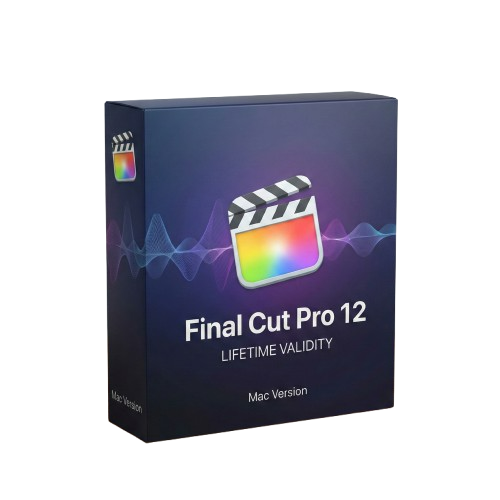
Final Cut Pro 12 for macOs Lifetime
- Lifetime Validity
- Instant Delivery on Email
- Supported on All Apple Mac Systems
- Any Installation Problem Freely Contact Us(Will Give You Support)
- Visual Search: Find clips by describing objects or actions (e.g., “sunset”).
- Beat Detection: Auto-generate markers to sync edits to music beats.
- Transcript Search: Find footage by typing spoken dialogue.
- Magnetic Mask: Isolate subjects instantly without green screens.
- Spatial Video: Edit and grade 3D content for Apple Vision Pro.
- Voice Isolation: Remove background noise with one click.
- Transcribe to Captions: Auto-generate subtitles on-device.
- Smooth Slo-Mo: AI-generated frames for perfect slow motion.
Original price was: ₹999.00.₹499.00Current price is: ₹499.00.
Final Cut Pro 12 (Mac): The Future of Storytelling, Powered by Intelligence
Final Cut Pro 12 represents the most significant leap in Apple’s professional video editing software in over a decade. Now fully integrated with Apple Intelligence and optimized for the latest M-series Silicon, this release moves beyond simple editing to become a proactive creative partner.
Version 12 introduces breakthrough “Intelligent Search” tools that allow you to find footage based on what is happening inside the clip, not just how you tagged it. Combined with the new Beat Detection engine and the industry-leading Magnetic Timeline, Final Cut Pro 12 allows editors to move from rough cut to final master faster than any other NLE on the market. Whether you are cutting a feature film, a music video, or spatial content for Apple Vision Pro, this is the ultimate tool for modern storytelling.
Why Choose Final Cut Pro 12?
1. Visual & Transcript Search (AI)
- The Revolution: Stop scrubbing through hours of footage.
- The Benefit: Simply type “dog running on beach” or “red car,” and Visual Search instantly finds those moments across your entire library using on-device machine learning. Need a specific soundbite? Transcript Search lets you type a phrase, and FCP jumps instantly to that part of the dialogue, even if you haven’t generated captions yet.
2. Beat Detection & Sync
- The Rhythm: Music editing is now effortless.
- The Benefit: Final Cut Pro 12 analyzes your music tracks and automatically generates a “Beat Grid” of markers for bars and beats. You can snap clips directly to the rhythm, making it incredibly easy to cut high-energy sizzle reels or music videos with perfect timing.
3. Magnetic Mask 2.0
- The Magic: Rotoscoping is dead.
- The Benefit: The enhanced Magnetic Mask uses the Neural Engine to isolate moving subjects—even with complex hair or transparent objects—without a green screen. Apply color grades or effects to just the subject or just the background with a single click.
What’s New in Version 12?
Transcribe to Captions
- The Feature: Built-in, zero-cost transcription.
- The Benefit: Automatically generate highly accurate closed captions in the timeline using an Apple-trained large language model. It happens entirely on-device for privacy and speed, allowing you to deliver accessible, social-ready videos in minutes.
Spatial Video Editing
- The Future: Native support for Apple Vision Pro.
- The Benefit: Import, edit, and grade spatial video captured on iPhone 15/16 Pro or Vision Pro. You can adjust the depth parallax and add 3D titles that float in space, giving you a true stereoscopic workflow.
Smooth Slo-Mo (AI)
- The Quality: Turn standard footage into buttery smooth slow motion.
- The Benefit: Unlike “Optical Flow” of the past, the new AI-driven algorithm generates new frames with an understanding of motion, eliminating the “warping” artifacts usually seen when slowing down 30fps footage.
Key Features
- Magnetic Timeline: The trackless timeline that eliminates sync problems. Clips slide out of the way to avoid collisions, and connected clips always stay attached to your story.
- Voice Isolation: The “magic button” for audio. It removes background noise (traffic, wind, hum) from dialogue so effectively it often saves unusable takes.
- Object Tracker: Drag an effect or title onto a moving face or object, and FCP automatically analyzes the motion and locks the effect to it.
- ProRes RAW Support: Edit raw footage with the performance of ProRes. Change ISO, white balance, and exposure after the shoot directly in the inspector.
- Duplicate Detection: Instantly see if you’ve used a clip more than once in your timeline with color-coded ranges—essential for documentaries and long-form content.
System Requirements (Mac)
- Operating System: macOS 15 (Sequoia) or macOS 16.
- Processor: Apple Silicon (M1, M2, M3, M4) required for AI features (Visual Search, Magnetic Mask, etc.). Intel Macs are supported but with limited AI capabilities.
- Memory (RAM): 8 GB minimum (16 GB or 32 GB recommended for 4K/8K editing).
- Graphics: Metal-capable graphics card.
- Storage: 6 GB of available disk space for installation; fast SSD required for video editing.
- Display: 1280 x 768 or higher resolution.
Short Bullet Points (For Quick View)
- Visual Search: Find clips by describing objects or actions (e.g., “sunset”).
- Beat Detection: Auto-generate markers to sync edits to music beats.
- Transcript Search: Find footage by typing spoken dialogue.
- Magnetic Mask: Isolate subjects instantly without green screens.
- Spatial Video: Edit and grade 3D content for Apple Vision Pro.
- Voice Isolation: Remove background noise with one click.
- Transcribe to Captions: Auto-generate subtitles on-device.
- Smooth Slo-Mo: AI-generated frames for perfect slow motion.
- Object Tracker: Attach text and color grades to moving faces.
- ProRes RAW: The flexibility of RAW with the speed of ProRes.
Related Products

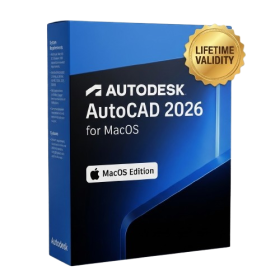
- AUTOMATIC DELIVERY INSTANTLY ON REGISTERED EMAIL .
- Any Installation Problem Freely Contact Us(Will Give You Support)
- Lifetime Validity
- Mac Version
- Fully optimized for Apple Silicon (M1/M2/M3) chips to deliver faster rendering and smoother zooming.
- Automatically place and replace repetitive objects instantly with the new AI-powered Smart Blocks tool.
- Track file changes and view detailed multi-user edit histories with the enhanced Activity Insights dashboard.
- Import feedback directly from PDFs or printed paper and let AI auto-insert revisions with Markup Assist.
- Collaborate securely by adding design notes to the Trace layer without altering the existing drawing.

- Lifetime Validity
- Instant Delivery on Email
- Supported on All Apple Mac Systems
- Any Installation Problem Freely Contact Us(Will Give You Support)
- Works with Internet and Antivirus
- No Popup issue
- Experience blazing speeds with native Apple Silicon (M1/M2/M3) optimization.
- Generate editable vector graphics instantly from text prompts with Firefly AI.
- Wrap vector art realistically onto objects in images with the Mockup tool.
- Identify and convert raster text into editable fonts using AI Retype.
- Recolor artwork variations instantly using simple text descriptions.
- Sketch naturally using your iPad and Apple Pencil via Sidecar support.
- Collaborate efficiently with real-time comments via Share for Review.
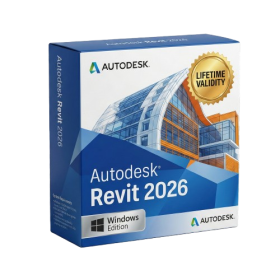
- Lifetime Validity
- Instant Delivery on Email
- Any Installation Problem Freely Contact Us(Will Give You Support)
- Supported on Windows 10,11
- Pre-Activated for Lifetime Validity
- Streamline your modeling workflows by working directly in perspective views.
- When you import or link certain items into a model, you can apply tags to these items.
- Use the Split Element tool on structural columns and framing elements
- To ensure that structural connections from this application adhere to the latest standards
- Resize runs of corresponding fabrication parts using the Properties palette or the Edit Parts dialog.

- AUTOMATIC DELIVERY INSTANTLY ON REGISTERED EMAIL .
- Any Installation Problem Freely Contact Us(Will Give You Support)
- Lifetime Validity
- Windows Version
- Works with Internet and Antivirus
- No Popup issue
- Edit PDFs: Directly edit text, fix typos, and swap images inside any PDF.
- Convert Files: Turn Word, Excel, and PowerPoint documents into PDFs and back again.
- E-Signatures: Fill and sign forms digitally, or request and track signatures from others.
- OCR Scanning: Convert scanned paper documents into editable, searchable text automatically.
- Merge Files: Combine multiple documents, images, and spreadsheets into a single PDF file.
- Create Forms: Build smart, fillable forms with dropdowns and checkboxes.
- Secure Data: Password-protect files and restrict others from copying or printing content.
- Cloud Sync: Access and work on your documents from desktop, mobile, or the web.

- AUTOMATIC DELIVERY INSTANTLY ON REGISTERED EMAIL .
- Any Installation Problem Freely Contact Us(Will Give You Support)
- Lifetime Validity
- Windows Version
- Render and clip real-world 3D scans natively with full Gaussian Splatting support.
- Simulate complex light fixtures significantly faster using the new V-Ray Luminaire.
- Generate accurate stars, moon, and phases instantly with the procedural Night Sky.
- Create PBR materials from simple photos automatically with the AI Material Generator.
- Stream interactive 3D scenes to clients via a web link with Chaos Cloud Streaming.
- Analyze scene performance and spot bottlenecks precisely using the V-Ray Profiler.
- Render realistic caustics and refractions at high speeds with updated V-Ray GPU.

- Lifetime Validity
- Instant Delivery on Email
- Any Installation Problem Freely Contact Us(Will Give You Support)
- Supported on Windows 10,11
- Pre-Activated for Lifetime Validity
- Works with Internet and Antivirus
- No Popup issue
Adobe Photoshop is the industry-leading digital image editing and design application that offers the tools to create anything you can imagine.
- AUTOMATIC DELIVERY INSTANTLY ON REGISTERED EMAIL .
- Any Installation Problem Freely Contact Us(Will Give You Support)
- Lifetime Validity
- Windows Version
- Pre-Activated Setup (Install Setup & Enjoy)
- Works with Internet & Antivirus
- File Size: 1.30GB
- Includes Everything: Every native plugin Image-Line sells (Synths, Effects, Tools).
- Massive Library: Comes with Harmor, Sytrus, Gross Beat, and the new Kepler Exo.
- Dynamic Mixing: Expand your mixer up to 500 tracks with the new 2025 engine
- Stem Separation: Split any song into Drums, Bass, Vocals, and Instruments instantly.
- Audio Editing: Edit pitch and time directly in the playlist with Newtone.
- Visualizers: Render 4K videos for social media with ZGameEditor Visualizer.
- Controller Support: Plug-and-play compatibility with virtually any MIDI controller.

- AUTOMATIC DELIVERY INSTANTLY ON REGISTERED EMAIL .
- Any Installation Problem Freely Contact Us(Will Give You Support)
- Lifetime Validity
- Windows Version
- Create watertight meshes instantly for 3D printing with the new ShrinkWrap tool.
- Generate dynamic 2D sections and plans directly from 3D models with ClippingDrawings.
- Model organic shapes with greater precision using supported SubD creases.
- Manipulate geometry intuitively with the new customized Auto Gumball.
- Extrude and modify faces instantly using the direct PushPull workflow.
- Render scenes significantly faster with the optimized Cycles engine.
- Customize the modernized interface to match your specific drafting workflow.

- AUTOMATIC DELIVERY INSTANTLY ON REGISTERED EMAIL .
- Any Installation Problem Freely Contact Us(Will Give You Support)
- Lifetime Validity
- Windows Version
- Works with Internet and Antivirus
- No Popup issue
- File Size: 462MB
- CorelDRAW X7 – Vector Illustration & Layout
- Corel PHOTO-PAINT X7 – Professional Photo Editing
- PowerTRACE – Convert Images to Vector
- Corel CONNECT – Search & Manage Content
- Corel CAPTURE – One-click Screenshot Tool
- Website Creator – Simple Website Building
- PhotoZoom Plugin – High-quality image enlargement

- Lifetime Validity
- Instant Delivery on Email
- Supported on All Apple Mac Systems
- Any Installation Problem Freely Contact Us(Will Give You Support)
- Works with Internet and Antivirus
- No Popup issue
- Render previews faster with native optimization for Apple Silicon (M1/M2/M3).
- Import and animate 3D models (GLB/GLTF) directly in the timeline.
- Isolate moving subjects instantly using the AI-powered Roto Brush 3.
- Preview and export simultaneously with high-speed Multi-Frame Rendering.
- Adjust layer settings quickly via the context-sensitive Properties Panel.
- Create realistic lighting and shadows with the native Advanced 3D renderer.
- Collaborate and review edits seamlessly with built-in Frame.io integration.

- Lifetime Validity
- Instant Delivery on Email
- Any Installation Problem Freely Contact Us(Will Give You Support)
- Supported on all Apple Mac Products
- Pre-Activated for Lifetime
- Works with Internet and Antivirus
- No Popup issue
- Extend short clips seamlessly using the new AI-powered Generative Extend tool.
- Remove unwanted objects or add new elements to video scenes instantly with Generative Fill.
- Edit videos rapidly by cutting and rearranging text in the auto-generated transcript.
- Clean up noisy dialogue to studio quality instantly with AI Enhanced Speech.
- Experience real-time 8K playback and fast rendering with native Apple Silicon optimization.
- Create precise audio fades visually by dragging interactive handles on the clips.
- Match colors across different cameras and HDR formats automatically with Auto Tone Mapping.