
-50%Limited
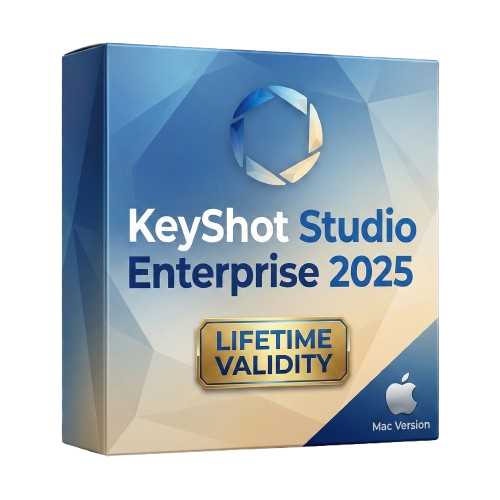
KeyShot Studio 2025 macOs for Lifetime
Brand: Luxion
- Lifetime Validity
- Instant Delivery on Email
- Supported on All Apple Mac Systems
- Any Installation Problem Freely Contact Us(Will Give You Support)
- Render natively on Apple Silicon (M1/M2/M3) for maximum speed and efficiency.
- Generate photorealistic backgrounds instantly from text prompts using the AI Shots tool.
- Share interactive 3D product reviews securely with stakeholders via KeyShot Web Viewer.
- Automate complex rendering pipelines using the advanced Python scripting console.
- Import native files directly from high-end CAD systems like Siemens NX, Catia, and Creo.
- Switch seamlessly between CPU and GPU rendering to utilize Apple Metal graphics power.
- Create standardized material libraries for your organization with OpenPBR support.
- Accelerate post-production compositing with automatic Cryptomatte mask generation.
Original price was: ₹999.00.₹499.00Current price is: ₹499.00.
Send Enquiry
Description
KeyShot Studio 2025 (formerly just “KeyShot”) is the most significant evolution in the software’s history. Rebranded to reflect its expanded capabilities, this version transforms from a simple renderer into a complete creative studio.
Built to run natively on Apple Silicon (M1/M2/M3/M4), KeyShot Studio 2025 integrates powerful generative AI tools directly into your rendering workflow. It allows industrial designers, jewelers, and packaging experts to go from a rough 3D block-out to a photorealistic marketing image in seconds, not hours. With the new OpenPBR support and massive performance gains for Mac users, it is the ultimate tool for visual storytelling.
What’s New in KeyShot Studio 2025?
1. AI Shots & Generative Backgrounds
- The Feature: Stop hunting for high-res backplates. With the new AI Shots integration, you can type a prompt (e.g., “luxury marble counter, morning sunlight, depth of field”), and KeyShot will generate a photorealistic background that matches your scene’s perspective and lighting automatically.
- The Benefit: Instantly create infinite environments for your products without leaving the software.
2. OpenPBR Support
- The Standard: KeyShot Studio 2025 now supports OpenPBR, the new industry-standard material format developed by Adobe.
- The Benefit: Move assets seamlessly between Substance 3D, Blender, and KeyShot without losing material accuracy. Your textures will look identical across all your software tools.
3. Cryptomatte Support
- The Workflow: Post-production just got easier. Cryptomatte automatically generates ID masks for every object, material, and layer in your scene during the render.
- The Benefit: No more manual selection in Photoshop. You can instantly select and color-correct a specific screw or label in your final render with perfect accuracy.
4. Custom Pivot Tool
- The Control: You no longer need to go back to your CAD software to fix a misplaced pivot point.
- The Benefit: Set the pivot point of any object directly inside KeyShot Studio. This makes animating simple rotations (like opening a laptop lid or a door) incredibly fast and precise.
Optimized for Mac
Apple Silicon Native
- KeyShot Studio 2025 is fully optimized for macOS Sonoma and Sequoia. It leverages the multi-core power of Apple’s M-Series chips to deliver faster real-time rendering and denoising.
- Performance Boost: Experience up to 50% faster scene loading and displacement mapping compared to previous versions on Intel Macs.
Depth of Field Lock
- A small but game-changing feature for Mac users with trackpads: You can now lock your camera’s focus distance. Move your camera to find a new angle, and your subject will remain perfectly sharp while the background stays beautifully blurred.
Key Features
- Real-Time Ray Tracing: See your results instantly. As you adjust materials and lighting, the image updates in real-time.
- Smart Export: Export GLB and USDz files for web viewers and AR experiences with optimized texture sizes.
- Tri-Planar Shaders: Map textures onto complex organic shapes without UV unwrapping, now with support for both images and procedural textures.
- 3D Paint: Paint wear, tear, and rust directly onto your model’s surface to add realism to pristine CAD data.
System Requirements (Mac)
- Operating System: macOS 14 (Sonoma) or macOS 15 (Sequoia). Note: macOS 13 (Ventura) is no longer officially supported.
- Processor: Apple Silicon (M1, M2, M3, M4) recommended. (Intel Macs with SSE4.1 support are still compatible).
- Memory (RAM): 16 GB Unified Memory minimum (32 GB recommended for AI features).
- Disk Space: 5 GB disk space for installation.
- Internet: Active connection required for activating the license and using AI Shots features.
Related Products
Brand: Tally
Tally ERP 9 for Lifetime
₹499.00
- AUTOMATIC DELIVERY INSTANTLY ON REGISTERED EMAIL .
- Any Installation Problem Freely Contact Us(Will Give You Support)
- Lifetime Validity
- Windows Version
- Generate invoices.
- Manage multiple companies and financial years from a single unified interface.
- Track inventory stocks across different godowns and locations in real-time.
- Automate bank reconciliation by uploading digital bank statements directly.
- Calculate employee salaries, PF, and TDS accurately with the integrated Payroll module.
- Access business data remotely using the secure Tally.NET connection services.
Brand: Blackmagic Design
DaVinci Resolve Studio 20 for Lifetime
₹500.00
- Lifetime Validity
- Instant Delivery on Email
- Any Installation Problem Freely Contact Us(Will Give You Support)
- Supported on Windows 10,11
- File Size: 7.47GB (20.3.2 Version)
- Ai Features are working
- Works with Internet and Antivirus
- Generate complex color grades instantly from text prompts or reference images with AI Match.
- Isolate and remix individual instruments from a stereo music track using Fairlight AI Stem Separation.
- Track objects obscured by smoke or glass perfectly with the new Deep Neural Magic Mask.
- Edit spatial video natively for Apple Vision Pro and Meta Quest with full depth visualization.
- Remove unwanted moving objects from complex backgrounds automatically with Generative Fill for Video.
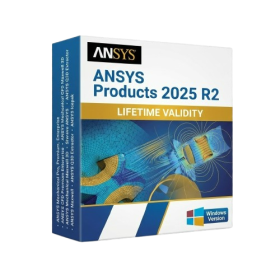
Brand: ANSYS
ANSYS Softwares 2025 R2 for Lifetime
₹550.00
- AUTOMATIC DELIVERY INSTANTLY ON REGISTERED EMAIL .
- Any Installation Problem Freely Contact Us(Will Give You Support)
- Lifetime Validity
- Windows Version
- ANSYS Products includes the following applications:
- ANSYS Mechanical Pro, Premium, Enterprise
- ANSYS CFD Premium and Enterprise
- ANSYS Mechanical CFD Maxwell 3D
- ANSYS Mechanical Maxwell 3D
- ANSYS Mechanical CFD
- ANSYS HFSS
- Siwave ANSYS
- ANSYS Maxwell
- ANSYS Q3D Extractor
- ANSYS Icepak
-50%Limited
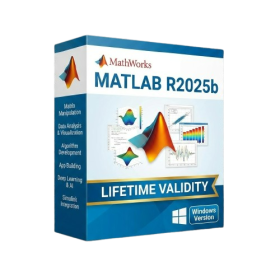
Brand: Mathworks
MathWorks MATLAB R2025b for Lifetime
Original price was: ₹999.00.₹499.00Current price is: ₹499.00.
- AUTOMATIC DELIVERY INSTANTLY ON REGISTERED EMAIL .
- Any Installation Problem Freely Contact Us(Will Give You Support)
- Lifetime Validity
- Windows Version
- New Desktop: Modern, faster UI with fully supported Dark Mode.
- AI Assistant: Generate and debug code using the built-in AI Chat.
- Python Interop: Seamless data exchange between MATLAB and Python.
- Simulink 3D: Photorealistic simulation powered by Unreal Engine 5.
- Live Editor: Embed sliders and buttons directly into your scripts.
- App Building: Create standalone Windows apps without C++ knowledge.
- Code Gen: Export C/C++ code for embedded hardware instantly.
- 5G/6G Tools: Advanced modeling for next-gen wireless networks.
- Automotive: specialized toolboxes for ADAS and autonomous driving.
- Cloud Run: Run your scripts in a browser via MATLAB Online.

Brand: Stellar
Stellar Data Recovery Professional for Lifetime
₹490.00
- AUTOMATIC DELIVERY INSTANTLY ON REGISTERED EMAIL .
- Any Installation Problem Freely Contact Us(Will Give You Support)
- Lifetime Validity
- Windows Version
- Professional Edition
- Preview files in real-time while the scan is still running with “On-the-Fly” preview.
- Pause and resume recovery scans instantly to save progress without restarting.
- Recover data from BitLocker-encrypted drives by simply entering the password.
- Create bootable USB media to salvage files from crashed or unbootable PCs.
- Repair corrupt videos and photos automatically using the Premium repair tools.
- Multitask efficiently with native dual-monitor support for the recovery interface.
- Scan large 4K hard drives with 4096-byte sectors using the optimized engine.
- Retrieve data from RAID 0, 5, and 6 arrays seamlessly with the Technician edition.
-50%Limited
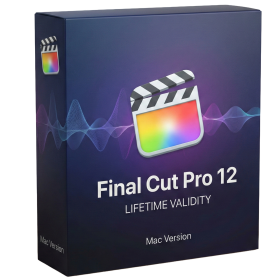
Brand: Apple
Final Cut Pro 12 for macOs Lifetime
Original price was: ₹999.00.₹499.00Current price is: ₹499.00.
- Lifetime Validity
- Instant Delivery on Email
- Supported on All Apple Mac Systems
- Any Installation Problem Freely Contact Us(Will Give You Support)
- Visual Search: Find clips by describing objects or actions (e.g., “sunset”).
- Beat Detection: Auto-generate markers to sync edits to music beats.
- Transcript Search: Find footage by typing spoken dialogue.
- Magnetic Mask: Isolate subjects instantly without green screens.
- Spatial Video: Edit and grade 3D content for Apple Vision Pro.
- Voice Isolation: Remove background noise with one click.
- Transcribe to Captions: Auto-generate subtitles on-device.
- Smooth Slo-Mo: AI-generated frames for perfect slow motion.

Brand: Rhinoceros
Rhinoceros 8 for Lifetime
₹510.00
- AUTOMATIC DELIVERY INSTANTLY ON REGISTERED EMAIL .
- Any Installation Problem Freely Contact Us(Will Give You Support)
- Lifetime Validity
- Windows Version
- Online & Offline both working
- Create watertight meshes instantly for 3D printing with the new ShrinkWrap tool.
- Generate dynamic 2D sections and plans directly from 3D models with ClippingDrawings.
- Model organic shapes with greater precision using supported SubD creases.
- Manipulate geometry intuitively with the new customized Auto Gumball.
- Extrude and modify faces instantly using the direct PushPull workflow.
- Render scenes significantly faster with the optimized Cycles engine.
- Customize the modernized interface to match your specific drafting workflow.

Brand: SketchUp
SketchUp Pro 2026 Lifetime for Mac
₹520.00
- AUTOMATIC DELIVERY INSTANTLY ON REGISTERED EMAIL .
- Any Installation Problem Freely Contact Us(Will Give You Support)
- Lifetime Validity
- Mac Version
- Run natively on Apple Silicon (M1/M2/M3/M4/M5) for blazing-fast performance.
- Visualize models with realistic depth using the new Ambient Occlusion engine.
- Generate unique textures instantly with integrated AI-powered prompts.
- Sync projects seamlessly between Mac, iPad, and Web versions.
- Convert iPhone LiDAR scans into 3D models automatically via Scan-to-Design.
- Create 2D documentation faster with the optimized LayOut rendering engine.
- Import and export USDZ files easily for Apple AR visualization.
-50%Limited

Brand: Altium
Altium Designer 26 for Lifetime
Original price was: ₹999.00.₹499.00Current price is: ₹499.00.
- AUTOMATIC DELIVERY INSTANTLY ON REGISTERED EMAIL .
- Any Installation Problem Freely Contact Us(Will Give You Support)
- Lifetime Validity
- Windows Version
- Route complex PCB traces automatically with the new AI-driven auto-interactive router.
- Collaborate seamlessly with mechanical engineers via the enhanced real-time MCAD CoDesigner.
- Simulate power integrity and signal performance instantly within the unified design environment.
- Manage component shortages proactively with live supply chain data in ActiveBOM.
- Visualize multi-board systems and rigid-flex designs in photorealistic 3D detail.
- Sync all design changes and version history securely to the cloud with Altium 365.
- Define complex high-speed design rules easily using the visual Constraint Manager.
-50%Limited
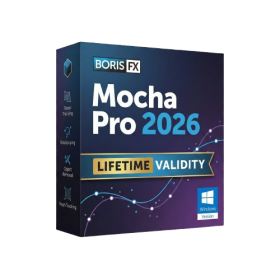
Boris FX Mocha Pro 2026 for Adobe
Original price was: ₹999.00.₹499.00Current price is: ₹499.00.
- AUTOMATIC DELIVERY INSTANTLY ON REGISTERED EMAIL .
- Any Installation Problem Freely Contact Us(Will Give You Support)
- Lifetime Validity
- Windows Version
- Rock-Solid Tracking: The industry standard for planar tracking.
- PowerMesh: Track warped surfaces like skin and fabric.
- Generative Remove: Auto-remove objects and wires with AI.
- Stabilization: Smooth out shaky handheld footage instantly.
- Insert Module: Perfect screen replacements with motion blur.
- Magnetic Roto: Snap masks to edges for fast rotoscoping.
- Lens Correction: Fix or match lens distortion easily.
-50%Limited
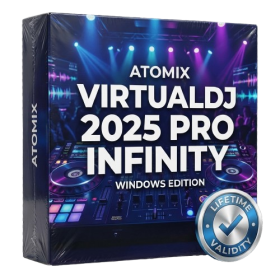
Brand: Atomix
Atomix VirtualDJ 2025 Pro Infinity for Lifetime
Original price was: ₹999.00.₹499.00Current price is: ₹499.00.
- AUTOMATIC DELIVERY INSTANTLY ON REGISTERED EMAIL .
- Any Installation Problem Freely Contact Us(Will Give You Support)
- Lifetime Validity
- Windows Version
- Works with Internet and Antivirus
- File Size: 461MB
- v8.5.8472
- Swap vocals or drums between tracks instantly with the new StemSwap Sampler.
- Isolate track elements in real-time for seamless live mashups and remixes.
- Export playlists to USB drives for CDJs with new subfolder support.
- Sync music libraries across devices automatically via improved Cloud Drive tools.
- Plug and play with over 300+ controllers including the latest AlphaTheta models.
- Mix video and karaoke with customizable on-screen graphics and lyrics.
- Scratch with precision using the improved ultra-low latency DVS engine.
- Stream sets directly to social platforms without external broadcasting software.
-50%Limited

Brand: Rhinoceros
Rhinoceros 8 macOs for Lifetime
Original price was: ₹999.00.₹499.00Current price is: ₹499.00.
- Lifetime Validity
- Instant Delivery on Email
- Supported on All Apple Mac Systems
- Any Installation Problem Freely Contact Us(Will Give You Support)
- Run natively on Apple Silicon (M1/M2/M3) for significantly faster processing speeds.
- Experience fluid viewport navigation with the new Apple Metal graphics pipeline.
- Create watertight meshes from open geometry instantly using the ShrinkWrap command.
- Customize your workspace with new Window Layouts that match the Windows interface.
- Render ray-traced images in real-time using GPU-accelerated Cycles on Metal.
- Model organically with sharp edges using the new SubD Creases feature.
- Extrude and subtract geometry directly from faces with the intuitive PushPull workflow.
- Create dynamic 3D sections with hatch patterns using improved Clipping Planes.
- Access new data types and attributes directly within the upgraded Grasshopper.