
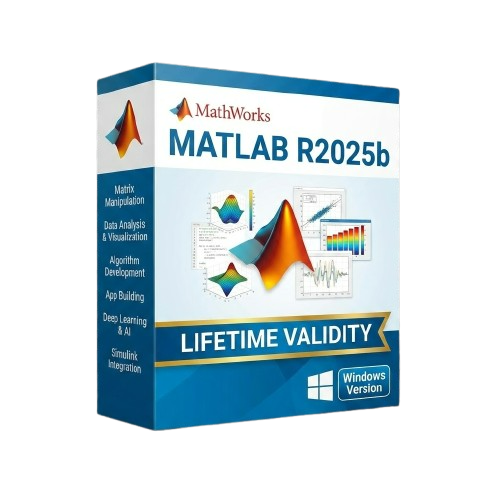
MathWorks MATLAB R2025b for Lifetime
- AUTOMATIC DELIVERY INSTANTLY ON REGISTERED EMAIL .
- Any Installation Problem Freely Contact Us(Will Give You Support)
- Lifetime Validity
- Windows Version
- New Desktop: Modern, faster UI with fully supported Dark Mode.
- AI Assistant: Generate and debug code using the built-in AI Chat.
- Python Interop: Seamless data exchange between MATLAB and Python.
- Simulink 3D: Photorealistic simulation powered by Unreal Engine 5.
- Live Editor: Embed sliders and buttons directly into your scripts.
- App Building: Create standalone Windows apps without C++ knowledge.
- Code Gen: Export C/C++ code for embedded hardware instantly.
- 5G/6G Tools: Advanced modeling for next-gen wireless networks.
- Automotive: specialized toolboxes for ADAS and autonomous driving.
- Cloud Run: Run your scripts in a browser via MATLAB Online.
Original price was: ₹999.00.₹499.00Current price is: ₹499.00.
Description
MathWorks MATLAB R2025b (Windows): The Engine for Modern Engineering
MATLAB R2025b represents a transformative step forward for the language of technical computing. While it remains the industry standard for algorithm development, data analysis, and numeric computation, this release (launched late 2025) fundamentally integrates Generative AI and Python interoperability into the core workflow.
Designed for engineers and scientists who need to move from concept to code faster, R2025b for Windows introduces a completely modernized desktop environment. Whether you are training deep learning models, simulating autonomous systems in Simulink, or analyzing massive datasets, R2025b provides the speed, stability, and intelligent assistance required to solve today’s most complex problems.
Why Choose MATLAB R2025b?
1. The New Desktop Experience
- The Upgrade: R2025b brings the long-awaited “New Desktop” out of beta. It features a modern, responsive UI with enhanced dark mode support, improved panel docking, and a cleaner layout.
- The Benefit: It isn’t just cosmetic; the new engine renders graphics up to 40% faster and manages memory more efficiently on Windows 11, making long coding sessions easier on the eyes and your hardware.
2. Integrated AI Assistant
- The Feature: Stop searching the documentation. The new MATLAB AI Chat is embedded directly in the Live Editor.
- The Benefit: simply type “Write a function to filter this signal using a Butterworth filter,” and the AI generates the code, explains it, and even suggests test cases. It is like having a senior developer sitting next to you.
3. Python & MATLAB: Better Together
- The Workflow: R2025b removes the friction between languages. You can now pass data structures (like dictionaries and lists) seamlessly between MATLAB and Python without manual conversion.
- The Benefit: Use MATLAB for its superior debugging and visualization tools, while calling specific Python libraries for specialized tasks, all within the same script.
What’s New in Release 2025b?
Simulink: 3D Visualization Upgrade
- The Feature: Simulink 3D Animation has been rebuilt using the Unreal Engine 5 integration.
- The Benefit: Simulate your control systems in photorealistic environments. Whether it’s a drone flying through a city or a robot arm on a factory floor, the visual feedback is now cinema-quality and physics-accurate.
Wireless Communications (6G Prep)
- The Toolbox: The updated Wireless capabilities now include preliminary support for 6G waveform generation and candidate technologies.
- The Benefit: Stay ahead of the curve. Researchers can start modeling and testing the next generation of connectivity standards before they are even finalized.
Live Editor Controls
- The Interactivity: New interactive controls (sliders, dropdowns, checkboxes) can now be embedded inside your code loops and logic.
- The Benefit: Create instant “mini-apps” for data exploration without needing to build a full App Designer interface.
Key Features
- App Designer: Build professional standalone apps with a drag-and-drop interface. R2025b adds new custom UI components and faster startup times for deployed applications.
- Deep Learning Toolbox: Train models faster with automatic multi-GPU support. You can now visualize network architectures more intuitively with the updated Deep Network Designer.
- Code Generation: Automatically convert your MATLAB algorithms into C, C++, CUDA, or Verilog code for deployment on embedded hardware (FPGA/ASIC) with zero coding errors.
- Parallel Computing: Scale your analysis from your laptop to a cluster or the cloud (AWS/Azure) by changing just one line of code.
System Requirements (Windows)
- Operating System: Windows 11 or Windows 10 (Version 22H2 or higher).
- Processor: Any Intel or AMD x86-64 processor with four logical cores and AVX2 instruction set support.
- Memory (RAM): 8 GB minimum (16 GB or 32 GB recommended for simulation and AI tasks).
- Disk Space: 4 GB for MATLAB only, 10-30 GB for typical installation with Toolboxes. SSD strongly recommended.
- Graphics: No specific card required for basic use. Hardware accelerated graphics card supporting OpenGL 3.3 with 1GB GPU memory recommended for 3D visualizations.
- Note: For AI/Deep Learning, an NVIDIA GPU with Compute Capability 6.0 or higher is required.
Short Bullet Points (For Quick View)
- New Desktop: Modern, faster UI with fully supported Dark Mode.
- AI Assistant: Generate and debug code using the built-in AI Chat.
- Python Interop: Seamless data exchange between MATLAB and Python.
- Simulink 3D: Photorealistic simulation powered by Unreal Engine 5.
- Live Editor: Embed sliders and buttons directly into your scripts.
- App Building: Create standalone Windows apps without C++ knowledge.
- Code Gen: Export C/C++ code for embedded hardware instantly.
- 5G/6G Tools: Advanced modeling for next-gen wireless networks.
- Automotive: specialized toolboxes for ADAS and autonomous driving.
- Cloud Run: Run your scripts in a browser via MATLAB Online.
Related Products
- AUTOMATIC DELIVERY INSTANTLY ON REGISTERED EMAIL .
- Any Installation Problem Freely Contact Us(Will Give You Support)
- Lifetime Validity
- Windows Version
- Render scenes with significantly less noise using the improved High-Quality Denoiser.
- Create intricate procedural clouds and weather effects with the updated Corona Sky.
- Scatter objects efficiently on surfaces with the enhanced Chaos Scatter controls.
- Apply decals to curved and organic surfaces seamlessly without UV unwrap.
- Simulate realistic fabrics and velvets instantly with the new Sheen layer.
- Manage complex scenes easily using the optimized Lister and Scene Management tools.
- Reduce memory usage significantly when rendering repetitive geometry with Corona Pattern.
- AUTOMATIC DELIVERY INSTANTLY ON REGISTERED EMAIL .
- Any Installation Problem Freely Contact Us(Will Give You Support)
- Lifetime Validity
- Windows Version
- Generate invoices.
- Manage multiple companies and financial years from a single unified interface.
- Track inventory stocks across different godowns and locations in real-time.
- Automate bank reconciliation by uploading digital bank statements directly.
- Calculate employee salaries, PF, and TDS accurately with the integrated Payroll module.
- Access business data remotely using the secure Tally.NET connection services.

- AUTOMATIC DELIVERY INSTANTLY ON REGISTERED EMAIL .
- Any Installation Problem Freely Contact Us(Will Give You Support)
- Lifetime Validity
- Windows Version
- Route complex PCB traces automatically with the new AI-driven auto-interactive router.
- Collaborate seamlessly with mechanical engineers via the enhanced real-time MCAD CoDesigner.
- Simulate power integrity and signal performance instantly within the unified design environment.
- Manage component shortages proactively with live supply chain data in ActiveBOM.
- Visualize multi-board systems and rigid-flex designs in photorealistic 3D detail.
- Sync all design changes and version history securely to the cloud with Altium 365.
- Define complex high-speed design rules easily using the visual Constraint Manager.
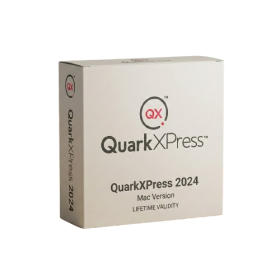
- Lifetime Validity
- Instant Delivery on Email
- Supported on All Apple Mac Systems
- Any Installation Problem Freely Contact Us(Will Give You Support)
- Perpetual License: Own the software forever (no mandatory subscription).
- Apple Silicon Native: Blazing fast performance on M1/M2/M3 chips.
- IDML Import: Open and edit Adobe InDesign files seamlessly.
- Flex Layouts: Create responsive HTML5 web pages without coding.
- Native App Export: Publish directly to iOS and Android apps.
- Advanced Typography: Granular control over kerning and OpenType.
- PDF Conversion: Turn PDFs into editable Quark objects instantly.
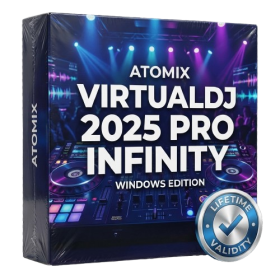
- AUTOMATIC DELIVERY INSTANTLY ON REGISTERED EMAIL .
- Any Installation Problem Freely Contact Us(Will Give You Support)
- Lifetime Validity
- Windows Version
- Works with Internet and Antivirus
- File Size: 461MB
- v8.5.8472
- Swap vocals or drums between tracks instantly with the new StemSwap Sampler.
- Isolate track elements in real-time for seamless live mashups and remixes.
- Export playlists to USB drives for CDJs with new subfolder support.
- Sync music libraries across devices automatically via improved Cloud Drive tools.
- Plug and play with over 300+ controllers including the latest AlphaTheta models.
- Mix video and karaoke with customizable on-screen graphics and lyrics.
- Scratch with precision using the improved ultra-low latency DVS engine.
- Stream sets directly to social platforms without external broadcasting software.

- AUTOMATIC DELIVERY INSTANTLY ON REGISTERED EMAIL .
- Any Installation Problem Freely Contact Us(Will Give You Support)
- Lifetime Validity
- Windows Version
- Revit 2023, 2024, 2025, 2026 and 2027
- SketchUp 2024, 2025 and 2026
- Rhino 7.0 and 8.3 (or later)
- Archicad 27, 28 and 29
- Vectorworks 2024, 2025 2026, 2027
- Navigate scenes with a unified, redesigned user interface for faster workflows.
- Enhance export quality instantly with the AI-powered NVIDIA Denoiser.
- Simulate realistic colored shadows for glass and transparent materials.
- Upscale textures and assets automatically using the Chaos AI Enhancer.
- Apply pencil and watercolor effects with new Artistic Visual Modes.
- Immerse clients in designs with support for Meta Quest 3 and HTC Vive.
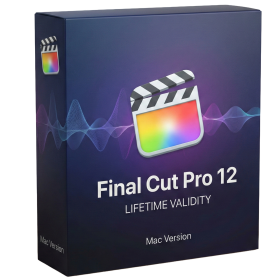
- Lifetime Validity
- Instant Delivery on Email
- Supported on All Apple Mac Systems
- Any Installation Problem Freely Contact Us(Will Give You Support)
- Visual Search: Find clips by describing objects or actions (e.g., “sunset”).
- Beat Detection: Auto-generate markers to sync edits to music beats.
- Transcript Search: Find footage by typing spoken dialogue.
- Magnetic Mask: Isolate subjects instantly without green screens.
- Spatial Video: Edit and grade 3D content for Apple Vision Pro.
- Voice Isolation: Remove background noise with one click.
- Transcribe to Captions: Auto-generate subtitles on-device.
- Smooth Slo-Mo: AI-generated frames for perfect slow motion.
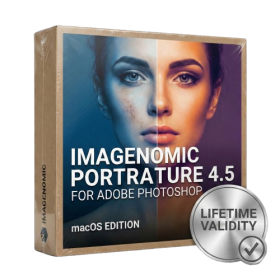
- Lifetime Validity
- Instant Delivery on Email
- Supported on All Apple Mac Systems
- Any Installation Problem Freely Contact Us(Will Give You Support)
- Smooth skin naturally while preserving texture using advanced AI algorithms.
- Generate precise skin masks automatically to isolate subjects instantly.
- Process massive batches of photos rapidly with optimized multi-core performance.
- Remove blemishes and imperfections without blurring eyelashes or eyebrows.
- Even out skin tones to correct redness and blotchiness effortlessly.
- Apply professional retouching styles quickly with a customizable preset library.
- Fine-tune mask selection manually with the interactive refinement brush.
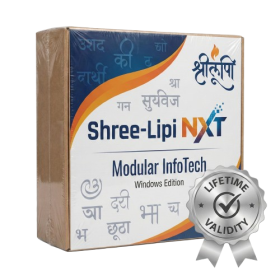
- AUTOMATIC DELIVERY INSTANTLY ON REGISTERED EMAIL .
- Any Installation Problem Freely Contact Us(Will Give You Support)
- Lifetime Validity
- Windows Version
- Type effortlessly in multiple Indian languages with enhanced Unicode keyboard handlers.
- Detect and switch between 32-bit and 64-bit applications automatically while typing.
- Access thousands of high-quality calligraphic fonts for professional designs.
- Convert legacy text to Unicode instantly with the advanced file conversion utility.
- Design stylish 3D titles and logos easily using the Avishkar Plus tool.
- Check spelling in Indian languages directly with the integrated Spell Checker.
- Integrate seamlessly with open-source apps like Inkscape, GIMP, and Scribus.
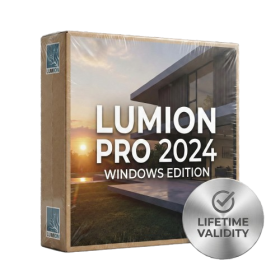
- AUTOMATIC DELIVERY INSTANTLY ON REGISTERED EMAIL .
- Any Installation Problem Freely Contact Us(Will Give You Support)
- Lifetime Validity
- Windows Version
- Ray trace over 2,200 nature assets including trees and shrubs for realistic reflections.
- Preview renders instantly with the new real-time NRD denoiser in Photo and Movie modes.
- Render ray-traced videos up to 5x faster using the optimized sampling engine.
- Simulate realistic glass refraction and colored shadows with fully ray-traced glass.
- Add depth to translucent materials like marble and wax with Subsurface Scattering.
- Populate interiors instantly using 25+ new parallax room templates for day and night.
- Import GLTF files directly for a lighter and faster 3D model workflow.
- Batch import multiple 3D models simultaneously to speed up scene building.
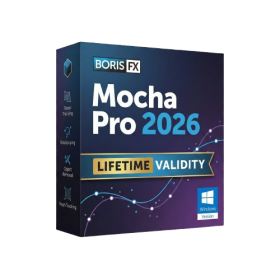
- AUTOMATIC DELIVERY INSTANTLY ON REGISTERED EMAIL .
- Any Installation Problem Freely Contact Us(Will Give You Support)
- Lifetime Validity
- Windows Version
- Rock-Solid Tracking: The industry standard for planar tracking.
- PowerMesh: Track warped surfaces like skin and fabric.
- Generative Remove: Auto-remove objects and wires with AI.
- Stabilization: Smooth out shaky handheld footage instantly.
- Insert Module: Perfect screen replacements with motion blur.
- Magnetic Roto: Snap masks to edges for fast rotoscoping.
- Lens Correction: Fix or match lens distortion easily.
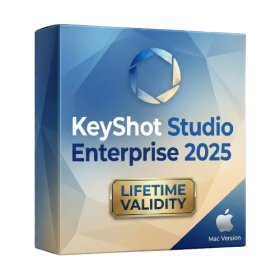
- Lifetime Validity
- Instant Delivery on Email
- Supported on All Apple Mac Systems
- Any Installation Problem Freely Contact Us(Will Give You Support)
- Render natively on Apple Silicon (M1/M2/M3) for maximum speed and efficiency.
- Generate photorealistic backgrounds instantly from text prompts using the AI Shots tool.
- Share interactive 3D product reviews securely with stakeholders via KeyShot Web Viewer.
- Automate complex rendering pipelines using the advanced Python scripting console.
- Import native files directly from high-end CAD systems like Siemens NX, Catia, and Creo.
- Switch seamlessly between CPU and GPU rendering to utilize Apple Metal graphics power.
- Create standardized material libraries for your organization with OpenPBR support.
- Accelerate post-production compositing with automatic Cryptomatte mask generation.