
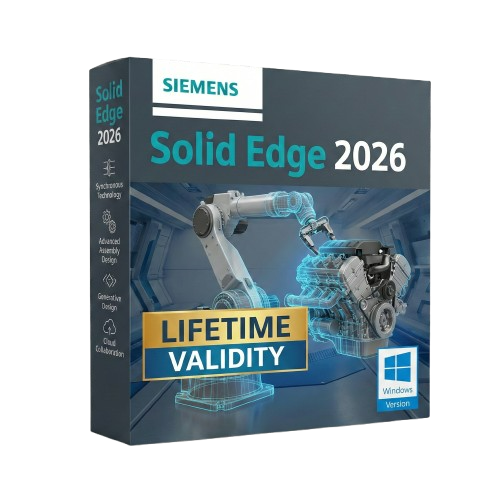
Solid Edge 2026 for Lifetime
- AUTOMATIC DELIVERY INSTANTLY ON REGISTERED EMAIL .
- Any Installation Problem Freely Contact Us(Will Give You Support)
- Lifetime Validity
- Windows Version
- Solid Edge X: Experience a secure, hybrid SaaS environment with cloud-based data management and simplified licensing.
- AI Design Copilot: Get real-time, context-aware assistance and tool recommendations directly within the interface.
- Magnetic Snap Assembly: Assemble components instantly with AI that predicts and applies the correct mates and constraints.
- Automatic 2D Drawings: Generate production-ready drawings with dimensions and views up to 80% faster using AI automation.
- Walkthrough Command: Explore your 3D models in a first-person perspective (FPS style) to identify clearance issues early.
- Smart Sheet Metal: Create precise interlocking “Tab and Slot” connections automatically for faster welding and fabrication.
Original price was: ₹999.00.₹499.00Current price is: ₹499.00.
Siemens Solid Edge 2026 (Windows): The Intelligent Future of Product Design
Siemens Solid Edge 2026 is not just a CAD tool; it is the heartbeat of the Siemens Xcelerator portfolio, designed to bring the power of high-end enterprise engineering to mainstream users. This version represents the most intelligent update in the software’s history, fusing the legendary Synchronous Technology with new AI-Assisted Modeling tools.
Whether you are a startup creating consumer electronics or a heavy equipment manufacturer, Solid Edge 2026 eliminates the barriers of traditional history-based modeling. It allows you to design at the speed of thought, collaborate securely via the cloud, and validate your products virtually—all in a single, affordable environment.
Why Choose Solid Edge 2026?
1. AI-Powered Synchronous Technology
- The Upgrade: Synchronous Technology has always allowed you to edit models without fighting the “history tree.” In 2026, it gets a brain. The new Design Intent AI analyzes your selection and automatically predicts which geometric relationships (concentricity, symmetry, tangency) you want to maintain, and which you want to break.
- The Benefit: Make late-stage design changes 50% faster. You don’t need to know how a model was built to change it.
2. Seamless Teamcenter Share
- The Workflow: Collaboration is no longer an add-on; it’s native. Solid Edge 2026 integrates Teamcenter Share directly into the save/open dialogs.
- The Benefit: Securely share 3D data with suppliers or customers on any device (phone, tablet, browser). They can view, measure, and markup your actual CAD data in real-time without needing a license.
3. Value-Based Licensing
- The Flexibility: Solid Edge 2026 continues its flexible token licensing model. You can access add-on modules—like Generative Design, Point Cloud Visualization, or Electrical Routing—only when you need them, without buying permanent licenses for occasional tasks.
What’s New in Version 2026?
Visual Configurator
- The Feature: Instantly turn your CAD assembly into a customer-facing product configurator.
- The Benefit: Drag and drop rules to define which parts (e.g., different motors, handle styles, colors) are compatible. You can then export this directly to a web viewer for your sales team.
Auto-Dimensioning for MBD
- The Feature: Moving away from 2D drawings? The improved Model Based Definition (MBD) engine uses AI to automatically place Product Manufacturing Information (PMI) dimensions and tolerances on your 3D model.
- The Benefit: It ensures your 3D master model is fully defined and compliant with ISO/ASME standards, saving hours of manual annotation.
Solid Edge Inspector
- The Feature: Automatically identify, label, and extract critical dimensions and tolerances for Quality Assurance.
- The Benefit: Generates First Article Inspection (FAI) reports automatically, reducing inspection planning time by up to 80%.
Key Features
- Sheet Metal Design: Widely regarded as the best in the industry. Create complex lofted flanges, dimples, and beads that are virtually impossible in other CAD packages.
- Convergent Modeling: Mix mesh data (from 3D scans) and solid data (B-Rep) in the same model. You can add precise holes and bosses directly onto a scanned organic shape.
- Built-in Simulation: Validate your designs early with integrated Structural, Thermal, and Flow simulation tools powered by Simcenter Nastran.
- Data Migration: Best-in-class importers for SolidWorks, Inventor, and Pro/E files. Solid Edge doesn’t just open them; it makes them editable using Synchronous Technology.
System Requirements (Windows)
- Operating System: Windows 10 Enterprise or Professional (64-bit) version 22H2 or later; Windows 11 Enterprise or Professional.
- Processor: Intel Core i7/i9 or AMD Ryzen 7/9 (Base clock > 3.5 GHz recommended).
- Memory (RAM): 16 GB minimum (32 GB or 64 GB recommended for large assemblies).
- Graphics: NVIDIA Quadro or AMD Radeon Pro professional graphics card with at least 8 GB VRAM.
- Disk Space: 15 GB required for installation.
- Input: 3Dconnexion SpaceMouse recommended for efficient navigation.
Related Products
- Lifetime Validity
- Instant Delivery on Email
- Supported on All Apple Mac Systems
- Any Installation Problem Freely Contact Us(Will Give You Support)
- Works with Internet and Antivirus
- No Popup issue
- Maximize performance with native optimization for Apple Silicon (M1/M2/M3).
- Generate images and graphics on-canvas instantly with integrated Firefly AI.
- Format long documents automatically using AI-powered Auto Style presets.
- Import HEIC and WebP images natively without manual conversion.
- Streamline client feedback with the real-time Share for Review link.
- Publish interactive digital documents to the web with built-in analytics.
- Hide specific pages or spreads easily from final export and printing.

- AUTOMATIC DELIVERY INSTANTLY ON REGISTERED EMAIL .
- Any Installation Problem Freely Contact Us(Will Give You Support)
- Lifetime Validity
- Windows Version
- Works with Internet and Antivirus
- No Popup issue
- Edit photos faster with non-destructive adjustments and a reimagined effects stack in Corel PHOTO-PAINT.
- View, manage, and move assets across all document pages simultaneously with the dynamic Multipage View.
- Gather real-time feedback from clients and colleagues directly inside your design file via cloud comments.
- Convert low-quality bitmap images into scalable vector graphics instantly with AI-powered PowerTRACE.
- Access and use Google Fonts directly within the font manager without manual installation.
- AUTOMATIC DELIVERY INSTANTLY ON REGISTERED EMAIL .
- Any Installation Problem Freely Contact Us(Will Give You Support)
- Lifetime Validity
- Windows Version
- File Size: 3.30GB
- AI Smart Blocks: Automatically detects repeated objects in your drawing and converts them into blocks to save time.
- Activity Insights: detailed event logs that track file history, version changes, and user edits.
- Markup Assist: Imports hand-drawn revisions from photos or PDFs directly into your CAD layers.
- Performance Boost: Opens large 2D and 3D files up to 11x faster than previous versions.
- Connected Support Files: Automatically syncs project standards (fonts, templates) from the cloud for the whole team.
- Web & Mobile: Includes access to AutoCAD on web browsers and mobile devices for on-site editing.
- Specialized Toolsets: Comes with 7 industry-specific toolkits (Architecture, Electrical, MEP, etc.) included.
- 3D Graphics: Improved 3D engine for smoother navigation and rendering of complex models.
- Lifetime Validity
- Instant Delivery on Email
- Any Installation Problem Freely Contact Us(Will Give You Support)
- Supported on Windows 10,11
- Pre-Activated for Lifetime Validity
- Streamline your modeling workflows by working directly in perspective views.
- When you import or link certain items into a model, you can apply tags to these items.
- Use the Split Element tool on structural columns and framing elements
- To ensure that structural connections from this application adhere to the latest standards
- Resize runs of corresponding fabrication parts using the Properties palette or the Edit Parts dialog.

- Lifetime Validity
- Instant Delivery on Email
- Any Installation Problem Freely Contact Us(Will Give You Support)
- Supported on Windows 10,11
- Works with Internet and Antivirus
- No Popup issue
- File Size: 5.56GB
- Frame Tool for easy masking
- Content-Aware Fill reimagined
- New multiple undo mode
- Usability improvements
- Transform proportionally by default
- Prevent accidental panel moves with Lock Workspace

- AUTOMATIC DELIVERY INSTANTLY ON REGISTERED EMAIL .
- Any Installation Problem Freely Contact Us(Will Give You Support)
- Lifetime Validity
- Works with Internet and Antivirus
- No Popup issue
- Windows Version
- File Size: 3.25GB
- Painterly Brush Tool: Apply realistic, pixel-based brush strokes (like oil or chalk) to vector paths.
- Vector Illustration: Professional tools for creating logos, signage, and complex vector art.
- Page Layout: Seamlessly handle multi-page documents like brochures and manuals.
- Photo Editing: Includes Corel PHOTO-PAINT 2025 for advanced image retouching and adjustment.
- Remote Fonts: Access and use online fonts instantly without needing to install them first.
- AI PowerTRACE: Automatically converts low-quality bitmap images into crisp, scalable vectors.
- Print to PDF: Redesigned export workflow for perfect print results with better color and bleed control.
- Focus Mode: Isolate specific objects while fading the background for distraction-free editing.
- Cross-Platform: Native support for both Windows 11 and macOS Sonoma.

- AUTOMATIC DELIVERY INSTANTLY ON REGISTERED EMAIL .
- Any Installation Problem Freely Contact Us(Will Give You Support)
- Lifetime Validity
- Windows Version
- Edit video content as easily as a text document with the AI-powered text-based editing workflow.
- Instantly remove or replace video backgrounds without a green screen using dynamic AI masking.
- Automatically generate and sync accurate captions and subtitles from your voiceover in seconds.
- Smooth out jerky mouse movements and customize cursor paths with advanced cursor effects.
- Record high-resolution 4K screen capture, webcam, and system audio simultaneously.
- Clean up background noise and balance vocal levels instantly with AI-enhanced audio filters.
- Access a vast library of royalty-free intros, motion graphics, and music directly within the editor.
- Engage viewers by adding interactive quizzes and clickable hotspots directly to your videos.
- Apply professional animations and behaviors to text and images with simple drag-and-drop actions.
- Export videos faster than ever with optimized GPU acceleration for modern hardware.

- Lifetime Validity
- Instant Delivery on Email
- Any Installation Problem Freely Contact Us(Will Give You Support)
- Supported on Windows 10,11
- Pre-Activated for Lifetime Validity
- Works with Internet and Antivirus
- No Popup issue
Adobe Photoshop is the industry-leading digital image editing and design application that offers the tools to create anything you can imagine.

- AUTOMATIC DELIVERY INSTANTLY ON REGISTERED EMAIL .
- Any Installation Problem Freely Contact Us(Will Give You Support)
- Lifetime Validity
- Windows Version
- Pre-Activated Setup (Install Setup & Enjoy)
- Works with Internet & Antivirus
- File Size: 1.30GB
- Includes Everything: Every native plugin Image-Line sells (Synths, Effects, Tools).
- Massive Library: Comes with Harmor, Sytrus, Gross Beat, and the new Kepler Exo.
- Dynamic Mixing: Expand your mixer up to 500 tracks with the new 2025 engine
- Stem Separation: Split any song into Drums, Bass, Vocals, and Instruments instantly.
- Audio Editing: Edit pitch and time directly in the playlist with Newtone.
- Visualizers: Render 4K videos for social media with ZGameEditor Visualizer.
- Controller Support: Plug-and-play compatibility with virtually any MIDI controller.

- Lifetime Validity
- Instant Delivery on Email
- Supported on All Apple Mac Systems
- Any Installation Problem Freely Contact Us(Will Give You Support)
- Works with Internet and Antivirus
- No Popup issue
- Render previews faster with native optimization for Apple Silicon (M1/M2/M3).
- Import and animate 3D models (GLB/GLTF) directly in the timeline.
- Isolate moving subjects instantly using the AI-powered Roto Brush 3.
- Preview and export simultaneously with high-speed Multi-Frame Rendering.
- Adjust layer settings quickly via the context-sensitive Properties Panel.
- Create realistic lighting and shadows with the native Advanced 3D renderer.
- Collaborate and review edits seamlessly with built-in Frame.io integration.

- AUTOMATIC DELIVERY INSTANTLY ON REGISTERED EMAIL .
- Any Installation Problem Freely Contact Us(Will Give You Support)
- Lifetime Validity
- Windows Version
- Works with Internet and Antivirus
- No Popup issue
- File Size: 462MB
- CorelDRAW X7 – Vector Illustration & Layout
- Corel PHOTO-PAINT X7 – Professional Photo Editing
- PowerTRACE – Convert Images to Vector
- Corel CONNECT – Search & Manage Content
- Corel CAPTURE – One-click Screenshot Tool
- Website Creator – Simple Website Building
- PhotoZoom Plugin – High-quality image enlargement