
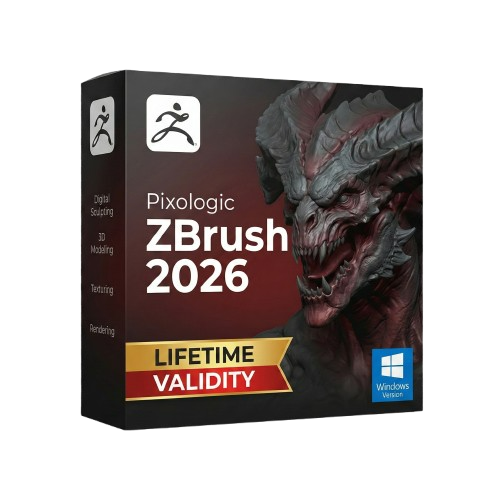
ZBrush 2026 for Lifetime
- AUTOMATIC DELIVERY INSTANTLY ON REGISTERED EMAIL .
- Any Installation Problem Freely Contact Us(Will Give You Support)
- Lifetime Validity
- Windows Version
- Retopo Brush: Draw low-poly topology directly on your sculpt.
- Python Support: Automate tasks with industry-standard scripting.
- Asset System: Separate user folders for safer customization.
- ZModeler Update: Auto-creasing and improved visual feedback.
- NoiseMaker 2.0: Transform and rotate alphas for surface noise.
- Redshift AOVs: Export render passes for professional compositing.
- Sculptris Pro: Add polygons dynamically only where you need detail.
- DynaMesh: Remesh your model instantly to fix stretched geometry.
- GoZ: Single-click transfer to Maya, Blender, Cinema 4D, and UE5.
- PolyPaint: Paint texture data directly on the mesh vertices.
Original price was: ₹999.00.₹499.00Current price is: ₹499.00.
Description
ZBrush 2026 (Windows): The Digital Sculpting Standard, Evolved
ZBrush 2026 represents a massive leap forward for digital artists, finally bridging the gap between organic sculpting and precise topology. As the industry standard for high-resolution digital sculpting, this release introduces the long-awaited Retopo Brush and full Python Scripting support, making it the most pipeline-friendly version ever released.
Used by major film studios, game developers, and jewelry designers, ZBrush 2026 for Windows allows you to sculpt with millions of polygons without lag. With the new Asset Directory System, managing custom brushes and materials in a team environment is now seamless, ensuring that your creative workflow remains uninterrupted whether you are a freelancer or part of a large studio.
Why Choose ZBrush 2026?
1. Native Retopology
- The Revolution: No more exporting to Maya or Blender just to clean up your mesh. The new Retopo Brush allows you to draw low-poly topology directly on top of your high-res sculpt.
- The Benefit: It automatically snaps to the surface, supports symmetry, and lets you switch between quads and triangles instantly. You can even use the Patch System to drag out preset grids for rapid topology generation.
2. Python Scripting Support
- The Pipeline: For the first time, ZBrush supports Python alongside ZScript.
- The Benefit: Technical artists and studios can now integrate ZBrush deeply into their production pipelines, automating complex tasks and building custom tools using the industry-standard language.
3. Asset Directory System
- The Workflow: ZBrush 2026 separates user data from the installation folder.
- The Benefit: Your custom UI, hotkeys, and brushes are now stored in a dedicated user folder. This makes upgrading versions or sharing a workstation with other artists incredibly easy, as your personal settings are never overwritten.
What’s New in Version 2026?
ZModeler Upgrades
- The Feature: The ZModeler brush has been enhanced with better visual feedback and new creasing options.
- The Benefit: You can now apply creasing directly while inserting edge loops or insetting faces, giving you faster control over hard-surface edges without switching tools.
NoiseMaker 2.0
- The Feature: A complete overhaul of the Surface Noise generator.
- The Benefit: You can now rotate, scale, and offset the alpha image used in your noise patterns. This gives you precise control over texture placement, perfect for creating intricate fabrics or environmental details.
Redshift Integration Improvements
- The Render: The built-in Redshift renderer now supports AOV (Arbitrary Output Variables) passes.
- The Benefit: Export separate passes for lights, shadows, and reflections directly from ZBrush for professional compositing in Photoshop or After Effects.
Key Features
- DynaMesh: The digital clay engine that allows you to sculpt without worrying about topology. Stretch the mesh as much as you want, and DynaMesh recalculates the surface instantly.
- Sculptris Pro: A dynamic tessellation workflow that adds or removes polygons in real-time where you brush, perfect for refining small details on a low-res model.
- PolyPaint: Paint colors directly onto the surface of your model without assigning a texture map or UVs first.
- Live Boolean: Preview complex boolean operations (add, subtract, intersect) in real-time non-destructively.
- Universal Camera: Matches the focal length and field of view of other 3D applications (Maya, Max, Blender) for perfect camera alignment.
System Requirements (Windows)
- Operating System: Windows 10 or Windows 11 (64-bit).
- Processor: Intel Core i5/i7/Xeon or AMD Ryzen/Threadripper (Must support AVX2).
- Memory (RAM): 16 GB minimum (32 GB+ strongly recommended for working with 100M+ polygons).
- Graphics: Graphics card with OpenGL 3.3 support and 4 GB VRAM (NVIDIA RTX recommended for Redshift rendering).
- Storage: 100 GB of free space on an SSD (ZBrush relies heavily on fast scratch disk performance).
- Input: Wacom or compatible pressure-sensitive tablet (WinTab API) is highly recommended.
Short Bullet Points (For Quick View)
- Retopo Brush: Draw low-poly topology directly on your sculpt.
- Python Support: Automate tasks with industry-standard scripting.
- Asset System: Separate user folders for safer customization.
- ZModeler Update: Auto-creasing and improved visual feedback.
- NoiseMaker 2.0: Transform and rotate alphas for surface noise.
- Redshift AOVs: Export render passes for professional compositing.
- Sculptris Pro: Add polygons dynamically only where you need detail.
- DynaMesh: Remesh your model instantly to fix stretched geometry.
- GoZ: Single-click transfer to Maya, Blender, Cinema 4D, and UE5.
- PolyPaint: Paint texture data directly on the mesh vertices.
Related Products
- Lifetime Validity
- Instant Delivery on Email
- Supported on All Apple Mac Systems
- Any Installation Problem Freely Contact Us(Will Give You Support)
- Works with Internet and Antivirus
- No Popup issue
- File Size: 8.07GB
- Frame Tool for easy masking
- Content-Aware Fill reimagined
- New multiple undo mode
- Usability improvements
- Transform proportionally by default
- Prevent accidental panel moves with Lock Workspace
- AUTOMATIC DELIVERY INSTANTLY ON REGISTERED EMAIL .
- Any Installation Problem Freely Contact Us(Will Give You Support)
- Lifetime Validity
- Windows Version
- Works with Internet and Antivirus
- No Popup issue
- Edit PDFs: Directly edit text, fix typos, and swap images inside any PDF.
- Convert Files: Turn Word, Excel, and PowerPoint documents into PDFs and back again.
- E-Signatures: Fill and sign forms digitally, or request and track signatures from others.
- OCR Scanning: Convert scanned paper documents into editable, searchable text automatically.
- Merge Files: Combine multiple documents, images, and spreadsheets into a single PDF file.
- Create Forms: Build smart, fillable forms with dropdowns and checkboxes.
- Secure Data: Password-protect files and restrict others from copying or printing content.
- Cloud Sync: Access and work on your documents from desktop, mobile, or the web.

- AUTOMATIC DELIVERY INSTANTLY ON REGISTERED EMAIL .
- Any Installation Problem Freely Contact Us(Will Give You Support)
- Lifetime Validity
- Windows Version
- Works with Internet and Antivirus
- No Popup issue
- Edit photos faster with non-destructive adjustments and a reimagined effects stack in Corel PHOTO-PAINT.
- View, manage, and move assets across all document pages simultaneously with the dynamic Multipage View.
- Gather real-time feedback from clients and colleagues directly inside your design file via cloud comments.
- Convert low-quality bitmap images into scalable vector graphics instantly with AI-powered PowerTRACE.
- Access and use Google Fonts directly within the font manager without manual installation.
- AUTOMATIC DELIVERY INSTANTLY ON REGISTERED EMAIL .
- Any Installation Problem Freely Contact Us(Will Give You Support)
- Lifetime Validity
- Windows Version
- File Size: 1.21GB
- All Instruments Included
- Split mixed audio files into separate stems instantly with integrated AI spectral separation.
- Generate inspiring chord sequences automatically using the advanced AI Composition Assistant.
- Correct vocal pitch and timing transparently with the updated VariAudio 4 engine.
- Mix immersive spatial audio efficiently with the fully integrated Dolby Atmos Renderer.
- Control complex plugin parameters via the revamped, customizable MIDI Remote integration.
- Manage massive orchestral templates smoothly with the optimized Windows hybrid-core audio engine.

- AUTOMATIC DELIVERY INSTANTLY ON REGISTERED EMAIL .
- Any Installation Problem Freely Contact Us(Will Give You Support)
- Lifetime Validity
- Windows Version
- Map video onto complex geometric structures and surfaces with advanced projection mapping tools.
- Stitch multiple projectors into a single seamless widescreen image with soft edge blending.
- Sync video with lighting fixtures using DMX input and advanced LED pixel mapping.
- Lock your visuals perfectly to show tracks and DJ sets using SMPTE timecode input.
- Mix unlimited layers of video, effects, and generative content in real-time.
- Correct mistakes instantly during live setup with the fully integrated Undo/Redo feature.

- AUTOMATIC DELIVERY INSTANTLY ON REGISTERED EMAIL .
- Any Installation Problem Freely Contact Us(Will Give You Support)
- Lifetime Validity
- Windows Version
- Size: 657 MB
- Version: 8.2
- Create watertight meshes instantly for 3D printing with the new ShrinkWrap tool.
- Generate dynamic 2D sections and plans directly from 3D models with ClippingDrawings.
- Model organic shapes with greater precision using supported SubD creases.
- Manipulate geometry intuitively with the new customized Auto Gumball.
- Extrude and modify faces instantly using the direct PushPull workflow.
- Render scenes significantly faster with the optimized Cycles engine.
- Customize the modernized interface to match your specific drafting workflow.

- AUTOMATIC DELIVERY INSTANTLY ON REGISTERED EMAIL .
- Any Installation Problem Freely Contact Us(Will Give You Support)
- Lifetime Validity
- Windows Version
- Works with Internet and Antivirus
- No Popup issue
- A complete graphic design suite combining vector illustration, page layout, and photo editing.
- Quickly convert bitmap images into editable vectors with the integrated Corel PowerTRACE.
- Apply fills to any enclosed area instantly, regardless of the object’s structure, using the Smart Fill tool.
- Adjust color and tone easily in a single interface with the Image Adjustment Lab.
- Includes Corel PHOTO-PAINT X3 for professional image retouching and bitmap creation.
- Precisely mask and remove backgrounds from photos using the intuitive Cutout Lab.
- Remove unwanted areas from objects, groups, or imported graphics with the Crop tool.
- Enhanced text handling and OpenType support provide precise control over typography.
- Add depth to your designs with interactive contour, bevel, and drop shadow tools.
- Includes a massive library of clipart, fonts, and high-quality photos for immediate use.

- AUTOMATIC DELIVERY INSTANTLY ON REGISTERED EMAIL .
- Any Installation Problem Freely Contact Us(Will Give You Support)
- Lifetime Validity
- Windows Version
- For 3ds Max 2021 – 2026
- Render and clip real-world 3D scans natively with full Gaussian Splatting support.
- Simulate complex light fixtures significantly faster using the new V-Ray Luminaire.
- Generate accurate stars, moon, and phases instantly with the procedural Night Sky.
- Create PBR materials from simple photos automatically with the AI Material Generator.
- Stream interactive 3D scenes to clients via a web link with Chaos Cloud Streaming.
- Analyze scene performance and spot bottlenecks precisely using the V-Ray Profiler.
- Render realistic caustics and refractions at high speeds with updated V-Ray GPU.

- AUTOMATIC DELIVERY INSTANTLY ON REGISTERED EMAIL .
- Any Installation Problem Freely Contact Us(Will Give You Support)
- Lifetime Validity
- Windows Version
- Works with Internet and Antivirus
- No Popup issue
- Convert freehand sketches into precise vector curves instantly with the revolutionary AI-powered LiveSketch tool.
- Design naturally using advanced support for stylus devices, touchscreens, and the Microsoft Surface Dial.
- Enjoy a crisp, scalable workspace with native support for Ultra HD 5K monitors and multi-screen setups.
- Remove imperfections from photos seamlessly using the advanced Healing Clone tool in Corel PHOTO-PAINT.
- Manipulate nodes and curves more efficiently with revamped vector shaping and editing tools.
- Organize and find the perfect typeface quickly with the enhanced filtering in Corel Font Manager.

- AUTOMATIC DELIVERY INSTANTLY ON REGISTERED EMAIL .
- Any Installation Problem Freely Contact Us(Will Give You Support)
- Lifetime Validity
- Windows Version
- Revit 2023, 2024, 2025, and 2026
- SketchUp 2024, 2025 and 2026
- Rhino 7.0 and 8.3 (or later)
- Archicad 27, 28 and 29
- Vectorworks 2024, 2025 and 2026
- Navigate scenes with a unified, redesigned user interface for faster workflows.
- Enhance export quality instantly with the AI-powered NVIDIA Denoiser.
- Simulate realistic colored shadows for glass and transparent materials.
- Upscale textures and assets automatically using the Chaos AI Enhancer.
- Apply pencil and watercolor effects with new Artistic Visual Modes.
- Immerse clients in designs with support for Meta Quest 3 and HTC Vive.

- AUTOMATIC DELIVERY INSTANTLY ON REGISTERED EMAIL .
- Any Installation Problem Freely Contact Us(Will Give You Support)
- Lifetime Validity
- Windows Version
- Edit video content as easily as a text document with the AI-powered text-based editing workflow.
- Instantly remove or replace video backgrounds without a green screen using dynamic AI masking.
- Automatically generate and sync accurate captions and subtitles from your voiceover in seconds.
- Smooth out jerky mouse movements and customize cursor paths with advanced cursor effects.
- Record high-resolution 4K screen capture, webcam, and system audio simultaneously.
- Clean up background noise and balance vocal levels instantly with AI-enhanced audio filters.
- Access a vast library of royalty-free intros, motion graphics, and music directly within the editor.
- Engage viewers by adding interactive quizzes and clickable hotspots directly to your videos.
- Apply professional animations and behaviors to text and images with simple drag-and-drop actions.
- Export videos faster than ever with optimized GPU acceleration for modern hardware.

- Lifetime Validity
- Instant Delivery on Email
- Supported on All Apple Mac Systems
- Any Installation Problem Freely Contact Us(Will Give You Support)
- Works with Internet and Antivirus
- No Popup issue
- Experience blazing speeds with native Apple Silicon (M1/M2/M3) optimization.
- Generate editable vector graphics instantly from text prompts with Firefly AI.
- Wrap vector art realistically onto objects in images with the Mockup tool.
- Identify and convert raster text into editable fonts using AI Retype.
- Recolor artwork variations instantly using simple text descriptions.
- Sketch naturally using your iPad and Apple Pencil via Sidecar support.
- Collaborate efficiently with real-time comments via Share for Review.