
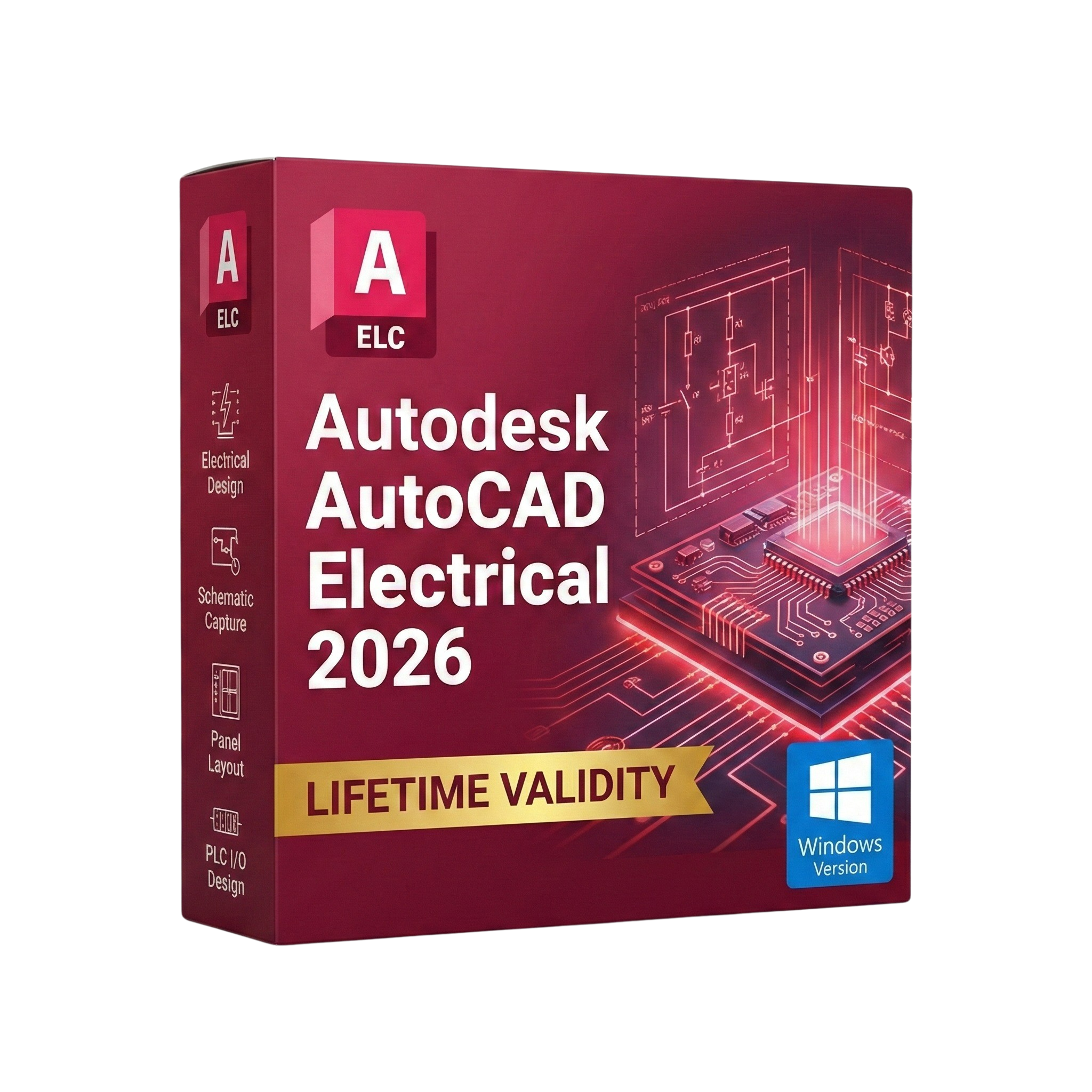
AutoCAD Electrical 2026 for Lifetime
- AUTOMATIC DELIVERY INSTANTLY ON REGISTERED EMAIL .
- Any Installation Problem Freely Contact Us(Will Give You Support)
- Lifetime Validity
- Windows Version
- Intelligent Symbols: Over 65,000 electrical symbols (IEC, NFPA, etc.).
- Auto-Numbering: Wires and components are tagged automatically.
- Real-Time Audit: Detects short circuits and loose connections instantly.
- Smart Reports: Auto-generate BOMs, Wire Lists, and Terminal Plans.
- PLC I/O: Generate PLC drawings directly from Excel spreadsheets.
- Panel Layout: Schematics are bi-directionally linked to panel footprints.
- PDF Publishing: Create hyperlinked, smart PDFs for maintenance teams.
Original price was: ₹999.00.₹499.00Current price is: ₹499.00.
Description
Autodesk AutoCAD Electrical 2026 (Windows): The Powerhouse for Control Systems Design
Autodesk AutoCAD Electrical 2026 is the undisputed industry standard for electrical controls designers. Built on the familiar AutoCAD engine, this specialized toolset adds over 65,000 intelligent electrical symbols, automated reporting, and PLC I/O integration to help you design control systems up to 95% faster than using standard AutoCAD.
The 2026 release embraces the future of automation. With the new Smart Schematic Assistant and enhanced Circuit Builder, manual tasks like wire numbering and component tagging are virtually eliminated. Whether you are designing complex industrial panels, embedded systems, or pneumatic diagrams, AutoCAD Electrical 2026 ensures your drawings are accurate, standardized (IEC, NFPA, JIC), and manufacturing-ready.
Why Choose AutoCAD Electrical 2026?
1. Automated Wire Numbering & Tagging
- The Intelligence: Forget typing text manually. AutoCAD Electrical automatically assigns sequential or reference-based numbers to all wires and components.
- The Benefit: If you move a relay or cut a wire, the numbering updates instantly across the entire project. This eliminates duplicate tags and costly manufacturing errors.
2. Real-Time Error Checking
- The Safety Net: The software constantly monitors your design for logical errors.
- The Benefit: It alerts you immediately if you assign the same wire number to two different potentials or if a child component (like a contact) doesn’t have a parent (like a coil), preventing issues before they hit the shop floor.
3. Smart Panel Layouts
- The Link: Create a physical panel layout linked directly to your schematic.
- The Benefit: Once a component is placed in the schematic, it appears in a “pick list” for your panel layout. The software ensures that every part in the diagram makes it into the cabinet, and footprints are automatically scaled.
What’s New in Version 2026?
AI-Assisted Wire Routing
- The Feature: The new routing engine suggests the most efficient path for wires in your panel layout based on signal type and voltage class.
- The Benefit: Reduces cable waste and ensures cleaner, more logical panel builds automatically.
Global Search & Replace
- The Upgrade: You can now search for component values, catalog numbers, or wire tags across multiple open projects simultaneously.
- The Benefit: Updating a spec for a specific breaker across five different machine designs now takes seconds instead of hours.
Trace & Markup Import 2.0
- The Workflow: Collaborate faster with the shop floor. Import markups from PDF or paper scans (via mobile), and AutoCAD Electrical 2026 will overlay them on your drawing.
- The Benefit: The AI recognizes hand-drawn electrical symbols and suggests inserting the actual CAD block in their place.
Activity Insights
- The Tracker: Keep track of your team. The new dashboard shows a timeline of who edited the drawing, when it was plotted, and what libraries were modified.
Key Features
- Comprehensive Symbol Libraries: Includes AS, GB, IEC, IEC-60617, JIC, JIS, NFPA, and IEEE standards.
- Automatic Reports: Generate Bills of Material (BOM), From/To Wire Lists, PLC I/O Reports, and Terminal Plans with a single click.
- PLC I/O Integration: Automatically generate drawings from a spreadsheet (I/O list) using the PLC I/O Utility. It reads data from Excel and draws the entire I/O card with addresses and descriptions.
- Terminal Strip Editor: Manage and edit terminals easily. Visualize the strip, add spares, and define jumpers in a graphical interface.
- PDF Publishing: Create intelligent multi-page PDFs where components and signals are hyperlinked. Click a relay coil on page 1, and the PDF jumps to its contact on page 10.
System Requirements (Windows)
- Operating System: Microsoft® Windows® 11 or Windows 10 version 1809 or above.
- Processor: 2.5–2.9 GHz processor (3+ GHz recommended). ARM processors are supported.
- Memory (RAM): 16 GB (32 GB recommended).
- Display: 1920 x 1080 resolution with True Color (3840 x 2160 recommended).
- Graphics Card: 2 GB GPU with 29 GB/s Bandwidth and DirectX 11 compliant (8 GB+ Recommended).
- Disk Space: 12 GB free space.
- Pointing Device: MS-Mouse compliant.
Short Bullet Points (For Quick View)
- Intelligent Symbols: Over 65,000 electrical symbols (IEC, NFPA, etc.).
- Auto-Numbering: Wires and components are tagged automatically.
- Real-Time Audit: Detects short circuits and loose connections instantly.
- Smart Reports: Auto-generate BOMs, Wire Lists, and Terminal Plans.
- PLC I/O: Generate PLC drawings directly from Excel spreadsheets.
- Panel Layout: Schematics are bi-directionally linked to panel footprints.
- PDF Publishing: Create hyperlinked, smart PDFs for maintenance teams.
- Catalog Browser: Access millions of manufacturer-specific parts (Siemens, ABB, Schneider).
- Terminal Strip Editor: Graphic interface for designing complex terminal blocks.
- Migration: Import legacy data from Promis-e and other tools easily.
Related Products
- AUTOMATIC DELIVERY INSTANTLY ON REGISTERED EMAIL .
- Any Installation Problem Freely Contact Us(Will Give You Support)
- Lifetime Validity
- Windows Version
- Solid Edge X: Experience a secure, hybrid SaaS environment with cloud-based data management and simplified licensing.
- AI Design Copilot: Get real-time, context-aware assistance and tool recommendations directly within the interface.
- Magnetic Snap Assembly: Assemble components instantly with AI that predicts and applies the correct mates and constraints.
- Automatic 2D Drawings: Generate production-ready drawings with dimensions and views up to 80% faster using AI automation.
- Walkthrough Command: Explore your 3D models in a first-person perspective (FPS style) to identify clearance issues early.
- Smart Sheet Metal: Create precise interlocking “Tab and Slot” connections automatically for faster welding and fabrication.

- AUTOMATIC DELIVERY INSTANTLY ON REGISTERED EMAIL .
- Any Installation Problem Freely Contact Us(Will Give You Support)
- Lifetime Validity
- Windows Version
- Visualize models with realistic shading and depth using the new Ambient Occlusion engine.
- Import and export IFC files faster with enhanced openBIM interoperability.
- Find and execute any command instantly using the integrated Smart Search tool.
- Generate unique textures and styles quickly with AI-powered Diffusion graphics.
- Collaborate in real-time by syncing models seamlessly with Trimble Connect.
- Create 2D documentation efficiently with the optimized LayOut rendering engine.
- Import complex Revit files accurately with the lightweight Revit Importer.
- Organize geometry effortlessly using the modernized Tag management system.
- AUTOMATIC DELIVERY INSTANTLY ON REGISTERED EMAIL .
- Any Installation Problem Freely Contact Us(Will Give You Support)
- Lifetime Validity
- Windows Version
- Render scenes with significantly less noise using the improved High-Quality Denoiser.
- Create intricate procedural clouds and weather effects with the updated Corona Sky.
- Scatter objects efficiently on surfaces with the enhanced Chaos Scatter controls.
- Apply decals to curved and organic surfaces seamlessly without UV unwrap.
- Simulate realistic fabrics and velvets instantly with the new Sheen layer.
- Manage complex scenes easily using the optimized Lister and Scene Management tools.
- Reduce memory usage significantly when rendering repetitive geometry with Corona Pattern.

- AUTOMATIC DELIVERY INSTANTLY ON REGISTERED EMAIL .
- Any Installation Problem Freely Contact Us(Will Give You Support)
- Lifetime Validity
- Windows Version
- Ray trace over 2,200 nature assets including trees and shrubs for realistic reflections.
- Preview renders instantly with the new real-time NRD denoiser in Photo and Movie modes.
- Render ray-traced videos up to 5x faster using the optimized sampling engine.
- Simulate realistic glass refraction and colored shadows with fully ray-traced glass.
- Add depth to translucent materials like marble and wax with Subsurface Scattering.
- Populate interiors instantly using 25+ new parallax room templates for day and night.
- Import GLTF files directly for a lighter and faster 3D model workflow.
- Batch import multiple 3D models simultaneously to speed up scene building.
- AUTOMATIC DELIVERY INSTANTLY ON REGISTERED EMAIL .
- Any Installation Problem Freely Contact Us(Will Give You Support)
- Lifetime Validity
- Windows Version
- Edit video content as easily as a text document with the AI-powered text-based editing workflow.
- Instantly remove or replace video backgrounds without a green screen using dynamic AI masking.
- Automatically generate and sync accurate captions and subtitles from your voiceover in seconds.
- Smooth out jerky mouse movements and customize cursor paths with advanced cursor effects.
- Record high-resolution 4K screen capture, webcam, and system audio simultaneously.
- Clean up background noise and balance vocal levels instantly with AI-enhanced audio filters.
- Access a vast library of royalty-free intros, motion graphics, and music directly within the editor.
- Engage viewers by adding interactive quizzes and clickable hotspots directly to your videos.
- Apply professional animations and behaviors to text and images with simple drag-and-drop actions.
- Export videos faster than ever with optimized GPU acceleration for modern hardware.

- AUTOMATIC DELIVERY INSTANTLY ON REGISTERED EMAIL .
- Any Installation Problem Freely Contact Us(Will Give You Support)
- Lifetime Validity
- Windows Version
- Chaos V-Ray 7.20.01 for Rhinoceros 7 – 9 & SketchUp 2021 – 2026
- Render real-world 3D scans with reflections using native Gaussian Splatting support.
- Simulate accurate stars, moon phases, and the Milky Way with the procedural Night Sky.
- Upscale renders to 16K resolution instantly with the one-click AI Upscaler.
- Populate vegetation naturally with new Clustering modes in Chaos Scatter.
- Clip and trim Gaussian Splat models directly within the SketchUp viewport.
- Render complex light fixtures significantly faster using optimized V-Ray Luminaires.
- Remove bright noise pixels automatically during rendering with Firefly Removal.
- Add detail to people and grass without re-rendering using the AI Enhancer.
- AUTOMATIC DELIVERY INSTANTLY ON REGISTERED EMAIL .
- Any Installation Problem Freely Contact Us(Will Give You Support)
- Lifetime Validity
- Windows Version
- Free Updates
- Automate assembly mates instantly with AI-powered fastener recognition.
- Generate complete 2D drawings from 3D models automatically with AI tools.
- Split component configurations into separate files in batches seamlessly.
- Skip unnecessary rebuilds for cosmetic changes to speed up large assemblies.
- Create reference points precisely using global XYZ coordinate values.
- Import massive neutral files in the background while you continue working.
- Render photorealistic images directly within the interface without switching apps.
- AUTOMATIC DELIVERY INSTANTLY ON REGISTERED EMAIL .
- Any Installation Problem Freely Contact Us(Will Give You Support)
- Lifetime Validity
- Mac Version
- Run natively on Apple Silicon (M1/M2/M3) for blazing-fast performance.
- Visualize models with realistic depth using the new Ambient Occlusion engine.
- Generate unique textures instantly with integrated AI-powered prompts.
- Sync projects seamlessly between Mac, iPad, and Web versions.
- Convert iPhone LiDAR scans into 3D models automatically via Scan-to-Design.
- Create 2D documentation faster with the optimized LayOut rendering engine.
- Import and export USDZ files easily for Apple AR visualization.
- AUTOMATIC DELIVERY INSTANTLY ON REGISTERED EMAIL .
- Any Installation Problem Freely Contact Us(Will Give You Support)
- Lifetime Validity
- Windows Version
- Generate invoices.
- Manage multiple companies and financial years from a single unified interface.
- Track inventory stocks across different godowns and locations in real-time.
- Automate bank reconciliation by uploading digital bank statements directly.
- Calculate employee salaries, PF, and TDS accurately with the integrated Payroll module.
- Access business data remotely using the secure Tally.NET connection services.

- AUTOMATIC DELIVERY INSTANTLY ON REGISTERED EMAIL .
- Any Installation Problem Freely Contact Us(Will Give You Support)
- Lifetime Validity
- Windows Version
- Revit 2023, 2024, 2025, and 2026
- SketchUp 2024, 2025 and 2026
- Rhino 7.0 and 8.3 (or later)
- Archicad 27, 28 and 29
- Vectorworks 2024, 2025 and 2026
- Navigate scenes with a unified, redesigned user interface for faster workflows.
- Enhance export quality instantly with the AI-powered NVIDIA Denoiser.
- Simulate realistic colored shadows for glass and transparent materials.
- Upscale textures and assets automatically using the Chaos AI Enhancer.
- Apply pencil and watercolor effects with new Artistic Visual Modes.
- Immerse clients in designs with support for Meta Quest 3 and HTC Vive.

- AUTOMATIC DELIVERY INSTANTLY ON REGISTERED EMAIL .
- Any Installation Problem Freely Contact Us(Will Give You Support)
- Lifetime Validity
- Windows Version
- Professional Edition
- Preview files in real-time while the scan is still running with “On-the-Fly” preview.
- Pause and resume recovery scans instantly to save progress without restarting.
- Recover data from BitLocker-encrypted drives by simply entering the password.
- Create bootable USB media to salvage files from crashed or unbootable PCs.
- Repair corrupt videos and photos automatically using the Premium repair tools.
- Multitask efficiently with native dual-monitor support for the recovery interface.
- Scan large 4K hard drives with 4096-byte sectors using the optimized engine.
- Retrieve data from RAID 0, 5, and 6 arrays seamlessly with the Technician edition.

- AUTOMATIC DELIVERY INSTANTLY ON REGISTERED EMAIL .
- Any Installation Problem Freely Contact Us(Will Give You Support)
- Lifetime Validity
- Windows Version
- Online & Offline both working
- Create watertight meshes instantly for 3D printing with the new ShrinkWrap tool.
- Generate dynamic 2D sections and plans directly from 3D models with ClippingDrawings.
- Model organic shapes with greater precision using supported SubD creases.
- Manipulate geometry intuitively with the new customized Auto Gumball.
- Extrude and modify faces instantly using the direct PushPull workflow.
- Render scenes significantly faster with the optimized Cycles engine.
- Customize the modernized interface to match your specific drafting workflow.