
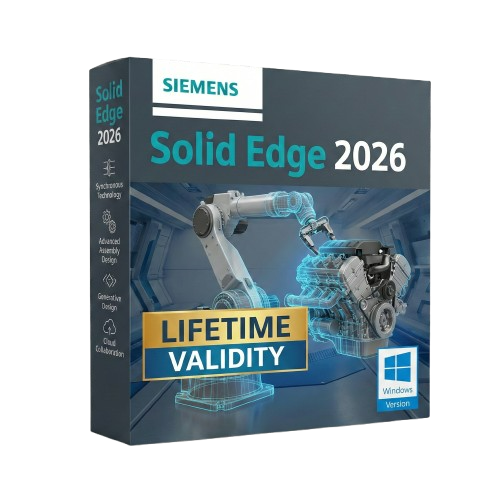
Solid Edge 2026 for Lifetime
- AUTOMATIC DELIVERY INSTANTLY ON REGISTERED EMAIL .
- Any Installation Problem Freely Contact Us(Will Give You Support)
- Lifetime Validity
- Windows Version
- Solid Edge X: Experience a secure, hybrid SaaS environment with cloud-based data management and simplified licensing.
- AI Design Copilot: Get real-time, context-aware assistance and tool recommendations directly within the interface.
- Magnetic Snap Assembly: Assemble components instantly with AI that predicts and applies the correct mates and constraints.
- Automatic 2D Drawings: Generate production-ready drawings with dimensions and views up to 80% faster using AI automation.
- Walkthrough Command: Explore your 3D models in a first-person perspective (FPS style) to identify clearance issues early.
- Smart Sheet Metal: Create precise interlocking “Tab and Slot” connections automatically for faster welding and fabrication.
Original price was: ₹999.00.₹499.00Current price is: ₹499.00.
Description
Siemens Solid Edge 2026 (Windows): The Intelligent Future of Product Design
Siemens Solid Edge 2026 is not just a CAD tool; it is the heartbeat of the Siemens Xcelerator portfolio, designed to bring the power of high-end enterprise engineering to mainstream users. This version represents the most intelligent update in the software’s history, fusing the legendary Synchronous Technology with new AI-Assisted Modeling tools.
Whether you are a startup creating consumer electronics or a heavy equipment manufacturer, Solid Edge 2026 eliminates the barriers of traditional history-based modeling. It allows you to design at the speed of thought, collaborate securely via the cloud, and validate your products virtually—all in a single, affordable environment.
Why Choose Solid Edge 2026?
1. AI-Powered Synchronous Technology
- The Upgrade: Synchronous Technology has always allowed you to edit models without fighting the “history tree.” In 2026, it gets a brain. The new Design Intent AI analyzes your selection and automatically predicts which geometric relationships (concentricity, symmetry, tangency) you want to maintain, and which you want to break.
- The Benefit: Make late-stage design changes 50% faster. You don’t need to know how a model was built to change it.
2. Seamless Teamcenter Share
- The Workflow: Collaboration is no longer an add-on; it’s native. Solid Edge 2026 integrates Teamcenter Share directly into the save/open dialogs.
- The Benefit: Securely share 3D data with suppliers or customers on any device (phone, tablet, browser). They can view, measure, and markup your actual CAD data in real-time without needing a license.
3. Value-Based Licensing
- The Flexibility: Solid Edge 2026 continues its flexible token licensing model. You can access add-on modules—like Generative Design, Point Cloud Visualization, or Electrical Routing—only when you need them, without buying permanent licenses for occasional tasks.
What’s New in Version 2026?
Visual Configurator
- The Feature: Instantly turn your CAD assembly into a customer-facing product configurator.
- The Benefit: Drag and drop rules to define which parts (e.g., different motors, handle styles, colors) are compatible. You can then export this directly to a web viewer for your sales team.
Auto-Dimensioning for MBD
- The Feature: Moving away from 2D drawings? The improved Model Based Definition (MBD) engine uses AI to automatically place Product Manufacturing Information (PMI) dimensions and tolerances on your 3D model.
- The Benefit: It ensures your 3D master model is fully defined and compliant with ISO/ASME standards, saving hours of manual annotation.
Solid Edge Inspector
- The Feature: Automatically identify, label, and extract critical dimensions and tolerances for Quality Assurance.
- The Benefit: Generates First Article Inspection (FAI) reports automatically, reducing inspection planning time by up to 80%.
Key Features
- Sheet Metal Design: Widely regarded as the best in the industry. Create complex lofted flanges, dimples, and beads that are virtually impossible in other CAD packages.
- Convergent Modeling: Mix mesh data (from 3D scans) and solid data (B-Rep) in the same model. You can add precise holes and bosses directly onto a scanned organic shape.
- Built-in Simulation: Validate your designs early with integrated Structural, Thermal, and Flow simulation tools powered by Simcenter Nastran.
- Data Migration: Best-in-class importers for SolidWorks, Inventor, and Pro/E files. Solid Edge doesn’t just open them; it makes them editable using Synchronous Technology.
System Requirements (Windows)
- Operating System: Windows 10 Enterprise or Professional (64-bit) version 22H2 or later; Windows 11 Enterprise or Professional.
- Processor: Intel Core i7/i9 or AMD Ryzen 7/9 (Base clock > 3.5 GHz recommended).
- Memory (RAM): 16 GB minimum (32 GB or 64 GB recommended for large assemblies).
- Graphics: NVIDIA Quadro or AMD Radeon Pro professional graphics card with at least 8 GB VRAM.
- Disk Space: 15 GB required for installation.
- Input: 3Dconnexion SpaceMouse recommended for efficient navigation.
Related Products

- AUTOMATIC DELIVERY INSTANTLY ON REGISTERED EMAIL .
- Any Installation Problem Freely Contact Us(Will Give You Support)
- Lifetime Validity
- Windows Version
- Revit 2023, 2024, 2025, and 2026
- SketchUp 2024, 2025 and 2026
- Rhino 7.0 and 8.3 (or later)
- Archicad 27, 28 and 29
- Vectorworks 2024, 2025 and 2026
- Navigate scenes with a unified, redesigned user interface for faster workflows.
- Enhance export quality instantly with the AI-powered NVIDIA Denoiser.
- Simulate realistic colored shadows for glass and transparent materials.
- Upscale textures and assets automatically using the Chaos AI Enhancer.
- Apply pencil and watercolor effects with new Artistic Visual Modes.
- Immerse clients in designs with support for Meta Quest 3 and HTC Vive.
- Lifetime Validity
- Instant Delivery on Email
- Supported on All Apple Mac Systems
- Any Installation Problem Freely Contact Us(Will Give You Support)
- Visual Search: Find clips by describing objects or actions (e.g., “sunset”).
- Beat Detection: Auto-generate markers to sync edits to music beats.
- Transcript Search: Find footage by typing spoken dialogue.
- Magnetic Mask: Isolate subjects instantly without green screens.
- Spatial Video: Edit and grade 3D content for Apple Vision Pro.
- Voice Isolation: Remove background noise with one click.
- Transcribe to Captions: Auto-generate subtitles on-device.
- Smooth Slo-Mo: AI-generated frames for perfect slow motion.
- Lifetime Validity
- Instant Delivery on Email
- Any Installation Problem Freely Contact Us(Will Give You Support)
- Supported on Windows 10,11
- File Size: 7.47GB (20.3.2 Version)
- Ai Features are working
- Works with Internet and Antivirus
- Generate complex color grades instantly from text prompts or reference images with AI Match.
- Isolate and remix individual instruments from a stereo music track using Fairlight AI Stem Separation.
- Track objects obscured by smoke or glass perfectly with the new Deep Neural Magic Mask.
- Edit spatial video natively for Apple Vision Pro and Meta Quest with full depth visualization.
- Remove unwanted moving objects from complex backgrounds automatically with Generative Fill for Video.
- AUTOMATIC DELIVERY INSTANTLY ON REGISTERED EMAIL .
- Any Installation Problem Freely Contact Us(Will Give You Support)
- Lifetime Validity
- Windows Version
- Type effortlessly in multiple Indian languages with enhanced Unicode keyboard handlers.
- Detect and switch between 32-bit and 64-bit applications automatically while typing.
- Access thousands of high-quality calligraphic fonts for professional designs.
- Convert legacy text to Unicode instantly with the advanced file conversion utility.
- Design stylish 3D titles and logos easily using the Avishkar Plus tool.
- Check spelling in Indian languages directly with the integrated Spell Checker.
- Integrate seamlessly with open-source apps like Inkscape, GIMP, and Scribus.
- AUTOMATIC DELIVERY INSTANTLY ON REGISTERED EMAIL .
- Any Installation Problem Freely Contact Us(Will Give You Support)
- Lifetime Validity
- Windows Version
- New Desktop: Modern, faster UI with fully supported Dark Mode.
- AI Assistant: Generate and debug code using the built-in AI Chat.
- Python Interop: Seamless data exchange between MATLAB and Python.
- Simulink 3D: Photorealistic simulation powered by Unreal Engine 5.
- Live Editor: Embed sliders and buttons directly into your scripts.
- App Building: Create standalone Windows apps without C++ knowledge.
- Code Gen: Export C/C++ code for embedded hardware instantly.
- 5G/6G Tools: Advanced modeling for next-gen wireless networks.
- Automotive: specialized toolboxes for ADAS and autonomous driving.
- Cloud Run: Run your scripts in a browser via MATLAB Online.
- AUTOMATIC DELIVERY INSTANTLY ON REGISTERED EMAIL .
- Any Installation Problem Freely Contact Us(Will Give You Support)
- Lifetime Validity
- Windows Version
- ANSYS Products includes the following applications:
- ANSYS Mechanical Pro, Premium, Enterprise
- ANSYS CFD Premium and Enterprise
- ANSYS Mechanical CFD Maxwell 3D
- ANSYS Mechanical Maxwell 3D
- ANSYS Mechanical CFD
- ANSYS HFSS
- Siwave ANSYS
- ANSYS Maxwell
- ANSYS Q3D Extractor
- ANSYS Icepak

- AUTOMATIC DELIVERY INSTANTLY ON REGISTERED EMAIL .
- Any Installation Problem Freely Contact Us(Will Give You Support)
- Lifetime Validity
- Windows Version
- For 3ds Max 2021 – 2027
- Render and clip real-world 3D scans natively with full Gaussian Splatting support.
- Simulate complex light fixtures significantly faster using the new V-Ray Luminaire.
- Generate accurate stars, moon, and phases instantly with the procedural Night Sky.
- Create PBR materials from simple photos automatically with the AI Material Generator.
- Stream interactive 3D scenes to clients via a web link with Chaos Cloud Streaming.
- Analyze scene performance and spot bottlenecks precisely using the V-Ray Profiler.
- Render realistic caustics and refractions at high speeds with updated V-Ray GPU.

- AUTOMATIC DELIVERY INSTANTLY ON REGISTERED EMAIL .
- Any Installation Problem Freely Contact Us(Will Give You Support)
- Lifetime Validity
- Windows Version
- File Size: 23.5MB
- Accelerate download speeds by up to 5 times with intelligent dynamic file segmentation.
- Resume interrupted downloads instantly without restarting from the beginning.
- Capture videos from streaming sites automatically using the improved download panel.
- Detect and download Ultra HD (4K and 8K) videos with enhanced recognition accuracy.
- Integrate seamlessly with the latest versions of Chrome, Edge, and Firefox.
- Resolve video stream errors (like 403 Forbidden) with updated site compatibility fixes.
- Schedule downloads to start, stop, or shut down your computer automatically.
Out of stock
- Lifetime Validity
- Instant Delivery on Email
- Supported on All Apple Mac Systems
- Any Installation Problem Freely Contact Us(Will Give You Support)
- Render natively on Apple Silicon (M1/M2/M3) for maximum speed and efficiency.
- Generate photorealistic backgrounds instantly from text prompts using the AI Shots tool.
- Share interactive 3D product reviews securely with stakeholders via KeyShot Web Viewer.
- Automate complex rendering pipelines using the advanced Python scripting console.
- Import native files directly from high-end CAD systems like Siemens NX, Catia, and Creo.
- Switch seamlessly between CPU and GPU rendering to utilize Apple Metal graphics power.
- Create standardized material libraries for your organization with OpenPBR support.
- Accelerate post-production compositing with automatic Cryptomatte mask generation.
- AUTOMATIC DELIVERY INSTANTLY ON REGISTERED EMAIL .
- Any Installation Problem Freely Contact Us(Will Give You Support)
- Lifetime Validity
- Windows Version
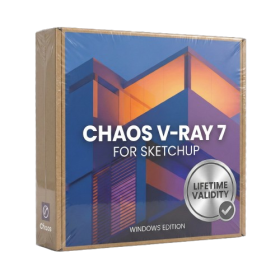
- Chaos V-Ray 7.20.01 for Rhinoceros 7 – 9 & SketchUp 2021 – 2026
- Render real-world 3D scans with reflections using native Gaussian Splatting support.
- Simulate accurate stars, moon phases, and the Milky Way with the procedural Night Sky.
- Upscale renders to 16K resolution instantly with the one-click AI Upscaler.
- Populate vegetation naturally with new Clustering modes in Chaos Scatter.
- Clip and trim Gaussian Splat models directly within the SketchUp viewport.
- Render complex light fixtures significantly faster using optimized V-Ray Luminaires.
- Remove bright noise pixels automatically during rendering with Firefly Removal.
- Add detail to people and grass without re-rendering using the AI Enhancer.
- Lifetime Validity
- Instant Delivery on Email
- Any Installation Problem Freely Contact Us(Will Give You Support)
- Supported on Windows 10,11
- Pre-Activated for Lifetime Validity
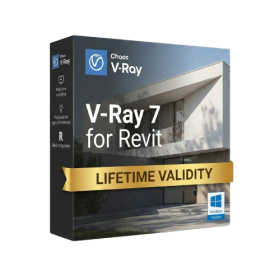
- Supports: Revit 2022 to 2026
- Import and render real-world 3D Gaussian Splats directly within the Revit interface.
- Generate custom PBR textures instantly from text prompts with the AI Material Generator.
- Visualize changes in real-time using the seamless Chaos Vantage Live Link.
- Populate scenes with vegetation and crowds efficiently using Chaos Scatter.
- Edit colors and apply finishing touches directly in the advanced V-Ray Frame Buffer.
- Ensure material consistency across different software with native OpenPBR support.
- Add realistic details like road markings or graffiti using V-Ray Decals.
- Simulate dynamic skies and cloud shadows with the procedural Cloud system.
- Generate dozens of lighting variations automatically with the Light Gen tool.
- Accelerate rendering times significantly with optimized NVIDIA RTX GPU support.

- AUTOMATIC DELIVERY INSTANTLY ON REGISTERED EMAIL .
- Any Installation Problem Freely Contact Us(Will Give You Support)
- Lifetime Validity
- Windows Version
- File Size: 1.84GB
- Visualize models with stunning depth and realism using the new graphics engine featuring native Ambient Occlusion.
- Generate unique, seamless textures instantly from simple text prompts with the integrated AI texture generator.
- Import complex Revit files accurately and efficiently with the enhanced, lighter-weight Revit Importer.
- Create 2D documentation in LayOut faster than ever with a new multi-threaded rendering engine that eliminates lag.
- Convert room scans from mobile devices automatically into clean, editable 3D geometry via Scan-to-Design.
- Collaborate in real-time by syncing projects seamlessly across Desktop, iPad, and Web versions.