
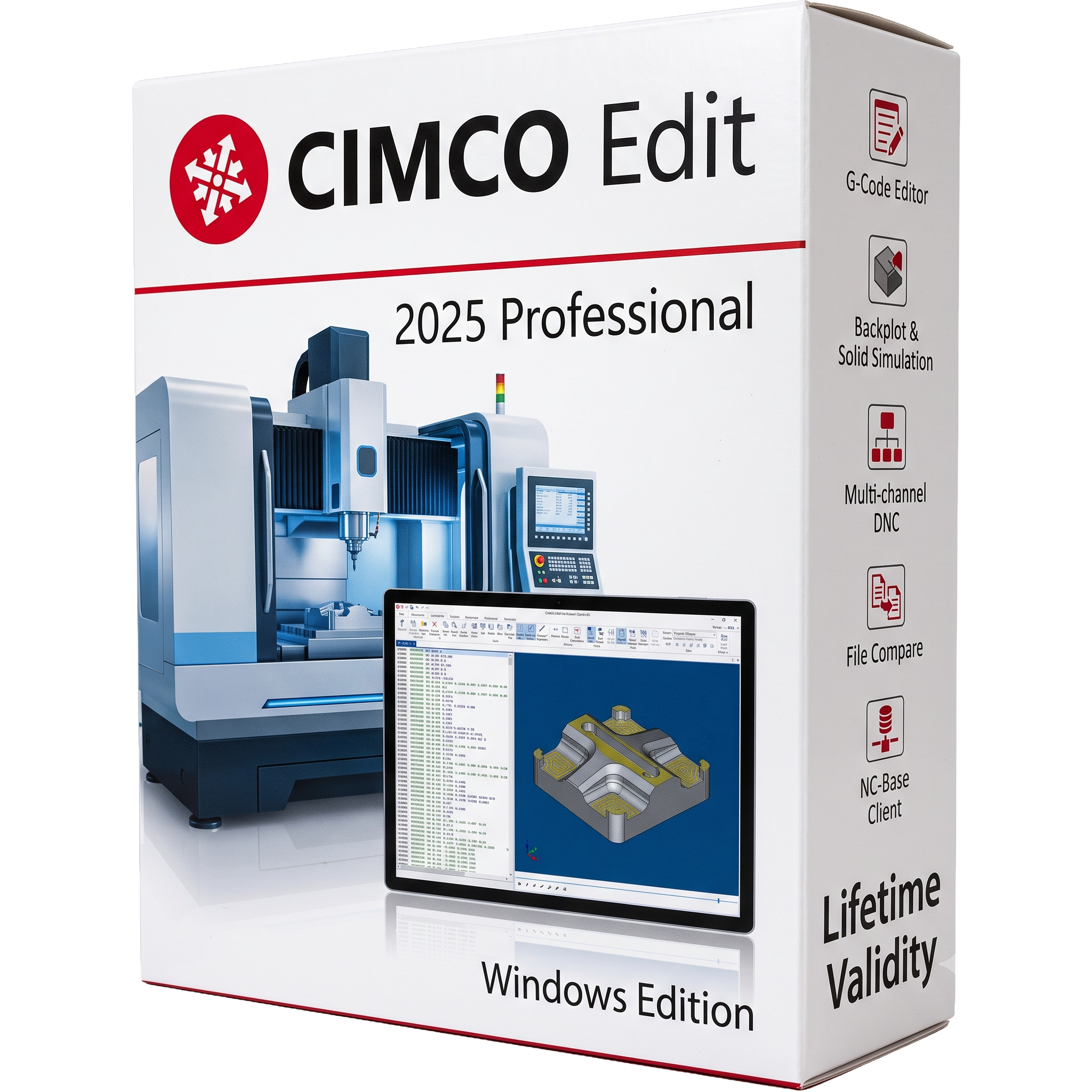
CIMCO Edit 2025 Professional for Lifetime
- AUTOMATIC DELIVERY INSTANTLY ON REGISTERED EMAIL .
- Any Installation Problem Freely Contact Us(Will Give You Support)
- Lifetime Validity
- Windows Version
- Professional CNC program editing and NC code management software
- Edit, verify, and optimize G-code and M-code with intelligent editing tools
- Advanced syntax highlighting, file comparison, and revision tracking
- 2D/3D backplot visualization and optional machine simulation
- DNC communication for reliable CNC program transfer
- Mathematical transformations including rotate, mirror, scale, and translate
- NC Assistant for faster CNC programming and code validation
- Supports Fanuc, Haas, Siemens, Heidenhain, Mazak, Okuma, Mitsubishi, and other CNC controllers
- Optional CNC-Calc, Mazatrol Viewer, 2D CAD/CAM, and Machine Simulation modules
- Ideal for CNC programmers, machinists, manufacturing engineers, and production facilities
₹550.00
Description
CIMCO Edit 2025 Professional for Windows is a professional CNC program editing, simulation, and DNC communication software developed by CIMCO. Designed for CNC programmers, machinists, manufacturing engineers, and production facilities, it provides a complete environment for editing, verifying, simulating, and transferring NC programs. With support for a wide range of CNC controllers, including Fanuc, Haas, Siemens, Heidenhain, Mazak, Okuma, and others, CIMCO Edit helps improve programming accuracy, reduce machining errors, and increase shop-floor productivity.
The Professional edition combines an advanced NC editor with intelligent programming tools, file comparison, syntax checking, backplot visualization, solid simulation, and optional DNC communication. Its intuitive Windows-based interface enables users to efficiently create, modify, and verify CNC programs before sending them to machines, minimizing downtime and costly production mistakes.
CIMCO Edit 2025 also delivers improved performance, faster simulation, enhanced machine simulation capabilities, and expanded support for modern CNC workflows. Optional add-ons such as CNC-Calc, Mazatrol Viewer, 2D CAD/CAM, and Machine Simulation further extend its functionality for advanced manufacturing environments.
Key Features
- Professional CNC program editing and NC code management
- Advanced syntax highlighting and intelligent code editing
- File compare and revision tracking
- NC Assistant with G-code and M-code programming support
- 2D and 3D backplot visualization
- Solid machine simulation with collision detection (optional)
- DNC communication for sending and receiving CNC programs
- Tool Manager and machining operation management
- Drag-and-drop editing and advanced search/replace
- Mathematical transformations including rotate, mirror, scale, and translate
- Support for Fanuc, Haas, Siemens, Heidenhain, Mazak, Okuma, Fagor, Mitsubishi, and many other CNC controllers
- Optional CNC-Calc, Mazatrol Viewer, 2D CAD/CAM, and Machine Simulation add-ons
- Multi-language interface and customizable workflows
What’s New in Version 2025
- Faster NC editing and program loading
- Improved simulation performance and visualization
- Enhanced machine simulation compatibility
- Expanded reverse postprocessor support
- Optimized editor startup and workflow responsiveness
- Improved DNC communication reliability
- Better compatibility with modern CNC controllers
- Stability improvements and bug fixes
- Updated licensing and deployment options for enterprise users
Professional Applications
CIMCO Edit 2025 Professional is ideal for:
- CNC programming
- NC code editing and verification
- CNC machine simulation
- Manufacturing engineering
- Toolpath validation
- Production and shop-floor management
- DNC communication
- CAM program verification
- CNC training and education
- Precision machining workflows
System Requirements (Windows)
Minimum Requirements
- Operating System: Windows 10 (64-bit)
- Processor: Dual-core processor
- RAM: 2 GB
- Storage: 2 GB available disk space
- Graphics: OpenGL-compatible graphics (dedicated GPU recommended for simulation)
- Additional Software: Microsoft .NET Framework 4.8 and Visual C++ Redistributable (included with installer)
Recommended Requirements
- Operating System: Windows 10/11 (64-bit)
- Processor: Quad-core processor or better
- RAM: 8–16 GB or more
- Storage: SSD with at least 2 GB free space
- Graphics: Dedicated GPU with 4 GB VRAM and OpenGL 4.3 support for machine simulation
- Display: Full HD (1920 × 1080) or higher
Related Products

- AUTOMATIC DELIVERY INSTANTLY ON REGISTERED EMAIL .
- Any Installation Problem Freely Contact Us(Will Give You Support)
- Lifetime Validity
- Windows Version
- Professional Edition
- Preview files in real-time while the scan is still running with “On-the-Fly” preview.
- Pause and resume recovery scans instantly to save progress without restarting.
- Recover data from BitLocker-encrypted drives by simply entering the password.
- Create bootable USB media to salvage files from crashed or unbootable PCs.
- Repair corrupt videos and photos automatically using the Premium repair tools.
- Multitask efficiently with native dual-monitor support for the recovery interface.
- Scan large 4K hard drives with 4096-byte sectors using the optimized engine.
- Retrieve data from RAID 0, 5, and 6 arrays seamlessly with the Technician edition.
- Lifetime Validity
- Instant Delivery on Email
- Supported on All Apple Mac Systems
- Any Installation Problem Freely Contact Us(Will Give You Support)
- Run natively on Apple Silicon (M1/M2/M3) for significantly faster processing speeds.
- Experience fluid viewport navigation with the new Apple Metal graphics pipeline.
- Create watertight meshes from open geometry instantly using the ShrinkWrap command.
- Customize your workspace with new Window Layouts that match the Windows interface.
- Render ray-traced images in real-time using GPU-accelerated Cycles on Metal.
- Model organically with sharp edges using the new SubD Creases feature.
- Extrude and subtract geometry directly from faces with the intuitive PushPull workflow.
- Create dynamic 3D sections with hatch patterns using improved Clipping Planes.
- Access new data types and attributes directly within the upgraded Grasshopper.
- AUTOMATIC DELIVERY INSTANTLY ON REGISTERED EMAIL .
- Any Installation Problem Freely Contact Us(Will Give You Support)
- Lifetime Validity
- Windows Version
- Hybrid Ray Tracing: Perfect reflections, shadows, and glass instantly.
- LiveSync: Real-time link to Revit, SketchUp, and Rhino.
- Full Library: Over 9,000 assets (trees, cars, people) included.
- Phasing Effect: Animate the construction process easily.
- Real Skies: 60+ HDR skies that light your scene automatically.
- Styles: One-click presets for “Watercolor,” “Sketch,” or “Realistic.”
- 3D Grass: Turn any surface into realistic, volumetric grass.
- Volumetric Spotlights: Create dusty, atmospheric beams of light.
- Material Editor: Add weathering, rounded edges, and foliage to textures.
- Output: Render 8K images, 4K videos, and 360 panoramas.

- AUTOMATIC DELIVERY INSTANTLY ON REGISTERED EMAIL .
- Any Installation Problem Freely Contact Us(Will Give You Support)
- Lifetime Validity
- Windows Version
- Type effortlessly in multiple Indian languages with enhanced Unicode keyboard handlers.
- Detect and switch between 32-bit and 64-bit applications automatically while typing.
- Access thousands of high-quality calligraphic fonts for professional designs.
- Convert legacy text to Unicode instantly with the advanced file conversion utility.
- Design stylish 3D titles and logos easily using the Avishkar Plus tool.
- Check spelling in Indian languages directly with the integrated Spell Checker.
- Integrate seamlessly with open-source apps like Inkscape, GIMP, and Scribus.

- AUTOMATIC DELIVERY INSTANTLY ON REGISTERED EMAIL .
- Any Installation Problem Freely Contact Us(Will Give You Support)
- Lifetime Validity
- Windows Version
- Version: 4.20
- Revit 2023, 2024, 2025, 2026 and 2027
- SketchUp 2024, 2025 and 2026
- Rhino 7.0 and 8.3 (or later)
- Archicad 27, 28 and 29
- Vectorworks 2024, 2025 2026, 2027
- Navigate scenes with a unified, redesigned user interface for faster workflows.
- Enhance export quality instantly with the AI-powered NVIDIA Denoiser.
- Simulate realistic colored shadows for glass and transparent materials.
- Upscale textures and assets automatically using the Chaos AI Enhancer.
- Apply pencil and watercolor effects with new Artistic Visual Modes.
- Immerse clients in designs with support for Meta Quest 3 and HTC Vive.
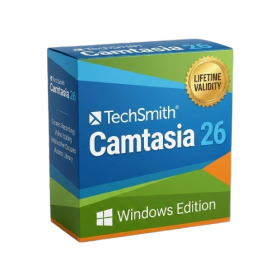
- AUTOMATIC DELIVERY INSTANTLY ON REGISTERED EMAIL .
- Any Installation Problem Freely Contact Us(Will Give You Support)
- Lifetime Validity
- Windows Version
- Edit video content as easily as a text document with the AI-powered text-based editing workflow.
- Instantly remove or replace video backgrounds without a green screen using dynamic AI masking.
- Automatically generate and sync accurate captions and subtitles from your voiceover in seconds.
- Smooth out jerky mouse movements and customize cursor paths with advanced cursor effects.
- Record high-resolution 4K screen capture, webcam, and system audio simultaneously.
- Clean up background noise and balance vocal levels instantly with AI-enhanced audio filters.
- Access a vast library of royalty-free intros, motion graphics, and music directly within the editor.
- Engage viewers by adding interactive quizzes and clickable hotspots directly to your videos.
- Apply professional animations and behaviors to text and images with simple drag-and-drop actions.
- Export videos faster than ever with optimized GPU acceleration for modern hardware.

- AUTOMATIC DELIVERY INSTANTLY ON REGISTERED EMAIL .
- Any Installation Problem Freely Contact Us(Will Give You Support)
- Lifetime Validity
- Windows Version
- File Size: 1.84GB
- Visualize models with stunning depth and realism using the new graphics engine featuring native Ambient Occlusion.
- Generate unique, seamless textures instantly from simple text prompts with the integrated AI texture generator.
- Import complex Revit files accurately and efficiently with the enhanced, lighter-weight Revit Importer.
- Create 2D documentation in LayOut faster than ever with a new multi-threaded rendering engine that eliminates lag.
- Convert room scans from mobile devices automatically into clean, editable 3D geometry via Scan-to-Design.
- Collaborate in real-time by syncing projects seamlessly across Desktop, iPad, and Web versions.

- AUTOMATIC DELIVERY INSTANTLY ON REGISTERED EMAIL .
- Any Installation Problem Freely Contact Us(Will Give You Support)
- Lifetime Validity
- Windows Version
- Rock-Solid Tracking: The industry standard for planar tracking.
- PowerMesh: Track warped surfaces like skin and fabric.
- Generative Remove: Auto-remove objects and wires with AI.
- Stabilization: Smooth out shaky handheld footage instantly.
- Insert Module: Perfect screen replacements with motion blur.
- Magnetic Roto: Snap masks to edges for fast rotoscoping.
- Lens Correction: Fix or match lens distortion easily.
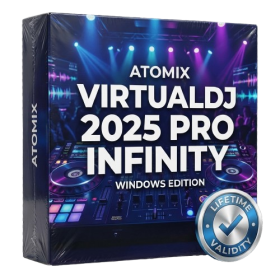
- AUTOMATIC DELIVERY INSTANTLY ON REGISTERED EMAIL .
- Any Installation Problem Freely Contact Us(Will Give You Support)
- Lifetime Validity
- Windows Version
- Works with Internet and Antivirus
- File Size: 461MB
- v8.5.8472
- Swap vocals or drums between tracks instantly with the new StemSwap Sampler.
- Isolate track elements in real-time for seamless live mashups and remixes.
- Export playlists to USB drives for CDJs with new subfolder support.
- Sync music libraries across devices automatically via improved Cloud Drive tools.
- Plug and play with over 300+ controllers including the latest AlphaTheta models.
- Mix video and karaoke with customizable on-screen graphics and lyrics.
- Scratch with precision using the improved ultra-low latency DVS engine.
- Stream sets directly to social platforms without external broadcasting software.
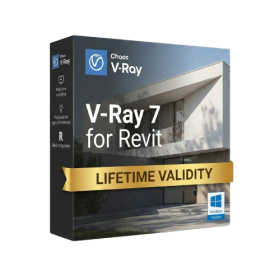
- Lifetime Validity
- Instant Delivery on Email
- Any Installation Problem Freely Contact Us(Will Give You Support)
- Supported on Windows 10,11
- Pre-Activated for Lifetime Validity
- Supports: Revit 2022 to 2026
- Import and render real-world 3D Gaussian Splats directly within the Revit interface.
- Generate custom PBR textures instantly from text prompts with the AI Material Generator.
- Visualize changes in real-time using the seamless Chaos Vantage Live Link.
- Populate scenes with vegetation and crowds efficiently using Chaos Scatter.
- Edit colors and apply finishing touches directly in the advanced V-Ray Frame Buffer.
- Ensure material consistency across different software with native OpenPBR support.
- Add realistic details like road markings or graffiti using V-Ray Decals.
- Simulate dynamic skies and cloud shadows with the procedural Cloud system.
- Generate dozens of lighting variations automatically with the Light Gen tool.
- Accelerate rendering times significantly with optimized NVIDIA RTX GPU support.
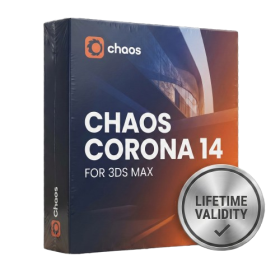
- AUTOMATIC DELIVERY INSTANTLY ON REGISTERED EMAIL .
- Any Installation Problem Freely Contact Us(Will Give You Support)
- Lifetime Validity
- Windows Version
- Render scenes with significantly less noise using the improved High-Quality Denoiser.
- Create intricate procedural clouds and weather effects with the updated Corona Sky.
- Scatter objects efficiently on surfaces with the enhanced Chaos Scatter controls.
- Apply decals to curved and organic surfaces seamlessly without UV unwrap.
- Simulate realistic fabrics and velvets instantly with the new Sheen layer.
- Manage complex scenes easily using the optimized Lister and Scene Management tools.
- Reduce memory usage significantly when rendering repetitive geometry with Corona Pattern.
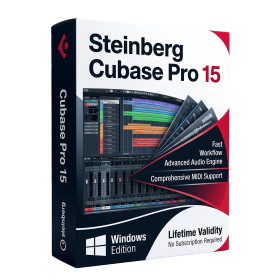
- AUTOMATIC DELIVERY INSTANTLY ON REGISTERED EMAIL .
- Any Installation Problem Freely Contact Us(Will Give You Support)
- Lifetime Validity
- Windows Version
- Included Instruments:
- Halion 7
- Halion Sonic 7
- Groove Agent 6
- Groove Agent SE 6
- WaveLab Pro 13
- Dorico Pro 6
- Backbone 1.6
- PadShop Pro 2
- Retrologue 2.5
- SpectraLayers Pro 13
- Iconica Sketch
- Verve
- Drum Machine