
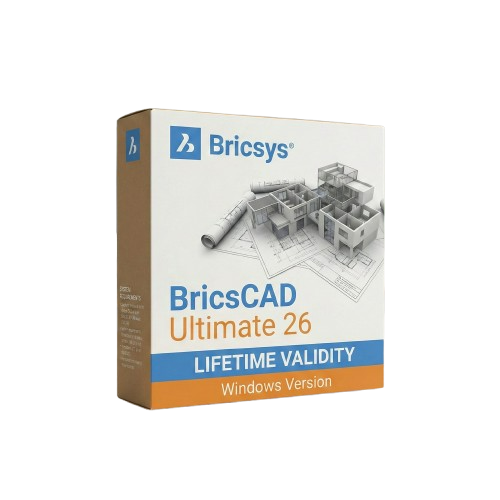
BricsCAD Ultimate 26 for Lifetime
- AUTOMATIC DELIVERY INSTANTLY ON REGISTERED EMAIL .
- Any Installation Problem Freely Contact Us(Will Give You Support)
- Lifetime Validity
- Windows Version
- Works with Internet and Antivirus
- All-in-One Solution: Combines 2D drafting, 3D modeling, BIM, and Mechanical CAD.
- Native DWG Format: Guarantees zero data loss and full AutoCAD file compatibility.
- Perpetual Licensing: Own your software forever with no mandatory monthly fees.
- AI Quad Cursor: Predictive context menus drastically reduce mouse clicks.
- Smart Blockify: Automatically detects and converts repetitive geometry into blocks.
- Dynamic Blocks: Fully create and edit parametric blocks directly within the software.
- Direct 3D Modeling: Push-pull editing with intuitive grips for rapid prototyping.
- Civil Engineering Tools: Generate dynamic civil sections and TIN volumetric reports.
- Point Cloud Tracing: Easily trace 2D linework over massive 3D laser scan datasets.
- Sheet Metal Automation: Instantly unfold 3D solids into manufacturing-ready DXFs.
Original price was: ₹999.00.₹499.00Current price is: ₹499.00.
Bricsys BricsCAD Ultimate 26 (Windows): The All-in-One True CAD Alternative
BricsCAD Ultimate 26 is the undisputed powerhouse of the BricsCAD family. Combining the full capabilities of BricsCAD Lite, Pro, BIM, and Mechanical into one unified, DWG-native environment, this suite is designed for multi-disciplinary teams who refuse to compromise on speed or capability.
Whether you are an architect designing complex IFC-compliant buildings, a mechanical engineer detailing sheet metal, or a civil surveyor generating TIN surface cut/fill reports, BricsCAD Ultimate 26 delivers it all without forcing you into expensive, fragmented subscription models. Offering a highly familiar interface and blazing-fast performance, it is the ultimate perpetual-license solution for professionals looking to maximize productivity and lower overhead costs.
Why Choose BricsCAD Ultimate 26?
1. The Complete Multi-Disciplinary Package
- The Advantage: You do not need to buy and manage separate software licenses for different departments.
- The Benefit: Ultimate seamlessly integrates 2D drafting, 3D modeling, Building Information Modeling (BIM), and mechanical assembly design. A mechanical engineer and an architect can collaborate natively on the same DWG file without data loss or translation errors.
2. Native DWG & Familiar Interface
- The Advantage: Zero learning curve and seamless migration from legacy systems.
- The Benefit: If you know traditional CAD software, you already know BricsCAD. It uses the exact same command names, aliases, menus, and LISP routines. You can open massive, reference-heavy DWG files instantly and get straight to work.
3. AI-Driven Productivity
- The Advantage: BricsCAD integrates machine learning directly into your daily workflow.
- The Benefit: Features like Blockify automatically detect repetitive geometry and convert it into blocks to drastically reduce file size. The Quad cursor menu predicts the exact command you need next based on your current context, significantly reducing mouse travel and clicks.
What’s New in Version 26?
Dynamic Block Creation & Editing
- The Feature: Long requested by the design community, V26 finally introduces native support for creating and editing Dynamic Blocks.
- The Benefit: Add parameters, actions, and visibility states to your symbols directly inside BricsCAD. Make changes instantly without needing external software. (Note: Dynamic Block creation is available outside the United States).
3D Solid Manipulation Grips
- The Feature: Freeform 3D editing without diving into complex menus.
- The Benefit: Resize and reshape primitive solids and polysolids instantly by dragging the new, intuitive 3D grips, making conceptual modeling and rapid prototyping incredibly fast.
Civil Sections & TIN Volumetrics
- The Feature: Transformative new tools specifically for land surveyors and civil engineers.
- The Benefit: Generate accurate, dynamically linked civil sections directly from surfaces or alignments. The new TIN Cut and Fill Volume Reports streamline terrain analysis natively.
2D Polyline Tracing on Point Clouds
- The Feature: Reverse engineering and scan-to-BIM made simple.
- The Benefit: Trace clean, accurate linework directly over massive 3D laser scan datasets with just one click per segment.
Key Features
- Sheet Metal Design: Convert standard solid models into intelligent sheet metal parts with a single click, complete with automated unfolding and direct export to DXF for manufacturing.
- BIM Classification: Full support for the latest IFC 4×3 standards, ensuring your infrastructure and plant models pass seamlessly to other stakeholders in a BIM workflow.
- Drawing Health: Automatically scan, diagnose, and clean up messy, unoptimized DWG files received from outside contractors before they slow down your system.
- Interference Checking: Catch expensive clashes before production by running collision detection on complex 3D assemblies and piping routes with a highly visual, easy-to-read UI.
- Parametric Assemblies: Use bottom-up or top-down design methodologies to create robust mechanical assemblies with automatically generated Bills of Materials (BOM) and balloon callouts.
System Requirements (Windows)
- Operating System: Windows 10 or Windows 11 (64-bit only).
- Processor: Intel Core i5/i7/i9 or AMD Ryzen (Base clock > 2.5 GHz; multi-core heavily recommended for point clouds and rendering).
- Memory (RAM): 8 GB minimum (16 GB or 32 GB strongly recommended for BIM and large mechanical assemblies).
- Graphics (GPU): 1 GB VRAM minimum (4 GB+ NVIDIA or AMD workstation graphics recommended for smooth 3D modeling and visual styles).
- Storage: 2 GB of free hard drive space for installation (NVMe SSD strongly recommended for fast file loading).
- Display: 1920 x 1080 True Color (4K resolution and fractional monitor scaling are fully supported in V26).
Related Products

- AUTOMATIC DELIVERY INSTANTLY ON REGISTERED EMAIL .
- Any Installation Problem Freely Contact Us(Will Give You Support)
- Lifetime Validity
- Windows Version
- Navigate scenes with a unified, redesigned user interface for faster workflows.
- Enhance export quality instantly with the AI-powered NVIDIA Denoiser.
- Simulate realistic colored shadows for glass and transparent materials.
- Upscale textures and assets automatically using the Chaos AI Enhancer.
- Apply pencil and watercolor effects with new Artistic Visual Modes.
- Immerse clients in designs with support for Meta Quest 3 and HTC Vive.

- Lifetime Validity
- Instant Delivery on Email
- Any Installation Problem Freely Contact Us(Will Give You Support)
- Supported on all Apple Mac Products
- Pre-Activated for Lifetime
- Works with Internet and Antivirus
- No Popup issue
- Extend short clips seamlessly using the new AI-powered Generative Extend tool.
- Remove unwanted objects or add new elements to video scenes instantly with Generative Fill.
- Edit videos rapidly by cutting and rearranging text in the auto-generated transcript.
- Clean up noisy dialogue to studio quality instantly with AI Enhanced Speech.
- Experience real-time 8K playback and fast rendering with native Apple Silicon optimization.
- Create precise audio fades visually by dragging interactive handles on the clips.
- Match colors across different cameras and HDR formats automatically with Auto Tone Mapping.

- Lifetime Validity
- Instant Delivery on Email
- Supported on All Apple Mac Systems
- Any Installation Problem Freely Contact Us(Will Give You Support)
- Works with Internet and Antivirus
- No Popup issue
- Experience blazing speeds with native Apple Silicon (M1/M2/M3) optimization.
- Generate editable vector graphics instantly from text prompts with Firefly AI.
- Wrap vector art realistically onto objects in images with the Mockup tool.
- Identify and convert raster text into editable fonts using AI Retype.
- Recolor artwork variations instantly using simple text descriptions.
- Sketch naturally using your iPad and Apple Pencil via Sidecar support.
- Collaborate efficiently with real-time comments via Share for Review.
- AUTOMATIC DELIVERY INSTANTLY ON REGISTERED EMAIL .
- Any Installation Problem Freely Contact Us(Will Give You Support)
- Lifetime Validity
- Windows Version
- File Size: 3.30GB
- AI Smart Blocks: Automatically detects repeated objects in your drawing and converts them into blocks to save time.
- Activity Insights: detailed event logs that track file history, version changes, and user edits.
- Markup Assist: Imports hand-drawn revisions from photos or PDFs directly into your CAD layers.
- Performance Boost: Opens large 2D and 3D files up to 11x faster than previous versions.
- Connected Support Files: Automatically syncs project standards (fonts, templates) from the cloud for the whole team.
- Web & Mobile: Includes access to AutoCAD on web browsers and mobile devices for on-site editing.
- Specialized Toolsets: Comes with 7 industry-specific toolkits (Architecture, Electrical, MEP, etc.) included.
- 3D Graphics: Improved 3D engine for smoother navigation and rendering of complex models.

- AUTOMATIC DELIVERY INSTANTLY ON REGISTERED EMAIL .
- Any Installation Problem Freely Contact Us(Will Give You Support)
- Lifetime Validity
- Windows Version
- Create watertight meshes instantly for 3D printing with the new ShrinkWrap tool.
- Generate dynamic 2D sections and plans directly from 3D models with ClippingDrawings.
- Model organic shapes with greater precision using supported SubD creases.
- Manipulate geometry intuitively with the new customized Auto Gumball.
- Extrude and modify faces instantly using the direct PushPull workflow.
- Render scenes significantly faster with the optimized Cycles engine.
- Customize the modernized interface to match your specific drafting workflow.
- Lifetime Validity
- Instant Delivery on Email
- Works with Internet and Antivirus
- No Popup issue
- Any Installation Problem Freely Contact Us(Will Give You Support)
- Supported on all Apple Mac Products
- Pre-Activated for Lifetime Validity
Adobe Photoshop is the industry-leading digital image editing and design application that offers the tools to create anything you can imagine.

- AUTOMATIC DELIVERY INSTANTLY ON REGISTERED EMAIL .
- Any Installation Problem Freely Contact Us(Will Give You Support)
- Lifetime Validity
- Windows Version
- Works with Internet and Antivirus
- No Popup issue
- Edit photos faster with non-destructive adjustments and a reimagined effects stack in Corel PHOTO-PAINT.
- View, manage, and move assets across all document pages simultaneously with the dynamic Multipage View.
- Gather real-time feedback from clients and colleagues directly inside your design file via cloud comments.
- Convert low-quality bitmap images into scalable vector graphics instantly with AI-powered PowerTRACE.
- Access and use Google Fonts directly within the font manager without manual installation.
- AUTOMATIC DELIVERY INSTANTLY ON REGISTERED EMAIL .
- Any Installation Problem Freely Contact Us(Will Give You Support)
- Lifetime Validity
- Windows Version
- Automate assembly mates instantly with AI-powered fastener recognition.
- Generate complete 2D drawings from 3D models automatically with AI tools.
- Split component configurations into separate files in batches seamlessly.
- Skip unnecessary rebuilds for cosmetic changes to speed up large assemblies.
- Create reference points precisely using global XYZ coordinate values.
- Import massive neutral files in the background while you continue working.
- Render photorealistic images directly within the interface without switching apps.

- Lifetime Validity
- Instant Delivery on Email
- Supported on All Apple Mac Systems
- Any Installation Problem Freely Contact Us(Will Give You Support)
- Works with Internet and Antivirus
- No Popup issue
- Render previews faster with native optimization for Apple Silicon (M1/M2/M3).
- Import and animate 3D models (GLB/GLTF) directly in the timeline.
- Isolate moving subjects instantly using the AI-powered Roto Brush 3.
- Preview and export simultaneously with high-speed Multi-Frame Rendering.
- Adjust layer settings quickly via the context-sensitive Properties Panel.
- Create realistic lighting and shadows with the native Advanced 3D renderer.
- Collaborate and review edits seamlessly with built-in Frame.io integration.

- AUTOMATIC DELIVERY INSTANTLY ON REGISTERED EMAIL .
- Any Installation Problem Freely Contact Us(Will Give You Support)
- Lifetime Validity
- Windows Version
- Works with Internet and Antivirus
- No Popup issue
- File Size: 462MB
- CorelDRAW X7 – Vector Illustration & Layout
- Corel PHOTO-PAINT X7 – Professional Photo Editing
- PowerTRACE – Convert Images to Vector
- Corel CONNECT – Search & Manage Content
- Corel CAPTURE – One-click Screenshot Tool
- Website Creator – Simple Website Building
- PhotoZoom Plugin – High-quality image enlargement
- AUTOMATIC DELIVERY INSTANTLY ON REGISTERED EMAIL .
- Any Installation Problem Freely Contact Us(Will Give You Support)
- Lifetime Validity
- Windows Version
- Pre-Activated Setup (Install Setup & Enjoy)
- Works with Internet & Antivirus
- File Size: 1.30GB
- Includes Everything: Every native plugin Image-Line sells (Synths, Effects, Tools).
- Massive Library: Comes with Harmor, Sytrus, Gross Beat, and the new Kepler Exo.
- Dynamic Mixing: Expand your mixer up to 500 tracks with the new 2025 engine
- Stem Separation: Split any song into Drums, Bass, Vocals, and Instruments instantly.
- Audio Editing: Edit pitch and time directly in the playlist with Newtone.
- Visualizers: Render 4K videos for social media with ZGameEditor Visualizer.
- Controller Support: Plug-and-play compatibility with virtually any MIDI controller.

- AUTOMATIC DELIVERY INSTANTLY ON REGISTERED EMAIL .
- Any Installation Problem Freely Contact Us(Will Give You Support)
- Lifetime Validity
- Windows Version
- Works with Internet and Antivirus
- No Popup issue
- Convert freehand sketches into precise vector curves instantly with the revolutionary AI-powered LiveSketch tool.
- Design naturally using advanced support for stylus devices, touchscreens, and the Microsoft Surface Dial.
- Enjoy a crisp, scalable workspace with native support for Ultra HD 5K monitors and multi-screen setups.
- Remove imperfections from photos seamlessly using the advanced Healing Clone tool in Corel PHOTO-PAINT.
- Manipulate nodes and curves more efficiently with revamped vector shaping and editing tools.
- Organize and find the perfect typeface quickly with the enhanced filtering in Corel Font Manager.