
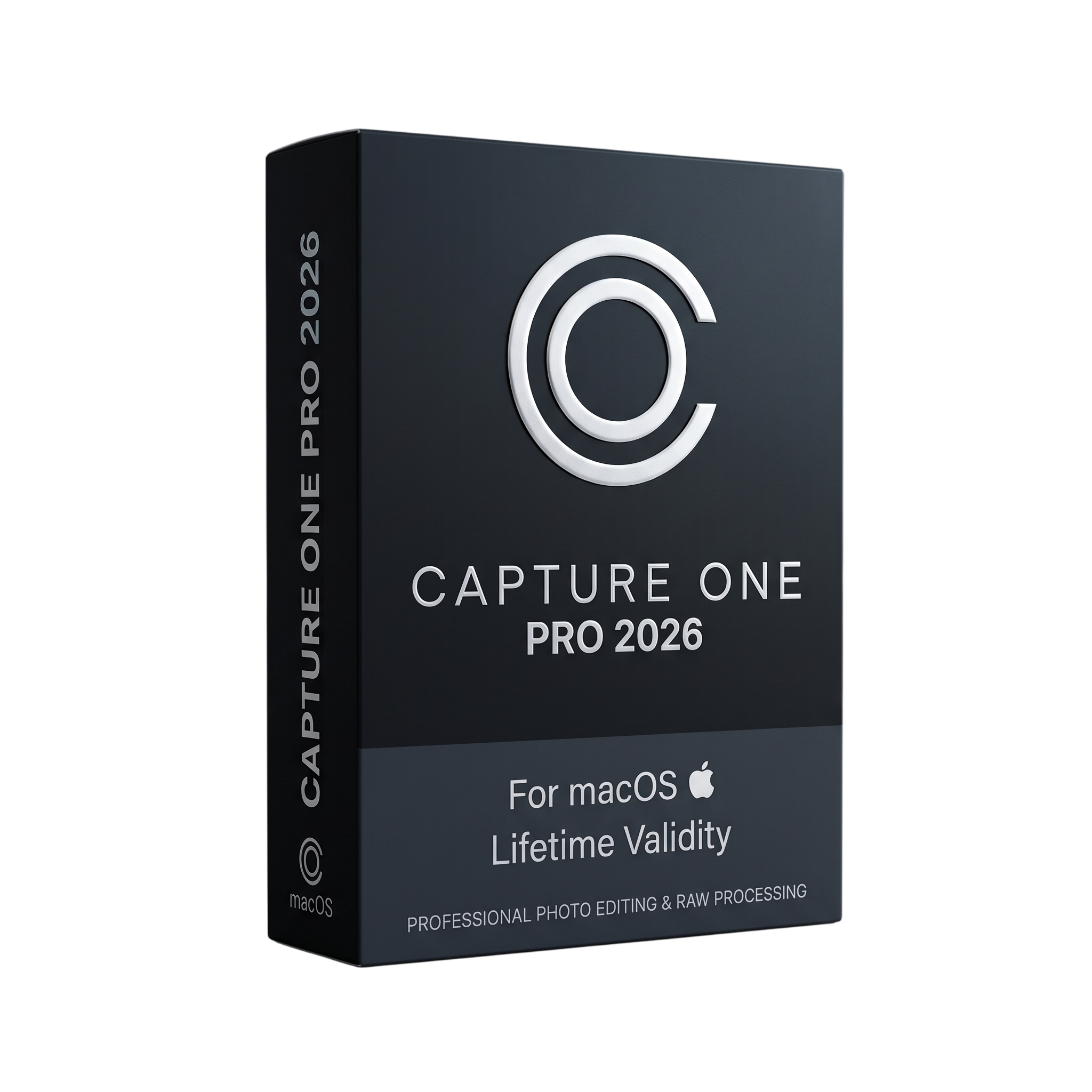
Capture One Pro 2026 macOS for Lifetime
- AUTOMATIC DELIVERY INSTANTLY ON REGISTERED EMAIL .
- Any Installation Problem Freely Contact Us(Will Give You Support)
- Lifetime Validity
- For MacOS
- Professional RAW photo processing and editing platform
- macOS support
- Catalog and Session workflows
- Professional tethered shooting
- Wired and wireless tethering for supported cameras
- Advanced RAW development
- Professional color grading
- Exposure, HDR, Levels, Curves, and White Balance
- Advanced Color Editor
- Layers and masking
- Healing and cloning
- Lens and perspective correction
- Enhanced Denoise
₹499.00
Description
Capture One Pro 2026 v16.8.6 for macOS is a professional RAW photo processing, tethered-capture, image-management, and photo-editing application designed for photographers, studios, commercial production teams, and professional imaging workflows. It provides tools for importing, organizing, reviewing, editing, color grading, retouching, and exporting high-resolution photographs while maintaining RAW image quality and detailed camera-specific color processing. Capture One supports both Catalog and Session-based workflows, making it suitable for individual photographers as well as structured studio production environments. support.captureone.com
The software provides advanced RAW development controls including exposure, white balance, HDR, levels, curves, color editing, sharpening, noise reduction, lens corrections, keystone correction, layers, masks, cloning, healing, and localized adjustments. It supports professional file formats and workflows including RAW files from supported cameras, DNG, TIFF, JPEG, PNG, PSD, and HEIF/HEIC, with limitations depending on color space and operating-system support. Large images up to 715 megapixels or 65,000 pixels on the longest edge are supported. support.captureone.com
Capture One is particularly strong for studio and tethered photography. Supported cameras can be connected directly to the Mac for immediate image transfer, live monitoring, metadata handling, and application of adjustments during capture. Catalogs and Sessions allow photographers to organize projects using folders, albums, ratings, color tags, keywords, metadata, and search tools, while Styles and adjustment-copy workflows allow consistent processing across large numbers of images. Recent versions have also expanded professional studio workflows through Contact Sheets, Studio ICC profiles, and improved AppleScript automation. support.captureone.com
Version 16.8 introduces Enhanced Denoise for supported Bayer RAW files, providing improved high-ISO noise reduction while retaining texture and natural-looking detail. It also introduces second-generation wireless tethering for supported Canon cameras, Assisted Review for filtering unsuitable images, faster tethered preview workflows, improved ReTether behavior, and Actions for Studio users that can trigger third-party creative services from within Capture One. Sessions and Catalogs created in earlier 16.7 releases require upgrading for use with 16.8. support.captureone.com
Key Features
• Professional RAW photo processing and development
• Advanced camera-specific color rendering
• Catalog and Session workflows
• Professional tethered shooting
• Camera auto-select and capture monitoring
• Wireless and wired tethering for supported cameras
• Enhanced Denoise for supported Bayer RAW files
• Exposure, HDR, Levels, Curves, and White Balance controls
• Advanced Color Editor
• Layers and localized adjustments
• Masking and retouching tools
• Healing and cloning
• Lens correction and perspective correction
• Keystone correction
• Sharpening and noise reduction
• Styles and Presets
• AI-assisted image-review workflows
• Assisted Review for identifying unsuitable images
• Contact Sheets
• Studio ICC profiles
• AppleScript automation
• Actions for Studio workflows
• Third-party creative-service integration
• RAW, DNG, TIFF, JPEG, PNG, PSD, and HEIF/HEIC workflows
• High-resolution image support
• Metadata, keywords, ratings, and color tags
• Advanced search and image organization
• Batch processing and adjustment synchronization
• Professional export and output controls
• Capture One Live and cloud-based collaboration services
• Apple silicon optimization
• Intel Mac support where compatible with the supported macOS version
What’s New
Capture One 16.8 / 2026
• Enhanced Denoise for improved noise reduction on supported high-ISO Bayer RAW files
• Second-generation wireless tethering for supported Canon cameras
• Assisted Review beta for automatically filtering closed eyes, out-of-focus eyes, and black frames
• Preview Is Ready workflow for faster tethered image review
• Improved ReTether functionality with wireless Canon workflows
• Improved memory-card scanning and file-transfer progress indicators
• Actions for Studio for Teams and Studio for Enterprise
• Integration with supported third-party creative services including Pixelz, Photoroom, and Gemini
• Sessions and Catalogs from 16.7 and earlier require upgrading for use in 16.8. support.captureone.com
Version note: Capture One’s official public release-note index currently documents the 16.7 and 16.8 release families. The requested v16.8.6 should therefore be treated as a specific maintenance build within the 16.8 generation, rather than confusing it with the earlier 16.7.6 service release. support.captureone.com
Professional Applications
• Professional photography
• Commercial studio photography
• Fashion and editorial photography
• Product photography
• E-commerce photography
• Portrait photography
• Wedding and event photography
• Advertising and campaign production
• Tethered studio shooting
• High-volume photo production
• RAW image development
• Professional color grading
• Photo retouching
• Photo catalog management
• Image proofing and client review
• Automated studio workflows
System Requirements
Minimum Requirements
- OS: macOS 14 through macOS 26 are supported in the current 16.8 documentation, with testing listed for recent macOS 14, 15, and 26 releases. support.captureone.com
- CPU: Intel processor meeting Capture One’s supported instruction requirements or Apple Silicon; SSE4.2 is required on applicable Intel systems. support.captureone.com
- RAM: 8 GB
- Storage: 10 GB of free disk space
- GPU: Metal-capable graphics hardware
- Display: Calibrated monitor with at least 1280 × 800 resolution and 24-bit color
- Internet: Required for Capture One Live and other cloud services.
Related Products
- AUTOMATIC DELIVERY INSTANTLY ON REGISTERED EMAIL .
- Any Installation Problem Freely Contact Us(Will Give You Support)
- Lifetime Validity
- Windows Version
- Render scenes with significantly less noise using the improved High-Quality Denoiser.
- Create intricate procedural clouds and weather effects with the updated Corona Sky.
- Scatter objects efficiently on surfaces with the enhanced Chaos Scatter controls.
- Apply decals to curved and organic surfaces seamlessly without UV unwrap.
- Simulate realistic fabrics and velvets instantly with the new Sheen layer.
- Manage complex scenes easily using the optimized Lister and Scene Management tools.
- Reduce memory usage significantly when rendering repetitive geometry with Corona Pattern.

- Lifetime Validity
- Instant Delivery on Email
- Supported on All Apple Mac Systems
- Any Installation Problem Freely Contact Us(Will Give You Support)
- Smooth skin naturally while preserving texture using advanced AI algorithms.
- Generate precise skin masks automatically to isolate subjects instantly.
- Process massive batches of photos rapidly with optimized multi-core performance.
- Remove blemishes and imperfections without blurring eyelashes or eyebrows.
- Even out skin tones to correct redness and blotchiness effortlessly.
- Apply professional retouching styles quickly with a customizable preset library.
- Fine-tune mask selection manually with the interactive refinement brush.
- AUTOMATIC DELIVERY INSTANTLY ON REGISTERED EMAIL .
- Any Installation Problem Freely Contact Us(Will Give You Support)
- Lifetime Validity
- Windows Version
- Explore massive 3D scenes in 100% ray-traced real-time without waiting for renders.
- Sync changes instantly from 3ds Max, SketchUp, Rhino, and Revit via Live Link.
- Render photorealistic animations at lightning speeds using NVIDIA DLSS 3.5 support.
- Populate environments with millions of objects using the built-in Chaos Scatter tool.
- Switch between different lighting setups, materials, and moods instantly with Scene States.
- Visualize complex animated characters and deformable meshes perfectly in real-time.

- AUTOMATIC DELIVERY INSTANTLY ON REGISTERED EMAIL .
- Any Installation Problem Freely Contact Us(Will Give You Support)
- Lifetime Validity
- Windows Version
- Generate invoices.
- Manage multiple companies and financial years from a single unified interface.
- Track inventory stocks across different godowns and locations in real-time.
- Automate bank reconciliation by uploading digital bank statements directly.
- Calculate employee salaries, PF, and TDS accurately with the integrated Payroll module.
- Access business data remotely using the secure Tally.NET connection services.

- AUTOMATIC DELIVERY INSTANTLY ON REGISTERED EMAIL .
- Any Installation Problem Freely Contact Us(Will Give You Support)
- Lifetime Validity
- Windows Version
- Rock-Solid Tracking: The industry standard for planar tracking.
- PowerMesh: Track warped surfaces like skin and fabric.
- Generative Remove: Auto-remove objects and wires with AI.
- Stabilization: Smooth out shaky handheld footage instantly.
- Insert Module: Perfect screen replacements with motion blur.
- Magnetic Roto: Snap masks to edges for fast rotoscoping.
- Lens Correction: Fix or match lens distortion easily.

- AUTOMATIC DELIVERY INSTANTLY ON REGISTERED EMAIL .
- Any Installation Problem Freely Contact Us(Will Give You Support)
- Lifetime Validity
- Windows Version
- File Size: 23.5MB
- Accelerate download speeds by up to 5 times with intelligent dynamic file segmentation.
- Resume interrupted downloads instantly without restarting from the beginning.
- Capture videos from streaming sites automatically using the improved download panel.
- Detect and download Ultra HD (4K and 8K) videos with enhanced recognition accuracy.
- Integrate seamlessly with the latest versions of Chrome, Edge, and Firefox.
- Resolve video stream errors (like 403 Forbidden) with updated site compatibility fixes.
- Schedule downloads to start, stop, or shut down your computer automatically.

- AUTOMATIC DELIVERY INSTANTLY ON REGISTERED EMAIL .
- Any Installation Problem Freely Contact Us(Will Give You Support)
- Lifetime Validity
- Windows Version
- Route complex PCB traces automatically with the new AI-driven auto-interactive router.
- Collaborate seamlessly with mechanical engineers via the enhanced real-time MCAD CoDesigner.
- Simulate power integrity and signal performance instantly within the unified design environment.
- Manage component shortages proactively with live supply chain data in ActiveBOM.
- Visualize multi-board systems and rigid-flex designs in photorealistic 3D detail.
- Sync all design changes and version history securely to the cloud with Altium 365.
- Define complex high-speed design rules easily using the visual Constraint Manager.
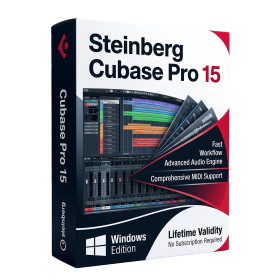
- AUTOMATIC DELIVERY INSTANTLY ON REGISTERED EMAIL .
- Any Installation Problem Freely Contact Us(Will Give You Support)
- Lifetime Validity
- Windows Version
- Included Instruments:
- Halion 7
- Halion Sonic 7
- Groove Agent 6
- Groove Agent SE 6
- WaveLab Pro 13
- Dorico Pro 6
- Backbone 1.6
- PadShop Pro 2
- Retrologue 2.5
- SpectraLayers Pro 13
- Iconica Sketch
- Verve
- Drum Machine
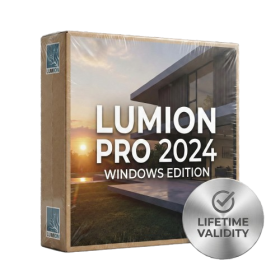
- AUTOMATIC DELIVERY INSTANTLY ON REGISTERED EMAIL .
- Any Installation Problem Freely Contact Us(Will Give You Support)
- Lifetime Validity
- Windows Version
- Ray trace over 2,200 nature assets including trees and shrubs for realistic reflections.
- Preview renders instantly with the new real-time NRD denoiser in Photo and Movie modes.
- Render ray-traced videos up to 5x faster using the optimized sampling engine.
- Simulate realistic glass refraction and colored shadows with fully ray-traced glass.
- Add depth to translucent materials like marble and wax with Subsurface Scattering.
- Populate interiors instantly using 25+ new parallax room templates for day and night.
- Import GLTF files directly for a lighter and faster 3D model workflow.
- Batch import multiple 3D models simultaneously to speed up scene building.

- AUTOMATIC DELIVERY INSTANTLY ON REGISTERED EMAIL .
- Any Installation Problem Freely Contact Us(Will Give You Support)
- Lifetime Validity
- Windows Version
- File Size: 1.84GB
- Visualize models with stunning depth and realism using the new graphics engine featuring native Ambient Occlusion.
- Generate unique, seamless textures instantly from simple text prompts with the integrated AI texture generator.
- Import complex Revit files accurately and efficiently with the enhanced, lighter-weight Revit Importer.
- Create 2D documentation in LayOut faster than ever with a new multi-threaded rendering engine that eliminates lag.
- Convert room scans from mobile devices automatically into clean, editable 3D geometry via Scan-to-Design.
- Collaborate in real-time by syncing projects seamlessly across Desktop, iPad, and Web versions.
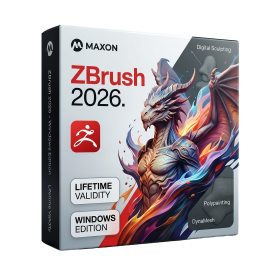
- AUTOMATIC DELIVERY INSTANTLY ON REGISTERED EMAIL .
- Any Installation Problem Freely Contact Us(Will Give You Support)
- Lifetime Validity
- Windows Version
- Retopo Brush: Draw low-poly topology directly on your sculpt.
- Python Support: Automate tasks with industry-standard scripting.
- Asset System: Separate user folders for safer customization.
- ZModeler Update: Auto-creasing and improved visual feedback.
- NoiseMaker 2.0: Transform and rotate alphas for surface noise.
- Redshift AOVs: Export render passes for professional compositing.
- Sculptris Pro: Add polygons dynamically only where you need detail.
- DynaMesh: Remesh your model instantly to fix stretched geometry.
- GoZ: Single-click transfer to Maya, Blender, Cinema 4D, and UE5.
- PolyPaint: Paint texture data directly on the mesh vertices.
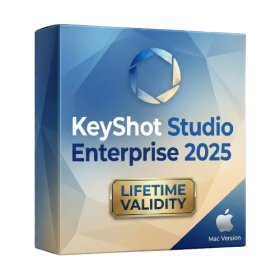
- Lifetime Validity
- Instant Delivery on Email
- Supported on All Apple Mac Systems
- Any Installation Problem Freely Contact Us(Will Give You Support)
- Render natively on Apple Silicon (M1/M2/M3) for maximum speed and efficiency.
- Generate photorealistic backgrounds instantly from text prompts using the AI Shots tool.
- Share interactive 3D product reviews securely with stakeholders via KeyShot Web Viewer.
- Automate complex rendering pipelines using the advanced Python scripting console.
- Import native files directly from high-end CAD systems like Siemens NX, Catia, and Creo.
- Switch seamlessly between CPU and GPU rendering to utilize Apple Metal graphics power.
- Create standardized material libraries for your organization with OpenPBR support.
- Accelerate post-production compositing with automatic Cryptomatte mask generation.