
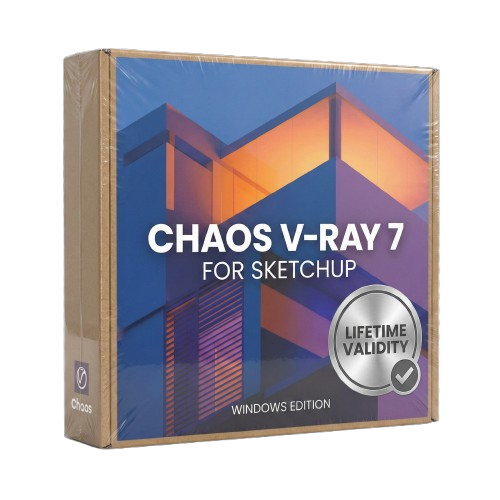
Chaos V-Ray 7 for SketchUp Lifetime
- AUTOMATIC DELIVERY INSTANTLY ON REGISTERED EMAIL .
- Any Installation Problem Freely Contact Us(Will Give You Support)
- Lifetime Validity
- Windows Version
- Chaos V-Ray 7.20.01 for Rhinoceros 7 – 9 & SketchUp 2021 – 2026
- Render real-world 3D scans with reflections using native Gaussian Splatting support.
- Simulate accurate stars, moon phases, and the Milky Way with the procedural Night Sky.
- Upscale renders to 16K resolution instantly with the one-click AI Upscaler.
- Populate vegetation naturally with new Clustering modes in Chaos Scatter.
- Clip and trim Gaussian Splat models directly within the SketchUp viewport.
- Render complex light fixtures significantly faster using optimized V-Ray Luminaires.
- Remove bright noise pixels automatically during rendering with Firefly Removal.
- Add detail to people and grass without re-rendering using the AI Enhancer.
₹499.00
Bought Together
- AUTOMATIC DELIVERY INSTANTLY ON REGISTERED EMAIL .
- Any Installation Problem Freely Contact Us(Will Give You Support)
- Lifetime Validity
- Windows Version
- Chaos V-Ray 7.20.01 for Rhinoceros 7 – 9 & SketchUp 2021 – 2026
- Render real-world 3D scans with reflections using native Gaussian Splatting support.
- Simulate accurate stars, moon phases, and the Milky Way with the procedural Night Sky.
- Upscale renders to 16K resolution instantly with the one-click AI Upscaler.
- Populate vegetation naturally with new Clustering modes in Chaos Scatter.
- Clip and trim Gaussian Splat models directly within the SketchUp viewport.
- Render complex light fixtures significantly faster using optimized V-Ray Luminaires.
- Remove bright noise pixels automatically during rendering with Firefly Removal.
- Add detail to people and grass without re-rendering using the AI Enhancer.

- AUTOMATIC DELIVERY INSTANTLY ON REGISTERED EMAIL .
- Any Installation Problem Freely Contact Us(Will Give You Support)
- Lifetime Validity
- Windows Version
- Size: 657 MB
- Version: 8.2
- Create watertight meshes instantly for 3D printing with the new ShrinkWrap tool.
- Generate dynamic 2D sections and plans directly from 3D models with ClippingDrawings.
- Model organic shapes with greater precision using supported SubD creases.
- Manipulate geometry intuitively with the new customized Auto Gumball.
- Extrude and modify faces instantly using the direct PushPull workflow.
- Render scenes significantly faster with the optimized Cycles engine.
- Customize the modernized interface to match your specific drafting workflow.

- AUTOMATIC DELIVERY INSTANTLY ON REGISTERED EMAIL .
- Any Installation Problem Freely Contact Us(Will Give You Support)
- Lifetime Validity
- Windows Version
- File Size: 1.84GB
- Visualize models with stunning depth and realism using the new graphics engine featuring native Ambient Occlusion.
- Generate unique, seamless textures instantly from simple text prompts with the integrated AI texture generator.
- Import complex Revit files accurately and efficiently with the enhanced, lighter-weight Revit Importer.
- Create 2D documentation in LayOut faster than ever with a new multi-threaded rendering engine that eliminates lag.
- Convert room scans from mobile devices automatically into clean, editable 3D geometry via Scan-to-Design.
- Collaborate in real-time by syncing projects seamlessly across Desktop, iPad, and Web versions.
Description
Overview of Chaos Vray for SketchUp
Chaos V-Ray for SketchUp is a powerful rendering tool that has become a go-to solution for architects, designers, and artists. Its intuitive interface, robust features, and exceptional performance have quickly gained popularity among users worldwide. This article will explore Chaos V-Ray for SketchUp, how it works, and why it is an essential tool for anyone looking to create stunning 3D renderings.
What is Chaos V-Ray for SketchUp?
Chaos V-Ray for SketchUp is a rendering software designed to work with SketchUp, a popular 3D modeling software. It allows users to create high-quality, photorealistic renderings of their designs quickly and easily. Chaos V-Ray for SketchUp is used by architects, interior designers, product designers, and visual artists who want to create stunning 3D visualizations of their designs.
How does Chaos V-Ray for SketchUp work?
Chaos V-Ray for SketchUp works by using a technique called ray tracing. Ray tracing is a rendering technique that simulates the behavior of light in a 3D scene. It works by tracing the path of light as it travels from the light source to the camera, calculating how it interacts with the objects in the scene, and finally, producing a high-quality image.
Chaos V-Ray for SketchUp uses advanced algorithms to simulate light behavior accurately. It also includes a range of features such as global illumination, ambient occlusion, and depth of field, which allow users to create realistic lighting and shadows and add depth and dimension to their renderings.
Why is Chaos V-Ray for SketchUp essential for architects and designers?
Chaos V-Ray for SketchUp is essential for architects and designers because it allows them to create high-quality, photorealistic renderings of their designs quickly and easily. This is important because it enables them to communicate their designs effectively to clients, stakeholders, and collaborators. By using Chaos V-Ray for SketchUp, architects, and designers can create 3D visualizations that accurately represent their designs. This can help avoid misunderstandings and ensure everyone is on the same page.
In addition, Chaos V-Ray for SketchUp is also an essential tool for designers because it allows them to experiment with different lighting, materials, and textures quickly and easily. This can be particularly useful when working on complex projects where there are multiple design options to consider.
Finally, Chaos V-Ray for SketchUp is also essential for architects and designers because it can help them to save time and money. By creating high-quality renderings early in the design process, they can identify potential issues and make changes before construction begins. This can help to avoid costly mistakes and ensure that projects are completed on time and within budget.
Conclusion
Chaos V-Ray for SketchUp is a game-changing rendering tool that has revolutionized how architects and designers create 3D visualizations. With its advanced algorithms, intuitive interface, and exceptional performance, it has quickly become an essential tool for anyone looking to create high-quality, photorealistic renderings of their designs. If you’re an architect or designer looking to take your visualizations to the next level, then Chaos V-Ray for SketchUp is a tool that you should consider.
Related Products

- AUTOMATIC DELIVERY INSTANTLY ON REGISTERED EMAIL .
- Any Installation Problem Freely Contact Us(Will Give You Support)
- Lifetime Validity
- Windows Version
- Works with Internet and Antivirus
- No Popup issue
- File Size: 462MB
- CorelDRAW X7 – Vector Illustration & Layout
- Corel PHOTO-PAINT X7 – Professional Photo Editing
- PowerTRACE – Convert Images to Vector
- Corel CONNECT – Search & Manage Content
- Corel CAPTURE – One-click Screenshot Tool
- Website Creator – Simple Website Building
- PhotoZoom Plugin – High-quality image enlargement
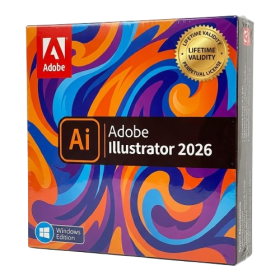
- AUTOMATIC DELIVERY INSTANTLY ON REGISTERED EMAIL .
- Any Installation Problem Freely Contact Us(Will Give You Support)
- Lifetime Validity
- Windows Version
- Works with Internet and Antivirus
- No Popup issue
- File Size: 3.33GB
- Create smoother, band-free color transitions with new gradient dithering and perceptual blending modes.
- Rotate 2D vector artwork in 3D space to explore dynamic angles with the innovative Turntable tool.
- Identify fonts from raster images or outlined text instantly using the AI-powered Retype feature.
- Organize files and collaborate seamlessly with team members using the new shared Projects workspace.
- Snap objects precisely to path tangents and perpendicular points with enhanced smart snapping tools.
- Wrap vector graphics automatically onto images of real-world objects with the realistic Mockup tool.

- AUTOMATIC DELIVERY INSTANTLY ON REGISTERED EMAIL .
- Any Installation Problem Freely Contact Us(Will Give You Support)
- Lifetime Validity
- Windows Version
- Works with Internet and Antivirus
- No Popup issue
- Import and animate 3D models (GLB/GLTF) natively without external plugins.
- Isolate moving subjects instantly using the AI-powered Roto Brush 3.
- Access and edit key layer settings faster with the context-sensitive Properties Panel.
- Render previews and final exports simultaneously with Multi-Frame Rendering.
- Manage professional color workflows accurately with native OpenColorIO (ACES) support.
- Composite 3D objects realistically onto 2D footage using Shadow Catchers.
- Review and approve content seamlessly with the built-in Frame.io integration.

- AUTOMATIC DELIVERY INSTANTLY ON REGISTERED EMAIL .
- Any Installation Problem Freely Contact Us(Will Give You Support)
- Lifetime Validity
- Windows Version
- Explore massive 3D scenes in 100% ray-traced real-time without waiting for renders.
- Sync changes instantly from 3ds Max, SketchUp, Rhino, and Revit via Live Link.
- Render photorealistic animations at lightning speeds using NVIDIA DLSS 3.5 support.
- Populate environments with millions of objects using the built-in Chaos Scatter tool.
- Switch between different lighting setups, materials, and moods instantly with Scene States.
- Visualize complex animated characters and deformable meshes perfectly in real-time.
- Lifetime Validity
- Instant Delivery on Email
- Works with Internet and Antivirus
- No Popup issue
- Any Installation Problem Freely Contact Us(Will Give You Support)
- Supported on all Apple Mac Products
- Pre-Activated for Lifetime Validity
Adobe Photoshop is the industry-leading digital image editing and design application that offers the tools to create anything you can imagine.

- Lifetime Validity
- Instant Delivery on Email
- Any Installation Problem Freely Contact Us(Will Give You Support)
- Supported on all Apple Mac Products
- Pre-Activated for Lifetime
- Works with Internet and Antivirus
- No Popup issue
- Extend short clips seamlessly using the new AI-powered Generative Extend tool.
- Remove unwanted objects or add new elements to video scenes instantly with Generative Fill.
- Edit videos rapidly by cutting and rearranging text in the auto-generated transcript.
- Clean up noisy dialogue to studio quality instantly with AI Enhanced Speech.
- Experience real-time 8K playback and fast rendering with native Apple Silicon optimization.
- Create precise audio fades visually by dragging interactive handles on the clips.
- Match colors across different cameras and HDR formats automatically with Auto Tone Mapping.
- AUTOMATIC DELIVERY INSTANTLY ON REGISTERED EMAIL .
- Any Installation Problem Freely Contact Us(Will Give You Support)
- Lifetime Validity
- Windows Version
- File Size: 1.84GB
- Visualize models with stunning depth and realism using the new graphics engine featuring native Ambient Occlusion.
- Generate unique, seamless textures instantly from simple text prompts with the integrated AI texture generator.
- Import complex Revit files accurately and efficiently with the enhanced, lighter-weight Revit Importer.
- Create 2D documentation in LayOut faster than ever with a new multi-threaded rendering engine that eliminates lag.
- Convert room scans from mobile devices automatically into clean, editable 3D geometry via Scan-to-Design.
- Collaborate in real-time by syncing projects seamlessly across Desktop, iPad, and Web versions.
- AUTOMATIC DELIVERY INSTANTLY ON REGISTERED EMAIL .
- Any Installation Problem Freely Contact Us(Will Give You Support)
- Lifetime Validity
- Windows Version
- Size: 657 MB
- Version: 8.2
- Create watertight meshes instantly for 3D printing with the new ShrinkWrap tool.
- Generate dynamic 2D sections and plans directly from 3D models with ClippingDrawings.
- Model organic shapes with greater precision using supported SubD creases.
- Manipulate geometry intuitively with the new customized Auto Gumball.
- Extrude and modify faces instantly using the direct PushPull workflow.
- Render scenes significantly faster with the optimized Cycles engine.
- Customize the modernized interface to match your specific drafting workflow.

- Lifetime Validity
- Instant Delivery on Email
- Supported on All Apple Mac Systems
- Any Installation Problem Freely Contact Us(Will Give You Support)
- Works with Internet and Antivirus
- No Popup issue
- Experience blazing speeds with native Apple Silicon (M1/M2/M3) optimization.
- Generate editable vector graphics instantly from text prompts with Firefly AI.
- Wrap vector art realistically onto objects in images with the Mockup tool.
- Identify and convert raster text into editable fonts using AI Retype.
- Recolor artwork variations instantly using simple text descriptions.
- Sketch naturally using your iPad and Apple Pencil via Sidecar support.
- Collaborate efficiently with real-time comments via Share for Review.

- AUTOMATIC DELIVERY INSTANTLY ON REGISTERED EMAIL .
- Any Installation Problem Freely Contact Us(Will Give You Support)
- Lifetime Validity
- Windows Version
- Works with Internet and Antivirus
- No Popup issue
- Edit photos faster with non-destructive adjustments and a reimagined effects stack in Corel PHOTO-PAINT.
- View, manage, and move assets across all document pages simultaneously with the dynamic Multipage View.
- Gather real-time feedback from clients and colleagues directly inside your design file via cloud comments.
- Convert low-quality bitmap images into scalable vector graphics instantly with AI-powered PowerTRACE.
- Access and use Google Fonts directly within the font manager without manual installation.
- AUTOMATIC DELIVERY INSTANTLY ON REGISTERED EMAIL .
- Any Installation Problem Freely Contact Us(Will Give You Support)
- Lifetime Validity
- Windows Version
- Works with Internet and Antivirus
- No Popup issue
- Mercury Playback Engine
- High-fidelity interchange
- Sync Settings
- Multicam editing
- Edit video faster than ever before

- Lifetime Validity
- Instant Delivery on Email
- Any Installation Problem Freely Contact Us(Will Give You Support)
- Supported on Windows 10,11
- Works with Internet and Antivirus
- No Popup issue
- File Size: 5.56GB
- Frame Tool for easy masking
- Content-Aware Fill reimagined
- New multiple undo mode
- Usability improvements
- Transform proportionally by default
- Prevent accidental panel moves with Lock Workspace