
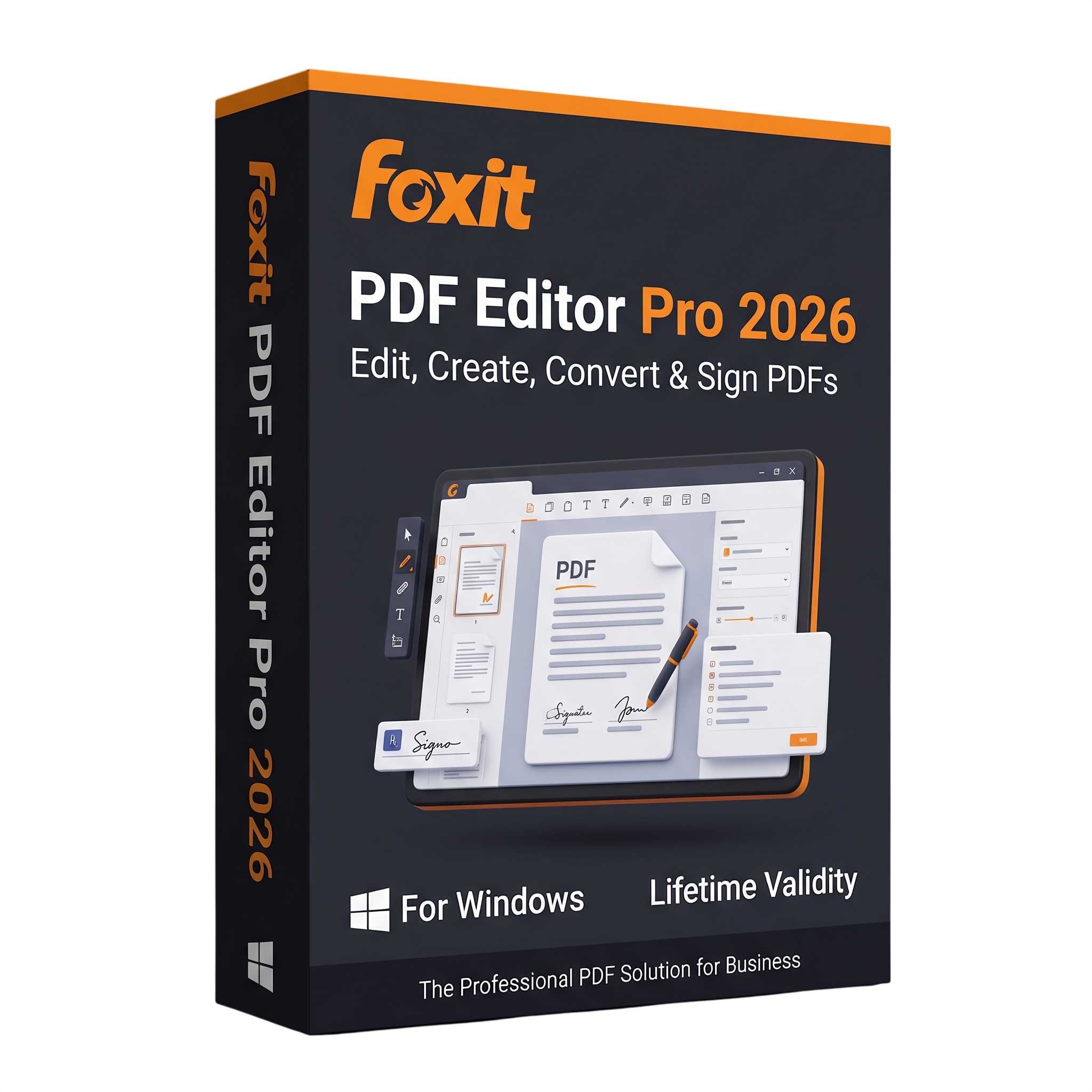
Foxit PDF Editor Pro 2026 for Lifetime
- AUTOMATIC DELIVERY INSTANTLY ON REGISTERED EMAIL .
- Any Installation Problem Freely Contact Us(Will Give You Support)
- Lifetime Validity
- Windows Version
- Works with Internet and Antivirus
- Professional PDF editing software for Windows
- Edit PDF text, images, objects, and pages
- Convert PDFs to Word, Excel, and PowerPoint
- OCR for scanned and searchable documents
- Merge, split, organize, and compare PDF files
- Create and manage interactive PDF forms
- Digital signatures and electronic signing workflows
- Password protection, encryption, and redaction
- Action Wizard for PDF workflow automation
- PDF/A, PDF/E, and PDF/X validation and creation
- AI Assistant for supported document tasks
- Foxit Workspace features in supported editions
- Windows 10 and Windows 11 support
- Minimum 512MB RAM listed; 4GB or more recommended for practical use
- Ideal for business documents, OCR, legal files, and enterprise workflows
₹499.00
Description
Foxit PDF Editor Pro 2026 for Windows is professional PDF editing software designed for businesses, office professionals, educators, legal teams, and document management specialists. It provides tools for creating, editing, converting, annotating, signing, securing, and organizing PDF documents within a comprehensive document workflow.
The software allows users to edit text and images directly within PDF files, rearrange pages, combine multiple documents, and convert PDFs to editable Microsoft Word, Excel, and PowerPoint formats. Optical Character Recognition (OCR) converts scanned documents into searchable and editable text, helping users digitize paper records and manage large document collections.
Foxit PDF Editor Pro includes advanced document comparison, form creation and filling, digital signatures, password protection, redaction, and document accessibility features. Professional tools such as Action Wizard, PDF/A validation, preflight inspection, and advanced document processing help automate repetitive tasks and support specialized publishing workflows.
The 2026 release series expands Foxit’s AI-powered document capabilities. Depending on the edition and subscription, AI Assistant features can summarize documents, extract information, translate content, and help users work with source materials. Foxit Workspace provides a connected environment for organizing document-related projects and producing reusable content, while supported enterprise deployments can use centralized configuration and document management tools.
Foxit PDF Editor Pro 2026 is suitable for individuals and organizations that need efficient PDF editing, document conversion, secure information handling, form processing, and standardized document workflows. Available features vary by license, platform, and subscription or perpetual edition.
Key Features
- Edit PDF text, images, objects, and page layouts
- Create PDFs from documents, images, and supported file formats
- Convert PDFs to Word, Excel, PowerPoint, and other formats
- OCR for scanned documents and searchable PDFs
- Merge, split, reorder, rotate, and organize PDF pages
- Annotations, comments, highlights, and drawing tools
- Create, fill, and manage interactive PDF forms
- Digital signatures and electronic signing workflows
- Password protection, encryption, and document permissions
- Redaction of sensitive information
- Compare PDF documents and identify changes
- Action Wizard for automating repetitive PDF tasks
- PDF/A, PDF/E, and PDF/X validation and creation tools
- PDF accessibility and document compliance features
- AI Assistant for summarization, extraction, and translation where supported
- Foxit Workspace and document management features in supported plans
- Integration with Microsoft Office and enterprise document workflows
What’s New in the 2026 Release Series
- Enhanced AI Assistant with improved document interactions
- Foxit Workspace for organizing projects and working with source materials
- AI-assisted content creation and document analysis in supported editions
- Improved OCR engine security and recognition reliability
- Support for importing trusted certificates in CRT format
- Improved certificate and timestamp recognition workflows
- Overprint Preview for reviewing print-production PDF output
- Enhanced preflight tools, including whole-document grayscale conversion in Pro
- Additional enterprise deployment and configuration controls
- Security, stability, and usability improvements across updates
Professional Applications
- Business document creation and editing
- Office document conversion and collaboration
- Contract review and legal documentation
- Scanned document digitization and OCR processing
- Electronic forms and signature workflows
- Secure document sharing and information redaction
- Technical documentation and publishing
- Document comparison and quality control
- PDF archiving and compliance workflows
- Enterprise document management and process automation
System Requirements
Minimum Requirements
- Operating System: Windows 10 or Windows 11
- Processor: 1.3 GHz or faster compatible x86 processor, or supported ARM processor
- RAM: 512MB minimum listed in Foxit’s requirements; 1GB or more recommended by the vendor
- Storage: Approximately 2GB of available disk space according to the 2026 quick guide
- Display: 1024 × 768 resolution
- Microsoft Office: Office 2013 or later for certain PDF creation features
Recommended Requirements
- Operating System: Windows 11 64-bit
- Processor: Modern multi-core Intel or AMD processor, or compatible ARM processor
- RAM: 4GB or more for everyday professional use; 8GB or more for large documents and multitasking
- Storage: SSD with at least 5GB of free working space
- Display: 1920 × 1080 or higher; high-resolution displays are supported
- Software: Microsoft Office 2013 or later for applicable Office-related PDF features
- Internet: Stable connection for cloud services, AI features, licensing, and updates
Related Products

- AUTOMATIC DELIVERY INSTANTLY ON REGISTERED EMAIL .
- Any Installation Problem Freely Contact Us(Will Give You Support)
- Lifetime Validity
- Windows Version
- Version: 4.20
- Revit 2023, 2024, 2025, 2026 and 2027
- SketchUp 2024, 2025 and 2026
- Rhino 7.0 and 8.3 (or later)
- Archicad 27, 28 and 29
- Vectorworks 2024, 2025 2026, 2027
- Navigate scenes with a unified, redesigned user interface for faster workflows.
- Enhance export quality instantly with the AI-powered NVIDIA Denoiser.
- Simulate realistic colored shadows for glass and transparent materials.
- Upscale textures and assets automatically using the Chaos AI Enhancer.
- Apply pencil and watercolor effects with new Artistic Visual Modes.
- Immerse clients in designs with support for Meta Quest 3 and HTC Vive.
- AUTOMATIC DELIVERY INSTANTLY ON REGISTERED EMAIL .
- Any Installation Problem Freely Contact Us(Will Give You Support)
- Lifetime Validity
- Windows Version
- Generate invoices.
- Manage multiple companies and financial years from a single unified interface.
- Track inventory stocks across different godowns and locations in real-time.
- Automate bank reconciliation by uploading digital bank statements directly.
- Calculate employee salaries, PF, and TDS accurately with the integrated Payroll module.
- Access business data remotely using the secure Tally.NET connection services.

- AUTOMATIC DELIVERY INSTANTLY ON REGISTERED EMAIL .
- Any Installation Problem Freely Contact Us(Will Give You Support)
- Lifetime Validity
- Windows Version
- File Size: 23.5MB
- Accelerate download speeds by up to 5 times with intelligent dynamic file segmentation.
- Resume interrupted downloads instantly without restarting from the beginning.
- Capture videos from streaming sites automatically using the improved download panel.
- Detect and download Ultra HD (4K and 8K) videos with enhanced recognition accuracy.
- Integrate seamlessly with the latest versions of Chrome, Edge, and Firefox.
- Resolve video stream errors (like 403 Forbidden) with updated site compatibility fixes.
- Schedule downloads to start, stop, or shut down your computer automatically.
- Lifetime Validity
- Instant Delivery on Email
- Supported on All Apple Mac Systems
- Any Installation Problem Freely Contact Us(Will Give You Support)
- Render natively on Apple Silicon (M1/M2/M3) for maximum speed and efficiency.
- Generate photorealistic backgrounds instantly from text prompts using the AI Shots tool.
- Share interactive 3D product reviews securely with stakeholders via KeyShot Web Viewer.
- Automate complex rendering pipelines using the advanced Python scripting console.
- Import native files directly from high-end CAD systems like Siemens NX, Catia, and Creo.
- Switch seamlessly between CPU and GPU rendering to utilize Apple Metal graphics power.
- Create standardized material libraries for your organization with OpenPBR support.
- Accelerate post-production compositing with automatic Cryptomatte mask generation.
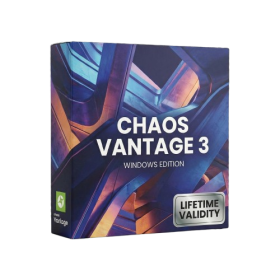
- AUTOMATIC DELIVERY INSTANTLY ON REGISTERED EMAIL .
- Any Installation Problem Freely Contact Us(Will Give You Support)
- Lifetime Validity
- Windows Version
- Explore massive 3D scenes in 100% ray-traced real-time without waiting for renders.
- Sync changes instantly from 3ds Max, SketchUp, Rhino, and Revit via Live Link.
- Render photorealistic animations at lightning speeds using NVIDIA DLSS 3.5 support.
- Populate environments with millions of objects using the built-in Chaos Scatter tool.
- Switch between different lighting setups, materials, and moods instantly with Scene States.
- Visualize complex animated characters and deformable meshes perfectly in real-time.

- Lifetime Validity
- Instant Delivery on Email
- Any Installation Problem Freely Contact Us(Will Give You Support)
- Supported on Windows 10,11
- Pre-Activated for Lifetime Validity
- Supports: Revit 2022 to 2026
- Import and render real-world 3D Gaussian Splats directly within the Revit interface.
- Generate custom PBR textures instantly from text prompts with the AI Material Generator.
- Visualize changes in real-time using the seamless Chaos Vantage Live Link.
- Populate scenes with vegetation and crowds efficiently using Chaos Scatter.
- Edit colors and apply finishing touches directly in the advanced V-Ray Frame Buffer.
- Ensure material consistency across different software with native OpenPBR support.
- Add realistic details like road markings or graffiti using V-Ray Decals.
- Simulate dynamic skies and cloud shadows with the procedural Cloud system.
- Generate dozens of lighting variations automatically with the Light Gen tool.
- Accelerate rendering times significantly with optimized NVIDIA RTX GPU support.
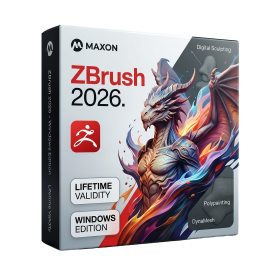
- AUTOMATIC DELIVERY INSTANTLY ON REGISTERED EMAIL .
- Any Installation Problem Freely Contact Us(Will Give You Support)
- Lifetime Validity
- Windows Version
- Retopo Brush: Draw low-poly topology directly on your sculpt.
- Python Support: Automate tasks with industry-standard scripting.
- Asset System: Separate user folders for safer customization.
- ZModeler Update: Auto-creasing and improved visual feedback.
- NoiseMaker 2.0: Transform and rotate alphas for surface noise.
- Redshift AOVs: Export render passes for professional compositing.
- Sculptris Pro: Add polygons dynamically only where you need detail.
- DynaMesh: Remesh your model instantly to fix stretched geometry.
- GoZ: Single-click transfer to Maya, Blender, Cinema 4D, and UE5.
- PolyPaint: Paint texture data directly on the mesh vertices.
- Lifetime Validity
- Instant Delivery on Email
- Supported on All Apple Mac Systems
- Any Installation Problem Freely Contact Us(Will Give You Support)
- File Size: 6.68GB (20.3.2 Version)
- Ai Features are working
- Works with Internet and Antivirus
- Edit 12K projects effortlessly with native optimization for Apple M3 and M4 Ultra chips.
- Render renders up to 4x faster using the fully unified memory architecture of Apple Silicon.
- Generate depth maps instantly from single-camera clips using the Apple Neural Engine.
- Grade HDR content with absolute precision on Liquid Retina XDR displays using the new EDR workflow.
- Isolate voices from noisy backgrounds in real-time with the Core ML-powered Voice Isolation.
- Edit spatial video for Apple Vision Pro with a dedicated stereoscopic 3D viewer.
- Track complex objects in 3D space instantly with the Metal-accelerated IntelliTrack AI.

- AUTOMATIC DELIVERY INSTANTLY ON REGISTERED EMAIL .
- Any Installation Problem Freely Contact Us(Will Give You Support)
- Lifetime Validity
- Windows Version
- Route complex PCB traces automatically with the new AI-driven auto-interactive router.
- Collaborate seamlessly with mechanical engineers via the enhanced real-time MCAD CoDesigner.
- Simulate power integrity and signal performance instantly within the unified design environment.
- Manage component shortages proactively with live supply chain data in ActiveBOM.
- Visualize multi-board systems and rigid-flex designs in photorealistic 3D detail.
- Sync all design changes and version history securely to the cloud with Altium 365.
- Define complex high-speed design rules easily using the visual Constraint Manager.
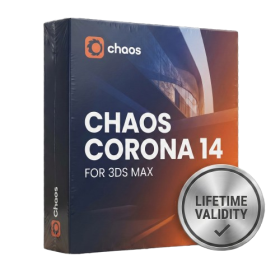
- AUTOMATIC DELIVERY INSTANTLY ON REGISTERED EMAIL .
- Any Installation Problem Freely Contact Us(Will Give You Support)
- Lifetime Validity
- Windows Version
- Render scenes with significantly less noise using the improved High-Quality Denoiser.
- Create intricate procedural clouds and weather effects with the updated Corona Sky.
- Scatter objects efficiently on surfaces with the enhanced Chaos Scatter controls.
- Apply decals to curved and organic surfaces seamlessly without UV unwrap.
- Simulate realistic fabrics and velvets instantly with the new Sheen layer.
- Manage complex scenes easily using the optimized Lister and Scene Management tools.
- Reduce memory usage significantly when rendering repetitive geometry with Corona Pattern.
- Lifetime Validity
- Instant Delivery on Email
- Supported on All Apple Mac Systems
- Any Installation Problem Freely Contact Us(Will Give You Support)
- Run natively on Apple Silicon (M1/M2/M3) for significantly faster processing speeds.
- Experience fluid viewport navigation with the new Apple Metal graphics pipeline.
- Create watertight meshes from open geometry instantly using the ShrinkWrap command.
- Customize your workspace with new Window Layouts that match the Windows interface.
- Render ray-traced images in real-time using GPU-accelerated Cycles on Metal.
- Model organically with sharp edges using the new SubD Creases feature.
- Extrude and subtract geometry directly from faces with the intuitive PushPull workflow.
- Create dynamic 3D sections with hatch patterns using improved Clipping Planes.
- Access new data types and attributes directly within the upgraded Grasshopper.
- AUTOMATIC DELIVERY INSTANTLY ON REGISTERED EMAIL .
- Any Installation Problem Freely Contact Us(Will Give You Support)
- Lifetime Validity
- Windows Version
- Smooth skin naturally while preserving texture using advanced AI algorithms.
- Generate precise skin masks automatically to isolate subjects instantly.
- Process massive batches of photos rapidly with optimized multi-core performance.
- Remove blemishes and imperfections without blurring eyelashes or eyebrows.
- Even out skin tones to correct redness and blotchiness effortlessly.
- Apply professional retouching styles quickly with a customizable preset library.
- Fine-tune mask selection manually with the interactive refinement brush.