
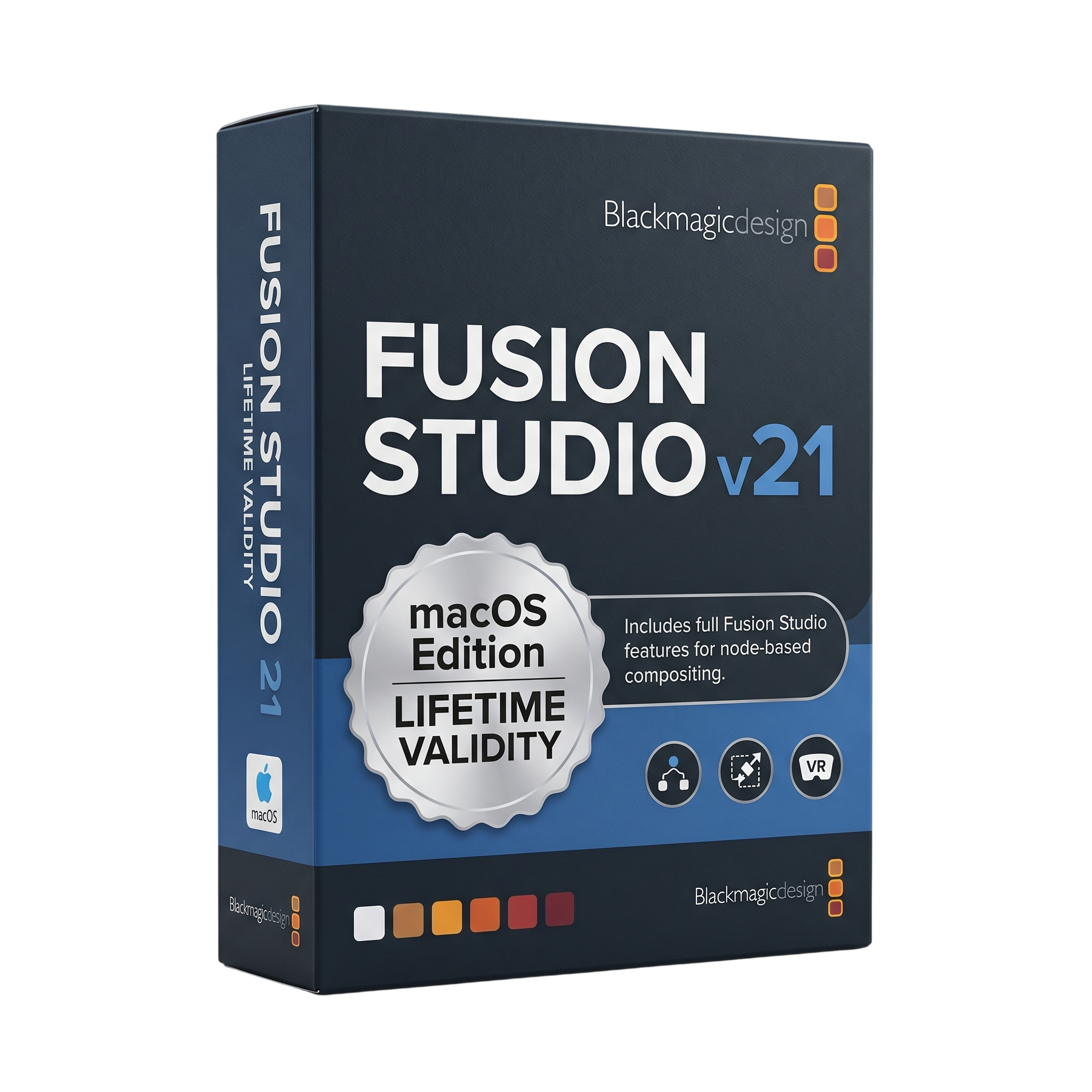
Fusion Studio 21 macOs for Lifetime
- Lifetime Validity
- Instant Delivery on Email
- Supported on Latest Apple Mac Systems
- Any Installation Problem Freely Contact Us(Will Give You Support)
- File Size: 3.13GB (21.0 Version)
- Professional node-based compositing software for VFX and motion graphics
- Create high-end visual effects, 3D compositing, and animations
- Advanced node workflow for precise control over effects and layers
- Integrated 3D workspace with lighting, cameras, and particles
- GPU-accelerated rendering for faster performance
- Supports high-resolution projects up to 32K and beyond
- Advanced tools for keying, rotoscoping, tracking, and compositing
- Deep pixel compositing and HDR image processing support
- Multi-threaded processing utilizing CPU and GPU power
- Ideal for filmmakers, VFX artists, and motion designers
Original price was: ₹999.00.₹499.00Current price is: ₹499.00.
Description
Fusion Studio 21 for macOS is a professional node-based compositing and visual effects software developed by Blackmagic Design. It is widely used in film, television, and high-end post-production for creating complex visual effects, motion graphics, and 3D compositing.
Unlike layer-based tools, Fusion uses a node-based workflow, giving artists precise control over every element in a composition. This approach allows for non-linear, flexible editing where complex effects can be built, modified, and reused efficiently—making it ideal for advanced VFX pipelines.
Fusion Studio is also integrated inside DaVinci Resolve Studio, but the standalone version provides dedicated performance and additional pipeline features for professional studios.
🎯 Core Capabilities
- 🎞️ Node-Based Compositing – Build complex effects using a visual node graph
- 🎨 Advanced Keying & Rotoscoping – High-quality green screen and masking tools
- 🎬 3D Compositing Environment – Work with cameras, lights, particles, and geometry
- 🔊 Motion Graphics & Animation – Create titles, transitions, and visual effects
- 📤 High-Resolution Output – Supports workflows up to 32K and HDR
Fusion Studio is used in blockbuster films and TV productions for tasks like compositing CGI elements, creating explosions, adding environments, and performing complex visual corrections.
🚀 Studio Version Advantages
Fusion Studio 21 includes advanced features not found in basic versions:
- ⚡ Unlimited render nodes for distributed network rendering
- 🧠 GPU acceleration for faster processing
- 🧩 Advanced plugins and pipeline integration tools
- 🎥 High-end stereoscopic 3D workflows
- 🔄 Collaborative production workflows for studios
🆕 What’s New in Version 21
- 🤖 Improved AI-assisted tools for tracking and compositing
- ⚡ Enhanced GPU performance and rendering speeds
- 🎯 Better integration with DaVinci Resolve workflows
- 🧠 Improved stability and handling of complex compositions
- 🎨 Refined UI and node workflow improvements
These updates make Fusion Studio 21 more powerful and efficient for modern VFX production.
🍏 macOS Optimization
Fusion Studio 21 is optimized for macOS:
- 🍏 Native support for Apple Silicon (M1/M2/M3 and newer)
- ⚡ Uses Metal acceleration for improved GPU performance
- 🧠 Efficient memory usage with unified memory architecture
- 🚀 Faster rendering and playback on modern Macs
💻 System Requirements (macOS)
✅ Minimum Requirements
- OS: macOS 13 Ventura or later
- Processor: Apple Silicon (M1 or newer) or Intel Mac
- RAM: 8 GB (16 GB recommended)
- GPU: Metal-compatible GPU
- Storage: SSD recommended
- Display: 1440 × 900 resolution
🚀 Recommended Requirements
- OS: Latest macOS version
- Processor: Apple Silicon (M1 Pro/M2/M3 or newer)
- RAM: 16–32 GB (32 GB+ for complex VFX projects)
- GPU: High-performance Apple GPU
- Storage: NVMe SSD for faster rendering and caching
- Display: Full HD or 4K monitor
🎯 Use Cases
- 🎬 Film and TV visual effects
- 🎞️ Compositing CGI and live-action footage
- 🎨 Motion graphics and animation
- 🧪 Green screen keying and rotoscoping
- 🎥 High-end VFX production pipelines
Related Products

- AUTOMATIC DELIVERY INSTANTLY ON REGISTERED EMAIL .
- Any Installation Problem Freely Contact Us(Will Give You Support)
- Lifetime Validity
- Windows Version
- Edit video content as easily as a text document with the AI-powered text-based editing workflow.
- Instantly remove or replace video backgrounds without a green screen using dynamic AI masking.
- Automatically generate and sync accurate captions and subtitles from your voiceover in seconds.
- Smooth out jerky mouse movements and customize cursor paths with advanced cursor effects.
- Record high-resolution 4K screen capture, webcam, and system audio simultaneously.
- Clean up background noise and balance vocal levels instantly with AI-enhanced audio filters.
- Access a vast library of royalty-free intros, motion graphics, and music directly within the editor.
- Engage viewers by adding interactive quizzes and clickable hotspots directly to your videos.
- Apply professional animations and behaviors to text and images with simple drag-and-drop actions.
- Export videos faster than ever with optimized GPU acceleration for modern hardware.
- AUTOMATIC DELIVERY INSTANTLY ON REGISTERED EMAIL .
- Any Installation Problem Freely Contact Us(Will Give You Support)
- Lifetime Validity
- Windows Version
- Generate invoices.
- Manage multiple companies and financial years from a single unified interface.
- Track inventory stocks across different godowns and locations in real-time.
- Automate bank reconciliation by uploading digital bank statements directly.
- Calculate employee salaries, PF, and TDS accurately with the integrated Payroll module.
- Access business data remotely using the secure Tally.NET connection services.
- AUTOMATIC DELIVERY INSTANTLY ON REGISTERED EMAIL .
- Any Installation Problem Freely Contact Us(Will Give You Support)
- Lifetime Validity
- Windows Version
- Ray trace over 2,200 nature assets including trees and shrubs for realistic reflections.
- Preview renders instantly with the new real-time NRD denoiser in Photo and Movie modes.
- Render ray-traced videos up to 5x faster using the optimized sampling engine.
- Simulate realistic glass refraction and colored shadows with fully ray-traced glass.
- Add depth to translucent materials like marble and wax with Subsurface Scattering.
- Populate interiors instantly using 25+ new parallax room templates for day and night.
- Import GLTF files directly for a lighter and faster 3D model workflow.
- Batch import multiple 3D models simultaneously to speed up scene building.
- AUTOMATIC DELIVERY INSTANTLY ON REGISTERED EMAIL .
- Any Installation Problem Freely Contact Us(Will Give You Support)
- Lifetime Validity
- Windows Version
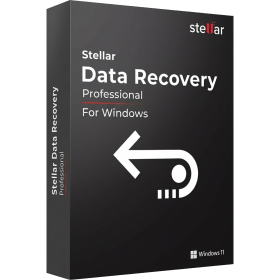
- Professional Edition
- Preview files in real-time while the scan is still running with “On-the-Fly” preview.
- Pause and resume recovery scans instantly to save progress without restarting.
- Recover data from BitLocker-encrypted drives by simply entering the password.
- Create bootable USB media to salvage files from crashed or unbootable PCs.
- Repair corrupt videos and photos automatically using the Premium repair tools.
- Multitask efficiently with native dual-monitor support for the recovery interface.
- Scan large 4K hard drives with 4096-byte sectors using the optimized engine.
- Retrieve data from RAID 0, 5, and 6 arrays seamlessly with the Technician edition.
- Lifetime Validity
- Instant Delivery on Email
- Supported on All Apple Mac Systems
- Any Installation Problem Freely Contact Us(Will Give You Support)
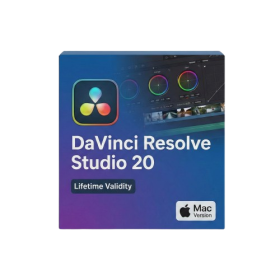
- File Size: 6.68GB (20.3.2 Version)
- Ai Features are working
- Works with Internet and Antivirus
- Edit 12K projects effortlessly with native optimization for Apple M3 and M4 Ultra chips.
- Render renders up to 4x faster using the fully unified memory architecture of Apple Silicon.
- Generate depth maps instantly from single-camera clips using the Apple Neural Engine.
- Grade HDR content with absolute precision on Liquid Retina XDR displays using the new EDR workflow.
- Isolate voices from noisy backgrounds in real-time with the Core ML-powered Voice Isolation.
- Edit spatial video for Apple Vision Pro with a dedicated stereoscopic 3D viewer.
- Track complex objects in 3D space instantly with the Metal-accelerated IntelliTrack AI.

- Lifetime Validity
- Instant Delivery on Email
- Supported on All Apple Mac Systems
- Any Installation Problem Freely Contact Us(Will Give You Support)
- Run natively on Apple Silicon (M1/M2/M3) for significantly faster processing speeds.
- Experience fluid viewport navigation with the new Apple Metal graphics pipeline.
- Create watertight meshes from open geometry instantly using the ShrinkWrap command.
- Customize your workspace with new Window Layouts that match the Windows interface.
- Render ray-traced images in real-time using GPU-accelerated Cycles on Metal.
- Model organically with sharp edges using the new SubD Creases feature.
- Extrude and subtract geometry directly from faces with the intuitive PushPull workflow.
- Create dynamic 3D sections with hatch patterns using improved Clipping Planes.
- Access new data types and attributes directly within the upgraded Grasshopper.
- AUTOMATIC DELIVERY INSTANTLY ON REGISTERED EMAIL .
- Any Installation Problem Freely Contact Us(Will Give You Support)
- Lifetime Validity
- Windows Version
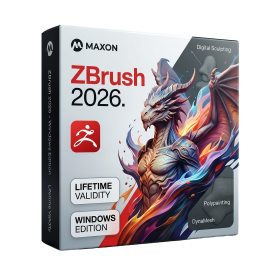
- Retopo Brush: Draw low-poly topology directly on your sculpt.
- Python Support: Automate tasks with industry-standard scripting.
- Asset System: Separate user folders for safer customization.
- ZModeler Update: Auto-creasing and improved visual feedback.
- NoiseMaker 2.0: Transform and rotate alphas for surface noise.
- Redshift AOVs: Export render passes for professional compositing.
- Sculptris Pro: Add polygons dynamically only where you need detail.
- DynaMesh: Remesh your model instantly to fix stretched geometry.
- GoZ: Single-click transfer to Maya, Blender, Cinema 4D, and UE5.
- PolyPaint: Paint texture data directly on the mesh vertices.

- AUTOMATIC DELIVERY INSTANTLY ON REGISTERED EMAIL .
- Any Installation Problem Freely Contact Us(Will Give You Support)
- Lifetime Validity
- Windows Version
- Online & Offline both working
- Create watertight meshes instantly for 3D printing with the new ShrinkWrap tool.
- Generate dynamic 2D sections and plans directly from 3D models with ClippingDrawings.
- Model organic shapes with greater precision using supported SubD creases.
- Manipulate geometry intuitively with the new customized Auto Gumball.
- Extrude and modify faces instantly using the direct PushPull workflow.
- Render scenes significantly faster with the optimized Cycles engine.
- Customize the modernized interface to match your specific drafting workflow.

- AUTOMATIC DELIVERY INSTANTLY ON REGISTERED EMAIL .
- Any Installation Problem Freely Contact Us(Will Give You Support)
- Lifetime Validity
- Windows Version
- Route complex PCB traces automatically with the new AI-driven auto-interactive router.
- Collaborate seamlessly with mechanical engineers via the enhanced real-time MCAD CoDesigner.
- Simulate power integrity and signal performance instantly within the unified design environment.
- Manage component shortages proactively with live supply chain data in ActiveBOM.
- Visualize multi-board systems and rigid-flex designs in photorealistic 3D detail.
- Sync all design changes and version history securely to the cloud with Altium 365.
- Define complex high-speed design rules easily using the visual Constraint Manager.

- AUTOMATIC DELIVERY INSTANTLY ON REGISTERED EMAIL .
- Any Installation Problem Freely Contact Us(Will Give You Support)
- Lifetime Validity
- Windows Version
- For 3ds Max 2021 – 2027
- Render and clip real-world 3D scans natively with full Gaussian Splatting support.
- Simulate complex light fixtures significantly faster using the new V-Ray Luminaire.
- Generate accurate stars, moon, and phases instantly with the procedural Night Sky.
- Create PBR materials from simple photos automatically with the AI Material Generator.
- Stream interactive 3D scenes to clients via a web link with Chaos Cloud Streaming.
- Analyze scene performance and spot bottlenecks precisely using the V-Ray Profiler.
- Render realistic caustics and refractions at high speeds with updated V-Ray GPU.

- AUTOMATIC DELIVERY INSTANTLY ON REGISTERED EMAIL .
- Any Installation Problem Freely Contact Us(Will Give You Support)
- Lifetime Validity
- Windows Version
- Explore massive 3D scenes in 100% ray-traced real-time without waiting for renders.
- Sync changes instantly from 3ds Max, SketchUp, Rhino, and Revit via Live Link.
- Render photorealistic animations at lightning speeds using NVIDIA DLSS 3.5 support.
- Populate environments with millions of objects using the built-in Chaos Scatter tool.
- Switch between different lighting setups, materials, and moods instantly with Scene States.
- Visualize complex animated characters and deformable meshes perfectly in real-time.

- AUTOMATIC DELIVERY INSTANTLY ON REGISTERED EMAIL .
- Any Installation Problem Freely Contact Us(Will Give You Support)
- Lifetime Validity
- Windows Version
- File Size: 23.5MB
- Accelerate download speeds by up to 5 times with intelligent dynamic file segmentation.
- Resume interrupted downloads instantly without restarting from the beginning.
- Capture videos from streaming sites automatically using the improved download panel.
- Detect and download Ultra HD (4K and 8K) videos with enhanced recognition accuracy.
- Integrate seamlessly with the latest versions of Chrome, Edge, and Firefox.
- Resolve video stream errors (like 403 Forbidden) with updated site compatibility fixes.
- Schedule downloads to start, stop, or shut down your computer automatically.