
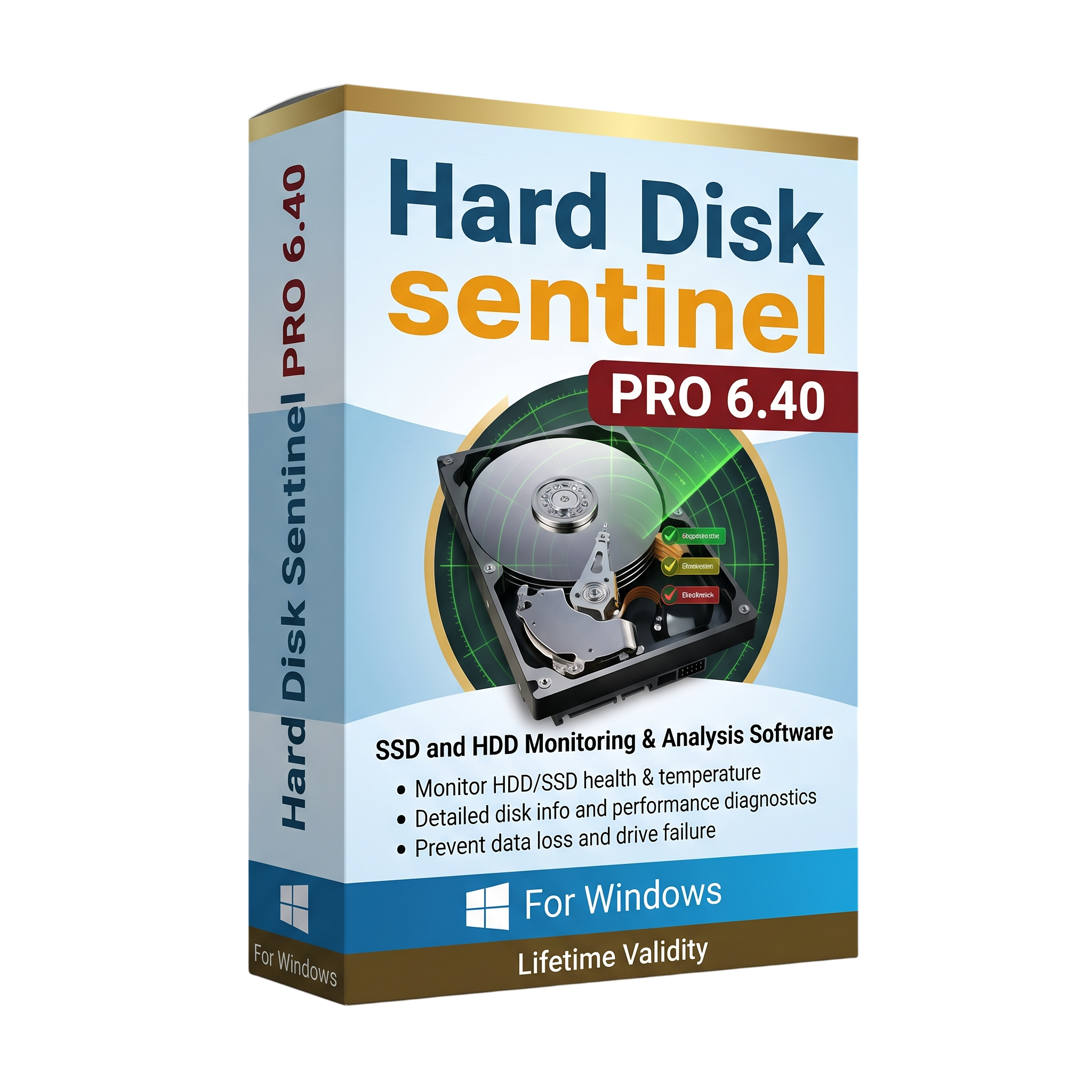
Hard Disk Sentinel Pro 6.40 for Lifetime
- AUTOMATIC DELIVERY INSTANTLY ON REGISTERED EMAIL .
- Any Installation Problem Freely Contact Us(Will Give You Support)
- Lifetime Validity
- Windows Version
- Monitor HDD, SSD, NVMe, and supported external drive health.
- Track drive temperature, performance, and S.M.A.R.T. attributes.
- Run supported disk surface tests, seek tests, and hardware diagnostics.
- Configure alerts for overheating and detected health degradation.
- View historical logs, temperature graphs, and storage activity.
- Monitor compatible USB drives, RAID arrays, and selected memory cards.
- Version 6.40 adds screenshot capture, safer drive ejection, and improved hardware support.
- Suitable for home users, IT technicians, and professional storage maintenance.
₹500.00
Description
Hard Disk Sentinel Pro 6.40 is a hard drive and SSD monitoring, diagnostics, and analysis utility for Windows. It helps users monitor storage device health, temperature, performance, and reliability using S.M.A.R.T. data and supported hardware diagnostics. By identifying warning signs and tracking changes in drive condition, the software helps users take action before storage problems lead to unexpected downtime or data loss.
The software supports a wide range of storage devices, including traditional hard disk drives (HDDs), solid-state drives (SSDs), hybrid drives, NVMe storage, supported RAID arrays, and many external USB drives. Its dashboard provides health and performance information, while historical logs and temperature graphs help users observe changes over time.
Hard Disk Sentinel Professional includes configurable alerts and automation options to help users respond to overheating, declining drive health, and other detected problems. Depending on the hardware and controller, users can also perform disk surface tests, seek tests, and other diagnostic operations to investigate potential storage issues.
Version 6.40 adds convenient screenshot capture, safer removal of removable drives, recording-type information for supported HDDs, and improvements to NVMe RAID and selected USB-NVMe devices and memory cards. These additions make the software useful for ongoing monitoring, troubleshooting, and storage maintenance.
Key Features
- Real-Time Drive Monitoring: Monitor the health, performance, and temperature of supported storage devices.
- S.M.A.R.T. Analysis: Review supported S.M.A.R.T. attributes and warning indicators to help identify potential drive problems.
- Temperature Monitoring: Track current, average, and maximum drive temperatures and view historical graphs.
- Health and Performance Assessment: View drive condition indicators and performance information in one interface.
- Disk Diagnostics: Run supported surface, seek, and hardware self-tests to investigate storage issues.
- Alerts and Notifications: Configure warnings for detected health degradation, overheating, and other supported events.
- Automatic Response Options: Configure supported actions such as launching external applications, initiating backup tasks, or shutting down the system under specified conditions.
- Drive Information: View available device details, interface information, supported features, and transfer modes.
- Storage Activity Tracking: Monitor supported read/write activity and transfer rates.
- External Drive Support: Monitor compatible USB-connected drives and selected storage adapters.
- RAID and NVMe Support: Display available health and diagnostic information from supported controllers and storage configurations.
- Logging and Reporting: Keep historical records of detected changes and configure status reports.
What’s New in Version 6.40
- Screenshot Capture: Save an image of the main application window using the toolbar or Ctrl+Print Screen, with configurable file and folder options.
- Safely Eject Drives: Remove supported removable drives directly from the application and reactivate a previously removed drive where possible.
- CMR and SMR Information: Display the recording type of supported hard disk drives on the Information page.
- Alert Timestamps: Show the date and time associated with an alert in its pop-up window.
- Improved NVMe RAID Detection: Faster and improved detection for supported Intel VROC NVMe RAID configurations.
- USB-NVMe Self-Tests: Add hardware self-test options for supported Realtek-based USB-NVMe adapters, converters, and docks.
- SD Express Support: Detect and report available health, temperature, lifetime, and S.M.A.R.T. information for supported SD Express cards and readers.
Professional Applications
- PC Maintenance: Monitor internal drives and check for signs of declining storage health.
- IT Support: Diagnose storage warnings and review drive information when troubleshooting Windows computers.
- Workstation Monitoring: Track drive temperatures and performance during everyday or intensive workloads.
- External Storage Management: Monitor compatible USB drives and other supported external storage devices.
- Small Business Systems: Configure alerts and maintain visibility into supported storage devices.
- Preventive Maintenance: Use health history and diagnostics to help decide when a drive should be backed up or replaced.
System Requirements
Minimum Requirements
- Operating System: Compatible Windows operating system; verify support for your specific Windows version with the vendor.
- Processor: Pentium-compatible processor or equivalent.
- Memory: 64 MB RAM listed in the vendor’s published requirements.
- Storage: Approximately 50 MB of available disk space.
- Hardware: At least one supported HDD, SSD, SSHD, NVMe drive, or other compatible storage device.
- Permissions: Administrator access is recommended for full hardware information and diagnostic functionality.
Recommended Requirements
- Operating System: A fully updated Windows 10 or Windows 11 system, after confirming compatibility with the installed release.
- Processor: Modern Intel or AMD processor.
- Memory: 4 GB RAM or more for comfortable use alongside other applications.
- Storage: At least 200 MB of free space for installation, logs, and related files.
- Hardware: A compatible storage controller and device that exposes health information to Windows.
- Permissions: Administrator privileges for supported advanced tests and drive-management functions.
Note: Minimum specifications are based on the vendor’s published requirements; recommended specifications are practical guidelines. The availability of S.M.A.R.T. attributes, temperature readings, and diagnostic tests depends on the drive, controller, firmware, and connection type. Monitoring software cannot guarantee prevention of drive failure or replace regular backups.
Related Products
- AUTOMATIC DELIVERY INSTANTLY ON REGISTERED EMAIL .
- Any Installation Problem Freely Contact Us(Will Give You Support)
- Lifetime Validity
- Windows Version
- File Size: 23.5MB
- Accelerate download speeds by up to 5 times with intelligent dynamic file segmentation.
- Resume interrupted downloads instantly without restarting from the beginning.
- Capture videos from streaming sites automatically using the improved download panel.
- Detect and download Ultra HD (4K and 8K) videos with enhanced recognition accuracy.
- Integrate seamlessly with the latest versions of Chrome, Edge, and Firefox.
- Resolve video stream errors (like 403 Forbidden) with updated site compatibility fixes.
- Schedule downloads to start, stop, or shut down your computer automatically.
- Lifetime Validity
- Instant Delivery on Email
- Supported on All Apple Mac Systems
- Any Installation Problem Freely Contact Us(Will Give You Support)
- File Size: 6.68GB (20.3.2 Version)
- Ai Features are working
- Works with Internet and Antivirus
- Edit 12K projects effortlessly with native optimization for Apple M3 and M4 Ultra chips.
- Render renders up to 4x faster using the fully unified memory architecture of Apple Silicon.
- Generate depth maps instantly from single-camera clips using the Apple Neural Engine.
- Grade HDR content with absolute precision on Liquid Retina XDR displays using the new EDR workflow.
- Isolate voices from noisy backgrounds in real-time with the Core ML-powered Voice Isolation.
- Edit spatial video for Apple Vision Pro with a dedicated stereoscopic 3D viewer.
- Track complex objects in 3D space instantly with the Metal-accelerated IntelliTrack AI.

- AUTOMATIC DELIVERY INSTANTLY ON REGISTERED EMAIL .
- Any Installation Problem Freely Contact Us(Will Give You Support)
- Lifetime Validity
- Windows Version
- Chaos V-Ray 7.40.02 for Rhinoceros 7 – 9 & SketchUp 2021 – 2026
- Render real-world 3D scans with reflections using native Gaussian Splatting support.
- Simulate accurate stars, moon phases, and the Milky Way with the procedural Night Sky.
- Upscale renders to 16K resolution instantly with the one-click AI Upscaler.
- Populate vegetation naturally with new Clustering modes in Chaos Scatter.
- Clip and trim Gaussian Splat models directly within the SketchUp viewport.
- Render complex light fixtures significantly faster using optimized V-Ray Luminaires.
- Remove bright noise pixels automatically during rendering with Firefly Removal.
- Add detail to people and grass without re-rendering using the AI Enhancer.
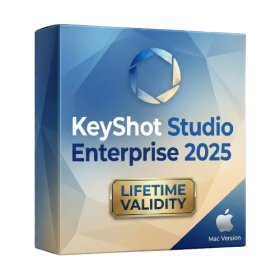
- Lifetime Validity
- Instant Delivery on Email
- Supported on All Apple Mac Systems
- Any Installation Problem Freely Contact Us(Will Give You Support)
- Render natively on Apple Silicon (M1/M2/M3) for maximum speed and efficiency.
- Generate photorealistic backgrounds instantly from text prompts using the AI Shots tool.
- Share interactive 3D product reviews securely with stakeholders via KeyShot Web Viewer.
- Automate complex rendering pipelines using the advanced Python scripting console.
- Import native files directly from high-end CAD systems like Siemens NX, Catia, and Creo.
- Switch seamlessly between CPU and GPU rendering to utilize Apple Metal graphics power.
- Create standardized material libraries for your organization with OpenPBR support.
- Accelerate post-production compositing with automatic Cryptomatte mask generation.
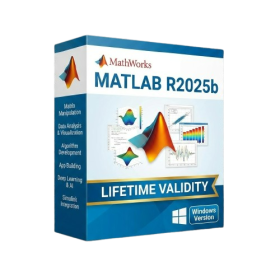
- AUTOMATIC DELIVERY INSTANTLY ON REGISTERED EMAIL .
- Any Installation Problem Freely Contact Us(Will Give You Support)
- Lifetime Validity
- Windows Version
- New Desktop: Modern, faster UI with fully supported Dark Mode.
- AI Assistant: Generate and debug code using the built-in AI Chat.
- Python Interop: Seamless data exchange between MATLAB and Python.
- Simulink 3D: Photorealistic simulation powered by Unreal Engine 5.
- Live Editor: Embed sliders and buttons directly into your scripts.
- App Building: Create standalone Windows apps without C++ knowledge.
- Code Gen: Export C/C++ code for embedded hardware instantly.
- 5G/6G Tools: Advanced modeling for next-gen wireless networks.
- Automotive: specialized toolboxes for ADAS and autonomous driving.
- Cloud Run: Run your scripts in a browser via MATLAB Online.
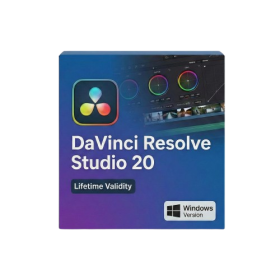
- Lifetime Validity
- Instant Delivery on Email
- Any Installation Problem Freely Contact Us(Will Give You Support)
- Supported on Windows 10,11
- File Size: 7.47GB (20.3.2 Version)
- Ai Features are working
- Works with Internet and Antivirus
- Generate complex color grades instantly from text prompts or reference images with AI Match.
- Isolate and remix individual instruments from a stereo music track using Fairlight AI Stem Separation.
- Track objects obscured by smoke or glass perfectly with the new Deep Neural Magic Mask.
- Edit spatial video natively for Apple Vision Pro and Meta Quest with full depth visualization.
- Remove unwanted moving objects from complex backgrounds automatically with Generative Fill for Video.
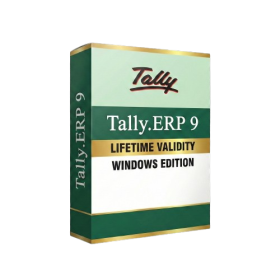
- AUTOMATIC DELIVERY INSTANTLY ON REGISTERED EMAIL .
- Any Installation Problem Freely Contact Us(Will Give You Support)
- Lifetime Validity
- Windows Version
- Generate invoices.
- Manage multiple companies and financial years from a single unified interface.
- Track inventory stocks across different godowns and locations in real-time.
- Automate bank reconciliation by uploading digital bank statements directly.
- Calculate employee salaries, PF, and TDS accurately with the integrated Payroll module.
- Access business data remotely using the secure Tally.NET connection services.

- Lifetime Validity
- Instant Delivery on Email
- Supported on All Apple Mac Systems
- Any Installation Problem Freely Contact Us(Will Give You Support)
- Visual Search: Find clips by describing objects or actions (e.g., “sunset”).
- Beat Detection: Auto-generate markers to sync edits to music beats.
- Transcript Search: Find footage by typing spoken dialogue.
- Magnetic Mask: Isolate subjects instantly without green screens.
- Spatial Video: Edit and grade 3D content for Apple Vision Pro.
- Voice Isolation: Remove background noise with one click.
- Transcribe to Captions: Auto-generate subtitles on-device.
- Smooth Slo-Mo: AI-generated frames for perfect slow motion.

- AUTOMATIC DELIVERY INSTANTLY ON REGISTERED EMAIL .
- Any Installation Problem Freely Contact Us(Will Give You Support)
- Lifetime Validity
- Windows Version
- Professional Edition
- Preview files in real-time while the scan is still running with “On-the-Fly” preview.
- Pause and resume recovery scans instantly to save progress without restarting.
- Recover data from BitLocker-encrypted drives by simply entering the password.
- Create bootable USB media to salvage files from crashed or unbootable PCs.
- Repair corrupt videos and photos automatically using the Premium repair tools.
- Multitask efficiently with native dual-monitor support for the recovery interface.
- Scan large 4K hard drives with 4096-byte sectors using the optimized engine.
- Retrieve data from RAID 0, 5, and 6 arrays seamlessly with the Technician edition.
- AUTOMATIC DELIVERY INSTANTLY ON REGISTERED EMAIL .
- Any Installation Problem Freely Contact Us(Will Give You Support)
- Lifetime Validity
- Windows Version
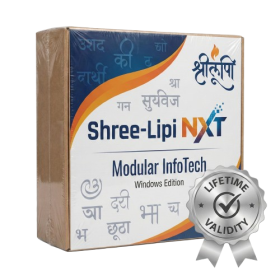
- Type effortlessly in multiple Indian languages with enhanced Unicode keyboard handlers.
- Detect and switch between 32-bit and 64-bit applications automatically while typing.
- Access thousands of high-quality calligraphic fonts for professional designs.
- Convert legacy text to Unicode instantly with the advanced file conversion utility.
- Design stylish 3D titles and logos easily using the Avishkar Plus tool.
- Check spelling in Indian languages directly with the integrated Spell Checker.
- Integrate seamlessly with open-source apps like Inkscape, GIMP, and Scribus.
- AUTOMATIC DELIVERY INSTANTLY ON REGISTERED EMAIL .
- Any Installation Problem Freely Contact Us(Will Give You Support)
- Lifetime Validity
- Windows Version
- Works with Internet and Antivirus
- File Size: 461MB
- v8.5.8472
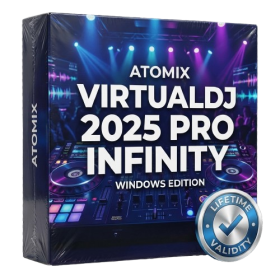
- Swap vocals or drums between tracks instantly with the new StemSwap Sampler.
- Isolate track elements in real-time for seamless live mashups and remixes.
- Export playlists to USB drives for CDJs with new subfolder support.
- Sync music libraries across devices automatically via improved Cloud Drive tools.
- Plug and play with over 300+ controllers including the latest AlphaTheta models.
- Mix video and karaoke with customizable on-screen graphics and lyrics.
- Scratch with precision using the improved ultra-low latency DVS engine.
- Stream sets directly to social platforms without external broadcasting software.

- AUTOMATIC DELIVERY INSTANTLY ON REGISTERED EMAIL .
- Any Installation Problem Freely Contact Us(Will Give You Support)
- Lifetime Validity
- Windows Version
- Online & Offline both working
- Create watertight meshes instantly for 3D printing with the new ShrinkWrap tool.
- Generate dynamic 2D sections and plans directly from 3D models with ClippingDrawings.
- Model organic shapes with greater precision using supported SubD creases.
- Manipulate geometry intuitively with the new customized Auto Gumball.
- Extrude and modify faces instantly using the direct PushPull workflow.
- Render scenes significantly faster with the optimized Cycles engine.
- Customize the modernized interface to match your specific drafting workflow.