
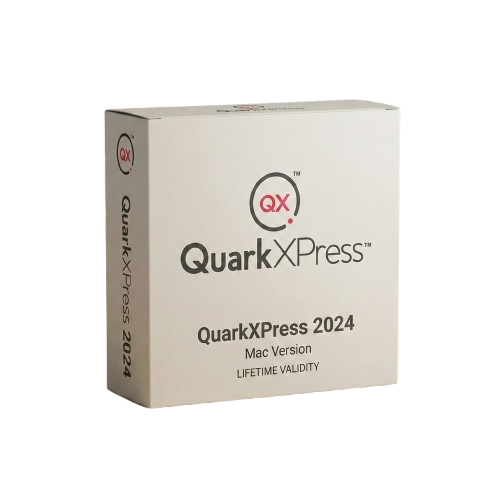
QuarkXPress 2024 for macOs Lifetime
- Lifetime Validity
- Instant Delivery on Email
- Supported on All Apple Mac Systems
- Any Installation Problem Freely Contact Us(Will Give You Support)
- Perpetual License: Own the software forever (no mandatory subscription).
- Apple Silicon Native: Blazing fast performance on M1/M2/M3 chips.
- IDML Import: Open and edit Adobe InDesign files seamlessly.
- Flex Layouts: Create responsive HTML5 web pages without coding.
- Native App Export: Publish directly to iOS and Android apps.
- Advanced Typography: Granular control over kerning and OpenType.
- PDF Conversion: Turn PDFs into editable Quark objects instantly.
Original price was: ₹999.00.₹499.00Current price is: ₹499.00.
Description
QuarkXPress 2024 (Mac): The Original Powerhouse of Digital Publishing
QuarkXPress 2024 remains the preferred choice for creative professionals who demand absolute control over typography and page layout. While other software relies on subscriptions, QuarkXPress 2024 offers a powerful perpetual license option, giving you ownership of your tools forever.
Optimized for macOS Sonoma and Apple Silicon (M1/M2/M3), Version 2024 bridges the gap between print and digital. It is the only software that allows you to design complex print publications, responsive HTML5 websites, and native iOS/Android apps within a single interface. With unparalleled stability and precision, QuarkXPress 2024 is the secret weapon for independent publishers, book designers, and high-end marketing agencies.
Why Choose QuarkXPress 2024?
1. Unmatched Typography Control
- The Precision: QuarkXPress has always been the king of type.
- The Benefit: Control kerning, tracking, and ligatures to the finest degree. The OpenType support is granular, allowing you to access stylistic sets and alternate characters that other software hides. It’s the closest you can get to typesetting by hand digitally.
2. Flex Layouts for Web
- The Workflow: Design responsive websites without writing a single line of code.
- The Benefit: Use the same “drag and drop” skills you use for print to build HTML5 pages. QuarkXPress generates clean, semantic code that is SEO-friendly and works on any device.
3. Native IDML Import
- The Compatibility: Switching from InDesign? No problem.
- The Benefit: QuarkXPress 2024 imports IDML files with astonishing accuracy. It converts InDesign styles, master pages, and layouts into native Quark objects, allowing you to pick up exactly where you left off without rebuilding your files.
What’s New in Version 2024?
Local Image Libraries
- The Feature: A new palette that links directly to local folders on your Mac.
- The Benefit: Browse, search, and drag-and-drop high-resolution images from your project folders without importing them into a clunky internal library first. It keeps your workflow fast and your file sizes small.
Visual Palette Intelligence
- The Feature: The palette handling has been completely rewritten for macOS.
- The Benefit: Palettes now snap, dock, and hide intelligently based on your screen real estate. On a MacBook Air, they tuck away; on a 27″ iMac, they expand for easy access.
Picture Content Controls
- The Feature: Enhanced image manipulation tools directly on the layout.
- The Benefit: Adjust levels, curves, and color balance of placed images non-destructively. You can now convert a color image to greyscale or duotone directly in Quark, saving a round-trip to Photoshop.
Key Features
- Convert to Native Objects: Import a PDF, Illustrator file, or EPS and convert it into native QuarkXPress vector objects. You can then edit the colors, text, and bezier curves as if you drew them in Quark.
- Digital Publishing (App Studio): Export your layouts as native apps for iPad, iPhone, and Android devices with interactive elements like scrollable areas, videos, and slideshows.
- Long Document Support: Handle books with thousands of pages effortlessly. The “Books” feature synchronizes styles, page numbers, and master pages across multiple chapters automatically.
- Greyscale & Duotone Effects: Apply color modes to images directly on the page. Turn a standard photo into a branded duotone image without modifying the original file.
System Requirements (Mac)
- Operating System: macOS 14 (Sonoma), macOS 13 (Ventura), or macOS 12 (Monterey).
- Processor: Apple Silicon (M1/M2/M3) or Intel processor.
- Memory (RAM): 8 GB minimum (16 GB recommended for complex layouts).
- Storage: 2 GB hard disk space for installation.
- Display: High-resolution display recommended (Retina compatible).
Short Bullet Points (For Quick View)
- Perpetual License: Own the software forever (no mandatory subscription).
- Apple Silicon Native: Blazing fast performance on M1/M2/M3 chips.
- IDML Import: Open and edit Adobe InDesign files seamlessly.
- Flex Layouts: Create responsive HTML5 web pages without coding.
- Native App Export: Publish directly to iOS and Android apps.
- Advanced Typography: Granular control over kerning and OpenType.
- PDF Conversion: Turn PDFs into editable Quark objects instantly.
- Image Editing: Adjust curves, levels, and colors non-destructively.
- Long Docs: Best-in-class tools for books and massive catalogs.
- ePub Export: Create compliant eBooks for Kindle and Apple Books.
Related Products
- Lifetime Validity
- Instant Delivery on Email
- Supported on All Apple Mac Systems
- Any Installation Problem Freely Contact Us(Will Give You Support)
- Visual Search: Find clips by describing objects or actions (e.g., “sunset”).
- Beat Detection: Auto-generate markers to sync edits to music beats.
- Transcript Search: Find footage by typing spoken dialogue.
- Magnetic Mask: Isolate subjects instantly without green screens.
- Spatial Video: Edit and grade 3D content for Apple Vision Pro.
- Voice Isolation: Remove background noise with one click.
- Transcribe to Captions: Auto-generate subtitles on-device.
- Smooth Slo-Mo: AI-generated frames for perfect slow motion.

- AUTOMATIC DELIVERY INSTANTLY ON REGISTERED EMAIL .
- Any Installation Problem Freely Contact Us(Will Give You Support)
- Lifetime Validity
- Mac Version
- Run natively on Apple Silicon (M1/M2/M3/M4/M5) for blazing-fast performance.
- Visualize models with realistic depth using the new Ambient Occlusion engine.
- Generate unique textures instantly with integrated AI-powered prompts.
- Sync projects seamlessly between Mac, iPad, and Web versions.
- Convert iPhone LiDAR scans into 3D models automatically via Scan-to-Design.
- Create 2D documentation faster with the optimized LayOut rendering engine.
- Import and export USDZ files easily for Apple AR visualization.
- AUTOMATIC DELIVERY INSTANTLY ON REGISTERED EMAIL .
- Any Installation Problem Freely Contact Us(Will Give You Support)
- Lifetime Validity
- Windows Version
- Type effortlessly in multiple Indian languages with enhanced Unicode keyboard handlers.
- Detect and switch between 32-bit and 64-bit applications automatically while typing.
- Access thousands of high-quality calligraphic fonts for professional designs.
- Convert legacy text to Unicode instantly with the advanced file conversion utility.
- Design stylish 3D titles and logos easily using the Avishkar Plus tool.
- Check spelling in Indian languages directly with the integrated Spell Checker.
- Integrate seamlessly with open-source apps like Inkscape, GIMP, and Scribus.
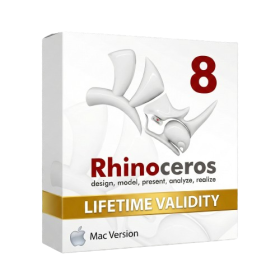
- Lifetime Validity
- Instant Delivery on Email
- Supported on All Apple Mac Systems
- Any Installation Problem Freely Contact Us(Will Give You Support)
- Run natively on Apple Silicon (M1/M2/M3) for significantly faster processing speeds.
- Experience fluid viewport navigation with the new Apple Metal graphics pipeline.
- Create watertight meshes from open geometry instantly using the ShrinkWrap command.
- Customize your workspace with new Window Layouts that match the Windows interface.
- Render ray-traced images in real-time using GPU-accelerated Cycles on Metal.
- Model organically with sharp edges using the new SubD Creases feature.
- Extrude and subtract geometry directly from faces with the intuitive PushPull workflow.
- Create dynamic 3D sections with hatch patterns using improved Clipping Planes.
- Access new data types and attributes directly within the upgraded Grasshopper.
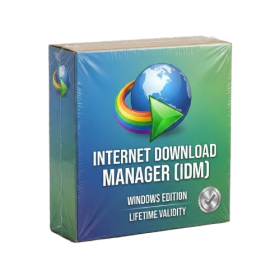
- AUTOMATIC DELIVERY INSTANTLY ON REGISTERED EMAIL .
- Any Installation Problem Freely Contact Us(Will Give You Support)
- Lifetime Validity
- Windows Version
- File Size: 23.5MB
- Accelerate download speeds by up to 5 times with intelligent dynamic file segmentation.
- Resume interrupted downloads instantly without restarting from the beginning.
- Capture videos from streaming sites automatically using the improved download panel.
- Detect and download Ultra HD (4K and 8K) videos with enhanced recognition accuracy.
- Integrate seamlessly with the latest versions of Chrome, Edge, and Firefox.
- Resolve video stream errors (like 403 Forbidden) with updated site compatibility fixes.
- Schedule downloads to start, stop, or shut down your computer automatically.
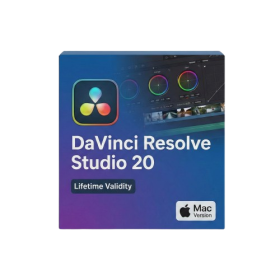
- Lifetime Validity
- Instant Delivery on Email
- Supported on All Apple Mac Systems
- Any Installation Problem Freely Contact Us(Will Give You Support)
- File Size: 6.68GB (20.3.2 Version)
- Ai Features are working
- Works with Internet and Antivirus
- Edit 12K projects effortlessly with native optimization for Apple M3 and M4 Ultra chips.
- Render renders up to 4x faster using the fully unified memory architecture of Apple Silicon.
- Generate depth maps instantly from single-camera clips using the Apple Neural Engine.
- Grade HDR content with absolute precision on Liquid Retina XDR displays using the new EDR workflow.
- Isolate voices from noisy backgrounds in real-time with the Core ML-powered Voice Isolation.
- Edit spatial video for Apple Vision Pro with a dedicated stereoscopic 3D viewer.
- Track complex objects in 3D space instantly with the Metal-accelerated IntelliTrack AI.
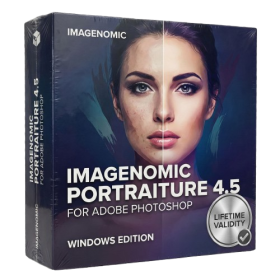
- AUTOMATIC DELIVERY INSTANTLY ON REGISTERED EMAIL .
- Any Installation Problem Freely Contact Us(Will Give You Support)
- Lifetime Validity
- Windows Version
- Smooth skin naturally while preserving texture using advanced AI algorithms.
- Generate precise skin masks automatically to isolate subjects instantly.
- Process massive batches of photos rapidly with optimized multi-core performance.
- Remove blemishes and imperfections without blurring eyelashes or eyebrows.
- Even out skin tones to correct redness and blotchiness effortlessly.
- Apply professional retouching styles quickly with a customizable preset library.
- Fine-tune mask selection manually with the interactive refinement brush.
- AUTOMATIC DELIVERY INSTANTLY ON REGISTERED EMAIL .
- Any Installation Problem Freely Contact Us(Will Give You Support)
- Lifetime Validity
- Windows Version
- Professional Edition
- Preview files in real-time while the scan is still running with “On-the-Fly” preview.
- Pause and resume recovery scans instantly to save progress without restarting.
- Recover data from BitLocker-encrypted drives by simply entering the password.
- Create bootable USB media to salvage files from crashed or unbootable PCs.
- Repair corrupt videos and photos automatically using the Premium repair tools.
- Multitask efficiently with native dual-monitor support for the recovery interface.
- Scan large 4K hard drives with 4096-byte sectors using the optimized engine.
- Retrieve data from RAID 0, 5, and 6 arrays seamlessly with the Technician edition.

- AUTOMATIC DELIVERY INSTANTLY ON REGISTERED EMAIL .
- Any Installation Problem Freely Contact Us(Will Give You Support)
- Lifetime Validity
- Windows Version
- Edit video content as easily as a text document with the AI-powered text-based editing workflow.
- Instantly remove or replace video backgrounds without a green screen using dynamic AI masking.
- Automatically generate and sync accurate captions and subtitles from your voiceover in seconds.
- Smooth out jerky mouse movements and customize cursor paths with advanced cursor effects.
- Record high-resolution 4K screen capture, webcam, and system audio simultaneously.
- Clean up background noise and balance vocal levels instantly with AI-enhanced audio filters.
- Access a vast library of royalty-free intros, motion graphics, and music directly within the editor.
- Engage viewers by adding interactive quizzes and clickable hotspots directly to your videos.
- Apply professional animations and behaviors to text and images with simple drag-and-drop actions.
- Export videos faster than ever with optimized GPU acceleration for modern hardware.
- AUTOMATIC DELIVERY INSTANTLY ON REGISTERED EMAIL .
- Any Installation Problem Freely Contact Us(Will Give You Support)
- Lifetime Validity
- Windows Version
- Retopo Brush: Draw low-poly topology directly on your sculpt.
- Python Support: Automate tasks with industry-standard scripting.
- Asset System: Separate user folders for safer customization.
- ZModeler Update: Auto-creasing and improved visual feedback.
- NoiseMaker 2.0: Transform and rotate alphas for surface noise.
- Redshift AOVs: Export render passes for professional compositing.
- Sculptris Pro: Add polygons dynamically only where you need detail.
- DynaMesh: Remesh your model instantly to fix stretched geometry.
- GoZ: Single-click transfer to Maya, Blender, Cinema 4D, and UE5.
- PolyPaint: Paint texture data directly on the mesh vertices.
- AUTOMATIC DELIVERY INSTANTLY ON REGISTERED EMAIL .
- Any Installation Problem Freely Contact Us(Will Give You Support)
- Lifetime Validity
- Windows Version
- Rock-Solid Tracking: The industry standard for planar tracking.
- PowerMesh: Track warped surfaces like skin and fabric.
- Generative Remove: Auto-remove objects and wires with AI.
- Stabilization: Smooth out shaky handheld footage instantly.
- Insert Module: Perfect screen replacements with motion blur.
- Magnetic Roto: Snap masks to edges for fast rotoscoping.
- Lens Correction: Fix or match lens distortion easily.
- AUTOMATIC DELIVERY INSTANTLY ON REGISTERED EMAIL .
- Any Installation Problem Freely Contact Us(Will Give You Support)
- Lifetime Validity
- Windows Version
- Online & Offline both working
- Create watertight meshes instantly for 3D printing with the new ShrinkWrap tool.
- Generate dynamic 2D sections and plans directly from 3D models with ClippingDrawings.
- Model organic shapes with greater precision using supported SubD creases.
- Manipulate geometry intuitively with the new customized Auto Gumball.
- Extrude and modify faces instantly using the direct PushPull workflow.
- Render scenes significantly faster with the optimized Cycles engine.
- Customize the modernized interface to match your specific drafting workflow.