
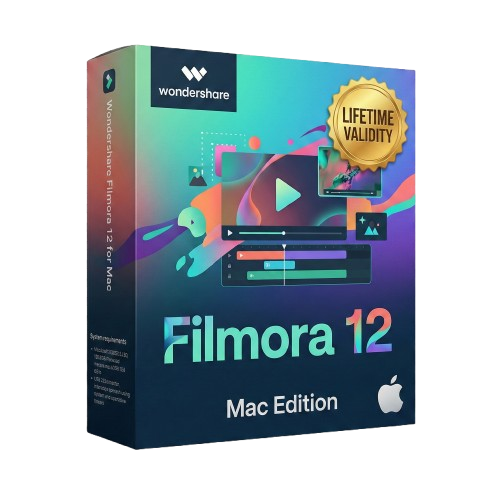
Wondershare Filmora 12 Lifetime for macOS
- AUTOMATIC DELIVERY INSTANTLY ON REGISTERED EMAIL .
- Any Installation Problem Freely Contact Us(Will Give You Support)
- Lifetime Validity
- Mac Version
- Native support for Apple M1 and M2 chips ensures blazing-fast rendering and playback performance.
- Apply effects and color grading to multiple clips at once using professional Adjustment Layers.
- Instantly isolate subjects and remove backgrounds without a green screen using AI Smart Cutout.
- Edit seamlessly across Mac, iPad, and PC with the cloud-synced Cross-Platform Workspace.
- Automatically stretch or shorten music tracks to fit your video duration perfectly with AI Audio Stretch.
- Draw custom freeform masks around objects for precise compositing with the new Pen Tool.
- Use the MacBook Pro Touch Bar to scrub the timeline and access essential shortcuts quickly.
- Animate filters, color adjustments, and text positions with enhanced keyframing controls.
- Automatically detect and remove silent pauses from dialogue to save hours of editing time.
- Reduce background noise like wind or crowds instantly with AI-powered audio denoise.
Original price was: ₹999.00.₹499.00Current price is: ₹499.00.
Description
Product Overview
Wondershare Filmora 12 (macOS): The Creator’s Choice for Apple Silicon
Wondershare Filmora 12 for Mac is the update that transformed Filmora from a simple video cutter into a robust, professional-grade editing suite. Built natively for macOS and optimized for Apple M1 and M2 chips, this version delivers blazing-fast performance while maintaining the intuitive drag-and-drop interface users love.
Whether you are editing 4K vlogs, creating marketing content, or producing short films, Filmora 12 bridges the gap between entry-level ease and pro-level control. With the introduction of Adjustment Layers, AI Smart Cutout, and Cross-Platform Workspace, you can now start an edit on your iPad or iPhone and finish it on your Mac with seamless cloud sync.
What’s New in Filmora 12 for Mac?
1. Professional Editing Tools
- Adjustment Layers: The most requested feature is here. Apply color correction, effects, or cropping to multiple clips at once by placing a single adjustment layer on top of them—just like in Premiere Pro.
- Enhanced Keyframing: Keyframing is no longer limited to position and scale. You can now animate almost any parameter, including filters, color grading adjustments, and text effects.
- Draw Mask (Pen Tool): Create freeform shapes to mask out complex objects. Use the Pen Tool to draw around people or items for precise compositing and effects.
2. AI-Powered Creativity
- AI Smart Cutout: Instantly remove the background from a moving subject without a green screen. Simply brush over the object, and the AI will track and isolate it for you.
- AI Audio Stretch: Need your song to last 10 seconds longer? The AI rearranges the music track to fit the length of your video perfectly, without sounding chopped or looped.
- AI Noise Reduction: Automatically detect and reduce background hum, wind, or crowd noise to make your dialogue crisp and clear.
3. Optimized for Apple Ecosystem
- Apple Silicon Native: Fully optimized for Apple M1 and M2 chips, offering faster rendering speeds and smoother playback for high-resolution 4K footage.
- Touch Bar Support: Utilize the MacBook Pro Touch Bar to scrub through your timeline and access essential shortcuts quickly.
- Cross-Platform Anywhere: Filmora 12 introduces “Filmora Workspace.” Edit on your Mac, sync your project to the cloud, and tweak it on your iPad or Windows PC later.
Key Features
Visual Effects & Color
- 3D Titles: Create TV-quality 3D opening titles with customizable materials and animations.
- Color Match: Replicate the color look of a reference photo or video clip to your entire timeline with one click.
- Split Screen: Choose from over 30 split-screen templates to show multiple angles or stories simultaneously.
Audio Mastery
- Audio Ducking: Automatically lowers the volume of background music when a voiceover begins, ensuring your narration is always heard.
- Silence Detection: Automatically cuts out long pauses and silence from your recordings—perfect for podcasters and tutorial creators.
Workflow Efficiency
- Switchable Workspace Layouts: Choose from 5 different workspace presets (Default, Organize, Timeline, Short Video, and Classic) to suit your monitor setup and editing style.
- Keyboard Shortcuts: fully customizable keyboard shortcuts to match the workflow of other editors like Final Cut Pro or Premiere.
Why Choose Filmora 12 for Mac?
- Lower Learning Curve: Get professional-looking results without the steep learning curve of Final Cut Pro.
- Asset Library: Access over 10 million built-in stock media assets from Unsplash, Giphy, Pixabay, and Shutterstock directly within the editor.
- Performance: The dedicated Metal engine support ensures that effects render quickly and the timeline remains responsive.
System Requirements (macOS)
- Operating System: macOS V14 (Sonoma), macOS V13 (Ventura), macOS V12 (Monterey), macOS v11 (Big Sur), macOS v10.15 (Catalina).
- Processor: Intel i5 or better multicore processor, 2GHz or above. (Intel 6th Gen or newer recommended for HD and 4K Videos). Apple M1/M2 chip supported.
- RAM: 8 GB RAM (16 GB required for HD and 4K videos).
- Graphics: Intel HD Graphics 5000 or later; AMD Radeon R5 or later. 2 GB vRAM (4 GB recommended for 4K).
- Disk Space: 10 GB free hard-disk space (SSD recommended).
Related Products
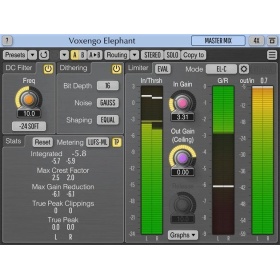
- Mastering peak limiter
- Stem, sub-mix, drum bus compressor
- Loudness maximizer
- Stereo, 5.1 surround mastering limiter
- Bit-depth converter with noise-shaping
- DC offset removal filter
- EBU R128, K-system level meter
Out of stock
- DeNoise 2 is a plug-in designed to reduce noise such as hiss, wind noise, buzz and camera noise. The noise can be reduced automatically in the adaptive mode or after measuring the characteristics of the noise in the noise profile mode. New in version 2 are dynamic noise profiles that capture the dynamic properties of the noise so that noise that fluctuates over time, such as wind noise, can be effectively reduced. The new algorithm has also been greatly improved and is now even less prone to typical de-noising artifacts.
- DeHum 2 targets hum and buzz typically introduced by poorly grounded electrical equipment, but also other tonal noise sources like electrical motor noise. The hum detection algorithm has been improved in version 2 and there’s now a new Scan button that automatically fine tunes the fundamental hum frequency.
- DeClick 2 is designed to remove impulsive noise such as clicks, crackle and thumps. These distortions are frequently encountered on LP and 78 RPM records, but also occur in digital recordings due to drop-outs or distorted data packets. DeClick 2’s thump reduction works also effectively on vocal recordings with unwanted plosives. The algorithm has been improved in version 2 and is now less prone to reducing attacks and transients in the wanted signal.
- DeClip 2 restores audio recordings distorted by analog or digital clipping with an improved algorithm.
Out of stock

- 6 x NewBlueFX Ultimate Suites
- 1500 Presets in 177 Effects
- Upgrade from Titler Pro 5 to 7
- Compatible with Mac & Windows
Out of stock
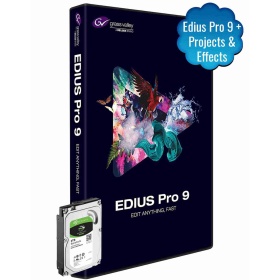
Edius Pro 9 Software | Video Editing Software | Adobe After Effects CC 1000+ Projects & 5000+ Effects & With 2TB Internal HDD
- Nonlinear Editing Software
- Ready To Use Templates (Projects)
- Portrait Song, Title Projects
- Invitation Projects, Highlights/Teaser Projects
- Advanced Color Correction Readymade Presets
Out of stock
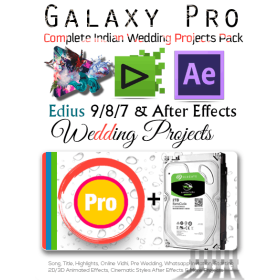
 Galaxy Pro: EDIUS Pro 7/8/9 & Adobe After Effects Wedding Projects Dongle One Project are available Multi Types Like Transition, Frames & 3D. Satyam Film Develops 4K, Full HD Projects. Wedding Projects Developer.
- 3 Free Installation Support & Guide
- (Incase Damage Or Wrong Product, Required Unboxing Video)
- Wedding Projects Demo Link
Out of stock

Grass Valley EDIUS X Workgroup : Edit Anything, Fast
- EDIUS X Workgroup Upgrade from Workgroup 9 – This is the version for you if you already have EDIUS Workgroup 9. When activating the program you will have to type in your EDIUS 9 serial number as well.
- Commercial License
- Background Rendering
- GV Job Monitor
- H.265 Export
- Optimized Performance
- Optimized Audio Sync Performance
- 8K file export (H.265/HEVC, ProRes, DNxHR
Out of stock
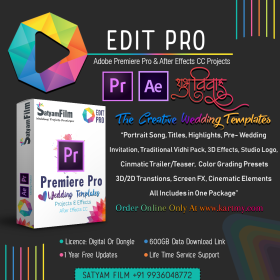
Edit Pro: Adobe Premiere Pro & After Effects Wedding Templates & Effects Package Dongle
This is ready-made templates pack have many latest Bollywood song, cinematic title, WhatsApp invitation & many projects. You can only drag & drop your video file & your video file converted into a 3d look.
- 650+ GB Readymade Templates For Premiere Pro & After Effects
- 700+ Readymade Wedding Templates
- One Time Purchase Lifetime Validity
- 1 Year Free Projects Updates
- 30 Essential Wedding Graphics For After Effects
- 2000+ Premiere Pro Transitions
- 1200+ LUTs Presets (.cube) For Premiere Pro
- Wedding Toolkit Package : Over 100 Wedding Design in 5 Distinct Categories
- Lifetime Free Service Support & Installation
Out of stock
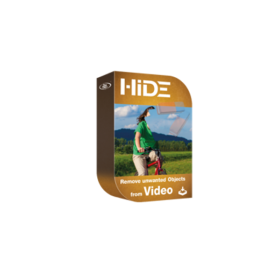
- Clear timeline for a fast workflow
- Easy trimming of clips
- Comfortable marking of objects
- Manual & automatic object tracking
- Comprehensive keyframe support
- Supporting optional input devices (like USB pedals)
- Effects preview window prior to file export
- Direct YouTube upload if desired
- Compatible with every framerate (24p/25p/30p/50p/60p and more)
- Supports resolutions up to (and including) 8K
Out of stock
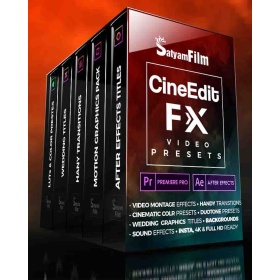
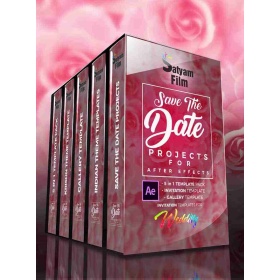
Grass Valley EDIUS X Workgroup : Edit Anything, Fast
- Commercial License
- Background Rendering
- GV Job Monitor
- H.265 Export
- Optimized Performance
- Optimized Audio Sync Performance
- 8K file export (H.265/HEVC, ProRes, DNxHR
Out of stock
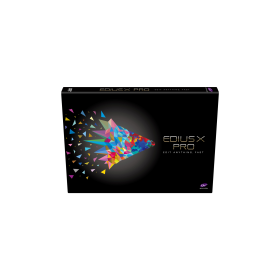
Grass Valley EDIUS X Pro : Edit Anything, Fast
- Background Rendering
- GV Job Monitor
- H.265 Export
- Optimized Performance
- Optimized Audio Sync Performance
- Native Support for the Latest Cameras and Codecs
Out of stock