
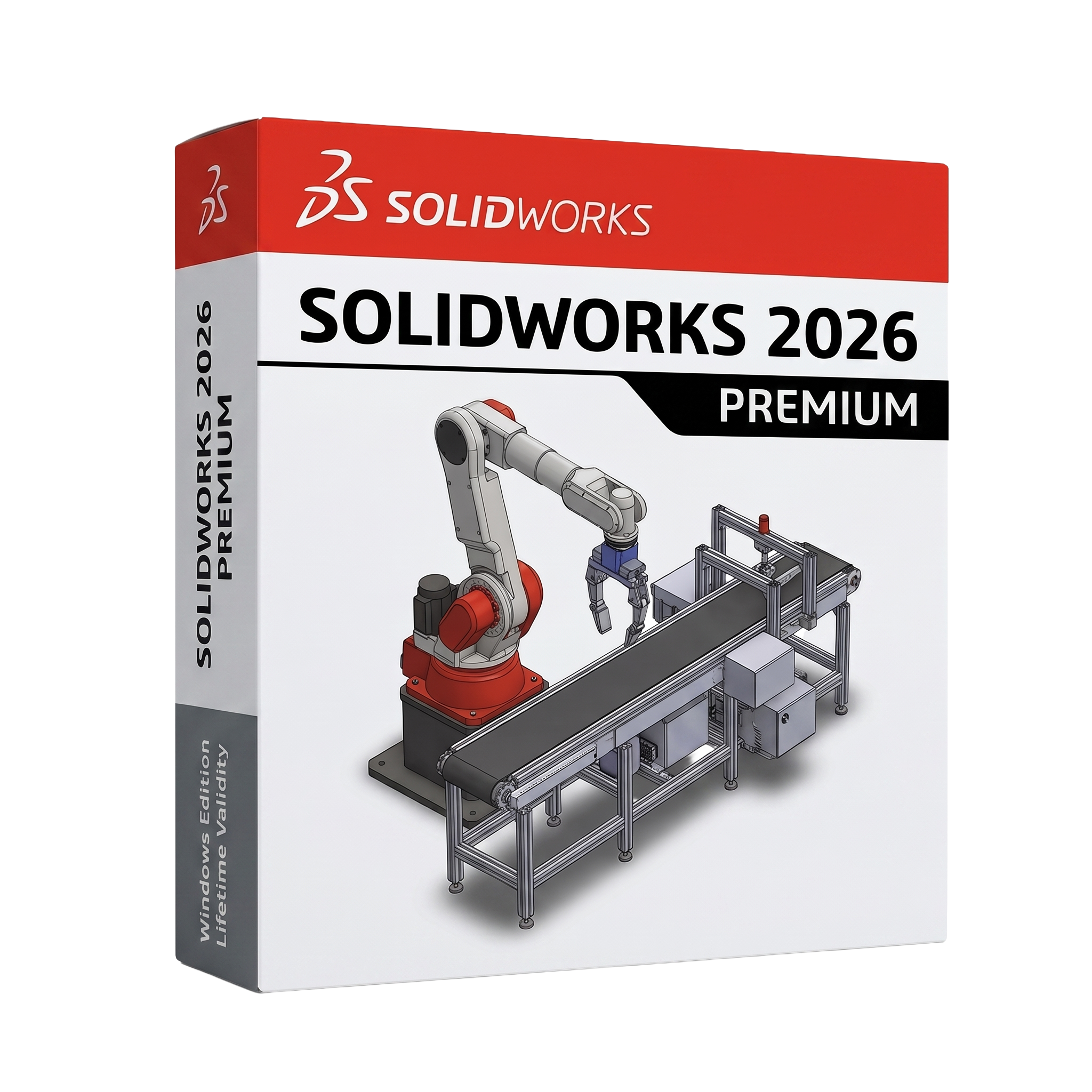
SolidWorks 2026 Premium for Lifetime
- AUTOMATIC DELIVERY INSTANTLY ON REGISTERED EMAIL .
- Any Installation Problem Freely Contact Us(Will Give You Support)
- Lifetime Validity
- Windows Version
- Free Updates
- Automate assembly mates instantly with AI-powered fastener recognition.
- Generate complete 2D drawings from 3D models automatically with AI tools.
- Split component configurations into separate files in batches seamlessly.
- Skip unnecessary rebuilds for cosmetic changes to speed up large assemblies.
- Create reference points precisely using global XYZ coordinate values.
- Import massive neutral files in the background while you continue working.
- Render photorealistic images directly within the interface without switching apps.
₹550.00
Bought Together
- AUTOMATIC DELIVERY INSTANTLY ON REGISTERED EMAIL .
- Any Installation Problem Freely Contact Us(Will Give You Support)
- Lifetime Validity
- Windows Version
- Free Updates
- Automate assembly mates instantly with AI-powered fastener recognition.
- Generate complete 2D drawings from 3D models automatically with AI tools.
- Split component configurations into separate files in batches seamlessly.
- Skip unnecessary rebuilds for cosmetic changes to speed up large assemblies.
- Create reference points precisely using global XYZ coordinate values.
- Import massive neutral files in the background while you continue working.
- Render photorealistic images directly within the interface without switching apps.
- AUTOMATIC DELIVERY INSTANTLY ON REGISTERED EMAIL .
- Any Installation Problem Freely Contact Us(Will Give You Support)
- Lifetime Validity
- Windows Version
- Required Solidworks 2026
- Professional CAM software fully integrated with SOLIDWORKS
- Automatic associative CAD/CAM workflow
- Patented iMachining technology for optimized cutting
- Supports 2.5D, 3D, HSM, 5-axis, turning, mill-turn, Swiss, and Wire EDM
- Advanced machine simulation and collision detection
- Feature Recognition and automated programming
- CAM Assist AI-assisted machining (optional)
- Custom post processors and tool libraries
- Optimized for high-performance workstation hardware
- Ideal for CNC programmers, manufacturing engineers, toolmakers, and precision machining facilities
Description
SOLIDWORKS 2026 Premium for Windows is a high-end 3D CAD, simulation, and product design software developed for engineers, designers, and manufacturing professionals. It provides a complete solution for designing complex parts, assemblies, and systems while integrating advanced simulation, validation, and visualization tools.
The Premium edition includes everything from standard modeling tools to advanced features like motion analysis, structural simulation, and routing for pipes, cables, and electrical systems—making it ideal for professional engineering workflows.
At its core, SOLIDWORKS offers powerful parametric 3D modeling, allowing users to create precise and fully editable designs. Engineers can build complex assemblies with thousands of components while maintaining performance and control.
🔧 Key Capabilities
- 3D Modeling & Assemblies – Create detailed parts and large assemblies
- Simulation Tools – Test stress, motion, and real-world behavior
- Routing & Electrical Design – Design pipes, tubes, and wiring systems
- Sheet Metal & Weldments – Specialized tools for manufacturing workflows
- Technical Drawings – Generate production-ready documentation
- Data Management (PDM) – Manage design data and collaboration
🚀 What’s New in 2026
SOLIDWORKS 2026 introduces major improvements in performance, usability, and collaboration:
- ⚡ Background Processing for Imports – Work while large files load
- 🧠 AI & Workflow Enhancements – Smarter tools and automation
- 🧩 Improved Large Assembly Handling – Faster performance with complex models
- 🎨 Enhanced Rendering & Materials – More realistic visualization
- 🔗 Better Collaboration Tools – Improved cloud and team workflows
These updates make the 2026 version faster, more efficient, and better suited for modern engineering environments.
Features of the program
- In the SOLIDWORKS CAM chapter, the topic More Parameters for Tapered Shanks and Support for Barrel Tool Type contains incorrect information. The Barrel tool type is not supported.
- In the Import/Export chapter, the topic Exporting Using Extended Reality contains incorrect information. In the table in step 3:
- The Output and Geometry options are not available.
- The Animation option Export Animations is renamed to Export to Motion Studies.
- In the SOLIDWORKS 3D Interconnect chapter, the topic Exporting to the Revit Family Format contains incorrect information. The functionality is not supported and has been removed from the software.
- In the SOLIDWORKS MBD chapter, a new topic was added, Publishing to 3D PDF, which contains the following information:
- Updates to the user interface for Publish to 3D PDF help you better visualize your selections’ impact on the final output. The new Template Selection dialog box provides large previews of available templates, including previews of each page of multipage templates. After you select a template, as you make selections in the PropertyManager, an extensive preview of the PDF document lets you see the effects of your selections.
System Requirements for SolidWorks
- Processor: 3.3 GHz or higher clock speed
- Operating System: Windows 10/11 64-bit
- Memory: 32GB (16GB minimum)
- Hard Drive: Solid State Drive (SSD), maintaining at least 20GB of free space
- Graphics Card
Related Products
- AUTOMATIC DELIVERY INSTANTLY ON REGISTERED EMAIL .
- Any Installation Problem Freely Contact Us(Will Give You Support)
- Lifetime Validity
- Windows Version
- 7.28 Version
- Map video onto complex geometric structures and surfaces with advanced projection mapping tools.
- Stitch multiple projectors into a single seamless widescreen image with soft edge blending.
- Sync video with lighting fixtures using DMX input and advanced LED pixel mapping.
- Lock your visuals perfectly to show tracks and DJ sets using SMPTE timecode input.
- Mix unlimited layers of video, effects, and generative content in real-time.
- Correct mistakes instantly during live setup with the fully integrated Undo/Redo feature.

- Lifetime Validity
- Instant Delivery on Email
- Supported on All Apple Mac Systems
- Any Installation Problem Freely Contact Us(Will Give You Support)
- Visual Search: Find clips by describing objects or actions (e.g., “sunset”).
- Beat Detection: Auto-generate markers to sync edits to music beats.
- Transcript Search: Find footage by typing spoken dialogue.
- Magnetic Mask: Isolate subjects instantly without green screens.
- Spatial Video: Edit and grade 3D content for Apple Vision Pro.
- Voice Isolation: Remove background noise with one click.
- Transcribe to Captions: Auto-generate subtitles on-device.
- Smooth Slo-Mo: AI-generated frames for perfect slow motion.
- AUTOMATIC DELIVERY INSTANTLY ON REGISTERED EMAIL .
- Any Installation Problem Freely Contact Us(Will Give You Support)
- Lifetime Validity
- Windows Version
- Retopo Brush: Draw low-poly topology directly on your sculpt.
- Python Support: Automate tasks with industry-standard scripting.
- Asset System: Separate user folders for safer customization.
- ZModeler Update: Auto-creasing and improved visual feedback.
- NoiseMaker 2.0: Transform and rotate alphas for surface noise.
- Redshift AOVs: Export render passes for professional compositing.
- Sculptris Pro: Add polygons dynamically only where you need detail.
- DynaMesh: Remesh your model instantly to fix stretched geometry.
- GoZ: Single-click transfer to Maya, Blender, Cinema 4D, and UE5.
- PolyPaint: Paint texture data directly on the mesh vertices.

- AUTOMATIC DELIVERY INSTANTLY ON REGISTERED EMAIL .
- Any Installation Problem Freely Contact Us(Will Give You Support)
- Lifetime Validity
- Windows Version
- Version: 4.20
- Revit 2023, 2024, 2025, 2026 and 2027
- SketchUp 2024, 2025 and 2026
- Rhino 7.0 and 8.3 (or later)
- Archicad 27, 28 and 29
- Vectorworks 2024, 2025 2026, 2027
- Navigate scenes with a unified, redesigned user interface for faster workflows.
- Enhance export quality instantly with the AI-powered NVIDIA Denoiser.
- Simulate realistic colored shadows for glass and transparent materials.
- Upscale textures and assets automatically using the Chaos AI Enhancer.
- Apply pencil and watercolor effects with new Artistic Visual Modes.
- Immerse clients in designs with support for Meta Quest 3 and HTC Vive.
- AUTOMATIC DELIVERY INSTANTLY ON REGISTERED EMAIL .
- Any Installation Problem Freely Contact Us(Will Give You Support)
- Lifetime Validity
- Windows Version
- Type effortlessly in multiple Indian languages with enhanced Unicode keyboard handlers.
- Detect and switch between 32-bit and 64-bit applications automatically while typing.
- Access thousands of high-quality calligraphic fonts for professional designs.
- Convert legacy text to Unicode instantly with the advanced file conversion utility.
- Design stylish 3D titles and logos easily using the Avishkar Plus tool.
- Check spelling in Indian languages directly with the integrated Spell Checker.
- Integrate seamlessly with open-source apps like Inkscape, GIMP, and Scribus.
- AUTOMATIC DELIVERY INSTANTLY ON REGISTERED EMAIL .
- Any Installation Problem Freely Contact Us(Will Give You Support)
- Lifetime Validity
- Windows Version
- New Desktop: Modern, faster UI with fully supported Dark Mode.
- AI Assistant: Generate and debug code using the built-in AI Chat.
- Python Interop: Seamless data exchange between MATLAB and Python.
- Simulink 3D: Photorealistic simulation powered by Unreal Engine 5.
- Live Editor: Embed sliders and buttons directly into your scripts.
- App Building: Create standalone Windows apps without C++ knowledge.
- Code Gen: Export C/C++ code for embedded hardware instantly.
- 5G/6G Tools: Advanced modeling for next-gen wireless networks.
- Automotive: specialized toolboxes for ADAS and autonomous driving.
- Cloud Run: Run your scripts in a browser via MATLAB Online.
- AUTOMATIC DELIVERY INSTANTLY ON REGISTERED EMAIL .
- Any Installation Problem Freely Contact Us(Will Give You Support)
- Lifetime Validity
- Windows Version
- For 3ds Max 2021 – 2027
- Render and clip real-world 3D scans natively with full Gaussian Splatting support.
- Simulate complex light fixtures significantly faster using the new V-Ray Luminaire.
- Generate accurate stars, moon, and phases instantly with the procedural Night Sky.
- Create PBR materials from simple photos automatically with the AI Material Generator.
- Stream interactive 3D scenes to clients via a web link with Chaos Cloud Streaming.
- Analyze scene performance and spot bottlenecks precisely using the V-Ray Profiler.
- Render realistic caustics and refractions at high speeds with updated V-Ray GPU.
- Lifetime Validity
- Instant Delivery on Email
- Supported on All Apple Mac Systems
- Any Installation Problem Freely Contact Us(Will Give You Support)
- Smooth skin naturally while preserving texture using advanced AI algorithms.
- Generate precise skin masks automatically to isolate subjects instantly.
- Process massive batches of photos rapidly with optimized multi-core performance.
- Remove blemishes and imperfections without blurring eyelashes or eyebrows.
- Even out skin tones to correct redness and blotchiness effortlessly.
- Apply professional retouching styles quickly with a customizable preset library.
- Fine-tune mask selection manually with the interactive refinement brush.

- AUTOMATIC DELIVERY INSTANTLY ON REGISTERED EMAIL .
- Any Installation Problem Freely Contact Us(Will Give You Support)
- Lifetime Validity
- Windows Version
- Rock-Solid Tracking: The industry standard for planar tracking.
- PowerMesh: Track warped surfaces like skin and fabric.
- Generative Remove: Auto-remove objects and wires with AI.
- Stabilization: Smooth out shaky handheld footage instantly.
- Insert Module: Perfect screen replacements with motion blur.
- Magnetic Roto: Snap masks to edges for fast rotoscoping.
- Lens Correction: Fix or match lens distortion easily.

- AUTOMATIC DELIVERY INSTANTLY ON REGISTERED EMAIL .
- Any Installation Problem Freely Contact Us(Will Give You Support)
- Lifetime Validity
- Windows Version
- Visualize models with realistic shading and depth using the new Ambient Occlusion engine.
- Import and export IFC files faster with enhanced openBIM interoperability.
- Find and execute any command instantly using the integrated Smart Search tool.
- Generate unique textures and styles quickly with AI-powered Diffusion graphics.
- Collaborate in real-time by syncing models seamlessly with Trimble Connect.
- Create 2D documentation efficiently with the optimized LayOut rendering engine.
- Import complex Revit files accurately with the lightweight Revit Importer.
- Organize geometry effortlessly using the modernized Tag management system.

- AUTOMATIC DELIVERY INSTANTLY ON REGISTERED EMAIL .
- Any Installation Problem Freely Contact Us(Will Give You Support)
- Lifetime Validity
- Windows Version
- Route complex PCB traces automatically with the new AI-driven auto-interactive router.
- Collaborate seamlessly with mechanical engineers via the enhanced real-time MCAD CoDesigner.
- Simulate power integrity and signal performance instantly within the unified design environment.
- Manage component shortages proactively with live supply chain data in ActiveBOM.
- Visualize multi-board systems and rigid-flex designs in photorealistic 3D detail.
- Sync all design changes and version history securely to the cloud with Altium 365.
- Define complex high-speed design rules easily using the visual Constraint Manager.
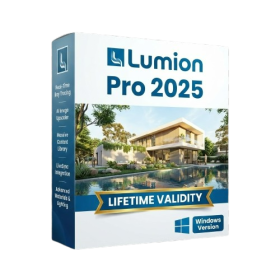
- AUTOMATIC DELIVERY INSTANTLY ON REGISTERED EMAIL .
- Any Installation Problem Freely Contact Us(Will Give You Support)
- Lifetime Validity
- Windows Version
- Hybrid Ray Tracing: Perfect reflections, shadows, and glass instantly.
- LiveSync: Real-time link to Revit, SketchUp, and Rhino.
- Full Library: Over 9,000 assets (trees, cars, people) included.
- Phasing Effect: Animate the construction process easily.
- Real Skies: 60+ HDR skies that light your scene automatically.
- Styles: One-click presets for “Watercolor,” “Sketch,” or “Realistic.”
- 3D Grass: Turn any surface into realistic, volumetric grass.
- Volumetric Spotlights: Create dusty, atmospheric beams of light.
- Material Editor: Add weathering, rounded edges, and foliage to textures.
- Output: Render 8K images, 4K videos, and 360 panoramas.