


SolidCAM 2026 for SolidWorks 2026 Lifetime
- AUTOMATIC DELIVERY INSTANTLY ON REGISTERED EMAIL .
- Any Installation Problem Freely Contact Us(Will Give You Support)
- Lifetime Validity
- Windows Version
- Required Solidworks 2026
- Professional CAM software fully integrated with SOLIDWORKS
- Automatic associative CAD/CAM workflow
- Patented iMachining technology for optimized cutting
- Supports 2.5D, 3D, HSM, 5-axis, turning, mill-turn, Swiss, and Wire EDM
- Advanced machine simulation and collision detection
- Feature Recognition and automated programming
- CAM Assist AI-assisted machining (optional)
- Custom post processors and tool libraries
- Optimized for high-performance workstation hardware
- Ideal for CNC programmers, manufacturing engineers, toolmakers, and precision machining facilities
₹550.00
Bought Together
Description
SolidCAM 2026 for SOLIDWORKS is a professional Computer-Aided Manufacturing (CAM) solution that operates directly inside the SOLIDWORKS design environment, providing a seamless CAD/CAM workflow for CNC programming. Developed by SolidCAM, the software enables manufacturers, CNC programmers, machinists, mold makers, and production engineers to create, simulate, verify, and optimize machining operations without leaving SOLIDWORKS. The integrated approach eliminates file translation, maintains associativity with CAD models, and automatically updates machining operations whenever the design changes, improving productivity and reducing programming errors.
Built as a fully integrated SOLIDWORKS add-in, SolidCAM 2026 supports the complete spectrum of CNC machining operations, including 2.5D milling, high-speed machining (HSM), high-speed roughing (HSR), 3D milling, simultaneous 5-axis machining, turning, advanced mill-turn, Swiss-type machining, wire EDM, and probing. Its patented iMachining technology automatically calculates optimal cutting conditions to reduce machining time, improve tool life, and increase material removal rates while maintaining high-quality surface finishes.
Version 2026 introduces numerous workflow enhancements focused on improving programming efficiency. Key additions include smarter Feature Group–based programming for 2.5D milling, reduced repetitive geometry selection, improved Feature Recognition workflows, enhancements to MCO (Machine Control Operations), TCP (Tool Center Point) machining, improved inter-operational movements, and general performance and usability improvements throughout the CAM environment. These updates help CNC programmers create machining operations more quickly while increasing automation and reducing manual intervention.
Key Features
- Fully integrated CAM solution for SOLIDWORKS
- Associative CAD/CAM workflow with automatic model updates
- Patented iMachining 2D and 3D technology
- 2.5D milling
- 3D High-Speed Machining (HSM)
- High-Speed Roughing (HSR)
- Simultaneous 5-axis machining
- Indexed (3+2) machining
- CNC turning
- Advanced Mill-Turn machining
- Swiss-Type machining
- Wire EDM programming
- CNC probing and inspection
- Feature Recognition and automatic machining
- Toolpath verification and machine simulation
- Collision detection and machine kinematics simulation
- Post Processor customization
- Tool library and machining templates
- CAM Assist AI-assisted programming (optional module)
- Support for multi-channel CNC machines
What’s New in Version 2026
- Feature Group-based operation creation for faster programming
- Reduced repetitive geometry selection in 2.5D machining
- Improved automatic Feature Recognition workflows
- Enhanced Machine Control Operations (MCO)
- Tool Center Point (TCP) machining improvements
- Better inter-operational movement optimization
- Improved CAM Tree workflow
- Enhanced machining automation
- Performance optimizations for large machining projects
- User interface refinements
- Stability improvements and bug fixes
Professional Applications
SolidCAM 2026 is ideal for:
- CNC milling
- CNC turning
- Multi-axis machining
- Precision manufacturing
- Aerospace component production
- Automotive manufacturing
- Mold and die machining
- Medical device manufacturing
- Tool and fixture production
- General mechanical engineering
- High-speed production machining
- Prototype manufacturing
System Requirements
Minimum Requirements
- Operating System: Windows 10 (64-bit) or Windows 11 (64-bit), compatible with the supported SOLIDWORKS release
- Processor: Intel Core i7 or AMD equivalent (64-bit)
- RAM: 16 GB
- Storage: SSD recommended with at least 20 GB free space
- Graphics: Certified NVIDIA RTX/Quadro or AMD Radeon Pro graphics compatible with SOLIDWORKS
- Display: 1920 × 1080 resolution or higher
- Software: Compatible supported version of SOLIDWORKS installed
Related Products
- AUTOMATIC DELIVERY INSTANTLY ON REGISTERED EMAIL .
- Any Installation Problem Freely Contact Us(Will Give You Support)
- Lifetime Validity
- Windows Version
- Type effortlessly in multiple Indian languages with enhanced Unicode keyboard handlers.
- Detect and switch between 32-bit and 64-bit applications automatically while typing.
- Access thousands of high-quality calligraphic fonts for professional designs.
- Convert legacy text to Unicode instantly with the advanced file conversion utility.
- Design stylish 3D titles and logos easily using the Avishkar Plus tool.
- Check spelling in Indian languages directly with the integrated Spell Checker.
- Integrate seamlessly with open-source apps like Inkscape, GIMP, and Scribus.
- Lifetime Validity
- Instant Delivery on Email
- Supported on All Apple Mac Systems
- Any Installation Problem Freely Contact Us(Will Give You Support)
- Render natively on Apple Silicon (M1/M2/M3) for maximum speed and efficiency.
- Generate photorealistic backgrounds instantly from text prompts using the AI Shots tool.
- Share interactive 3D product reviews securely with stakeholders via KeyShot Web Viewer.
- Automate complex rendering pipelines using the advanced Python scripting console.
- Import native files directly from high-end CAD systems like Siemens NX, Catia, and Creo.
- Switch seamlessly between CPU and GPU rendering to utilize Apple Metal graphics power.
- Create standardized material libraries for your organization with OpenPBR support.
- Accelerate post-production compositing with automatic Cryptomatte mask generation.
- Lifetime Validity
- Instant Delivery on Email
- Supported on All Apple Mac Systems
- Any Installation Problem Freely Contact Us(Will Give You Support)
- File Size: 6.68GB (20.3.2 Version)
- Ai Features are working
- Works with Internet and Antivirus
- Edit 12K projects effortlessly with native optimization for Apple M3 and M4 Ultra chips.
- Render renders up to 4x faster using the fully unified memory architecture of Apple Silicon.
- Generate depth maps instantly from single-camera clips using the Apple Neural Engine.
- Grade HDR content with absolute precision on Liquid Retina XDR displays using the new EDR workflow.
- Isolate voices from noisy backgrounds in real-time with the Core ML-powered Voice Isolation.
- Edit spatial video for Apple Vision Pro with a dedicated stereoscopic 3D viewer.
- Track complex objects in 3D space instantly with the Metal-accelerated IntelliTrack AI.
- AUTOMATIC DELIVERY INSTANTLY ON REGISTERED EMAIL .
- Any Installation Problem Freely Contact Us(Will Give You Support)
- Lifetime Validity
- Windows Version
- New Desktop: Modern, faster UI with fully supported Dark Mode.
- AI Assistant: Generate and debug code using the built-in AI Chat.
- Python Interop: Seamless data exchange between MATLAB and Python.
- Simulink 3D: Photorealistic simulation powered by Unreal Engine 5.
- Live Editor: Embed sliders and buttons directly into your scripts.
- App Building: Create standalone Windows apps without C++ knowledge.
- Code Gen: Export C/C++ code for embedded hardware instantly.
- 5G/6G Tools: Advanced modeling for next-gen wireless networks.
- Automotive: specialized toolboxes for ADAS and autonomous driving.
- Cloud Run: Run your scripts in a browser via MATLAB Online.
- AUTOMATIC DELIVERY INSTANTLY ON REGISTERED EMAIL .
- Any Installation Problem Freely Contact Us(Will Give You Support)
- Lifetime Validity
- Windows Version
- Render scenes with significantly less noise using the improved High-Quality Denoiser.
- Create intricate procedural clouds and weather effects with the updated Corona Sky.
- Scatter objects efficiently on surfaces with the enhanced Chaos Scatter controls.
- Apply decals to curved and organic surfaces seamlessly without UV unwrap.
- Simulate realistic fabrics and velvets instantly with the new Sheen layer.
- Manage complex scenes easily using the optimized Lister and Scene Management tools.
- Reduce memory usage significantly when rendering repetitive geometry with Corona Pattern.
- AUTOMATIC DELIVERY INSTANTLY ON REGISTERED EMAIL .
- Any Installation Problem Freely Contact Us(Will Give You Support)
- Lifetime Validity
- Mac Version
- Run natively on Apple Silicon (M1/M2/M3/M4/M5) for blazing-fast performance.
- Visualize models with realistic depth using the new Ambient Occlusion engine.
- Generate unique textures instantly with integrated AI-powered prompts.
- Sync projects seamlessly between Mac, iPad, and Web versions.
- Convert iPhone LiDAR scans into 3D models automatically via Scan-to-Design.
- Create 2D documentation faster with the optimized LayOut rendering engine.
- Import and export USDZ files easily for Apple AR visualization.
- Lifetime Validity
- Instant Delivery on Email
- Supported on All Apple Mac Systems
- Any Installation Problem Freely Contact Us(Will Give You Support)
- Smooth skin naturally while preserving texture using advanced AI algorithms.
- Generate precise skin masks automatically to isolate subjects instantly.
- Process massive batches of photos rapidly with optimized multi-core performance.
- Remove blemishes and imperfections without blurring eyelashes or eyebrows.
- Even out skin tones to correct redness and blotchiness effortlessly.
- Apply professional retouching styles quickly with a customizable preset library.
- Fine-tune mask selection manually with the interactive refinement brush.
- AUTOMATIC DELIVERY INSTANTLY ON REGISTERED EMAIL .
- Any Installation Problem Freely Contact Us(Will Give You Support)
- Lifetime Validity
- Windows Version
- Smooth skin naturally while preserving texture using advanced AI algorithms.
- Generate precise skin masks automatically to isolate subjects instantly.
- Process massive batches of photos rapidly with optimized multi-core performance.
- Remove blemishes and imperfections without blurring eyelashes or eyebrows.
- Even out skin tones to correct redness and blotchiness effortlessly.
- Apply professional retouching styles quickly with a customizable preset library.
- Fine-tune mask selection manually with the interactive refinement brush.
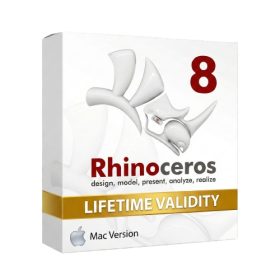
- Lifetime Validity
- Instant Delivery on Email
- Supported on All Apple Mac Systems
- Any Installation Problem Freely Contact Us(Will Give You Support)
- Run natively on Apple Silicon (M1/M2/M3) for significantly faster processing speeds.
- Experience fluid viewport navigation with the new Apple Metal graphics pipeline.
- Create watertight meshes from open geometry instantly using the ShrinkWrap command.
- Customize your workspace with new Window Layouts that match the Windows interface.
- Render ray-traced images in real-time using GPU-accelerated Cycles on Metal.
- Model organically with sharp edges using the new SubD Creases feature.
- Extrude and subtract geometry directly from faces with the intuitive PushPull workflow.
- Create dynamic 3D sections with hatch patterns using improved Clipping Planes.
- Access new data types and attributes directly within the upgraded Grasshopper.

- Lifetime Validity
- Instant Delivery on Email
- Any Installation Problem Freely Contact Us(Will Give You Support)
- Supported on Windows 10,11
- Pre-Activated for Lifetime Validity
- Supports: Revit 2022 to 2026
- Import and render real-world 3D Gaussian Splats directly within the Revit interface.
- Generate custom PBR textures instantly from text prompts with the AI Material Generator.
- Visualize changes in real-time using the seamless Chaos Vantage Live Link.
- Populate scenes with vegetation and crowds efficiently using Chaos Scatter.
- Edit colors and apply finishing touches directly in the advanced V-Ray Frame Buffer.
- Ensure material consistency across different software with native OpenPBR support.
- Add realistic details like road markings or graffiti using V-Ray Decals.
- Simulate dynamic skies and cloud shadows with the procedural Cloud system.
- Generate dozens of lighting variations automatically with the Light Gen tool.
- Accelerate rendering times significantly with optimized NVIDIA RTX GPU support.
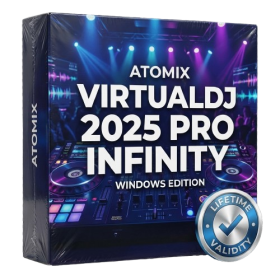
- AUTOMATIC DELIVERY INSTANTLY ON REGISTERED EMAIL .
- Any Installation Problem Freely Contact Us(Will Give You Support)
- Lifetime Validity
- Windows Version
- Works with Internet and Antivirus
- File Size: 461MB
- v8.5.8472
- Swap vocals or drums between tracks instantly with the new StemSwap Sampler.
- Isolate track elements in real-time for seamless live mashups and remixes.
- Export playlists to USB drives for CDJs with new subfolder support.
- Sync music libraries across devices automatically via improved Cloud Drive tools.
- Plug and play with over 300+ controllers including the latest AlphaTheta models.
- Mix video and karaoke with customizable on-screen graphics and lyrics.
- Scratch with precision using the improved ultra-low latency DVS engine.
- Stream sets directly to social platforms without external broadcasting software.
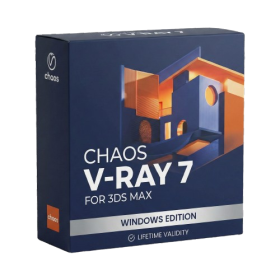
- AUTOMATIC DELIVERY INSTANTLY ON REGISTERED EMAIL .
- Any Installation Problem Freely Contact Us(Will Give You Support)
- Lifetime Validity
- Windows Version
- For 3ds Max 2021 – 2027
- Render and clip real-world 3D scans natively with full Gaussian Splatting support.
- Simulate complex light fixtures significantly faster using the new V-Ray Luminaire.
- Generate accurate stars, moon, and phases instantly with the procedural Night Sky.
- Create PBR materials from simple photos automatically with the AI Material Generator.
- Stream interactive 3D scenes to clients via a web link with Chaos Cloud Streaming.
- Analyze scene performance and spot bottlenecks precisely using the V-Ray Profiler.
- Render realistic caustics and refractions at high speeds with updated V-Ray GPU.