
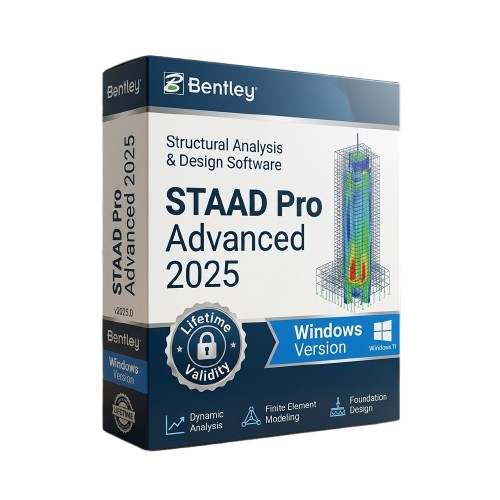
Bentley STAAD Pro Advanced 2025 for Lifetime
- AUTOMATIC DELIVERY INSTANTLY ON REGISTERED EMAIL .
- Any Installation Problem Freely Contact Us(Will Give You Support)
- Lifetime Validity
- Windows Version
- Advanced Solver: Analyze massive structural models exponentially faster.
- Physical Modeling: Build intuitively using physical beams and slabs, not just nodes.
- Global Standards: Includes over 90 international steel, concrete, and timber design codes natively.
- Non-Linear & Dynamic: Perform complex seismic, cable, and push-over analyses.
- BIM Integration: Sync models seamlessly with Revit, Tekla, and Bentley iTwin.
- Automated Loads: Auto-generate complex wind and seismic load combinations safely.
- Foundation Ready: Integrated tools for designing footings, pile caps, and mat foundations.
₹550.00
Description
Bentley STAAD Pro Advanced 2025 (Windows): The Ultimate Structural Analysis & Design Solution
Equip your engineering team with the industry’s most comprehensive structural finite element analysis and design application.Bentley STAAD Pro Advanced 2025 is designed to handle the most complex architectural and infrastructure projects, from towering commercial skyscrapers to heavy industrial plants.
While the standard STAAD Pro handles everyday structural tasks, the Advanced edition supercharges your workflow with a state-of-the-art solver engine that performs up to 1,000 times faster on massive models. It unlocks high-end capabilities like geometric non-linear analysis, steady-state dynamic analysis, and comprehensive cable modeling, ensuring your structures are safe, compliant, and optimized for cost.
Why Choose STAAD Pro Advanced 2025?
1. The Advanced Solver Engine
- The Power: Time is money in structural design.
- The Benefit: The Advanced edition features an incredibly fast, multi-core optimized solver. Models with millions of degrees of freedom that used to take hours to analyze now process in mere minutes. This allows engineers to test multiple design iterations and value-engineer the structure rapidly.
2. Physical Modeling Workflow
- The Workflow: Stop agonizing over complex nodes and finite element meshes.
- The Benefit: Draw structures exactly as they will be built using physical members (beams, columns, slabs). STAAD Pro Advanced 2025 automatically generates the underlying analytical model and finite element mesh in the background, drastically reducing modeling errors and setup time.
3. Unmatched Global Code Support
- The Flexibility: Take on projects anywhere in the world.
- The Benefit: Native access to over 90 international design codes—including US, British, European, Indian, and Asian standards for steel, concrete, timber, and aluminum. You do not need to purchase separate regional modules; everything is included out of the box.
What’s New in Version 2025?
Enhanced Cloud Collaboration & iTwin Integration
- The Feature: Seamlessly connect your structural data to the broader project ecosystem.
- The Benefit: Push your 3D structural models directly to Bentley Infrastructure Cloud and the iTwin platform. This allows stakeholders to review, markup, and run clash detection against architectural and MEP models in a web browser, ensuring perfect coordination before construction begins.
Advanced Wind & Seismic Load Automation
- The Upgrade: Calculating environmental loads is notoriously prone to human error.
- The Benefit: Version 2025 features updated, automated load generators for the latest international seismic and wind codes. Simply input your geographic data and building parameters, and the software automatically calculates complex load combinations and distributes them accurately across the frame.
Integrated Foundation Design
- The Feature: From the roof down to the soil.
- The Benefit: The integration with STAAD Foundation Advanced is smoother than ever. Export your superstructure’s reaction forces directly into the foundation module to design isolated footings, combined footings, pile caps, and massive mat foundations within a unified workflow.
Key Features
- Non-Linear Analysis: Perform advanced geometric and material non-linear analysis, essential for designing cable-suspended structures, tall towers, and tension fabrics.
- Dynamic & Push-Over Analysis: Ensure structural integrity during earthquakes with advanced response spectrums, time history, and push-over analysis tools.
- BIM Interoperability: Import and export models flawlessly between Revit, Tekla Structures, AutoPIPE, and MicroStation without losing critical design data.
- Automated Meshing: Generate high-quality plate and shell elements automatically. The software handles complex geometries and openings, ensuring accurate load transfer.
- Customizable Reporting: Generate clear, comprehensive, and professional calculation reports with custom logos, graphs, and 3D renderings to submit to local building authorities.
System Requirements (Windows)
- Operating System: Windows 11 or Windows 10 (64-bit only).
- Processor: Intel Core i5/i7/i9 or AMD Ryzen equivalent (Multi-core processor strongly recommended for the Advanced Solver).
- Memory (RAM): 8 GB RAM minimum (16 GB to 32 GB strongly recommended for massive models and dynamic analysis).
- Graphics (GPU): 2 GB VRAM minimum with OpenGL 3.2 support (NVIDIA Quadro or AMD Radeon Pro workstation graphics recommended for smooth 3D rendering).
- Storage: 5 GB of available hard disk space for installation (NVMe SSD highly recommended to speed up read/write times during analysis).
- Display: 1920 x 1080 True Color resolution or higher.
Related Products

- AUTOMATIC DELIVERY INSTANTLY ON REGISTERED EMAIL .
- Any Installation Problem Freely Contact Us(Will Give You Support)
- Lifetime Validity
- Windows Version
- Edit video content as easily as a text document with the AI-powered text-based editing workflow.
- Instantly remove or replace video backgrounds without a green screen using dynamic AI masking.
- Automatically generate and sync accurate captions and subtitles from your voiceover in seconds.
- Smooth out jerky mouse movements and customize cursor paths with advanced cursor effects.
- Record high-resolution 4K screen capture, webcam, and system audio simultaneously.
- Clean up background noise and balance vocal levels instantly with AI-enhanced audio filters.
- Access a vast library of royalty-free intros, motion graphics, and music directly within the editor.
- Engage viewers by adding interactive quizzes and clickable hotspots directly to your videos.
- Apply professional animations and behaviors to text and images with simple drag-and-drop actions.
- Export videos faster than ever with optimized GPU acceleration for modern hardware.
- Lifetime Validity
- Instant Delivery on Email
- Supported on All Apple Mac Systems
- Any Installation Problem Freely Contact Us(Will Give You Support)
- File Size: 6.68GB (20.3.2 Version)
- Ai Features are working
- Works with Internet and Antivirus
- Edit 12K projects effortlessly with native optimization for Apple M3 and M4 Ultra chips.
- Render renders up to 4x faster using the fully unified memory architecture of Apple Silicon.
- Generate depth maps instantly from single-camera clips using the Apple Neural Engine.
- Grade HDR content with absolute precision on Liquid Retina XDR displays using the new EDR workflow.
- Isolate voices from noisy backgrounds in real-time with the Core ML-powered Voice Isolation.
- Edit spatial video for Apple Vision Pro with a dedicated stereoscopic 3D viewer.
- Track complex objects in 3D space instantly with the Metal-accelerated IntelliTrack AI.

- AUTOMATIC DELIVERY INSTANTLY ON REGISTERED EMAIL .
- Any Installation Problem Freely Contact Us(Will Give You Support)
- Lifetime Validity
- Windows Version
- Smooth skin naturally while preserving texture using advanced AI algorithms.
- Generate precise skin masks automatically to isolate subjects instantly.
- Process massive batches of photos rapidly with optimized multi-core performance.
- Remove blemishes and imperfections without blurring eyelashes or eyebrows.
- Even out skin tones to correct redness and blotchiness effortlessly.
- Apply professional retouching styles quickly with a customizable preset library.
- Fine-tune mask selection manually with the interactive refinement brush.
- Lifetime Validity
- Instant Delivery on Email
- Supported on All Apple Mac Systems
- Any Installation Problem Freely Contact Us(Will Give You Support)
- Render natively on Apple Silicon (M1/M2/M3) for maximum speed and efficiency.
- Generate photorealistic backgrounds instantly from text prompts using the AI Shots tool.
- Share interactive 3D product reviews securely with stakeholders via KeyShot Web Viewer.
- Automate complex rendering pipelines using the advanced Python scripting console.
- Import native files directly from high-end CAD systems like Siemens NX, Catia, and Creo.
- Switch seamlessly between CPU and GPU rendering to utilize Apple Metal graphics power.
- Create standardized material libraries for your organization with OpenPBR support.
- Accelerate post-production compositing with automatic Cryptomatte mask generation.

- AUTOMATIC DELIVERY INSTANTLY ON REGISTERED EMAIL .
- Any Installation Problem Freely Contact Us(Will Give You Support)
- Lifetime Validity
- Windows Version
- Route complex PCB traces automatically with the new AI-driven auto-interactive router.
- Collaborate seamlessly with mechanical engineers via the enhanced real-time MCAD CoDesigner.
- Simulate power integrity and signal performance instantly within the unified design environment.
- Manage component shortages proactively with live supply chain data in ActiveBOM.
- Visualize multi-board systems and rigid-flex designs in photorealistic 3D detail.
- Sync all design changes and version history securely to the cloud with Altium 365.
- Define complex high-speed design rules easily using the visual Constraint Manager.

- AUTOMATIC DELIVERY INSTANTLY ON REGISTERED EMAIL .
- Any Installation Problem Freely Contact Us(Will Give You Support)
- Lifetime Validity
- Windows Version
- Version: 4.20
- Revit 2023, 2024, 2025, 2026 and 2027
- SketchUp 2024, 2025 and 2026
- Rhino 7.0 and 8.3 (or later)
- Archicad 27, 28 and 29
- Vectorworks 2024, 2025 2026, 2027
- Navigate scenes with a unified, redesigned user interface for faster workflows.
- Enhance export quality instantly with the AI-powered NVIDIA Denoiser.
- Simulate realistic colored shadows for glass and transparent materials.
- Upscale textures and assets automatically using the Chaos AI Enhancer.
- Apply pencil and watercolor effects with new Artistic Visual Modes.
- Immerse clients in designs with support for Meta Quest 3 and HTC Vive.
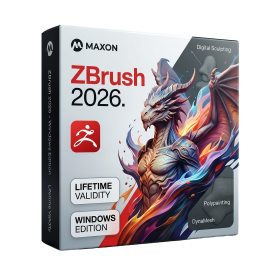
- AUTOMATIC DELIVERY INSTANTLY ON REGISTERED EMAIL .
- Any Installation Problem Freely Contact Us(Will Give You Support)
- Lifetime Validity
- Windows Version
- Retopo Brush: Draw low-poly topology directly on your sculpt.
- Python Support: Automate tasks with industry-standard scripting.
- Asset System: Separate user folders for safer customization.
- ZModeler Update: Auto-creasing and improved visual feedback.
- NoiseMaker 2.0: Transform and rotate alphas for surface noise.
- Redshift AOVs: Export render passes for professional compositing.
- Sculptris Pro: Add polygons dynamically only where you need detail.
- DynaMesh: Remesh your model instantly to fix stretched geometry.
- GoZ: Single-click transfer to Maya, Blender, Cinema 4D, and UE5.
- PolyPaint: Paint texture data directly on the mesh vertices.
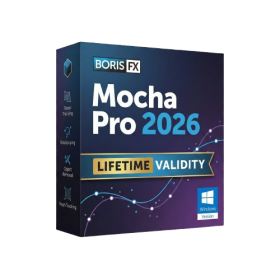
- AUTOMATIC DELIVERY INSTANTLY ON REGISTERED EMAIL .
- Any Installation Problem Freely Contact Us(Will Give You Support)
- Lifetime Validity
- Windows Version
- Rock-Solid Tracking: The industry standard for planar tracking.
- PowerMesh: Track warped surfaces like skin and fabric.
- Generative Remove: Auto-remove objects and wires with AI.
- Stabilization: Smooth out shaky handheld footage instantly.
- Insert Module: Perfect screen replacements with motion blur.
- Magnetic Roto: Snap masks to edges for fast rotoscoping.
- Lens Correction: Fix or match lens distortion easily.
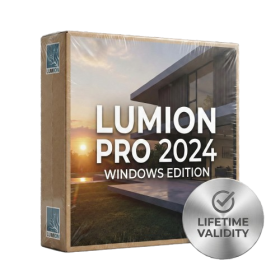
- AUTOMATIC DELIVERY INSTANTLY ON REGISTERED EMAIL .
- Any Installation Problem Freely Contact Us(Will Give You Support)
- Lifetime Validity
- Windows Version
- Ray trace over 2,200 nature assets including trees and shrubs for realistic reflections.
- Preview renders instantly with the new real-time NRD denoiser in Photo and Movie modes.
- Render ray-traced videos up to 5x faster using the optimized sampling engine.
- Simulate realistic glass refraction and colored shadows with fully ray-traced glass.
- Add depth to translucent materials like marble and wax with Subsurface Scattering.
- Populate interiors instantly using 25+ new parallax room templates for day and night.
- Import GLTF files directly for a lighter and faster 3D model workflow.
- Batch import multiple 3D models simultaneously to speed up scene building.
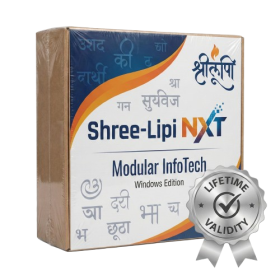
- AUTOMATIC DELIVERY INSTANTLY ON REGISTERED EMAIL .
- Any Installation Problem Freely Contact Us(Will Give You Support)
- Lifetime Validity
- Windows Version
- Type effortlessly in multiple Indian languages with enhanced Unicode keyboard handlers.
- Detect and switch between 32-bit and 64-bit applications automatically while typing.
- Access thousands of high-quality calligraphic fonts for professional designs.
- Convert legacy text to Unicode instantly with the advanced file conversion utility.
- Design stylish 3D titles and logos easily using the Avishkar Plus tool.
- Check spelling in Indian languages directly with the integrated Spell Checker.
- Integrate seamlessly with open-source apps like Inkscape, GIMP, and Scribus.
- Lifetime Validity
- Instant Delivery on Email
- Supported on All Apple Mac Systems
- Any Installation Problem Freely Contact Us(Will Give You Support)
- Visual Search: Find clips by describing objects or actions (e.g., “sunset”).
- Beat Detection: Auto-generate markers to sync edits to music beats.
- Transcript Search: Find footage by typing spoken dialogue.
- Magnetic Mask: Isolate subjects instantly without green screens.
- Spatial Video: Edit and grade 3D content for Apple Vision Pro.
- Voice Isolation: Remove background noise with one click.
- Transcribe to Captions: Auto-generate subtitles on-device.
- Smooth Slo-Mo: AI-generated frames for perfect slow motion.
- AUTOMATIC DELIVERY INSTANTLY ON REGISTERED EMAIL .
- Any Installation Problem Freely Contact Us(Will Give You Support)
- Lifetime Validity
- Windows Version
- ANSYS Products includes the following applications:
- ANSYS Mechanical Pro, Premium, Enterprise
- ANSYS CFD Premium and Enterprise
- ANSYS Mechanical CFD Maxwell 3D
- ANSYS Mechanical Maxwell 3D
- ANSYS Mechanical CFD
- ANSYS HFSS
- Siwave ANSYS
- ANSYS Maxwell
- ANSYS Q3D Extractor
- ANSYS Icepak