
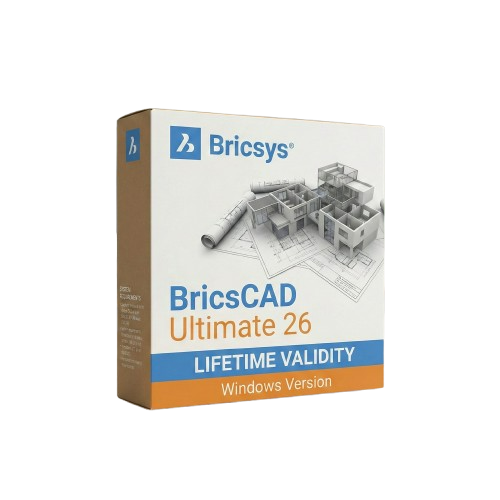
BricsCAD Ultimate 26 for Lifetime
- AUTOMATIC DELIVERY INSTANTLY ON REGISTERED EMAIL .
- Any Installation Problem Freely Contact Us(Will Give You Support)
- Lifetime Validity
- Windows Version
- Works with Internet and Antivirus
- All-in-One Solution: Combines 2D drafting, 3D modeling, BIM, and Mechanical CAD.
- Native DWG Format: Guarantees zero data loss and full AutoCAD file compatibility.
- Perpetual Licensing: Own your software forever with no mandatory monthly fees.
- AI Quad Cursor: Predictive context menus drastically reduce mouse clicks.
- Smart Blockify: Automatically detects and converts repetitive geometry into blocks.
- Dynamic Blocks: Fully create and edit parametric blocks directly within the software.
- Direct 3D Modeling: Push-pull editing with intuitive grips for rapid prototyping.
- Civil Engineering Tools: Generate dynamic civil sections and TIN volumetric reports.
- Point Cloud Tracing: Easily trace 2D linework over massive 3D laser scan datasets.
- Sheet Metal Automation: Instantly unfold 3D solids into manufacturing-ready DXFs.
₹499.00
Description
Bricsys BricsCAD Ultimate 26 (Windows): The All-in-One True CAD Alternative
BricsCAD Ultimate 26 is the undisputed powerhouse of the BricsCAD family. Combining the full capabilities of BricsCAD Lite, Pro, BIM, and Mechanical into one unified, DWG-native environment, this suite is designed for multi-disciplinary teams who refuse to compromise on speed or capability.
Whether you are an architect designing complex IFC-compliant buildings, a mechanical engineer detailing sheet metal, or a civil surveyor generating TIN surface cut/fill reports, BricsCAD Ultimate 26 delivers it all without forcing you into expensive, fragmented subscription models. Offering a highly familiar interface and blazing-fast performance, it is the ultimate perpetual-license solution for professionals looking to maximize productivity and lower overhead costs.
Why Choose BricsCAD Ultimate 26?
1. The Complete Multi-Disciplinary Package
- The Advantage: You do not need to buy and manage separate software licenses for different departments.
- The Benefit: Ultimate seamlessly integrates 2D drafting, 3D modeling, Building Information Modeling (BIM), and mechanical assembly design. A mechanical engineer and an architect can collaborate natively on the same DWG file without data loss or translation errors.
2. Native DWG & Familiar Interface
- The Advantage: Zero learning curve and seamless migration from legacy systems.
- The Benefit: If you know traditional CAD software, you already know BricsCAD. It uses the exact same command names, aliases, menus, and LISP routines. You can open massive, reference-heavy DWG files instantly and get straight to work.
3. AI-Driven Productivity
- The Advantage: BricsCAD integrates machine learning directly into your daily workflow.
- The Benefit: Features like Blockify automatically detect repetitive geometry and convert it into blocks to drastically reduce file size. The Quad cursor menu predicts the exact command you need next based on your current context, significantly reducing mouse travel and clicks.
What’s New in Version 26?
Dynamic Block Creation & Editing
- The Feature: Long requested by the design community, V26 finally introduces native support for creating and editing Dynamic Blocks.
- The Benefit: Add parameters, actions, and visibility states to your symbols directly inside BricsCAD. Make changes instantly without needing external software. (Note: Dynamic Block creation is available outside the United States).
3D Solid Manipulation Grips
- The Feature: Freeform 3D editing without diving into complex menus.
- The Benefit: Resize and reshape primitive solids and polysolids instantly by dragging the new, intuitive 3D grips, making conceptual modeling and rapid prototyping incredibly fast.
Civil Sections & TIN Volumetrics
- The Feature: Transformative new tools specifically for land surveyors and civil engineers.
- The Benefit: Generate accurate, dynamically linked civil sections directly from surfaces or alignments. The new TIN Cut and Fill Volume Reports streamline terrain analysis natively.
2D Polyline Tracing on Point Clouds
- The Feature: Reverse engineering and scan-to-BIM made simple.
- The Benefit: Trace clean, accurate linework directly over massive 3D laser scan datasets with just one click per segment.
Key Features
- Sheet Metal Design: Convert standard solid models into intelligent sheet metal parts with a single click, complete with automated unfolding and direct export to DXF for manufacturing.
- BIM Classification: Full support for the latest IFC 4×3 standards, ensuring your infrastructure and plant models pass seamlessly to other stakeholders in a BIM workflow.
- Drawing Health: Automatically scan, diagnose, and clean up messy, unoptimized DWG files received from outside contractors before they slow down your system.
- Interference Checking: Catch expensive clashes before production by running collision detection on complex 3D assemblies and piping routes with a highly visual, easy-to-read UI.
- Parametric Assemblies: Use bottom-up or top-down design methodologies to create robust mechanical assemblies with automatically generated Bills of Materials (BOM) and balloon callouts.
System Requirements (Windows)
- Operating System: Windows 10 or Windows 11 (64-bit only).
- Processor: Intel Core i5/i7/i9 or AMD Ryzen (Base clock > 2.5 GHz; multi-core heavily recommended for point clouds and rendering).
- Memory (RAM): 8 GB minimum (16 GB or 32 GB strongly recommended for BIM and large mechanical assemblies).
- Graphics (GPU): 1 GB VRAM minimum (4 GB+ NVIDIA or AMD workstation graphics recommended for smooth 3D modeling and visual styles).
- Storage: 2 GB of free hard drive space for installation (NVMe SSD strongly recommended for fast file loading).
- Display: 1920 x 1080 True Color (4K resolution and fractional monitor scaling are fully supported in V26).
Related Products

- Lifetime Validity
- Instant Delivery on Email
- Supported on All Apple Mac Systems
- Any Installation Problem Freely Contact Us(Will Give You Support)
- Smooth skin naturally while preserving texture using advanced AI algorithms.
- Generate precise skin masks automatically to isolate subjects instantly.
- Process massive batches of photos rapidly with optimized multi-core performance.
- Remove blemishes and imperfections without blurring eyelashes or eyebrows.
- Even out skin tones to correct redness and blotchiness effortlessly.
- Apply professional retouching styles quickly with a customizable preset library.
- Fine-tune mask selection manually with the interactive refinement brush.
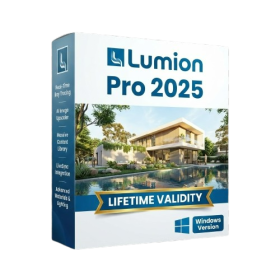
- AUTOMATIC DELIVERY INSTANTLY ON REGISTERED EMAIL .
- Any Installation Problem Freely Contact Us(Will Give You Support)
- Lifetime Validity
- Windows Version
- Hybrid Ray Tracing: Perfect reflections, shadows, and glass instantly.
- LiveSync: Real-time link to Revit, SketchUp, and Rhino.
- Full Library: Over 9,000 assets (trees, cars, people) included.
- Phasing Effect: Animate the construction process easily.
- Real Skies: 60+ HDR skies that light your scene automatically.
- Styles: One-click presets for “Watercolor,” “Sketch,” or “Realistic.”
- 3D Grass: Turn any surface into realistic, volumetric grass.
- Volumetric Spotlights: Create dusty, atmospheric beams of light.
- Material Editor: Add weathering, rounded edges, and foliage to textures.
- Output: Render 8K images, 4K videos, and 360 panoramas.
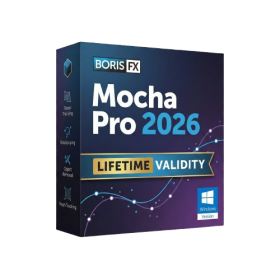
- AUTOMATIC DELIVERY INSTANTLY ON REGISTERED EMAIL .
- Any Installation Problem Freely Contact Us(Will Give You Support)
- Lifetime Validity
- Windows Version
- Rock-Solid Tracking: The industry standard for planar tracking.
- PowerMesh: Track warped surfaces like skin and fabric.
- Generative Remove: Auto-remove objects and wires with AI.
- Stabilization: Smooth out shaky handheld footage instantly.
- Insert Module: Perfect screen replacements with motion blur.
- Magnetic Roto: Snap masks to edges for fast rotoscoping.
- Lens Correction: Fix or match lens distortion easily.
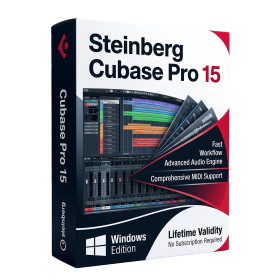
- AUTOMATIC DELIVERY INSTANTLY ON REGISTERED EMAIL .
- Any Installation Problem Freely Contact Us(Will Give You Support)
- Lifetime Validity
- Windows Version
- Included Instruments:
- Halion 7
- Halion Sonic 7
- Groove Agent 6
- Groove Agent SE 6
- WaveLab Pro 13
- Dorico Pro 6
- Backbone 1.6
- PadShop Pro 2
- Retrologue 2.5
- SpectraLayers Pro 13
- Iconica Sketch
- Verve
- Drum Machine
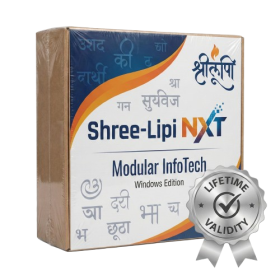
- AUTOMATIC DELIVERY INSTANTLY ON REGISTERED EMAIL .
- Any Installation Problem Freely Contact Us(Will Give You Support)
- Lifetime Validity
- Windows Version
- Type effortlessly in multiple Indian languages with enhanced Unicode keyboard handlers.
- Detect and switch between 32-bit and 64-bit applications automatically while typing.
- Access thousands of high-quality calligraphic fonts for professional designs.
- Convert legacy text to Unicode instantly with the advanced file conversion utility.
- Design stylish 3D titles and logos easily using the Avishkar Plus tool.
- Check spelling in Indian languages directly with the integrated Spell Checker.
- Integrate seamlessly with open-source apps like Inkscape, GIMP, and Scribus.

- AUTOMATIC DELIVERY INSTANTLY ON REGISTERED EMAIL .
- Any Installation Problem Freely Contact Us(Will Give You Support)
- Lifetime Validity
- Windows Version
- 7.28 Version
- Map video onto complex geometric structures and surfaces with advanced projection mapping tools.
- Stitch multiple projectors into a single seamless widescreen image with soft edge blending.
- Sync video with lighting fixtures using DMX input and advanced LED pixel mapping.
- Lock your visuals perfectly to show tracks and DJ sets using SMPTE timecode input.
- Mix unlimited layers of video, effects, and generative content in real-time.
- Correct mistakes instantly during live setup with the fully integrated Undo/Redo feature.
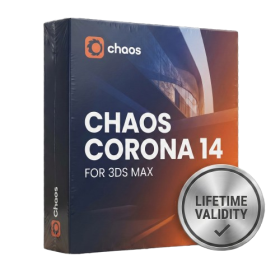
- AUTOMATIC DELIVERY INSTANTLY ON REGISTERED EMAIL .
- Any Installation Problem Freely Contact Us(Will Give You Support)
- Lifetime Validity
- Windows Version
- Render scenes with significantly less noise using the improved High-Quality Denoiser.
- Create intricate procedural clouds and weather effects with the updated Corona Sky.
- Scatter objects efficiently on surfaces with the enhanced Chaos Scatter controls.
- Apply decals to curved and organic surfaces seamlessly without UV unwrap.
- Simulate realistic fabrics and velvets instantly with the new Sheen layer.
- Manage complex scenes easily using the optimized Lister and Scene Management tools.
- Reduce memory usage significantly when rendering repetitive geometry with Corona Pattern.

- AUTOMATIC DELIVERY INSTANTLY ON REGISTERED EMAIL .
- Any Installation Problem Freely Contact Us(Will Give You Support)
- Lifetime Validity
- Windows Version
- File Size: 23.5MB
- Accelerate download speeds by up to 5 times with intelligent dynamic file segmentation.
- Resume interrupted downloads instantly without restarting from the beginning.
- Capture videos from streaming sites automatically using the improved download panel.
- Detect and download Ultra HD (4K and 8K) videos with enhanced recognition accuracy.
- Integrate seamlessly with the latest versions of Chrome, Edge, and Firefox.
- Resolve video stream errors (like 403 Forbidden) with updated site compatibility fixes.
- Schedule downloads to start, stop, or shut down your computer automatically.
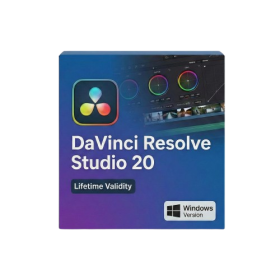
- Lifetime Validity
- Instant Delivery on Email
- Any Installation Problem Freely Contact Us(Will Give You Support)
- Supported on Windows 10,11
- File Size: 7.47GB (20.3.2 Version)
- Ai Features are working
- Works with Internet and Antivirus
- Generate complex color grades instantly from text prompts or reference images with AI Match.
- Isolate and remix individual instruments from a stereo music track using Fairlight AI Stem Separation.
- Track objects obscured by smoke or glass perfectly with the new Deep Neural Magic Mask.
- Edit spatial video natively for Apple Vision Pro and Meta Quest with full depth visualization.
- Remove unwanted moving objects from complex backgrounds automatically with Generative Fill for Video.
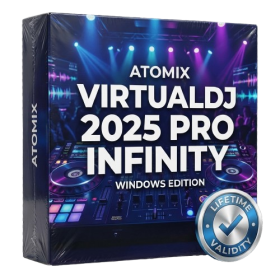
- AUTOMATIC DELIVERY INSTANTLY ON REGISTERED EMAIL .
- Any Installation Problem Freely Contact Us(Will Give You Support)
- Lifetime Validity
- Windows Version
- Works with Internet and Antivirus
- File Size: 461MB
- v8.5.8472
- Swap vocals or drums between tracks instantly with the new StemSwap Sampler.
- Isolate track elements in real-time for seamless live mashups and remixes.
- Export playlists to USB drives for CDJs with new subfolder support.
- Sync music libraries across devices automatically via improved Cloud Drive tools.
- Plug and play with over 300+ controllers including the latest AlphaTheta models.
- Mix video and karaoke with customizable on-screen graphics and lyrics.
- Scratch with precision using the improved ultra-low latency DVS engine.
- Stream sets directly to social platforms without external broadcasting software.
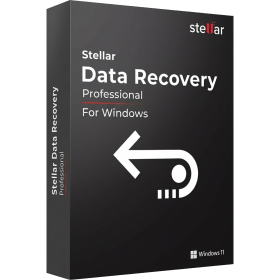
- AUTOMATIC DELIVERY INSTANTLY ON REGISTERED EMAIL .
- Any Installation Problem Freely Contact Us(Will Give You Support)
- Lifetime Validity
- Windows Version
- Professional Edition
- Preview files in real-time while the scan is still running with “On-the-Fly” preview.
- Pause and resume recovery scans instantly to save progress without restarting.
- Recover data from BitLocker-encrypted drives by simply entering the password.
- Create bootable USB media to salvage files from crashed or unbootable PCs.
- Repair corrupt videos and photos automatically using the Premium repair tools.
- Multitask efficiently with native dual-monitor support for the recovery interface.
- Scan large 4K hard drives with 4096-byte sectors using the optimized engine.
- Retrieve data from RAID 0, 5, and 6 arrays seamlessly with the Technician edition.
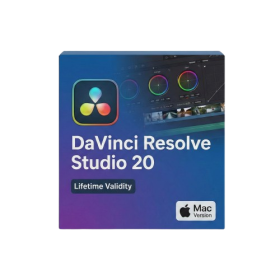
- Lifetime Validity
- Instant Delivery on Email
- Supported on All Apple Mac Systems
- Any Installation Problem Freely Contact Us(Will Give You Support)
- File Size: 6.68GB (20.3.2 Version)
- Ai Features are working
- Works with Internet and Antivirus
- Edit 12K projects effortlessly with native optimization for Apple M3 and M4 Ultra chips.
- Render renders up to 4x faster using the fully unified memory architecture of Apple Silicon.
- Generate depth maps instantly from single-camera clips using the Apple Neural Engine.
- Grade HDR content with absolute precision on Liquid Retina XDR displays using the new EDR workflow.
- Isolate voices from noisy backgrounds in real-time with the Core ML-powered Voice Isolation.
- Edit spatial video for Apple Vision Pro with a dedicated stereoscopic 3D viewer.
- Track complex objects in 3D space instantly with the Metal-accelerated IntelliTrack AI.