


Cinema 4D Studio 2026 for Lifetime
- AUTOMATIC DELIVERY INSTANTLY ON REGISTERED EMAIL .
- Any Installation Problem Freely Contact Us(Will Give You Support)
- Lifetime Validity
- Windows Version
- Professional 3D modeling, animation, and rendering software
- Advanced MoGraph tools for motion graphics and procedural animation
- Create realistic simulations including cloth, particles, and dynamics
- Integrated Redshift renderer for high-quality GPU rendering
- Powerful character animation and rigging tools
- Supports VFX, compositing, and motion tracking workflows
- Seamless integration with Adobe After Effects
- Optimized performance for large scenes and complex projects
- Ideal for motion graphics, VFX, architecture, and product visualization
- Designed for professional 3D artists and content creators
₹499.00
Description
Cinema 4D Studio 2026 for Windows is a professional 3D modeling, animation, simulation, and rendering software developed by Maxon. Widely used in motion graphics, visual effects, game cinematics, architectural visualization, and product design, Cinema 4D is known for its powerful tools, stability, and beginner-friendly workflow.
The Studio edition includes the complete feature set for advanced 3D production, including procedural modeling, character animation, physics simulations, MoGraph tools, and integrated Redshift rendering.
Cinema 4D is especially popular among motion designers because of its industry-leading MoGraph toolset, which allows users to create complex procedural animations, clones, effectors, and dynamic simulations quickly and efficiently. It integrates seamlessly with Adobe After Effects, making it a favorite for broadcast graphics and digital content creation.
🎨 Core Capabilities
- 🧊 3D Modeling & Sculpting – Create detailed objects, environments, and characters
- 🎬 Animation Tools – Keyframe animation, character rigging, and motion systems
- 🌪️ Simulation Systems – Cloth, particles, rigid bodies, fluids, and dynamics
- 🎨 MoGraph Workflow – Procedural motion graphics and cloning tools
- 💡 Advanced Rendering – Integrated Redshift GPU renderer for photorealistic output
- 🎞️ VFX & Compositing – Motion tracking, compositing, and pipeline integration
- 🔗 Adobe Integration – Direct workflow with After Effects and Adobe apps
Cinema 4D is widely used in:
- Motion graphics and broadcast design
- Film and television visual effects
- Product visualization and advertising
- Architectural rendering
- Game cinematics and animation
🚀 What’s New in 2026
Cinema 4D 2026 introduces major workflow and performance improvements:
- ⚡ Faster viewport and scene performance
- 🧠 Enhanced procedural and simulation workflows
- 🎨 Improved Redshift rendering integration
- 🔄 Better handling of large scenes and assets
- 🤖 AI-assisted creative and workflow tools
- 🧩 Improved interoperability with external 3D pipelines
Maxon also improved GPU acceleration and rendering efficiency for modern hardware.
⚙️ Rendering & Redshift
Cinema 4D Studio 2026 includes tight integration with Redshift, Maxon’s GPU-accelerated renderer, allowing artists to create cinematic-quality renders with advanced lighting, materials, and effects.
Redshift supports:
- GPU-accelerated rendering
- Global illumination and ray tracing
- HDR and volumetric rendering
- Multi-GPU workflows
- Production-quality rendering pipelines
💻 System Requirements (Windows)
✅ Minimum Requirements
- OS: Windows 10 / Windows 11 (64-bit)
- Processor: Intel or AMD 64-bit CPU with AVX2 support
- RAM: 16 GB minimum
- Graphics Card:
- NVIDIA Maxwell / AMD Polaris / Intel Kaby Lake or newer
- DirectX 12 compatible GPU
- Minimum 4 GB VRAM
- Storage: SSD recommended
- Display: 1920 × 1080 recommended
Related Products
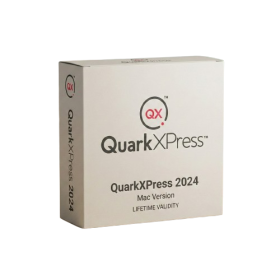
- Lifetime Validity
- Instant Delivery on Email
- Supported on All Apple Mac Systems
- Any Installation Problem Freely Contact Us(Will Give You Support)
- Perpetual License: Own the software forever (no mandatory subscription).
- Apple Silicon Native: Blazing fast performance on M1/M2/M3 chips.
- IDML Import: Open and edit Adobe InDesign files seamlessly.
- Flex Layouts: Create responsive HTML5 web pages without coding.
- Native App Export: Publish directly to iOS and Android apps.
- Advanced Typography: Granular control over kerning and OpenType.
- PDF Conversion: Turn PDFs into editable Quark objects instantly.
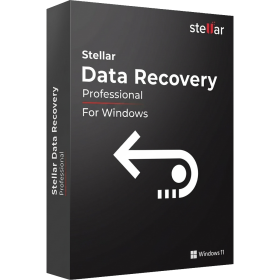
- AUTOMATIC DELIVERY INSTANTLY ON REGISTERED EMAIL .
- Any Installation Problem Freely Contact Us(Will Give You Support)
- Lifetime Validity
- Windows Version
- Professional Edition
- Preview files in real-time while the scan is still running with “On-the-Fly” preview.
- Pause and resume recovery scans instantly to save progress without restarting.
- Recover data from BitLocker-encrypted drives by simply entering the password.
- Create bootable USB media to salvage files from crashed or unbootable PCs.
- Repair corrupt videos and photos automatically using the Premium repair tools.
- Multitask efficiently with native dual-monitor support for the recovery interface.
- Scan large 4K hard drives with 4096-byte sectors using the optimized engine.
- Retrieve data from RAID 0, 5, and 6 arrays seamlessly with the Technician edition.

- AUTOMATIC DELIVERY INSTANTLY ON REGISTERED EMAIL .
- Any Installation Problem Freely Contact Us(Will Give You Support)
- Lifetime Validity
- Windows Version
- Online & Offline both working
- Create watertight meshes instantly for 3D printing with the new ShrinkWrap tool.
- Generate dynamic 2D sections and plans directly from 3D models with ClippingDrawings.
- Model organic shapes with greater precision using supported SubD creases.
- Manipulate geometry intuitively with the new customized Auto Gumball.
- Extrude and modify faces instantly using the direct PushPull workflow.
- Render scenes significantly faster with the optimized Cycles engine.
- Customize the modernized interface to match your specific drafting workflow.
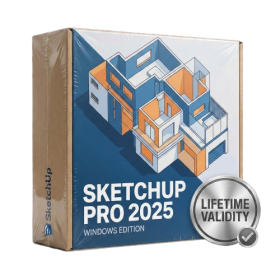
- AUTOMATIC DELIVERY INSTANTLY ON REGISTERED EMAIL .
- Any Installation Problem Freely Contact Us(Will Give You Support)
- Lifetime Validity
- Windows Version
- Visualize models with realistic shading and depth using the new Ambient Occlusion engine.
- Import and export IFC files faster with enhanced openBIM interoperability.
- Find and execute any command instantly using the integrated Smart Search tool.
- Generate unique textures and styles quickly with AI-powered Diffusion graphics.
- Collaborate in real-time by syncing models seamlessly with Trimble Connect.
- Create 2D documentation efficiently with the optimized LayOut rendering engine.
- Import complex Revit files accurately with the lightweight Revit Importer.
- Organize geometry effortlessly using the modernized Tag management system.
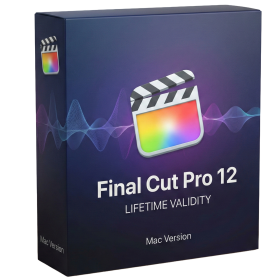
- Lifetime Validity
- Instant Delivery on Email
- Any Installation Problem Freely Contact Us(Will Give You Support)
- Version: 12.4
- Professional video editing software developed by Apple for Mac.
- Magnetic Timeline for flexible and precise video editing.
- Advanced color grading, audio editing, effects, transitions, and motion graphics.
- Multicam editing with synchronized camera angles.
- Supports Apple ProRes, RAW workflows, HDR, and high-resolution video.
- AI-assisted Transcript Search, Visual Search, and caption tools on compatible systems.
- Version 12.4 adds Cinematic mode focus and depth-of-field adjustments.
- Includes fixes for project importing, keyframes, audio waveforms, and network library backups.
- Requires macOS 15.6 or later, 8 GB RAM, and 7.2 GB available storage.
- AUTOMATIC DELIVERY INSTANTLY ON REGISTERED EMAIL .
- Any Installation Problem Freely Contact Us(Will Give You Support)
- Lifetime Validity
- Windows Version
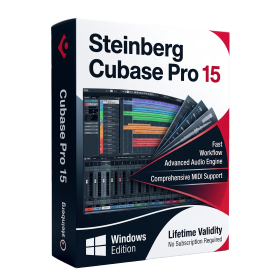
- Included Instruments:
- Halion 7
- Halion Sonic 7
- Groove Agent 6
- Groove Agent SE 6
- WaveLab Pro 13
- Dorico Pro 6
- Backbone 1.6
- PadShop Pro 2
- Retrologue 2.5
- SpectraLayers Pro 13
- Iconica Sketch
- Verve
- Drum Machine

- AUTOMATIC DELIVERY INSTANTLY ON REGISTERED EMAIL .
- Any Installation Problem Freely Contact Us(Will Give You Support)
- Lifetime Validity
- Windows Version
- File Size: 23.5MB
- Accelerate download speeds by up to 5 times with intelligent dynamic file segmentation.
- Resume interrupted downloads instantly without restarting from the beginning.
- Capture videos from streaming sites automatically using the improved download panel.
- Detect and download Ultra HD (4K and 8K) videos with enhanced recognition accuracy.
- Integrate seamlessly with the latest versions of Chrome, Edge, and Firefox.
- Resolve video stream errors (like 403 Forbidden) with updated site compatibility fixes.
- Schedule downloads to start, stop, or shut down your computer automatically.
- Lifetime Validity
- Instant Delivery on Email
- Any Installation Problem Freely Contact Us(Will Give You Support)
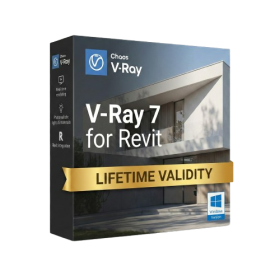
- Supported on Windows 10,11
- Pre-Activated for Lifetime Validity
- Supports: Revit 2022 to 2026
- Import and render real-world 3D Gaussian Splats directly within the Revit interface.
- Generate custom PBR textures instantly from text prompts with the AI Material Generator.
- Visualize changes in real-time using the seamless Chaos Vantage Live Link.
- Populate scenes with vegetation and crowds efficiently using Chaos Scatter.
- Edit colors and apply finishing touches directly in the advanced V-Ray Frame Buffer.
- Ensure material consistency across different software with native OpenPBR support.
- Add realistic details like road markings or graffiti using V-Ray Decals.
- Simulate dynamic skies and cloud shadows with the procedural Cloud system.
- Generate dozens of lighting variations automatically with the Light Gen tool.
- Accelerate rendering times significantly with optimized NVIDIA RTX GPU support.
- AUTOMATIC DELIVERY INSTANTLY ON REGISTERED EMAIL .
- Any Installation Problem Freely Contact Us(Will Give You Support)
- Lifetime Validity
- Windows Version
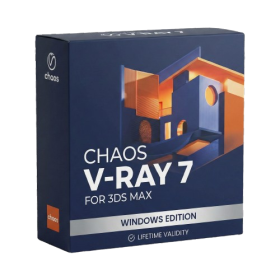
- For 3ds Max 2021 – 2027
- Render and clip real-world 3D scans natively with full Gaussian Splatting support.
- Simulate complex light fixtures significantly faster using the new V-Ray Luminaire.
- Generate accurate stars, moon, and phases instantly with the procedural Night Sky.
- Create PBR materials from simple photos automatically with the AI Material Generator.
- Stream interactive 3D scenes to clients via a web link with Chaos Cloud Streaming.
- Analyze scene performance and spot bottlenecks precisely using the V-Ray Profiler.
- Render realistic caustics and refractions at high speeds with updated V-Ray GPU.
- AUTOMATIC DELIVERY INSTANTLY ON REGISTERED EMAIL .
- Any Installation Problem Freely Contact Us(Will Give You Support)
- Lifetime Validity
- Windows Version
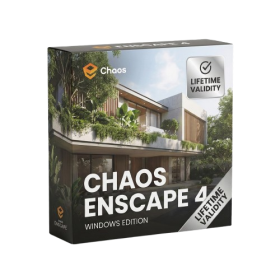
- Version: 4.20
- Revit 2023, 2024, 2025, 2026 and 2027
- SketchUp 2024, 2025 and 2026
- Rhino 7.0 and 8.3 (or later)
- Archicad 27, 28 and 29
- Vectorworks 2024, 2025 2026, 2027
- Navigate scenes with a unified, redesigned user interface for faster workflows.
- Enhance export quality instantly with the AI-powered NVIDIA Denoiser.
- Simulate realistic colored shadows for glass and transparent materials.
- Upscale textures and assets automatically using the Chaos AI Enhancer.
- Apply pencil and watercolor effects with new Artistic Visual Modes.
- Immerse clients in designs with support for Meta Quest 3 and HTC Vive.
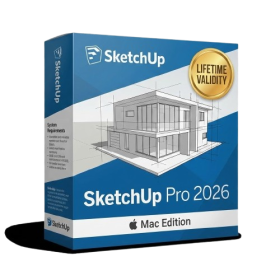
- AUTOMATIC DELIVERY INSTANTLY ON REGISTERED EMAIL .
- Any Installation Problem Freely Contact Us(Will Give You Support)
- Lifetime Validity
- Mac Version
- Run natively on Apple Silicon (M1/M2/M3/M4/M5) for blazing-fast performance.
- Visualize models with realistic depth using the new Ambient Occlusion engine.
- Generate unique textures instantly with integrated AI-powered prompts.
- Sync projects seamlessly between Mac, iPad, and Web versions.
- Convert iPhone LiDAR scans into 3D models automatically via Scan-to-Design.
- Create 2D documentation faster with the optimized LayOut rendering engine.
- Import and export USDZ files easily for Apple AR visualization.
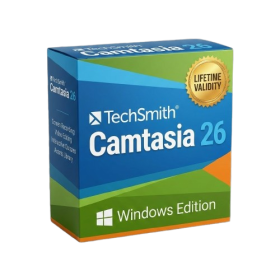
- AUTOMATIC DELIVERY INSTANTLY ON REGISTERED EMAIL .
- Any Installation Problem Freely Contact Us(Will Give You Support)
- Lifetime Validity
- Windows Version
- Edit video content as easily as a text document with the AI-powered text-based editing workflow.
- Instantly remove or replace video backgrounds without a green screen using dynamic AI masking.
- Automatically generate and sync accurate captions and subtitles from your voiceover in seconds.
- Smooth out jerky mouse movements and customize cursor paths with advanced cursor effects.
- Record high-resolution 4K screen capture, webcam, and system audio simultaneously.
- Clean up background noise and balance vocal levels instantly with AI-enhanced audio filters.
- Access a vast library of royalty-free intros, motion graphics, and music directly within the editor.
- Engage viewers by adding interactive quizzes and clickable hotspots directly to your videos.
- Apply professional animations and behaviors to text and images with simple drag-and-drop actions.
- Export videos faster than ever with optimized GPU acceleration for modern hardware.