
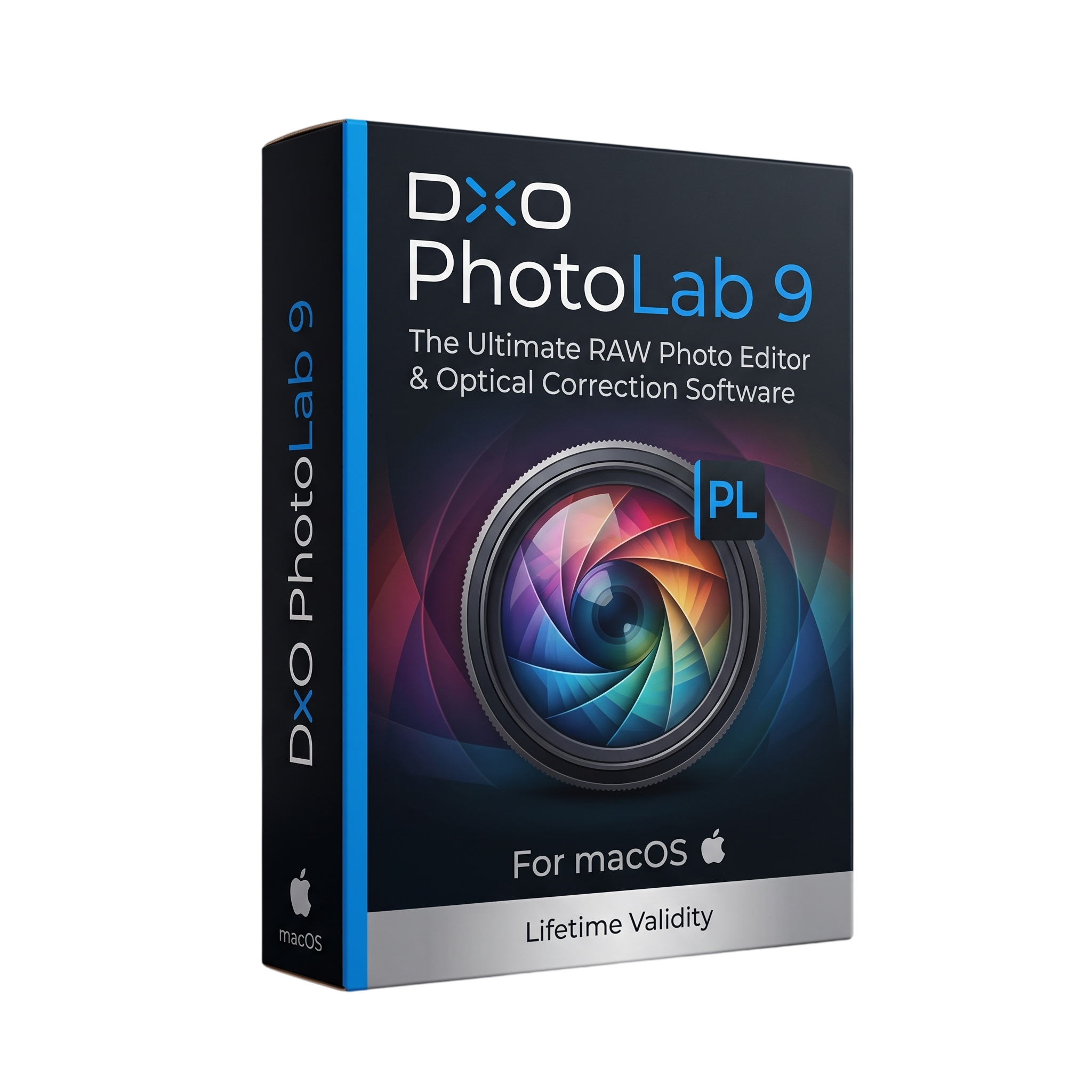
DxO PhotoLab 9 for macOs Lifetime
- Lifetime Validity
- Instant Delivery on Email
- Mac Edition
- Any Installation Problem Freely Contact Us(Will Give You Support)
- Professional RAW photo-editing and image-processing software for Mac
- Designed for photographers, retouchers, and professional image editors
- Advanced RAW development and camera/lens correction
- AI-powered DeepPRIME 3 noise reduction
- DeepPRIME XD3 support for supported Bayer and Fujifilm X-Trans sensors
- AI-powered detail recovery and color improvement
- Automatic DxO camera and lens optical corrections
- AI Masks for intelligent subject selection
- DxO U Point Control Points and Control Lines
- Local adjustments for exposure, color, contrast, sharpness, and noise
- Local DeepPRIME and Lens Sharpness Optimization
- Smart Lighting and ClearView Plus
₹500.00
Description
DxO PhotoLab 9 for Mac is a professional RAW photo-editing and image-processing application designed for photographers, retouchers, and professional image editors. It combines advanced RAW development, lens and camera corrections, AI-powered noise reduction, color management, local adjustments, masking, retouching, and professional export tools in a catalog-free workflow. DxO
A major strength of PhotoLab 9 is its DeepPRIME processing technology. DeepPRIME 3 and DeepPRIME XD3 use machine learning to reduce noise, recover fine detail, and improve color reproduction. PhotoLab 9 also allows DeepPRIME noise reduction and Lens Sharpness Optimization to be applied selectively through local adjustments. DxO
PhotoLab 9 introduces AI Masks for intelligent subject selection. Users can select predefined subjects such as sky, background, face, hair, or other recognized subjects and then apply targeted adjustments. These AI masks can be combined with U Point Control Points and Control Lines, brushes, gradients, erasers, and other masking tools for detailed local corrections. DxO
The software also provides professional color and optical correction tools. DxO’s camera-and-lens optical modules automatically correct issues such as distortion, vignetting, chromatic aberration, and lens softness. PhotoLab 9 supports DxO Wide Gamut, Soft Proofing, LUTs, DCP profiles, film renderings, Smart Lighting, ClearView Plus, Tone Curve, ColorWheel, and advanced tonal controls. DxO
PhotoLab 9 uses an open, catalog-free file workflow, allowing photographers to browse and edit files directly from their existing folders. PhotoLibrary provides ratings, color tags, keywords, Projects, stacks, metadata management, and search tools without requiring users to import their original photographs into a proprietary catalog. DxO
Key Features
- Professional RAW photo development
- AI-powered DeepPRIME 3 noise reduction
- DeepPRIME XD3 for supported Bayer and Fujifilm X-Trans sensors
- Lens Sharpness Optimization
- Automatic DxO camera and lens optical corrections
- AI Masks for intelligent subject selection
- U Point Control Points and Control Lines
- Brush, Gradient, Eraser, and Auto Mask tools
- Local exposure, contrast, color, sharpness, and noise adjustments
- Smart Lighting
- ClearView Plus atmospheric haze reduction
- DxO Wide Gamut color space
- Soft Proofing with ICC profiles
- ColorWheel
- Tone Curve
- Selective Tone
- White Balance and color picker
- LUT support
- DCP and camera color profiles
- Film rendering support
- Advanced retouching with Clone and Repair modes
- Crop, horizon and perspective correction
- Virtual Copies
- Advanced History
- Quick Compare
- Presets and partial presets
- Batch renaming
- PhotoLibrary organization
- Ratings, color tags, keywords, stacks and Projects
- Metadata and EXIF/IPTC management
- Multiple parallel export jobs
- Watermark creation
- Direct export to other applications
- Integration with Nik Collection
- Support for Apple ProRAW
- HEIC/HEIF support
- 8-bit and 16-bit TIFF support
- JPEG and DNG support DxO
What’s New
- DxO PhotoLab 9 introduced AI-powered masks for precise local selections.
- DeepPRIME denoising can be applied as a local adjustment.
- Lens Sharpness Optimization can be applied selectively through local adjustments.
- Added improved batch-renaming capabilities using metadata and EXIF information.
- Added support for iPhone and iPad HEIC/HEIF and ProRAW images.
- Added full DeepPRIME XD3 support for Fujifilm X-Trans files, including fifth-generation sensors. DxO Support
- PhotoLab 9.2 introduced improved AI-mask matting and sensitivity controls.
- PhotoLab 9.5 added support for the Sony A7 V along with bug fixes and other improvements. DxO Forum
- PhotoLab 9.6 introduced machine-learning-powered noise-reduction improvements and additional AI-mask feathering controls. DxO
Professional Applications
- Professional RAW photography
- Landscape photography
- Portrait photography
- Wildlife and nature photography
- Wedding and event photography
- Low-light and high-ISO photography
- Commercial photography
- Architectural photography
- Travel photography
- Fine-art photography
- Professional photo retouching
- Lens and perspective correction
- Photo restoration and enhancement
- High-volume photography workflows
- Print preparation and soft proofing
- Professional color grading
- iPhone and iPad RAW photography
System Requirements
Minimum Requirements
- OS: macOS 15.7 Sequoia
- CPU: Any supported Mac CPU
- RAM: 16GB
- Storage: 30GB available disk space
- Display: 1280 × 768
- DeepPRIME 3 / DeepPRIME XD3: Apple M1 or Intel Mac with AMD Radeon Pro RX 5700
- AI Masks / Dust Detection: Apple M1 or newer DxO User Guides
Recommended Requirements
- OS: macOS 26 Tahoe
- CPU: Apple M2 Pro or newer
- RAM: 32GB
- Storage: 50GB available disk space
- Display: 1920 × 1080 or higher
- GPU/AI: Apple Silicon hardware with Neural Engine
- Storage: Fast SSD recommended for large RAW libraries and cache operations
Related Products

- AUTOMATIC DELIVERY INSTANTLY ON REGISTERED EMAIL .
- Any Installation Problem Freely Contact Us(Will Give You Support)
- Lifetime Validity
- Windows Version
- Route complex PCB traces automatically with the new AI-driven auto-interactive router.
- Collaborate seamlessly with mechanical engineers via the enhanced real-time MCAD CoDesigner.
- Simulate power integrity and signal performance instantly within the unified design environment.
- Manage component shortages proactively with live supply chain data in ActiveBOM.
- Visualize multi-board systems and rigid-flex designs in photorealistic 3D detail.
- Sync all design changes and version history securely to the cloud with Altium 365.
- Define complex high-speed design rules easily using the visual Constraint Manager.
- AUTOMATIC DELIVERY INSTANTLY ON REGISTERED EMAIL .
- Any Installation Problem Freely Contact Us(Will Give You Support)
- Lifetime Validity
- Windows Version
- Generate invoices.
- Manage multiple companies and financial years from a single unified interface.
- Track inventory stocks across different godowns and locations in real-time.
- Automate bank reconciliation by uploading digital bank statements directly.
- Calculate employee salaries, PF, and TDS accurately with the integrated Payroll module.
- Access business data remotely using the secure Tally.NET connection services.
- Lifetime Validity
- Instant Delivery on Email
- Any Installation Problem Freely Contact Us(Will Give You Support)
- Supported on Windows 10,11
- Pre-Activated for Lifetime Validity
- Supports: Revit 2022 to 2026
- Import and render real-world 3D Gaussian Splats directly within the Revit interface.
- Generate custom PBR textures instantly from text prompts with the AI Material Generator.
- Visualize changes in real-time using the seamless Chaos Vantage Live Link.
- Populate scenes with vegetation and crowds efficiently using Chaos Scatter.
- Edit colors and apply finishing touches directly in the advanced V-Ray Frame Buffer.
- Ensure material consistency across different software with native OpenPBR support.
- Add realistic details like road markings or graffiti using V-Ray Decals.
- Simulate dynamic skies and cloud shadows with the procedural Cloud system.
- Generate dozens of lighting variations automatically with the Light Gen tool.
- Accelerate rendering times significantly with optimized NVIDIA RTX GPU support.
- AUTOMATIC DELIVERY INSTANTLY ON REGISTERED EMAIL .
- Any Installation Problem Freely Contact Us(Will Give You Support)
- Lifetime Validity
- Windows Version
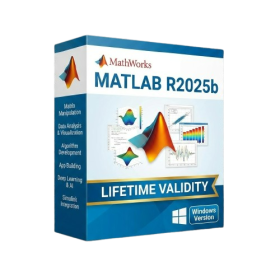
- New Desktop: Modern, faster UI with fully supported Dark Mode.
- AI Assistant: Generate and debug code using the built-in AI Chat.
- Python Interop: Seamless data exchange between MATLAB and Python.
- Simulink 3D: Photorealistic simulation powered by Unreal Engine 5.
- Live Editor: Embed sliders and buttons directly into your scripts.
- App Building: Create standalone Windows apps without C++ knowledge.
- Code Gen: Export C/C++ code for embedded hardware instantly.
- 5G/6G Tools: Advanced modeling for next-gen wireless networks.
- Automotive: specialized toolboxes for ADAS and autonomous driving.
- Cloud Run: Run your scripts in a browser via MATLAB Online.
- AUTOMATIC DELIVERY INSTANTLY ON REGISTERED EMAIL .
- Any Installation Problem Freely Contact Us(Will Give You Support)
- Lifetime Validity
- Mac Version
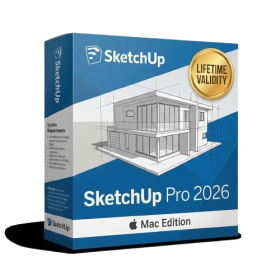
- Run natively on Apple Silicon (M1/M2/M3/M4/M5) for blazing-fast performance.
- Visualize models with realistic depth using the new Ambient Occlusion engine.
- Generate unique textures instantly with integrated AI-powered prompts.
- Sync projects seamlessly between Mac, iPad, and Web versions.
- Convert iPhone LiDAR scans into 3D models automatically via Scan-to-Design.
- Create 2D documentation faster with the optimized LayOut rendering engine.
- Import and export USDZ files easily for Apple AR visualization.
- AUTOMATIC DELIVERY INSTANTLY ON REGISTERED EMAIL .
- Any Installation Problem Freely Contact Us(Will Give You Support)
- Lifetime Validity
- Windows Version
- File Size: 23.5MB
- Accelerate download speeds by up to 5 times with intelligent dynamic file segmentation.
- Resume interrupted downloads instantly without restarting from the beginning.
- Capture videos from streaming sites automatically using the improved download panel.
- Detect and download Ultra HD (4K and 8K) videos with enhanced recognition accuracy.
- Integrate seamlessly with the latest versions of Chrome, Edge, and Firefox.
- Resolve video stream errors (like 403 Forbidden) with updated site compatibility fixes.
- Schedule downloads to start, stop, or shut down your computer automatically.

- AUTOMATIC DELIVERY INSTANTLY ON REGISTERED EMAIL .
- Any Installation Problem Freely Contact Us(Will Give You Support)
- Lifetime Validity
- Windows Version
- Professional Edition
- Preview files in real-time while the scan is still running with “On-the-Fly” preview.
- Pause and resume recovery scans instantly to save progress without restarting.
- Recover data from BitLocker-encrypted drives by simply entering the password.
- Create bootable USB media to salvage files from crashed or unbootable PCs.
- Repair corrupt videos and photos automatically using the Premium repair tools.
- Multitask efficiently with native dual-monitor support for the recovery interface.
- Scan large 4K hard drives with 4096-byte sectors using the optimized engine.
- Retrieve data from RAID 0, 5, and 6 arrays seamlessly with the Technician edition.

- AUTOMATIC DELIVERY INSTANTLY ON REGISTERED EMAIL .
- Any Installation Problem Freely Contact Us(Will Give You Support)
- Lifetime Validity
- Windows Version
- Chaos V-Ray 7.40.02 for Rhinoceros 7 – 9 & SketchUp 2021 – 2026
- Render real-world 3D scans with reflections using native Gaussian Splatting support.
- Simulate accurate stars, moon phases, and the Milky Way with the procedural Night Sky.
- Upscale renders to 16K resolution instantly with the one-click AI Upscaler.
- Populate vegetation naturally with new Clustering modes in Chaos Scatter.
- Clip and trim Gaussian Splat models directly within the SketchUp viewport.
- Render complex light fixtures significantly faster using optimized V-Ray Luminaires.
- Remove bright noise pixels automatically during rendering with Firefly Removal.
- Add detail to people and grass without re-rendering using the AI Enhancer.
- Lifetime Validity
- Instant Delivery on Email
- Supported on All Apple Mac Systems
- Any Installation Problem Freely Contact Us(Will Give You Support)
- Render natively on Apple Silicon (M1/M2/M3) for maximum speed and efficiency.
- Generate photorealistic backgrounds instantly from text prompts using the AI Shots tool.
- Share interactive 3D product reviews securely with stakeholders via KeyShot Web Viewer.
- Automate complex rendering pipelines using the advanced Python scripting console.
- Import native files directly from high-end CAD systems like Siemens NX, Catia, and Creo.
- Switch seamlessly between CPU and GPU rendering to utilize Apple Metal graphics power.
- Create standardized material libraries for your organization with OpenPBR support.
- Accelerate post-production compositing with automatic Cryptomatte mask generation.
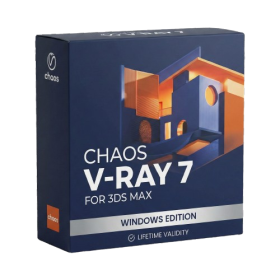
- AUTOMATIC DELIVERY INSTANTLY ON REGISTERED EMAIL .
- Any Installation Problem Freely Contact Us(Will Give You Support)
- Lifetime Validity
- Windows Version
- For 3ds Max 2021 – 2027
- Render and clip real-world 3D scans natively with full Gaussian Splatting support.
- Simulate complex light fixtures significantly faster using the new V-Ray Luminaire.
- Generate accurate stars, moon, and phases instantly with the procedural Night Sky.
- Create PBR materials from simple photos automatically with the AI Material Generator.
- Stream interactive 3D scenes to clients via a web link with Chaos Cloud Streaming.
- Analyze scene performance and spot bottlenecks precisely using the V-Ray Profiler.
- Render realistic caustics and refractions at high speeds with updated V-Ray GPU.
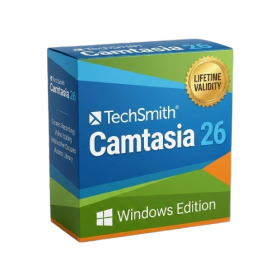
- AUTOMATIC DELIVERY INSTANTLY ON REGISTERED EMAIL .
- Any Installation Problem Freely Contact Us(Will Give You Support)
- Lifetime Validity
- Windows Version
- Edit video content as easily as a text document with the AI-powered text-based editing workflow.
- Instantly remove or replace video backgrounds without a green screen using dynamic AI masking.
- Automatically generate and sync accurate captions and subtitles from your voiceover in seconds.
- Smooth out jerky mouse movements and customize cursor paths with advanced cursor effects.
- Record high-resolution 4K screen capture, webcam, and system audio simultaneously.
- Clean up background noise and balance vocal levels instantly with AI-enhanced audio filters.
- Access a vast library of royalty-free intros, motion graphics, and music directly within the editor.
- Engage viewers by adding interactive quizzes and clickable hotspots directly to your videos.
- Apply professional animations and behaviors to text and images with simple drag-and-drop actions.
- Export videos faster than ever with optimized GPU acceleration for modern hardware.

- AUTOMATIC DELIVERY INSTANTLY ON REGISTERED EMAIL .
- Any Installation Problem Freely Contact Us(Will Give You Support)
- Lifetime Validity
- Windows Version
- Rock-Solid Tracking: The industry standard for planar tracking.
- PowerMesh: Track warped surfaces like skin and fabric.
- Generative Remove: Auto-remove objects and wires with AI.
- Stabilization: Smooth out shaky handheld footage instantly.
- Insert Module: Perfect screen replacements with motion blur.
- Magnetic Roto: Snap masks to edges for fast rotoscoping.
- Lens Correction: Fix or match lens distortion easily.