
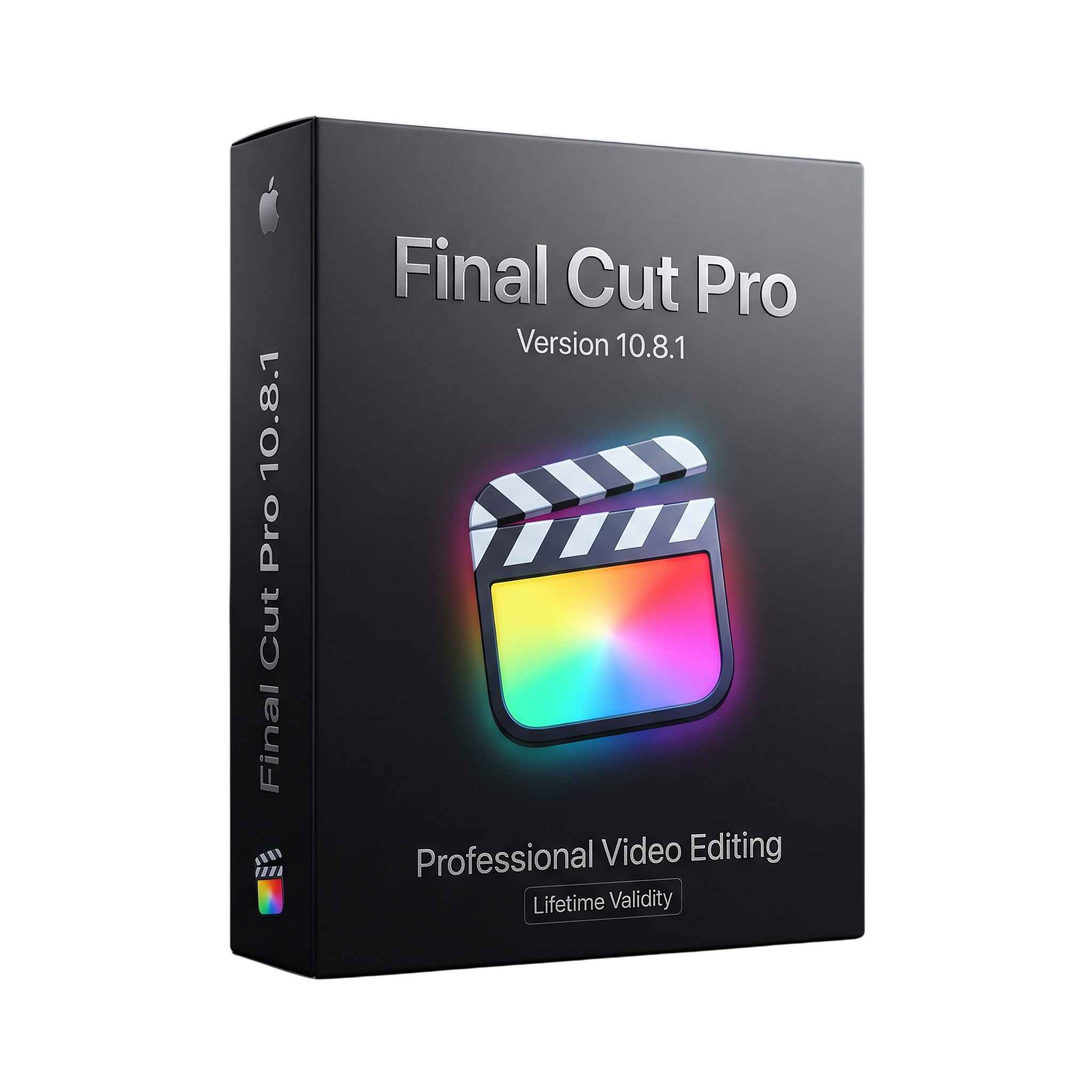
Final Cut Pro 10.8.1 for macOs Lifetime
- Lifetime Validity
- Instant Delivery on Email
- Any Installation Problem Freely Contact Us(Will Give You Support)
- Professional video editing and post-production platform
- Mac only — not available for Windows
- Magnetic Timeline editing
- Multicam editing
- 4K and 8K video workflows
- ProRes and ProRes RAW support
- RED, XAVC, AVCHD, H.264, HEVC, DNxHD, and DNxHR support
- Advanced color grading
- HDR and SDR workflows
- AI-powered Enhance Light and Color
- Smooth Slo-Mo on Apple silicon
- Object tracking and masks
Original price was: ₹999.00.₹499.00Current price is: ₹499.00.
Description
Final Cut Pro 10.8.1 is a professional non-linear video editing and post-production application developed by Apple for Mac. It is designed for filmmakers, video editors, content creators, broadcasters, YouTubers, and professional post-production teams who need tools for editing, organizing, color correction, audio processing, motion graphics, and high-quality video delivery. Final Cut Pro uses the Magnetic Timeline to provide a trackless editing workflow with connected clips, roles, metadata, and flexible timeline organization. Apple Support
The software supports a wide range of professional media formats and workflows, including Apple ProRes, ProRes RAW, RED, XAVC, AVCHD, Avid DNxHR, Avid DNxHD, H.264, HEVC, and other formats. Users can organize media through libraries, events, keywords, ratings, metadata, and intelligent search, while advanced editing tools provide multicam editing, compound clips, synchronized clips, retiming, object tracking, masks, effects, transitions, and 360-degree video workflows. App Store
Final Cut Pro 10.8 introduced machine-learning-based Enhance Light and Color and Smooth Slo-Mo features, along with improved timeline organization and effects management. It also added support for sharing 8K ProRes MXF files and improved compatibility with Canon professional video formats. Final Cut Pro 10.8.1, released on August 13, 2024, is primarily a maintenance update that fixed audio playback when stepping through timeline clips, MTS files that could play without audio, and trackpad-related responsiveness issues. Apple Support
The application includes advanced color-grading tools such as color wheels, curves, hue/saturation controls, masks, keying, HDR-to-SDR conversion, and HDR delivery options. Integrated audio tools provide multichannel editing, roles-based organization, audio effects, noise reduction, and professional finishing capabilities. Final Cut Pro also supports XML-based workflows and third-party extensions for media management, review, stock media, color grading, and other professional production tasks. App Store
Key Features
• Professional non-linear video editing
• Magnetic Timeline editing workflow
• Libraries, events, keywords, ratings, and metadata organization
• Multicam editing
• Compound and synchronized clips
• Advanced trimming and retiming
• Object tracking and motion analysis
• Masks and keying tools
• 360-degree video editing
• HDR and SDR workflows
• Color wheels and color curves
• Professional color correction
• Enhance Light and Color machine-learning effect
• Smooth Slo-Mo on compatible Apple silicon Macs
• Advanced audio editing and mixing
• Multichannel audio support
• Audio roles and subroles
• Background-noise reduction
• Professional titles, transitions, generators, and effects
• Third-party FxPlug and workflow extensions
• ProRes and ProRes RAW support
• RED and XAVC workflows
• H.264 and HEVC support
• Avid DNxHD and DNxHR support
• 8K ProRes MXF sharing
• XML import and export
• Optimized export for Apple devices and online platforms
• Apple silicon optimization
• Metal graphics acceleration
• Motion and Compressor integration
• Third-party workflow extension support
What’s New
Final Cut Pro 10.8.1 — August 13, 2024
• Fixed an issue preventing audio playback when stepping through timeline clips using the left and right arrow keys
• Fixed an issue where some MTS files could play without audio
• Fixed an issue that could cause Final Cut Pro to stop responding when using three-finger trackpad gestures Apple Support
Final Cut Pro 10.8 — June 20, 2024
• Added Enhance Light and Color powered by machine learning
• Added Smooth Slo-Mo for compatible Apple silicon Macs
• Added renaming of color corrections and video effects in the Inspector
• Added the ability to drag effects directly from the Inspector to clips
• Added new Timeline Index filters for effects, retiming, missing media, and missing effects
• Added support for sharing 8K ProRes MXF files
• Improved Canon C2 AVC media support
• Improved Canon XF-AVC 1920 × 1080 59.94i/50i H.264 25 Mbps support
• Removed disc-burning support
• Updated FCPXML to version 1.12 Apple Support
Professional Applications
• Professional film and television editing
• YouTube and online video production
• Commercial and advertising production
• Documentary production
• Social-media video creation
• Corporate video production
• Wedding and event filmmaking
• Broadcast post-production
• Music-video production
• Multicam production
• 4K and 8K video editing
• HDR video production
• Color grading and finishing
• Professional audio post-production
• 360-degree video production
• ProRes and ProRes RAW workflows
System Requirements
Minimum Requirements
- Platform: Mac only; Final Cut Pro is not available as a native Windows application. App Store
- OS: For the 10.8 generation, macOS 13.5 or later was required; Apple currently lists newer macOS requirements for the current Final Cut Pro release, so the exact OS should be matched to the 10.8.1 installer.
- CPU: Intel-based Mac or Apple silicon Mac compatible with the supported macOS version
- RAM: 8 GB recommended as a practical baseline; 16 GB recommended for demanding workflows. Apple currently lists 8 GB minimum and 16 GB recommended. Apple Support
- GPU: Metal-capable graphics processor
- Storage: Approximately 6.5 GB of available space for the current application; video projects require substantially more working storage. Apple Support
- Display: 1280 × 800 or higher recommended
- Internet: Required for some features, content, updates, and online services
Related Products

- AUTOMATIC DELIVERY INSTANTLY ON REGISTERED EMAIL .
- Any Installation Problem Freely Contact Us(Will Give You Support)
- Lifetime Validity
- Windows Version
- Route complex PCB traces automatically with the new AI-driven auto-interactive router.
- Collaborate seamlessly with mechanical engineers via the enhanced real-time MCAD CoDesigner.
- Simulate power integrity and signal performance instantly within the unified design environment.
- Manage component shortages proactively with live supply chain data in ActiveBOM.
- Visualize multi-board systems and rigid-flex designs in photorealistic 3D detail.
- Sync all design changes and version history securely to the cloud with Altium 365.
- Define complex high-speed design rules easily using the visual Constraint Manager.

- Lifetime Validity
- Instant Delivery on Email
- Any Installation Problem Freely Contact Us(Will Give You Support)
- Supported on Windows 10,11
- Pre-Activated for Lifetime Validity
- Supports: Revit 2022 to 2026
- Import and render real-world 3D Gaussian Splats directly within the Revit interface.
- Generate custom PBR textures instantly from text prompts with the AI Material Generator.
- Visualize changes in real-time using the seamless Chaos Vantage Live Link.
- Populate scenes with vegetation and crowds efficiently using Chaos Scatter.
- Edit colors and apply finishing touches directly in the advanced V-Ray Frame Buffer.
- Ensure material consistency across different software with native OpenPBR support.
- Add realistic details like road markings or graffiti using V-Ray Decals.
- Simulate dynamic skies and cloud shadows with the procedural Cloud system.
- Generate dozens of lighting variations automatically with the Light Gen tool.
- Accelerate rendering times significantly with optimized NVIDIA RTX GPU support.

- AUTOMATIC DELIVERY INSTANTLY ON REGISTERED EMAIL .
- Any Installation Problem Freely Contact Us(Will Give You Support)
- Lifetime Validity
- Windows Version
- Hybrid Ray Tracing: Perfect reflections, shadows, and glass instantly.
- LiveSync: Real-time link to Revit, SketchUp, and Rhino.
- Full Library: Over 9,000 assets (trees, cars, people) included.
- Phasing Effect: Animate the construction process easily.
- Real Skies: 60+ HDR skies that light your scene automatically.
- Styles: One-click presets for “Watercolor,” “Sketch,” or “Realistic.”
- 3D Grass: Turn any surface into realistic, volumetric grass.
- Volumetric Spotlights: Create dusty, atmospheric beams of light.
- Material Editor: Add weathering, rounded edges, and foliage to textures.
- Output: Render 8K images, 4K videos, and 360 panoramas.

- Lifetime Validity
- Instant Delivery on Email
- Supported on All Apple Mac Systems
- Any Installation Problem Freely Contact Us(Will Give You Support)
- Smooth skin naturally while preserving texture using advanced AI algorithms.
- Generate precise skin masks automatically to isolate subjects instantly.
- Process massive batches of photos rapidly with optimized multi-core performance.
- Remove blemishes and imperfections without blurring eyelashes or eyebrows.
- Even out skin tones to correct redness and blotchiness effortlessly.
- Apply professional retouching styles quickly with a customizable preset library.
- Fine-tune mask selection manually with the interactive refinement brush.

- AUTOMATIC DELIVERY INSTANTLY ON REGISTERED EMAIL .
- Any Installation Problem Freely Contact Us(Will Give You Support)
- Lifetime Validity
- Windows Version
- Online & Offline both working
- Create watertight meshes instantly for 3D printing with the new ShrinkWrap tool.
- Generate dynamic 2D sections and plans directly from 3D models with ClippingDrawings.
- Model organic shapes with greater precision using supported SubD creases.
- Manipulate geometry intuitively with the new customized Auto Gumball.
- Extrude and modify faces instantly using the direct PushPull workflow.
- Render scenes significantly faster with the optimized Cycles engine.
- Customize the modernized interface to match your specific drafting workflow.

- AUTOMATIC DELIVERY INSTANTLY ON REGISTERED EMAIL .
- Any Installation Problem Freely Contact Us(Will Give You Support)
- Lifetime Validity
- Windows Version
- File Size: 23.5MB
- Accelerate download speeds by up to 5 times with intelligent dynamic file segmentation.
- Resume interrupted downloads instantly without restarting from the beginning.
- Capture videos from streaming sites automatically using the improved download panel.
- Detect and download Ultra HD (4K and 8K) videos with enhanced recognition accuracy.
- Integrate seamlessly with the latest versions of Chrome, Edge, and Firefox.
- Resolve video stream errors (like 403 Forbidden) with updated site compatibility fixes.
- Schedule downloads to start, stop, or shut down your computer automatically.
- AUTOMATIC DELIVERY INSTANTLY ON REGISTERED EMAIL .
- Any Installation Problem Freely Contact Us(Will Give You Support)
- Lifetime Validity
- Windows Version
- Works with Internet and Antivirus
- File Size: 461MB
- v8.5.8472
- Swap vocals or drums between tracks instantly with the new StemSwap Sampler.
- Isolate track elements in real-time for seamless live mashups and remixes.
- Export playlists to USB drives for CDJs with new subfolder support.
- Sync music libraries across devices automatically via improved Cloud Drive tools.
- Plug and play with over 300+ controllers including the latest AlphaTheta models.
- Mix video and karaoke with customizable on-screen graphics and lyrics.
- Scratch with precision using the improved ultra-low latency DVS engine.
- Stream sets directly to social platforms without external broadcasting software.
- AUTOMATIC DELIVERY INSTANTLY ON REGISTERED EMAIL .
- Any Installation Problem Freely Contact Us(Will Give You Support)
- Lifetime Validity
- Mac Version
- Run natively on Apple Silicon (M1/M2/M3/M4/M5) for blazing-fast performance.
- Visualize models with realistic depth using the new Ambient Occlusion engine.
- Generate unique textures instantly with integrated AI-powered prompts.
- Sync projects seamlessly between Mac, iPad, and Web versions.
- Convert iPhone LiDAR scans into 3D models automatically via Scan-to-Design.
- Create 2D documentation faster with the optimized LayOut rendering engine.
- Import and export USDZ files easily for Apple AR visualization.

- AUTOMATIC DELIVERY INSTANTLY ON REGISTERED EMAIL .
- Any Installation Problem Freely Contact Us(Will Give You Support)
- Lifetime Validity
- Windows Version
- Rock-Solid Tracking: The industry standard for planar tracking.
- PowerMesh: Track warped surfaces like skin and fabric.
- Generative Remove: Auto-remove objects and wires with AI.
- Stabilization: Smooth out shaky handheld footage instantly.
- Insert Module: Perfect screen replacements with motion blur.
- Magnetic Roto: Snap masks to edges for fast rotoscoping.
- Lens Correction: Fix or match lens distortion easily.

- Lifetime Validity
- Instant Delivery on Email
- Supported on All Apple Mac Systems
- Any Installation Problem Freely Contact Us(Will Give You Support)
- Run natively on Apple Silicon (M1/M2/M3) for significantly faster processing speeds.
- Experience fluid viewport navigation with the new Apple Metal graphics pipeline.
- Create watertight meshes from open geometry instantly using the ShrinkWrap command.
- Customize your workspace with new Window Layouts that match the Windows interface.
- Render ray-traced images in real-time using GPU-accelerated Cycles on Metal.
- Model organically with sharp edges using the new SubD Creases feature.
- Extrude and subtract geometry directly from faces with the intuitive PushPull workflow.
- Create dynamic 3D sections with hatch patterns using improved Clipping Planes.
- Access new data types and attributes directly within the upgraded Grasshopper.

- AUTOMATIC DELIVERY INSTANTLY ON REGISTERED EMAIL .
- Any Installation Problem Freely Contact Us(Will Give You Support)
- Lifetime Validity
- Windows Version
- Chaos V-Ray 7.40.02 for Rhinoceros 7 – 9 & SketchUp 2021 – 2026
- Render real-world 3D scans with reflections using native Gaussian Splatting support.
- Simulate accurate stars, moon phases, and the Milky Way with the procedural Night Sky.
- Upscale renders to 16K resolution instantly with the one-click AI Upscaler.
- Populate vegetation naturally with new Clustering modes in Chaos Scatter.
- Clip and trim Gaussian Splat models directly within the SketchUp viewport.
- Render complex light fixtures significantly faster using optimized V-Ray Luminaires.
- Remove bright noise pixels automatically during rendering with Firefly Removal.
- Add detail to people and grass without re-rendering using the AI Enhancer.
- Lifetime Validity
- Instant Delivery on Email
- Supported on All Apple Mac Systems
- Any Installation Problem Freely Contact Us(Will Give You Support)
- File Size: 6.68GB (20.3.2 Version)
- Ai Features are working
- Works with Internet and Antivirus
- Edit 12K projects effortlessly with native optimization for Apple M3 and M4 Ultra chips.
- Render renders up to 4x faster using the fully unified memory architecture of Apple Silicon.
- Generate depth maps instantly from single-camera clips using the Apple Neural Engine.
- Grade HDR content with absolute precision on Liquid Retina XDR displays using the new EDR workflow.
- Isolate voices from noisy backgrounds in real-time with the Core ML-powered Voice Isolation.
- Edit spatial video for Apple Vision Pro with a dedicated stereoscopic 3D viewer.
- Track complex objects in 3D space instantly with the Metal-accelerated IntelliTrack AI.