
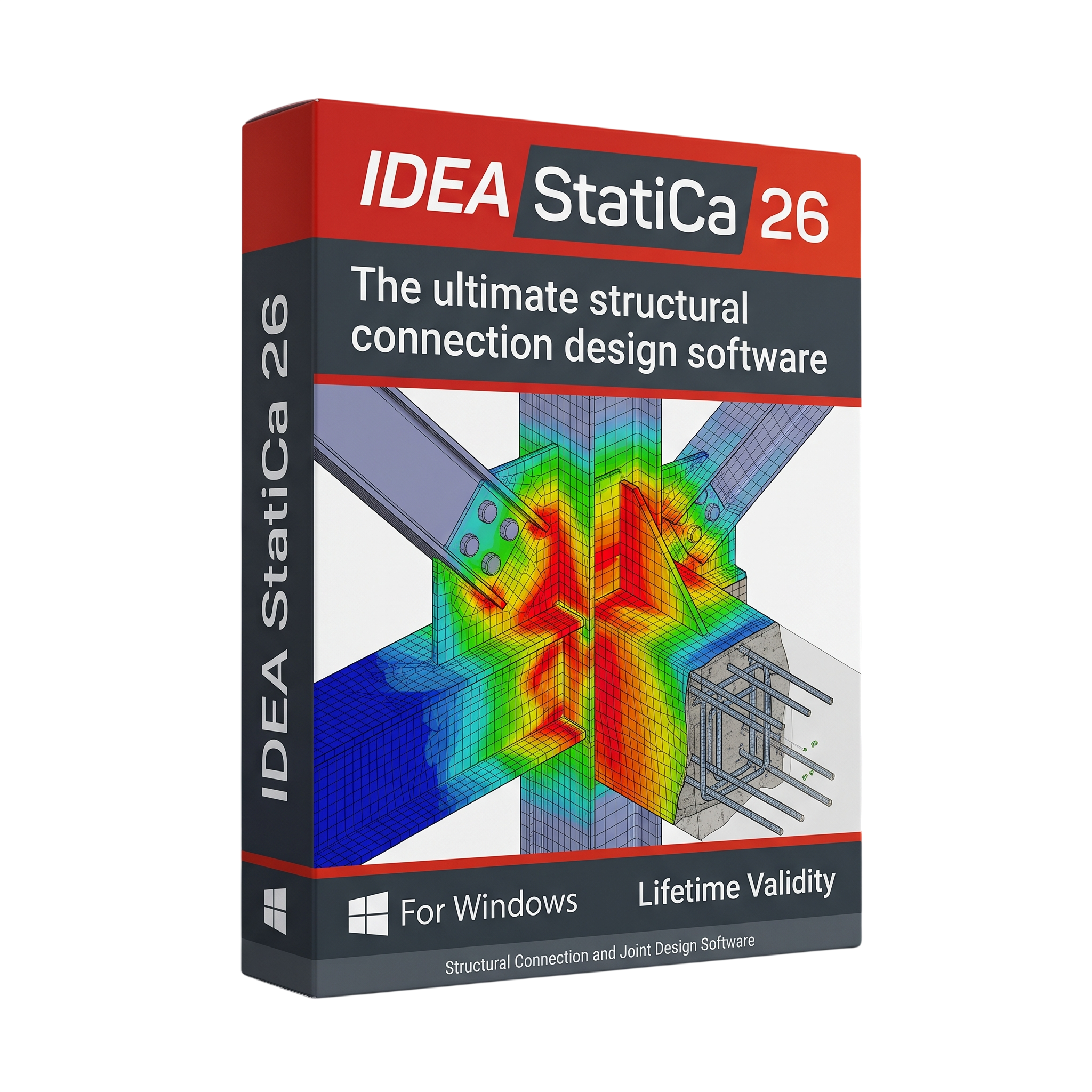
IDEA StatiCa 26 for Lifetime
- AUTOMATIC DELIVERY INSTANTLY ON REGISTERED EMAIL .
- Any Installation Problem Freely Contact Us(Will Give You Support)
- Lifetime Validity
- Windows Version
- Professional structural engineering software for Windows.
- Design and code-check complex steel connections, welds, bolts, and base plates.
- Analyze supported structural members, cross-sections, and reinforced concrete details.
- Evaluate steel-to-concrete anchoring and connection configurations.
- Use advanced numerical analysis to assess structural behavior and stress distribution.
- Integrate supported CAD, BIM, and FEA applications for coordinated engineering workflows.
- Generate detailed calculation reports for engineering review and documentation.
- Version 26.1 adds anchoring workflows, Stability tools, improved coordination, and API enhancements.
- Minimum requirements: Windows 10 64-bit, 16 GB RAM, and 3 GB installation space.
₹550.00
Description
IDEA StatiCa 26 for Windows is professional structural engineering software designed for the analysis, design, and code-checking of steel connections, structural members, reinforced concrete details, and anchoring systems. It helps structural engineers, design consultants, fabricators, and construction professionals evaluate complex structural components using advanced numerical analysis and engineering design workflows.
The software provides specialized tools for designing steel connections, including bolted and welded joints, base plates, moment connections, and steel-to-concrete interfaces. Engineers can create connection models, apply loads, analyze structural behavior, and verify results against supported design standards. Visual modeling and detailed calculation reports help users review stress distributions, component behavior, and code-checking results.
IDEA StatiCa also supports reinforced concrete design and analysis, including concrete members, cross-sections, walls, and complex regions where conventional design approaches may be insufficient. Its anchoring workflows help engineers evaluate connections between steel components and concrete structures using supported design methods and standards.
Through integrations with supported finite element analysis (FEA), computer-aided design (CAD), and building information modeling (BIM) applications, IDEA StatiCa can transfer structural geometry, loads, and related project data into detailed connection-design workflows. This helps reduce repetitive modeling and supports coordination between structural analysis and detailed design.
Key Features
- Steel Connection Design: Model, analyze, optimize, and code-check bolted and welded steel connections.
- Base Plate and Moment Connection Design: Evaluate base plates, moment frames, and other complex connection configurations.
- Structural Member Analysis: Design and verify supported steel members and cross-sections.
- Concrete Design: Analyze reinforced concrete members, cross-sections, walls, and D-regions using supported methods.
- Anchoring Design: Assess supported steel-to-concrete anchoring configurations and connection behavior.
- Advanced Numerical Analysis: Use finite-element-based methods to evaluate stress distribution and structural response in supported models.
- Code Checking: Verify designs against supported standards, including applicable Eurocode and AISC provisions.
- Parametric Modeling: Create and adjust connection geometries using available templates and parametric workflows.
- BIM and FEA Integration: Transfer and coordinate supported project data from compatible structural analysis and CAD applications.
- Checkbot Workflows: Manage imported structural nodes, loads, and connection-design tasks through supported integrations.
- Calculation Reports: Generate detailed engineering reports for review, documentation, and project approval.
- Design Optimization: Compare design alternatives and refine connection layouts, reinforcement, and material usage.
What’s New in IDEA StatiCa 26
- AI-Assisted Workflows: Introduces further intelligence and automation into selected engineering tasks.
- Steel-to-Concrete Design: Expanded workflows for cast-in plates and related connection configurations.
- Improved Application Integration: Enhancements to coordination between structural analysis models and detailed design workflows.
- Automated Engineering Tasks: Continued improvements to supported automation tools and connection-design processes.
- Version 26.1 Enhancements: The 26.1 release adds complete anchoring workflows, a new Stability application, improved CAD/FEA model coordination, reinforced concrete section design for next-generation Eurocodes, and additional Connection API capabilities.
Note: Individual features depend on the installed 26.x build, licensed applications, and supported design standards. Version 26.1 additions may not be available in earlier Version 26.0 builds.
Professional Applications
- Structural Engineering: Design and verify steel connections, members, and reinforced concrete details.
- Steel Fabrication: Develop and check connection details for fabrication and construction documentation.
- Building Design: Evaluate structural joints and load-transfer mechanisms in commercial, residential, and industrial buildings.
- Infrastructure Projects: Support structural design tasks for industrial facilities, bridges, and other applicable infrastructure.
- Engineering Consultancy: Prepare calculation reports and verify designs against applicable codes.
- BIM Coordination: Reduce repetitive data entry by connecting supported analysis, CAD, and detailing workflows.
- Design Optimization: Compare alternative structural configurations and improve material efficiency where appropriate.
System Requirements
Minimum Requirements
- Operating System: Windows 10 64-bit, version 1809 or later.
- Processor: Intel Core i3 or AMD Ryzen 3 processor.
- RAM: 16 GB.
- Graphics: Windows True Color-compatible display adapter with a resolution of 1024 × 768 or higher.
- Storage: Approximately 3 GB of available space for installation.
- Framework: Microsoft .NET Desktop Runtime 8.0 for current releases, plus other required Microsoft components as applicable.
- Internet: Required for applicable online licensing and connected features.
Recommended Requirements
- Operating System: Windows 11 64-bit.
- Processor: Intel Core i7 or AMD Ryzen 7 processor or better.
- RAM: 32 GB.
- Graphics: A dedicated graphics card compatible with OpenGL 4.2, supporting resolutions up to 4K.
- Storage: SSD with additional free space for projects, imported models, reports, and temporary files.
- Architecture: Compatible x64 processor; ARM64 processors are not officially supported.
Important: IDEA StatiCa advises against installing the software on a virtual machine or virtual server. Actual performance depends on model complexity, connected applications, and the licensed modules in use.
Related Products

- Lifetime Validity
- Instant Delivery on Email
- Supported on All Apple Mac Systems
- Any Installation Problem Freely Contact Us(Will Give You Support)
- Run natively on Apple Silicon (M1/M2/M3) for significantly faster processing speeds.
- Experience fluid viewport navigation with the new Apple Metal graphics pipeline.
- Create watertight meshes from open geometry instantly using the ShrinkWrap command.
- Customize your workspace with new Window Layouts that match the Windows interface.
- Render ray-traced images in real-time using GPU-accelerated Cycles on Metal.
- Model organically with sharp edges using the new SubD Creases feature.
- Extrude and subtract geometry directly from faces with the intuitive PushPull workflow.
- Create dynamic 3D sections with hatch patterns using improved Clipping Planes.
- Access new data types and attributes directly within the upgraded Grasshopper.
- AUTOMATIC DELIVERY INSTANTLY ON REGISTERED EMAIL .
- Any Installation Problem Freely Contact Us(Will Give You Support)
- Lifetime Validity
- Windows Version
- ANSYS Products includes the following applications:
- ANSYS Mechanical Pro, Premium, Enterprise
- ANSYS CFD Premium and Enterprise
- ANSYS Mechanical CFD Maxwell 3D
- ANSYS Mechanical Maxwell 3D
- ANSYS Mechanical CFD
- ANSYS HFSS
- Siwave ANSYS
- ANSYS Maxwell
- ANSYS Q3D Extractor
- ANSYS Icepak

- AUTOMATIC DELIVERY INSTANTLY ON REGISTERED EMAIL .
- Any Installation Problem Freely Contact Us(Will Give You Support)
- Lifetime Validity
- Windows Version
- Visualize models with realistic shading and depth using the new Ambient Occlusion engine.
- Import and export IFC files faster with enhanced openBIM interoperability.
- Find and execute any command instantly using the integrated Smart Search tool.
- Generate unique textures and styles quickly with AI-powered Diffusion graphics.
- Collaborate in real-time by syncing models seamlessly with Trimble Connect.
- Create 2D documentation efficiently with the optimized LayOut rendering engine.
- Import complex Revit files accurately with the lightweight Revit Importer.
- Organize geometry effortlessly using the modernized Tag management system.
- AUTOMATIC DELIVERY INSTANTLY ON REGISTERED EMAIL .
- Any Installation Problem Freely Contact Us(Will Give You Support)
- Lifetime Validity
- Windows Version
- Explore massive 3D scenes in 100% ray-traced real-time without waiting for renders.
- Sync changes instantly from 3ds Max, SketchUp, Rhino, and Revit via Live Link.
- Render photorealistic animations at lightning speeds using NVIDIA DLSS 3.5 support.
- Populate environments with millions of objects using the built-in Chaos Scatter tool.
- Switch between different lighting setups, materials, and moods instantly with Scene States.
- Visualize complex animated characters and deformable meshes perfectly in real-time.

- AUTOMATIC DELIVERY INSTANTLY ON REGISTERED EMAIL .
- Any Installation Problem Freely Contact Us(Will Give You Support)
- Lifetime Validity
- Windows Version
- Chaos V-Ray 7.40.02 for Rhinoceros 7 – 9 & SketchUp 2021 – 2026
- Render real-world 3D scans with reflections using native Gaussian Splatting support.
- Simulate accurate stars, moon phases, and the Milky Way with the procedural Night Sky.
- Upscale renders to 16K resolution instantly with the one-click AI Upscaler.
- Populate vegetation naturally with new Clustering modes in Chaos Scatter.
- Clip and trim Gaussian Splat models directly within the SketchUp viewport.
- Render complex light fixtures significantly faster using optimized V-Ray Luminaires.
- Remove bright noise pixels automatically during rendering with Firefly Removal.
- Add detail to people and grass without re-rendering using the AI Enhancer.
- AUTOMATIC DELIVERY INSTANTLY ON REGISTERED EMAIL .
- Any Installation Problem Freely Contact Us(Will Give You Support)
- Lifetime Validity
- Windows Version
- Render scenes with significantly less noise using the improved High-Quality Denoiser.
- Create intricate procedural clouds and weather effects with the updated Corona Sky.
- Scatter objects efficiently on surfaces with the enhanced Chaos Scatter controls.
- Apply decals to curved and organic surfaces seamlessly without UV unwrap.
- Simulate realistic fabrics and velvets instantly with the new Sheen layer.
- Manage complex scenes easily using the optimized Lister and Scene Management tools.
- Reduce memory usage significantly when rendering repetitive geometry with Corona Pattern.
- AUTOMATIC DELIVERY INSTANTLY ON REGISTERED EMAIL .
- Any Installation Problem Freely Contact Us(Will Give You Support)
- Lifetime Validity
- Windows Version
- Ray trace over 2,200 nature assets including trees and shrubs for realistic reflections.
- Preview renders instantly with the new real-time NRD denoiser in Photo and Movie modes.
- Render ray-traced videos up to 5x faster using the optimized sampling engine.
- Simulate realistic glass refraction and colored shadows with fully ray-traced glass.
- Add depth to translucent materials like marble and wax with Subsurface Scattering.
- Populate interiors instantly using 25+ new parallax room templates for day and night.
- Import GLTF files directly for a lighter and faster 3D model workflow.
- Batch import multiple 3D models simultaneously to speed up scene building.

- AUTOMATIC DELIVERY INSTANTLY ON REGISTERED EMAIL .
- Any Installation Problem Freely Contact Us(Will Give You Support)
- Lifetime Validity
- Windows Version
- Smooth skin naturally while preserving texture using advanced AI algorithms.
- Generate precise skin masks automatically to isolate subjects instantly.
- Process massive batches of photos rapidly with optimized multi-core performance.
- Remove blemishes and imperfections without blurring eyelashes or eyebrows.
- Even out skin tones to correct redness and blotchiness effortlessly.
- Apply professional retouching styles quickly with a customizable preset library.
- Fine-tune mask selection manually with the interactive refinement brush.

- AUTOMATIC DELIVERY INSTANTLY ON REGISTERED EMAIL .
- Any Installation Problem Freely Contact Us(Will Give You Support)
- Lifetime Validity
- Windows Version
- Rock-Solid Tracking: The industry standard for planar tracking.
- PowerMesh: Track warped surfaces like skin and fabric.
- Generative Remove: Auto-remove objects and wires with AI.
- Stabilization: Smooth out shaky handheld footage instantly.
- Insert Module: Perfect screen replacements with motion blur.
- Magnetic Roto: Snap masks to edges for fast rotoscoping.
- Lens Correction: Fix or match lens distortion easily.

- AUTOMATIC DELIVERY INSTANTLY ON REGISTERED EMAIL .
- Any Installation Problem Freely Contact Us(Will Give You Support)
- Lifetime Validity
- Windows Version
- 7.28 Version
- Map video onto complex geometric structures and surfaces with advanced projection mapping tools.
- Stitch multiple projectors into a single seamless widescreen image with soft edge blending.
- Sync video with lighting fixtures using DMX input and advanced LED pixel mapping.
- Lock your visuals perfectly to show tracks and DJ sets using SMPTE timecode input.
- Mix unlimited layers of video, effects, and generative content in real-time.
- Correct mistakes instantly during live setup with the fully integrated Undo/Redo feature.

- AUTOMATIC DELIVERY INSTANTLY ON REGISTERED EMAIL .
- Any Installation Problem Freely Contact Us(Will Give You Support)
- Lifetime Validity
- Windows Version
- Professional Edition
- Preview files in real-time while the scan is still running with “On-the-Fly” preview.
- Pause and resume recovery scans instantly to save progress without restarting.
- Recover data from BitLocker-encrypted drives by simply entering the password.
- Create bootable USB media to salvage files from crashed or unbootable PCs.
- Repair corrupt videos and photos automatically using the Premium repair tools.
- Multitask efficiently with native dual-monitor support for the recovery interface.
- Scan large 4K hard drives with 4096-byte sectors using the optimized engine.
- Retrieve data from RAID 0, 5, and 6 arrays seamlessly with the Technician edition.

- AUTOMATIC DELIVERY INSTANTLY ON REGISTERED EMAIL .
- Any Installation Problem Freely Contact Us(Will Give You Support)
- Lifetime Validity
- Windows Version
- Version: 4.20
- Revit 2023, 2024, 2025, 2026 and 2027
- SketchUp 2024, 2025 and 2026
- Rhino 7.0 and 8.3 (or later)
- Archicad 27, 28 and 29
- Vectorworks 2024, 2025 2026, 2027
- Navigate scenes with a unified, redesigned user interface for faster workflows.
- Enhance export quality instantly with the AI-powered NVIDIA Denoiser.
- Simulate realistic colored shadows for glass and transparent materials.
- Upscale textures and assets automatically using the Chaos AI Enhancer.
- Apply pencil and watercolor effects with new Artistic Visual Modes.
- Immerse clients in designs with support for Meta Quest 3 and HTC Vive.