
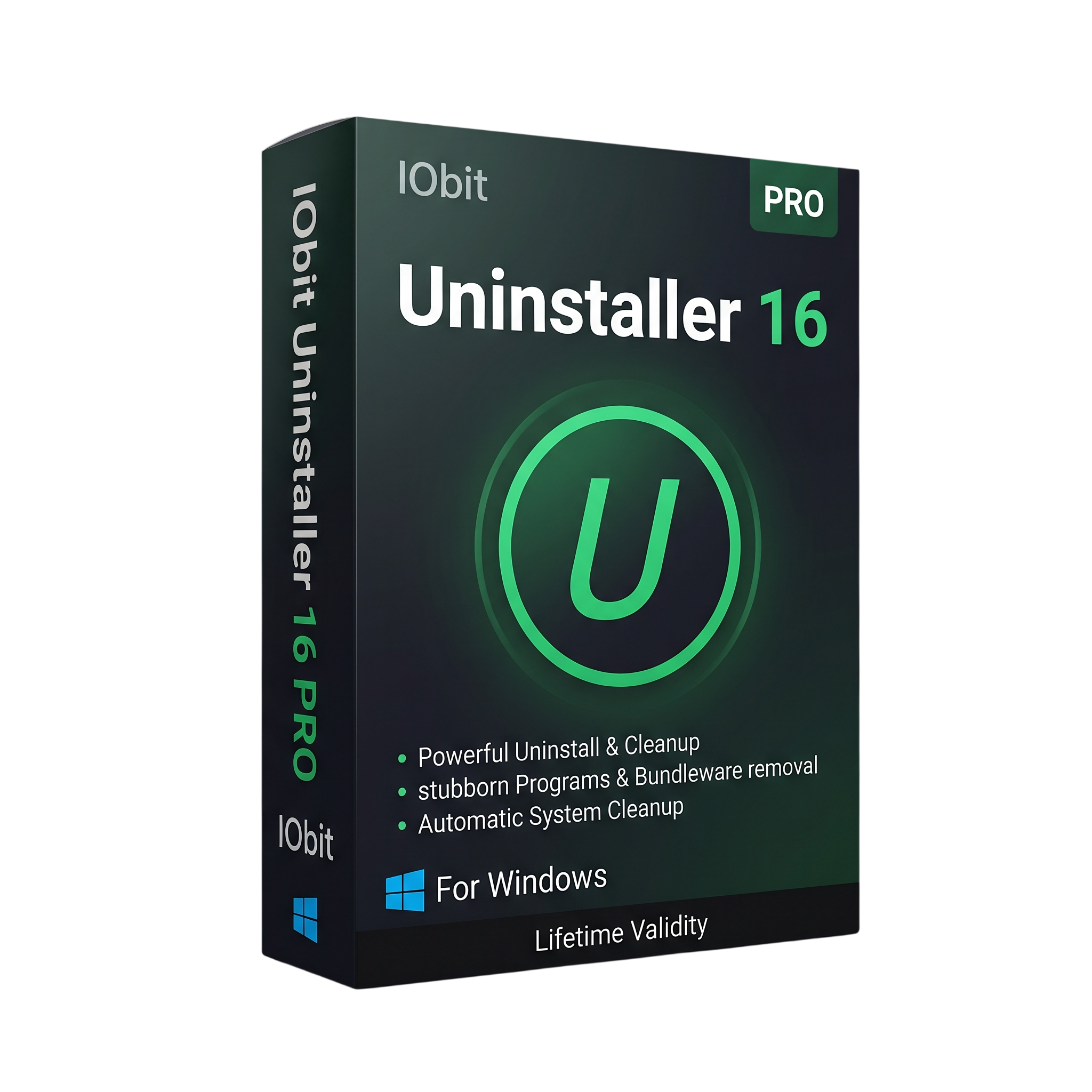
IObit Uninstaller Pro 16 for Lifetime
- AUTOMATIC DELIVERY INSTANTLY ON REGISTERED EMAIL .
- Any Installation Problem Freely Contact Us(Will Give You Support)
- Lifetime Validity
- Windows Version
- Advanced software uninstallation with leftover file cleanup.
- Batch uninstall and Force Uninstall for stubborn programs.
- Remove unwanted browser extensions and bundled applications.
- Bloatware Remover for selected pre-installed Windows apps.
- Software Relocator to move supported programs to another drive.
- Install Monitor, Software Updater, and File Shredder tools.
- Redesigned interface and improved scanning in Version 16.
- Compatible with supported Windows operating systems.
₹500.00
Description
IObit Uninstaller Pro 16 is a Windows utility designed to remove unwanted software, browser extensions, bundled applications, and leftover files that standard uninstallers may leave behind. It provides advanced uninstall tools to help users manage installed programs, reclaim storage space, and keep their Windows systems organized.
With powerful scanning and automatic leftover cleanup, IObit Uninstaller Pro 16 can detect residual folders, files, and registry entries associated with removed applications. Its batch-uninstall functionality helps remove multiple programs in a single workflow, while Force Uninstall tools assist with software that cannot be removed through its normal uninstaller.
The software also includes tools for managing browser extensions, removing unwanted pre-installed Windows apps, monitoring software installations, and updating supported applications. These features make it useful for routine PC maintenance as well as cleaning up software installations that are no longer needed.
Version 16 introduces a redesigned interface and improvements to its scanning and cleanup workflow. New tools include Software Relocator for moving supported installed programs to another drive and Bloatware Remover for managing unwanted Windows apps and components.
Key Features
- Complete Uninstallation: Remove unwanted applications and scan for leftover files, folders, and registry entries.
- Batch Uninstall: Select and remove multiple programs more efficiently.
- Force Uninstall: Help remove stubborn applications that fail to uninstall normally.
- Automatic Leftover Cleanup: Detect and clean residual data after software removal.
- Browser Extension Management: Identify and remove unwanted, advertising-based, or potentially malicious extensions.
- Bloatware Remover: Manage selected pre-installed Windows applications and components.
- Software Relocator: Move supported installed applications to another drive without reinstalling them.
- Install Monitor: Record installation changes to help with more thorough software removal.
- Software Updater: Update supported applications using the built-in update tools.
- File Shredder: Permanently delete selected files using the available shredding options.
- Windows Update Management: Uninstall selected Windows updates when necessary.
- Improved Interface: Use the redesigned layout for easier navigation between cleanup and management tools.
What’s New in Version 16
- Redesigned user interface with a cleaner layout and more intuitive navigation.
- New Software Relocator tool for moving supported applications to other drives.
- New Bloatware Remover for managing unwanted pre-installed Windows apps and components.
- Improved Powerful Scan for more thorough detection of leftover files.
- Enhanced Software Health analysis and residual-file cleanup.
Professional Applications
- PC Maintenance: Remove applications that are no longer required and recover storage space.
- Software Troubleshooting: Clean up remnants from incomplete or unsuccessful uninstalls.
- Browser Management: Remove unwanted extensions that may cause advertising or browsing problems.
- Storage Organization: Relocate supported applications to another drive when additional space is needed.
- IT Support: Help manage software across Windows PCs and remove unwanted bundled applications.
System Requirements
Minimum Requirements
- Operating System: Windows 11, Windows 10, Windows 8.1, Windows 8, or Windows 7; consult the vendor for current support details.
- Free Disk Space: Approximately 300 MB.
- Display: 1280 × 800 resolution or higher, as listed in the product manual.
- Internet Connection: Required for online features, software updates, and license activation where applicable.
Recommended Requirements
- Operating System: Windows 10 or Windows 11, fully updated.
- Processor: Modern Intel or AMD processor.
- Memory: 4 GB RAM or more for comfortable everyday use.
- Storage: At least 1 GB of available space to allow for updates and temporary cleanup operations.
- Permissions: Administrator access may be required to remove certain applications and system components.
Note: The recommended hardware specifications are practical guidelines, not official minimum requirements. Compatibility and feature availability can vary by Windows version and software build.
Related Products
- AUTOMATIC DELIVERY INSTANTLY ON REGISTERED EMAIL .
- Any Installation Problem Freely Contact Us(Will Give You Support)
- Lifetime Validity
- Windows Version
- Retopo Brush: Draw low-poly topology directly on your sculpt.
- Python Support: Automate tasks with industry-standard scripting.
- Asset System: Separate user folders for safer customization.
- ZModeler Update: Auto-creasing and improved visual feedback.
- NoiseMaker 2.0: Transform and rotate alphas for surface noise.
- Redshift AOVs: Export render passes for professional compositing.
- Sculptris Pro: Add polygons dynamically only where you need detail.
- DynaMesh: Remesh your model instantly to fix stretched geometry.
- GoZ: Single-click transfer to Maya, Blender, Cinema 4D, and UE5.
- PolyPaint: Paint texture data directly on the mesh vertices.

- Lifetime Validity
- Instant Delivery on Email
- Supported on All Apple Mac Systems
- Any Installation Problem Freely Contact Us(Will Give You Support)
- Visual Search: Find clips by describing objects or actions (e.g., “sunset”).
- Beat Detection: Auto-generate markers to sync edits to music beats.
- Transcript Search: Find footage by typing spoken dialogue.
- Magnetic Mask: Isolate subjects instantly without green screens.
- Spatial Video: Edit and grade 3D content for Apple Vision Pro.
- Voice Isolation: Remove background noise with one click.
- Transcribe to Captions: Auto-generate subtitles on-device.
- Smooth Slo-Mo: AI-generated frames for perfect slow motion.
- AUTOMATIC DELIVERY INSTANTLY ON REGISTERED EMAIL .
- Any Installation Problem Freely Contact Us(Will Give You Support)
- Lifetime Validity
- Mac Version
- Run natively on Apple Silicon (M1/M2/M3/M4/M5) for blazing-fast performance.
- Visualize models with realistic depth using the new Ambient Occlusion engine.
- Generate unique textures instantly with integrated AI-powered prompts.
- Sync projects seamlessly between Mac, iPad, and Web versions.
- Convert iPhone LiDAR scans into 3D models automatically via Scan-to-Design.
- Create 2D documentation faster with the optimized LayOut rendering engine.
- Import and export USDZ files easily for Apple AR visualization.

- AUTOMATIC DELIVERY INSTANTLY ON REGISTERED EMAIL .
- Any Installation Problem Freely Contact Us(Will Give You Support)
- Lifetime Validity
- Windows Version
- Visualize models with realistic shading and depth using the new Ambient Occlusion engine.
- Import and export IFC files faster with enhanced openBIM interoperability.
- Find and execute any command instantly using the integrated Smart Search tool.
- Generate unique textures and styles quickly with AI-powered Diffusion graphics.
- Collaborate in real-time by syncing models seamlessly with Trimble Connect.
- Create 2D documentation efficiently with the optimized LayOut rendering engine.
- Import complex Revit files accurately with the lightweight Revit Importer.
- Organize geometry effortlessly using the modernized Tag management system.
- AUTOMATIC DELIVERY INSTANTLY ON REGISTERED EMAIL .
- Any Installation Problem Freely Contact Us(Will Give You Support)
- Lifetime Validity
- Windows Version
- Hybrid Ray Tracing: Perfect reflections, shadows, and glass instantly.
- LiveSync: Real-time link to Revit, SketchUp, and Rhino.
- Full Library: Over 9,000 assets (trees, cars, people) included.
- Phasing Effect: Animate the construction process easily.
- Real Skies: 60+ HDR skies that light your scene automatically.
- Styles: One-click presets for “Watercolor,” “Sketch,” or “Realistic.”
- 3D Grass: Turn any surface into realistic, volumetric grass.
- Volumetric Spotlights: Create dusty, atmospheric beams of light.
- Material Editor: Add weathering, rounded edges, and foliage to textures.
- Output: Render 8K images, 4K videos, and 360 panoramas.
- AUTOMATIC DELIVERY INSTANTLY ON REGISTERED EMAIL .
- Any Installation Problem Freely Contact Us(Will Give You Support)
- Lifetime Validity
- Windows Version
- Type effortlessly in multiple Indian languages with enhanced Unicode keyboard handlers.
- Detect and switch between 32-bit and 64-bit applications automatically while typing.
- Access thousands of high-quality calligraphic fonts for professional designs.
- Convert legacy text to Unicode instantly with the advanced file conversion utility.
- Design stylish 3D titles and logos easily using the Avishkar Plus tool.
- Check spelling in Indian languages directly with the integrated Spell Checker.
- Integrate seamlessly with open-source apps like Inkscape, GIMP, and Scribus.
- AUTOMATIC DELIVERY INSTANTLY ON REGISTERED EMAIL .
- Any Installation Problem Freely Contact Us(Will Give You Support)
- Lifetime Validity
- Windows Version
- Works with Internet and Antivirus
- File Size: 461MB
- v8.5.8472
- Swap vocals or drums between tracks instantly with the new StemSwap Sampler.
- Isolate track elements in real-time for seamless live mashups and remixes.
- Export playlists to USB drives for CDJs with new subfolder support.
- Sync music libraries across devices automatically via improved Cloud Drive tools.
- Plug and play with over 300+ controllers including the latest AlphaTheta models.
- Mix video and karaoke with customizable on-screen graphics and lyrics.
- Scratch with precision using the improved ultra-low latency DVS engine.
- Stream sets directly to social platforms without external broadcasting software.

- AUTOMATIC DELIVERY INSTANTLY ON REGISTERED EMAIL .
- Any Installation Problem Freely Contact Us(Will Give You Support)
- Lifetime Validity
- Windows Version
- Professional Edition
- Preview files in real-time while the scan is still running with “On-the-Fly” preview.
- Pause and resume recovery scans instantly to save progress without restarting.
- Recover data from BitLocker-encrypted drives by simply entering the password.
- Create bootable USB media to salvage files from crashed or unbootable PCs.
- Repair corrupt videos and photos automatically using the Premium repair tools.
- Multitask efficiently with native dual-monitor support for the recovery interface.
- Scan large 4K hard drives with 4096-byte sectors using the optimized engine.
- Retrieve data from RAID 0, 5, and 6 arrays seamlessly with the Technician edition.
- Lifetime Validity
- Instant Delivery on Email
- Supported on All Apple Mac Systems
- Any Installation Problem Freely Contact Us(Will Give You Support)
- File Size: 6.68GB (20.3.2 Version)
- Ai Features are working
- Works with Internet and Antivirus
- Edit 12K projects effortlessly with native optimization for Apple M3 and M4 Ultra chips.
- Render renders up to 4x faster using the fully unified memory architecture of Apple Silicon.
- Generate depth maps instantly from single-camera clips using the Apple Neural Engine.
- Grade HDR content with absolute precision on Liquid Retina XDR displays using the new EDR workflow.
- Isolate voices from noisy backgrounds in real-time with the Core ML-powered Voice Isolation.
- Edit spatial video for Apple Vision Pro with a dedicated stereoscopic 3D viewer.
- Track complex objects in 3D space instantly with the Metal-accelerated IntelliTrack AI.

- AUTOMATIC DELIVERY INSTANTLY ON REGISTERED EMAIL .
- Any Installation Problem Freely Contact Us(Will Give You Support)
- Lifetime Validity
- Windows Version
- Online & Offline both working
- Create watertight meshes instantly for 3D printing with the new ShrinkWrap tool.
- Generate dynamic 2D sections and plans directly from 3D models with ClippingDrawings.
- Model organic shapes with greater precision using supported SubD creases.
- Manipulate geometry intuitively with the new customized Auto Gumball.
- Extrude and modify faces instantly using the direct PushPull workflow.
- Render scenes significantly faster with the optimized Cycles engine.
- Customize the modernized interface to match your specific drafting workflow.

- AUTOMATIC DELIVERY INSTANTLY ON REGISTERED EMAIL .
- Any Installation Problem Freely Contact Us(Will Give You Support)
- Lifetime Validity
- Windows Version
- Version: 4.20
- Revit 2023, 2024, 2025, 2026 and 2027
- SketchUp 2024, 2025 and 2026
- Rhino 7.0 and 8.3 (or later)
- Archicad 27, 28 and 29
- Vectorworks 2024, 2025 2026, 2027
- Navigate scenes with a unified, redesigned user interface for faster workflows.
- Enhance export quality instantly with the AI-powered NVIDIA Denoiser.
- Simulate realistic colored shadows for glass and transparent materials.
- Upscale textures and assets automatically using the Chaos AI Enhancer.
- Apply pencil and watercolor effects with new Artistic Visual Modes.
- Immerse clients in designs with support for Meta Quest 3 and HTC Vive.
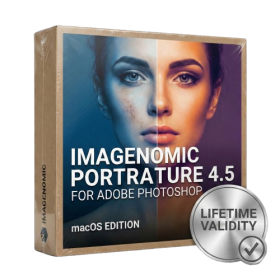
- Lifetime Validity
- Instant Delivery on Email
- Supported on All Apple Mac Systems
- Any Installation Problem Freely Contact Us(Will Give You Support)
- Smooth skin naturally while preserving texture using advanced AI algorithms.
- Generate precise skin masks automatically to isolate subjects instantly.
- Process massive batches of photos rapidly with optimized multi-core performance.
- Remove blemishes and imperfections without blurring eyelashes or eyebrows.
- Even out skin tones to correct redness and blotchiness effortlessly.
- Apply professional retouching styles quickly with a customizable preset library.
- Fine-tune mask selection manually with the interactive refinement brush.