
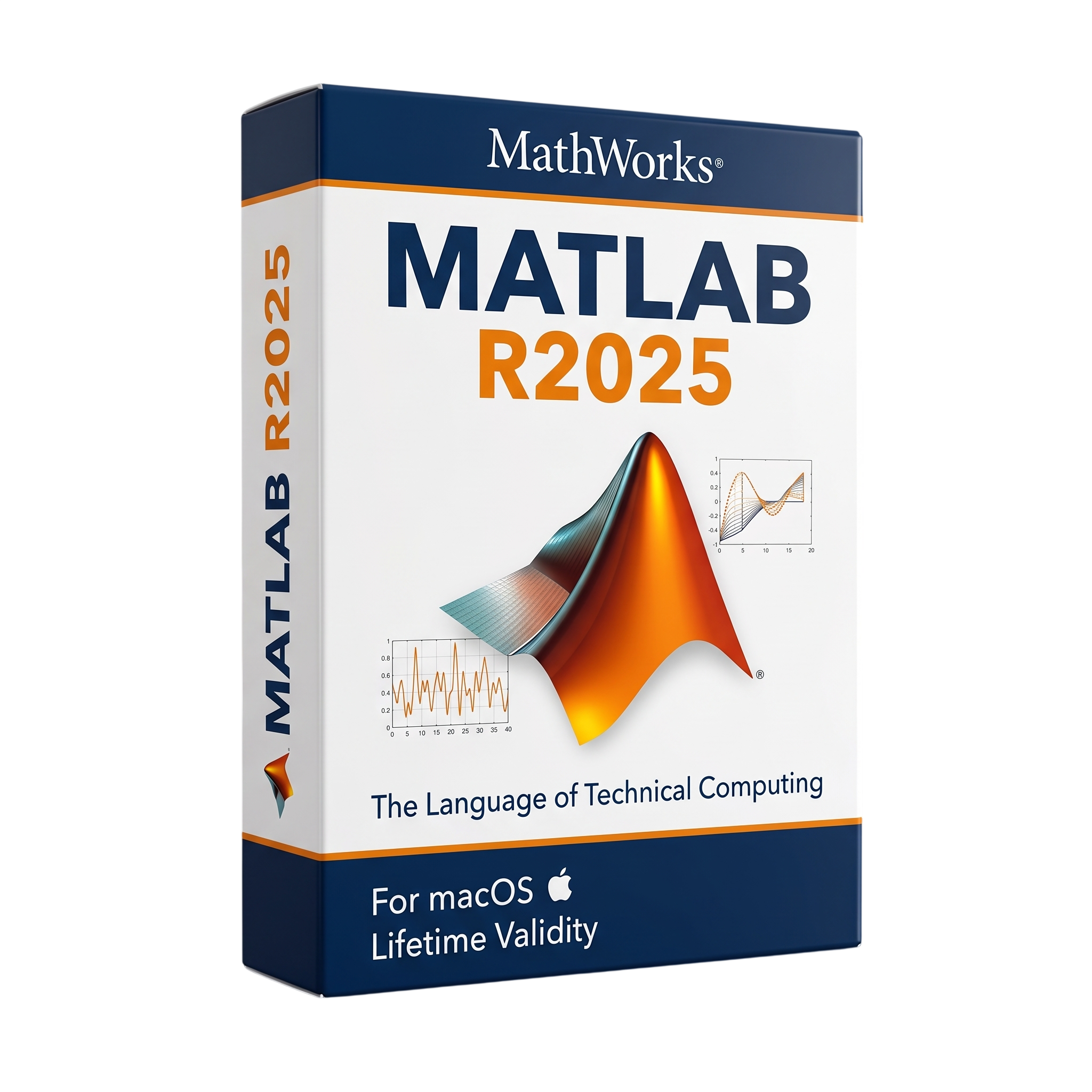
MATLAB R2025 for macOs Lifetime
- Lifetime Validity
- Instant Delivery on Email
- Mac Edition
- Any Installation Problem Freely Contact Us(Will Give You Support)
- Professional numerical computing and technical programming platform for Mac
- MATLAB R2025 includes R2025a and R2025b releases
- Developed by MathWorks for engineers, scientists, researchers, and developers
- Apple Silicon and Intel Mac support
- Matrix and array-based numerical computation
- Advanced mathematical modeling and data analysis
- MATLAB programming language and development environment
- Live Scripts and Live Editor
- Advanced data visualization and technical plotting
- Machine learning and deep learning capabilities
- Signal and image processing workflows
₹550.00
Description
MATLAB R2025 for Mac is a professional numerical computing, programming, data-analysis, visualization, and engineering software platform developed by MathWorks. The R2025 release family includes R2025a and R2025b and is widely used by engineers, scientists, researchers, mathematicians, educators, and developers for mathematical modeling, algorithm development, simulation, data processing, and technical visualization. MATLAB R2025a supports both Intel-based Macs and Apple Silicon Macs. MathWorks
MATLAB provides an interactive programming environment built around matrices and arrays, while also supporting numerical methods, statistics, optimization, signal and image processing, machine learning, deep learning, control systems, communications, robotics, and many other engineering and scientific disciplines through specialized toolboxes. It can also integrate with Python, C/C++, Java, .NET, and other external technologies.
R2025a introduced a substantially redesigned MATLAB desktop. The new interface uses modern web technologies, customizable sidebars, improved search, a new figure container, enhanced accessibility, coding and software-development panels, and light/dark themes. Live Scripts can also be saved using a new plain-text format that is better suited to Git and other source-control systems. MathWorks
R2025a also introduced MATLAB Copilot, an AI assistant designed to help users with MATLAB programming workflows. Other major improvements include expanded GPU-enabled functionality, single-precision sparse matrices, improved Python interoperability, enhanced deep-learning workflows, and additional development and testing tools. MathWorks
Key Features
- Professional numerical and technical computing
- Matrix and array-based computation
- MATLAB programming language
- Interactive Command Window and Editor
- Live Scripts and Live Editor
- Advanced data analysis and visualization
- Engineering and scientific plotting
- Statistical analysis
- Optimization and numerical methods
- Machine learning and deep learning
- Signal and image processing
- Control-system design and analysis
- Communications-system modeling
- Robotics and autonomous-system development
- Computer vision
- Financial and risk analysis
- Symbolic mathematics through supported toolboxes
- Simulink integration
- MATLAB Copilot AI assistant
- New customizable desktop sidebars
- New figure container and tabbed figures
- Dark and light themes
- Desktop Search
- Source Control integration
- Debugger, Test Browser, Code Issues and Code Outline panels
- Plain-text Live Code file format
- Python integration
- C/C++ integration
- Java and .NET interoperability
- GPU-accelerated computing through supported toolboxes
- Parallel and distributed computing through supported products
- Single-precision sparse matrix support
- MATLAB Apps and App Designer
- Code generation through MATLAB Coder
- API and automation capabilities
- Extensive toolbox ecosystem
What’s New
- MATLAB R2025a: major redesign of the MATLAB desktop using modern web technologies. MathWorks
- Customizable sidebars for Files, Workspace, Command Window and other panels.
- New MATLAB Copilot AI assistant. MathWorks
- New figure container with docked/tabbed figures.
- New desktop Search for launching apps and searching documentation, examples and MATLAB Answers.
- Improved accessibility and screen-reader support.
- New coding and software-development panels.
- Plain-text Live Code file format for improved source-control integration.
- Expanded GPU functionality, increasing supported
gpuArrayfunctions across MATLAB and toolboxes. MATLAB Central Blogs - Full support for single-precision sparse matrices.
- Improved MATLAB/Python interoperability, including automatic conversion between MATLAB tables/timetables and Pandas data frames in supported workflows. MATLAB Central Blogs
- R2025b builds on R2025a with additional quality, stability, and product-family improvements. MathWorks
Professional Applications
- Engineering and scientific computing
- Mathematical research
- Numerical analysis
- Data science and analytics
- Machine learning and AI development
- Signal processing
- Image processing and computer vision
- Control-system engineering
- Robotics and automation
- Aerospace engineering
- Automotive engineering
- Electrical and electronics engineering
- Communications and RF engineering
- Financial modeling and quantitative analysis
- Academic research and education
- Algorithm development
- Simulation and modeling
- Embedded-system development
- Test and measurement
- Technical data visualization
System Requirements
Minimum Requirements
- OS: macOS Ventura 13.7, macOS Sonoma 14, or macOS Sequoia 15
- CPU: Apple Silicon M-series or Intel x86-64 processor with 2+ cores
- RAM: 8GB
- Storage: 3.8GB for MATLAB alone; 4–6GB for a typical installation
- All Products installation: approximately 17GB
- Storage type: SSD strongly recommended
- Graphics: Mac graphics hardware supported by the corresponding macOS version
- Internet: Required for installation, activation, updates, and certain online services MathWorks
MATLAB R2025a is available as separate Apple Silicon and Intel Mac applications. Native Apple Silicon MATLAB is supported from R2023b onward. MathWorks
Recommended Requirements
- OS: macOS Sequoia 15
- CPU: Apple M-series processor, preferably M2/M3/M4 Pro or higher for demanding workloads
- RAM: 16GB or more
- Storage: Fast SSD with at least 50GB free for MATLAB, toolboxes, projects and datasets
- Graphics: Apple Silicon GPU or supported Mac GPU
- Professional workloads: 32GB+ RAM recommended for large datasets, simulations and deep-learning workflows
- Development: Xcode 16 or supported compatible compiler when compiling MEX files or using supported code-generation workflows.
Related Products
- AUTOMATIC DELIVERY INSTANTLY ON REGISTERED EMAIL .
- Any Installation Problem Freely Contact Us(Will Give You Support)
- Lifetime Validity
- Windows Version
- File Size: 23.5MB
- Accelerate download speeds by up to 5 times with intelligent dynamic file segmentation.
- Resume interrupted downloads instantly without restarting from the beginning.
- Capture videos from streaming sites automatically using the improved download panel.
- Detect and download Ultra HD (4K and 8K) videos with enhanced recognition accuracy.
- Integrate seamlessly with the latest versions of Chrome, Edge, and Firefox.
- Resolve video stream errors (like 403 Forbidden) with updated site compatibility fixes.
- Schedule downloads to start, stop, or shut down your computer automatically.
- AUTOMATIC DELIVERY INSTANTLY ON REGISTERED EMAIL .
- Any Installation Problem Freely Contact Us(Will Give You Support)
- Lifetime Validity
- Windows Version
- Smooth skin naturally while preserving texture using advanced AI algorithms.
- Generate precise skin masks automatically to isolate subjects instantly.
- Process massive batches of photos rapidly with optimized multi-core performance.
- Remove blemishes and imperfections without blurring eyelashes or eyebrows.
- Even out skin tones to correct redness and blotchiness effortlessly.
- Apply professional retouching styles quickly with a customizable preset library.
- Fine-tune mask selection manually with the interactive refinement brush.
- Lifetime Validity
- Instant Delivery on Email
- Supported on All Apple Mac Systems
- Any Installation Problem Freely Contact Us(Will Give You Support)
- Render natively on Apple Silicon (M1/M2/M3) for maximum speed and efficiency.
- Generate photorealistic backgrounds instantly from text prompts using the AI Shots tool.
- Share interactive 3D product reviews securely with stakeholders via KeyShot Web Viewer.
- Automate complex rendering pipelines using the advanced Python scripting console.
- Import native files directly from high-end CAD systems like Siemens NX, Catia, and Creo.
- Switch seamlessly between CPU and GPU rendering to utilize Apple Metal graphics power.
- Create standardized material libraries for your organization with OpenPBR support.
- Accelerate post-production compositing with automatic Cryptomatte mask generation.

- AUTOMATIC DELIVERY INSTANTLY ON REGISTERED EMAIL .
- Any Installation Problem Freely Contact Us(Will Give You Support)
- Lifetime Validity
- Windows Version
- File Size: 1.84GB
- Visualize models with stunning depth and realism using the new graphics engine featuring native Ambient Occlusion.
- Generate unique, seamless textures instantly from simple text prompts with the integrated AI texture generator.
- Import complex Revit files accurately and efficiently with the enhanced, lighter-weight Revit Importer.
- Create 2D documentation in LayOut faster than ever with a new multi-threaded rendering engine that eliminates lag.
- Convert room scans from mobile devices automatically into clean, editable 3D geometry via Scan-to-Design.
- Collaborate in real-time by syncing projects seamlessly across Desktop, iPad, and Web versions.
- Lifetime Validity
- Instant Delivery on Email
- Any Installation Problem Freely Contact Us(Will Give You Support)
- Supported on Windows 10,11
- Pre-Activated for Lifetime Validity
- Supports: Revit 2022 to 2026
- Import and render real-world 3D Gaussian Splats directly within the Revit interface.
- Generate custom PBR textures instantly from text prompts with the AI Material Generator.
- Visualize changes in real-time using the seamless Chaos Vantage Live Link.
- Populate scenes with vegetation and crowds efficiently using Chaos Scatter.
- Edit colors and apply finishing touches directly in the advanced V-Ray Frame Buffer.
- Ensure material consistency across different software with native OpenPBR support.
- Add realistic details like road markings or graffiti using V-Ray Decals.
- Simulate dynamic skies and cloud shadows with the procedural Cloud system.
- Generate dozens of lighting variations automatically with the Light Gen tool.
- Accelerate rendering times significantly with optimized NVIDIA RTX GPU support.
- Lifetime Validity
- Instant Delivery on Email
- Any Installation Problem Freely Contact Us(Will Give You Support)
- Supported on Windows 10,11
- File Size: 7.47GB (20.3.2 Version)
- Ai Features are working
- Works with Internet and Antivirus
- Generate complex color grades instantly from text prompts or reference images with AI Match.
- Isolate and remix individual instruments from a stereo music track using Fairlight AI Stem Separation.
- Track objects obscured by smoke or glass perfectly with the new Deep Neural Magic Mask.
- Edit spatial video natively for Apple Vision Pro and Meta Quest with full depth visualization.
- Remove unwanted moving objects from complex backgrounds automatically with Generative Fill for Video.

- AUTOMATIC DELIVERY INSTANTLY ON REGISTERED EMAIL .
- Any Installation Problem Freely Contact Us(Will Give You Support)
- Lifetime Validity
- Windows Version
- Visualize models with realistic shading and depth using the new Ambient Occlusion engine.
- Import and export IFC files faster with enhanced openBIM interoperability.
- Find and execute any command instantly using the integrated Smart Search tool.
- Generate unique textures and styles quickly with AI-powered Diffusion graphics.
- Collaborate in real-time by syncing models seamlessly with Trimble Connect.
- Create 2D documentation efficiently with the optimized LayOut rendering engine.
- Import complex Revit files accurately with the lightweight Revit Importer.
- Organize geometry effortlessly using the modernized Tag management system.

- Lifetime Validity
- Instant Delivery on Email
- Supported on All Apple Mac Systems
- Any Installation Problem Freely Contact Us(Will Give You Support)
- Visual Search: Find clips by describing objects or actions (e.g., “sunset”).
- Beat Detection: Auto-generate markers to sync edits to music beats.
- Transcript Search: Find footage by typing spoken dialogue.
- Magnetic Mask: Isolate subjects instantly without green screens.
- Spatial Video: Edit and grade 3D content for Apple Vision Pro.
- Voice Isolation: Remove background noise with one click.
- Transcribe to Captions: Auto-generate subtitles on-device.
- Smooth Slo-Mo: AI-generated frames for perfect slow motion.

- AUTOMATIC DELIVERY INSTANTLY ON REGISTERED EMAIL .
- Any Installation Problem Freely Contact Us(Will Give You Support)
- Lifetime Validity
- Windows Version
- Professional Edition
- Preview files in real-time while the scan is still running with “On-the-Fly” preview.
- Pause and resume recovery scans instantly to save progress without restarting.
- Recover data from BitLocker-encrypted drives by simply entering the password.
- Create bootable USB media to salvage files from crashed or unbootable PCs.
- Repair corrupt videos and photos automatically using the Premium repair tools.
- Multitask efficiently with native dual-monitor support for the recovery interface.
- Scan large 4K hard drives with 4096-byte sectors using the optimized engine.
- Retrieve data from RAID 0, 5, and 6 arrays seamlessly with the Technician edition.
- AUTOMATIC DELIVERY INSTANTLY ON REGISTERED EMAIL .
- Any Installation Problem Freely Contact Us(Will Give You Support)
- Lifetime Validity
- Windows Version
- 7.28 Version
- Map video onto complex geometric structures and surfaces with advanced projection mapping tools.
- Stitch multiple projectors into a single seamless widescreen image with soft edge blending.
- Sync video with lighting fixtures using DMX input and advanced LED pixel mapping.
- Lock your visuals perfectly to show tracks and DJ sets using SMPTE timecode input.
- Mix unlimited layers of video, effects, and generative content in real-time.
- Correct mistakes instantly during live setup with the fully integrated Undo/Redo feature.
- AUTOMATIC DELIVERY INSTANTLY ON REGISTERED EMAIL .
- Any Installation Problem Freely Contact Us(Will Give You Support)
- Lifetime Validity
- Windows Version
- Generate invoices.
- Manage multiple companies and financial years from a single unified interface.
- Track inventory stocks across different godowns and locations in real-time.
- Automate bank reconciliation by uploading digital bank statements directly.
- Calculate employee salaries, PF, and TDS accurately with the integrated Payroll module.
- Access business data remotely using the secure Tally.NET connection services.
- AUTOMATIC DELIVERY INSTANTLY ON REGISTERED EMAIL .
- Any Installation Problem Freely Contact Us(Will Give You Support)
- Lifetime Validity
- Windows Version
- New Desktop: Modern, faster UI with fully supported Dark Mode.
- AI Assistant: Generate and debug code using the built-in AI Chat.
- Python Interop: Seamless data exchange between MATLAB and Python.
- Simulink 3D: Photorealistic simulation powered by Unreal Engine 5.
- Live Editor: Embed sliders and buttons directly into your scripts.
- App Building: Create standalone Windows apps without C++ knowledge.
- Code Gen: Export C/C++ code for embedded hardware instantly.
- 5G/6G Tools: Advanced modeling for next-gen wireless networks.
- Automotive: specialized toolboxes for ADAS and autonomous driving.
- Cloud Run: Run your scripts in a browser via MATLAB Online.