
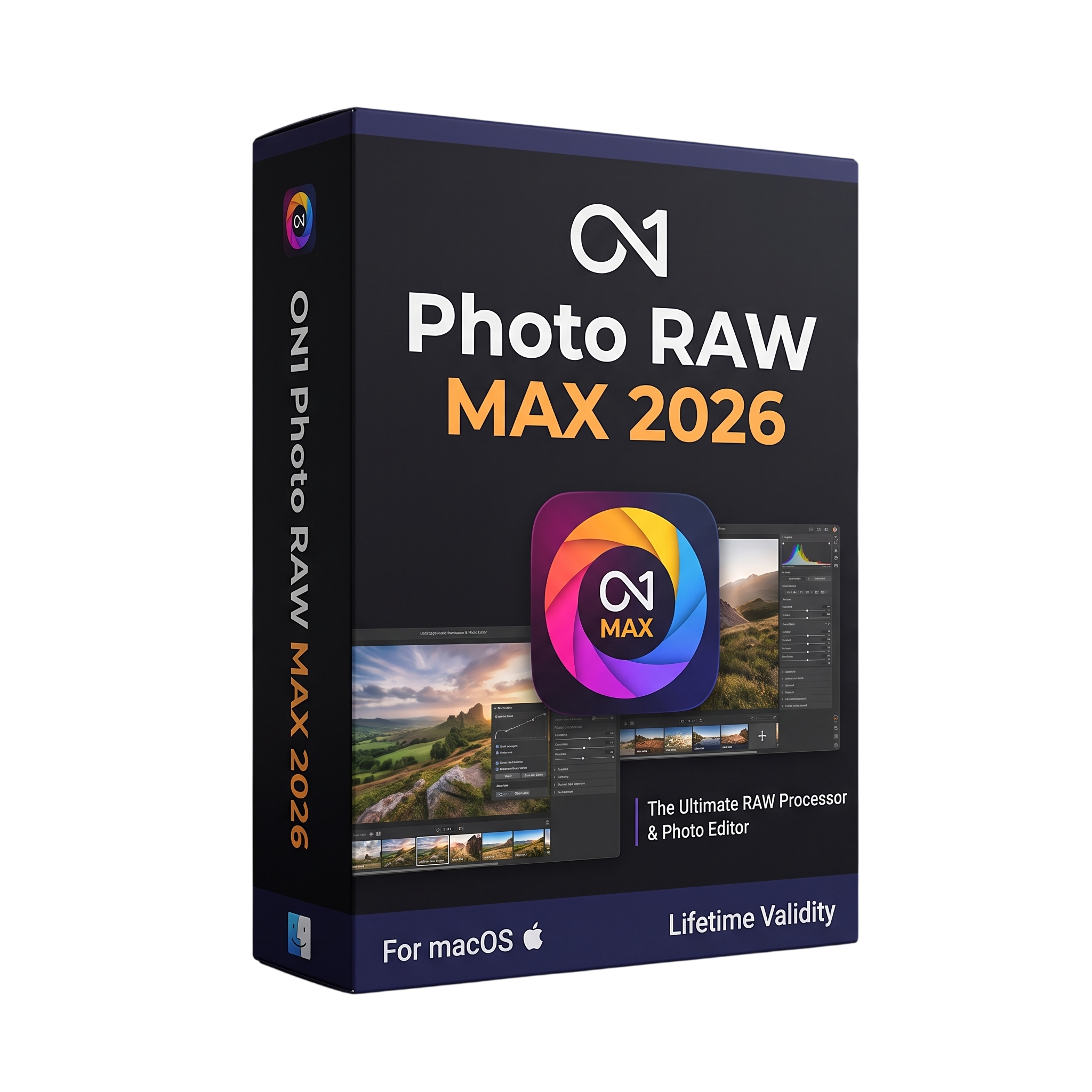
ON1 Photo RAW MAX 2026 for macOs Lifetime
- Lifetime Validity
- Instant Delivery on Email
- Mac Edition
- Any Installation Problem Freely Contact Us(Will Give You Support)
- Professional all-in-one RAW photo editing and management software for Mac
- ON1 Photo RAW MAX 2026 for professional photographers and image editors
- Combines photo organization, RAW processing, layers, effects, and AI tools
- Non-destructive photo editing workflow
- Supports RAW, DNG, JPEG, TIFF, PNG, HEIC, PSD and PSB formats
- Advanced Develop module for exposure, color, tone, and contrast
- AI-powered Subject and Background Masks
- Multiple Mask Layers with improved hair and fur detection
- Super Select AI for intelligent object selection
- Brilliance AI for automated color and tonal enhancement
- NoNoise AI for advanced noise reduction
₹500.00
Description
ON1 Photo RAW MAX 2026 for Mac is a professional all-in-one RAW photo editing, organization, retouching, masking, effects, and image-management application developed by ON1. It combines photo browsing, RAW processing, layer-based editing, AI-powered enhancement, effects, and organization into a single application, providing an alternative to workflows based around separate Lightroom and Photoshop applications. The 2026 generation received major updates throughout 2026, including versions 2026.1 through 2026.5. ON1
The MAX edition includes the core Photo RAW editing and organizational features together with additional professional capabilities, most notably Restore AI and plugin support for Adobe Photoshop, Lightroom, and other compatible applications. Restore AI is designed to repair damaged and aging photographs, including dust, scratches, tears, fading, blur, and loss of detail. ON1
ON1 Photo RAW MAX 2026 provides extensive AI-assisted editing tools, including Super Select AI, Brilliance AI, NoNoise AI, TackSharp AI, Keyword AI, Sky Swap AI, AI Adaptive Presets, and Generative AI tools. Its masking system supports subject and background detection, luminosity masks, color-range masks, depth masks, gradients, brushes, and multiple mask layers. ON1
The 2026.5 update adds Depth Lighting, Split Field, Double Exposure, Motion filters, new Super Resolution models, Negative Mode for digitized film negatives, native grayscale editing, and interface customization improvements. The software supports RAW, PSD, PSB, JPEG, PNG, TIFF, HEIC, and DNG workflows, while MAX can also operate as a plugin from supported host applications. ON1
Key Features
- Professional RAW photo processing
- All-in-one photo browsing, editing, effects, and organization
- Non-destructive editing workflow
- RAW, DNG, JPEG, TIFF, PNG, HEIC, PSD and PSB support
- Develop module for exposure, tone, color, and contrast
- Layer-based editing
- More than 30 creative filters and effects
- AI-powered masking
- Subject and Background Masks
- Multiple Mask Layers
- Improved hair and fur masking
- Super Select AI
- Brilliance AI
- NoNoise AI
- TackSharp AI
- Keyword AI
- Sky Swap AI
- Generative AI tools
- AI Adaptive Presets
- AI Style Advisor
- Restore AI exclusive to MAX
- Super Resolution models
- Depth Lighting
- Split Field filter
- Double Exposure filter
- Motion filter
- Negative Mode for digitized film
- Native grayscale editing
- Crop, transform, perspective and keystone correction
- Local adjustment brushes and gradients
- Luminosity, color-range and depth masks
- Preset management and custom presets
- Plugin operation from Photoshop and Lightroom
- Third-party Photoshop plugin support
- Apple Photos, Affinity Photo, Capture One and other integrations
- Mobile apps for iOS and Android
- ICC/ICM/DCP color profiles
- Soft-proofing support
- Pressure-sensitive tablet support
- MAX installation on up to three computers ON1
What’s New
- Photo RAW MAX 2026 major release introduced new masking capabilities and Restore AI. ON1
- 2026.1–2026.4 delivered additional free updates and enhancements during 2026. ON1
- Photo RAW MAX 2026.5 introduced Depth Lighting with AI depth masks.
- Added Split Field, Double Exposure, and Motion creative filters.
- Added new Highest Quality and Standard Super Resolution AI models.
- Added Negative Mode for automated inversion and color correction of digitized film negatives.
- Added native editing support for grayscale images.
- Added dockable panels and floatable tool panes for greater interface customization.
- Added compatibility with additional camera models. ON1
Professional Applications
- Professional RAW photography
- Portrait and wedding photography
- Landscape photography
- Wildlife and nature photography
- Commercial and product photography
- Photo restoration and archival work
- Film-negative digitization
- Professional retouching
- Creative compositing
- Color correction and grading
- Noise reduction and sharpening
- Large-format image preparation
- Advertising and marketing photography
- Real-estate photography
- Travel photography
- Fine-art photography
- Social-media content creation
- Professional Photoshop and Lightroom workflows
System Requirements
Minimum Requirements
- OS: macOS 13 or newer, current 64-bit maintenance releases
- CPU: Four-core Intel processor or Apple Silicon
- RAM: 8GB; 16GB if system memory is shared with the GPU
- Storage: 6GB for installation
- Graphics: Metal, Vulkan 1.1, and OpenGL 4.2-compatible graphics with 4GB VRAM
- Display: 1920 × 1080 at 100% scaling
- Internet: Required for activation, updates, content downloads, and applicable ON1 services ON1
Recommended Requirements
- OS: macOS 15 or newer
- CPU: Apple M2 or better
- RAM: 32GB or more
- Storage: 6GB minimum installation space on a fast SSD
- Graphics: Metal-compatible graphics with 8GB VRAM
- Display: 1920 × 1080 or higher
- Professional workflow: Fast SSD and 32GB+ memory recommended for large RAW libraries, AI processing, layers, and high-resolution images
Related Products

- AUTOMATIC DELIVERY INSTANTLY ON REGISTERED EMAIL .
- Any Installation Problem Freely Contact Us(Will Give You Support)
- Lifetime Validity
- Windows Version
- Visualize models with realistic shading and depth using the new Ambient Occlusion engine.
- Import and export IFC files faster with enhanced openBIM interoperability.
- Find and execute any command instantly using the integrated Smart Search tool.
- Generate unique textures and styles quickly with AI-powered Diffusion graphics.
- Collaborate in real-time by syncing models seamlessly with Trimble Connect.
- Create 2D documentation efficiently with the optimized LayOut rendering engine.
- Import complex Revit files accurately with the lightweight Revit Importer.
- Organize geometry effortlessly using the modernized Tag management system.

- AUTOMATIC DELIVERY INSTANTLY ON REGISTERED EMAIL .
- Any Installation Problem Freely Contact Us(Will Give You Support)
- Lifetime Validity
- Windows Version
- Route complex PCB traces automatically with the new AI-driven auto-interactive router.
- Collaborate seamlessly with mechanical engineers via the enhanced real-time MCAD CoDesigner.
- Simulate power integrity and signal performance instantly within the unified design environment.
- Manage component shortages proactively with live supply chain data in ActiveBOM.
- Visualize multi-board systems and rigid-flex designs in photorealistic 3D detail.
- Sync all design changes and version history securely to the cloud with Altium 365.
- Define complex high-speed design rules easily using the visual Constraint Manager.
- AUTOMATIC DELIVERY INSTANTLY ON REGISTERED EMAIL .
- Any Installation Problem Freely Contact Us(Will Give You Support)
- Lifetime Validity
- Windows Version
- Edit video content as easily as a text document with the AI-powered text-based editing workflow.
- Instantly remove or replace video backgrounds without a green screen using dynamic AI masking.
- Automatically generate and sync accurate captions and subtitles from your voiceover in seconds.
- Smooth out jerky mouse movements and customize cursor paths with advanced cursor effects.
- Record high-resolution 4K screen capture, webcam, and system audio simultaneously.
- Clean up background noise and balance vocal levels instantly with AI-enhanced audio filters.
- Access a vast library of royalty-free intros, motion graphics, and music directly within the editor.
- Engage viewers by adding interactive quizzes and clickable hotspots directly to your videos.
- Apply professional animations and behaviors to text and images with simple drag-and-drop actions.
- Export videos faster than ever with optimized GPU acceleration for modern hardware.
- Lifetime Validity
- Instant Delivery on Email
- Supported on All Apple Mac Systems
- Any Installation Problem Freely Contact Us(Will Give You Support)
- Render natively on Apple Silicon (M1/M2/M3) for maximum speed and efficiency.
- Generate photorealistic backgrounds instantly from text prompts using the AI Shots tool.
- Share interactive 3D product reviews securely with stakeholders via KeyShot Web Viewer.
- Automate complex rendering pipelines using the advanced Python scripting console.
- Import native files directly from high-end CAD systems like Siemens NX, Catia, and Creo.
- Switch seamlessly between CPU and GPU rendering to utilize Apple Metal graphics power.
- Create standardized material libraries for your organization with OpenPBR support.
- Accelerate post-production compositing with automatic Cryptomatte mask generation.
- AUTOMATIC DELIVERY INSTANTLY ON REGISTERED EMAIL .
- Any Installation Problem Freely Contact Us(Will Give You Support)
- Lifetime Validity
- Windows Version
- Generate invoices.
- Manage multiple companies and financial years from a single unified interface.
- Track inventory stocks across different godowns and locations in real-time.
- Automate bank reconciliation by uploading digital bank statements directly.
- Calculate employee salaries, PF, and TDS accurately with the integrated Payroll module.
- Access business data remotely using the secure Tally.NET connection services.
- Lifetime Validity
- Instant Delivery on Email
- Supported on All Apple Mac Systems
- Any Installation Problem Freely Contact Us(Will Give You Support)
- File Size: 6.68GB (20.3.2 Version)
- Ai Features are working
- Works with Internet and Antivirus
- Edit 12K projects effortlessly with native optimization for Apple M3 and M4 Ultra chips.
- Render renders up to 4x faster using the fully unified memory architecture of Apple Silicon.
- Generate depth maps instantly from single-camera clips using the Apple Neural Engine.
- Grade HDR content with absolute precision on Liquid Retina XDR displays using the new EDR workflow.
- Isolate voices from noisy backgrounds in real-time with the Core ML-powered Voice Isolation.
- Edit spatial video for Apple Vision Pro with a dedicated stereoscopic 3D viewer.
- Track complex objects in 3D space instantly with the Metal-accelerated IntelliTrack AI.
- AUTOMATIC DELIVERY INSTANTLY ON REGISTERED EMAIL .
- Any Installation Problem Freely Contact Us(Will Give You Support)
- Lifetime Validity
- Windows Version
- New Desktop: Modern, faster UI with fully supported Dark Mode.
- AI Assistant: Generate and debug code using the built-in AI Chat.
- Python Interop: Seamless data exchange between MATLAB and Python.
- Simulink 3D: Photorealistic simulation powered by Unreal Engine 5.
- Live Editor: Embed sliders and buttons directly into your scripts.
- App Building: Create standalone Windows apps without C++ knowledge.
- Code Gen: Export C/C++ code for embedded hardware instantly.
- 5G/6G Tools: Advanced modeling for next-gen wireless networks.
- Automotive: specialized toolboxes for ADAS and autonomous driving.
- Cloud Run: Run your scripts in a browser via MATLAB Online.
- AUTOMATIC DELIVERY INSTANTLY ON REGISTERED EMAIL .
- Any Installation Problem Freely Contact Us(Will Give You Support)
- Lifetime Validity
- Windows Version
- Smooth skin naturally while preserving texture using advanced AI algorithms.
- Generate precise skin masks automatically to isolate subjects instantly.
- Process massive batches of photos rapidly with optimized multi-core performance.
- Remove blemishes and imperfections without blurring eyelashes or eyebrows.
- Even out skin tones to correct redness and blotchiness effortlessly.
- Apply professional retouching styles quickly with a customizable preset library.
- Fine-tune mask selection manually with the interactive refinement brush.

- Lifetime Validity
- Instant Delivery on Email
- Supported on All Apple Mac Systems
- Any Installation Problem Freely Contact Us(Will Give You Support)
- Visual Search: Find clips by describing objects or actions (e.g., “sunset”).
- Beat Detection: Auto-generate markers to sync edits to music beats.
- Transcript Search: Find footage by typing spoken dialogue.
- Magnetic Mask: Isolate subjects instantly without green screens.
- Spatial Video: Edit and grade 3D content for Apple Vision Pro.
- Voice Isolation: Remove background noise with one click.
- Transcribe to Captions: Auto-generate subtitles on-device.
- Smooth Slo-Mo: AI-generated frames for perfect slow motion.

- AUTOMATIC DELIVERY INSTANTLY ON REGISTERED EMAIL .
- Any Installation Problem Freely Contact Us(Will Give You Support)
- Lifetime Validity
- Windows Version
- Professional Edition
- Preview files in real-time while the scan is still running with “On-the-Fly” preview.
- Pause and resume recovery scans instantly to save progress without restarting.
- Recover data from BitLocker-encrypted drives by simply entering the password.
- Create bootable USB media to salvage files from crashed or unbootable PCs.
- Repair corrupt videos and photos automatically using the Premium repair tools.
- Multitask efficiently with native dual-monitor support for the recovery interface.
- Scan large 4K hard drives with 4096-byte sectors using the optimized engine.
- Retrieve data from RAID 0, 5, and 6 arrays seamlessly with the Technician edition.

- AUTOMATIC DELIVERY INSTANTLY ON REGISTERED EMAIL .
- Any Installation Problem Freely Contact Us(Will Give You Support)
- Lifetime Validity
- Windows Version
- Online & Offline both working
- Create watertight meshes instantly for 3D printing with the new ShrinkWrap tool.
- Generate dynamic 2D sections and plans directly from 3D models with ClippingDrawings.
- Model organic shapes with greater precision using supported SubD creases.
- Manipulate geometry intuitively with the new customized Auto Gumball.
- Extrude and modify faces instantly using the direct PushPull workflow.
- Render scenes significantly faster with the optimized Cycles engine.
- Customize the modernized interface to match your specific drafting workflow.

- Lifetime Validity
- Instant Delivery on Email
- Any Installation Problem Freely Contact Us(Will Give You Support)
- Supported on Windows 10,11
- Pre-Activated for Lifetime Validity
- Supports: Revit 2022 to 2026
- Import and render real-world 3D Gaussian Splats directly within the Revit interface.
- Generate custom PBR textures instantly from text prompts with the AI Material Generator.
- Visualize changes in real-time using the seamless Chaos Vantage Live Link.
- Populate scenes with vegetation and crowds efficiently using Chaos Scatter.
- Edit colors and apply finishing touches directly in the advanced V-Ray Frame Buffer.
- Ensure material consistency across different software with native OpenPBR support.
- Add realistic details like road markings or graffiti using V-Ray Decals.
- Simulate dynamic skies and cloud shadows with the procedural Cloud system.
- Generate dozens of lighting variations automatically with the Light Gen tool.
- Accelerate rendering times significantly with optimized NVIDIA RTX GPU support.