
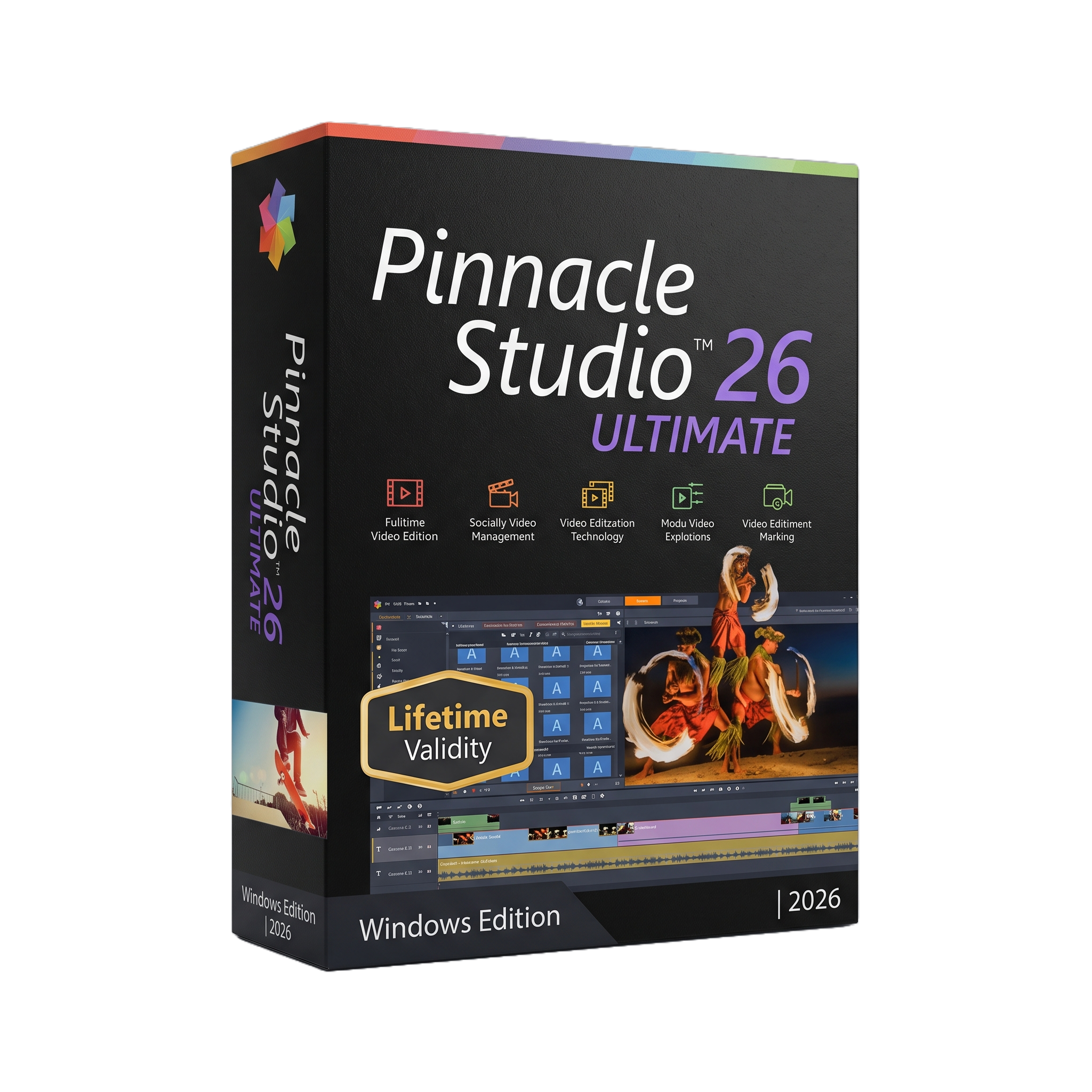
Pinnacle Studio Ultimate 26 For Lifetime
- AUTOMATIC DELIVERY INSTANTLY ON REGISTERED EMAIL .
- Any Installation Problem Freely Contact Us(Will Give You Support)
- Lifetime Validity
- Windows Version
- Professional video editing suite for Windows
- Unlimited video/audio tracks
- HD, 4K, 360°, and 8K import workflows
- Six-camera multicamera editing
- Advanced color grading and LUT support
- Video masking and Smart Object Tracking
- Motion tracking, blend modes, and green screen
- Advanced keyframe and animation controls
- Screen recording and webcam capture
- Professional audio editing and audio ducking
- DVD/Blu-ray authoring
- Apple ProRes Smart Proxy workflow
₹499.00
Out of stock
Description
Pinnacle Studio Ultimate 26 for Windows is a professional-oriented non-linear video editing and production suite designed for content creators, filmmakers, educators, YouTubers, event videographers, and advanced home-video users. It provides a timeline-based editing environment with unlimited video and audio tracks, allowing users to assemble HD and 4K projects, apply effects and transitions, perform detailed color correction, edit audio, create titles, and produce finished videos for online or local distribution.
The Ultimate edition extends the standard Pinnacle Studio workflow with advanced tools including full color grading, video masking, smart object tracking, motion tracking, blend modes, 360° video editing, multicamera editing for up to six cameras, split-screen creation, green-screen compositing, and advanced keyframe controls. It also includes screen recording, stop-motion tools, video stabilization, lens correction, a 3D Title Editor, and an integrated audio editor, making it suitable for complete video-production workflows rather than basic clip editing.
Pinnacle Studio 26 supports a broad range of professional and consumer media formats, including AVCHD, DV/HDV, AVI, MPEG, MOV, H.264/H.265, HEVC, XAVC, MXF, DVCPRO HD, GoPro LRV, CineForm, MP3, WAV, AAC, WMA, JPG, PNG, PSD, TIF, and other formats. Projects can be exported to common video formats and authored to DVD, AVCHD, or Blu-ray with the appropriate functionality.
Version 26 concentrated heavily on stability, performance, resource management, and editing responsiveness. Corel/Pinnacle reports improvements covering more than 200 user-identified scenarios, faster application startup, better preview responsiveness, faster import/export operations, and a new Apple ProRes-based Smart Proxy workflow for smoother editing of demanding footage. Keyframe management, title editing, masking, and interface usability were also enhanced.
Key Features
- Professional non-linear video editing
- Unlimited video and audio tracks in Ultimate edition
- HD, 4K, and 360° video editing
- Multi-camera editing for up to six cameras
- Full-featured color grading
- Color correction, selective color, LUTs, tone curves, HSL tuning, and color wheels
- Advanced video masking
- Smart Object Tracking
- Motion tracking and mosaic blur
- Green-screen/chroma-key compositing
- Blend modes
- Split Screen Template Creator
- Advanced keyframe controls
- Keyframe groups for copying and reusing animation/effect settings
- Time remapping and motion effects
- Video stabilization
- Lens correction
- 3D Title Editor
- Screen recording and webcam capture
- Stop-motion animation
- Advanced audio editing and audio ducking
- Voice-over recording
- Multi-channel audio mixing
- DVD and Blu-ray authoring
- More than 100 customizable DVD menu templates
- 8K video import
- Alpha-channel and GIF support
- Smart Proxy workflow using Apple ProRes
- Built-in media library and project bins
- Broad video, audio, and image format compatibility
What’s New
Pinnacle Studio 26 focused primarily on improving the underlying editing experience rather than introducing a completely new interface.
- Major stability improvements and crash fixes
- Improvements covering more than 200 user-identified scenarios
- Faster application launch
- Improved resource management
- Faster project preview and timeline responsiveness
- Apple ProRes Smart Proxy support
- New timeline preview-quality controls
- Faster media import and project export
- Enhanced keyframe editing and keyframe-group management
- Faster title editing
- Improved video-mask editing responsiveness
- Better object tracking and mask playback performance
- Improved installation and control-panel workflows
- Refined tooltips and interface terminology
Professional Applications
Pinnacle Studio Ultimate 26 is suitable for:
- YouTube and online video production
- Independent filmmaking
- Wedding and event videography
- Educational and training videos
- Corporate presentations and promotional videos
- Social-media content production
- Multi-camera event editing
- Travel and documentary videos
- Family and archival video restoration
- Screen-recorded tutorials
- 360° video projects
- Small production studios
- Advanced home-video production
System Requirements
Minimum Requirements
- Operating System: Windows 10 or Windows 11, 64-bit
- Processor: Intel Core i3 or AMD A4 3.0 GHz or higher
- RAM: 8 GB
- Storage: 10 GB available space for full installation, with additional working space recommended for video projects
- Graphics: DirectX-compatible graphics device with at least 256 MB VGA VRAM
- Display: 1024 × 768 minimum
- Sound: Windows-compatible sound card
- Internet: Required for installation, registration, and updates
- HEVC: Requires compatible PC hardware/graphics hardware and the Microsoft HEVC Video Extension
- UHD/Multicam/360°: More powerful processors and at least 8 GB RAM recommended
Related Products
- Lifetime Validity
- Instant Delivery on Email
- Supported on All Apple Mac Systems
- Any Installation Problem Freely Contact Us(Will Give You Support)
- File Size: 6.68GB (20.3.2 Version)
- Ai Features are working
- Works with Internet and Antivirus
- Edit 12K projects effortlessly with native optimization for Apple M3 and M4 Ultra chips.
- Render renders up to 4x faster using the fully unified memory architecture of Apple Silicon.
- Generate depth maps instantly from single-camera clips using the Apple Neural Engine.
- Grade HDR content with absolute precision on Liquid Retina XDR displays using the new EDR workflow.
- Isolate voices from noisy backgrounds in real-time with the Core ML-powered Voice Isolation.
- Edit spatial video for Apple Vision Pro with a dedicated stereoscopic 3D viewer.
- Track complex objects in 3D space instantly with the Metal-accelerated IntelliTrack AI.

- AUTOMATIC DELIVERY INSTANTLY ON REGISTERED EMAIL .
- Any Installation Problem Freely Contact Us(Will Give You Support)
- Lifetime Validity
- Windows Version
- Chaos V-Ray 7.40.02 for Rhinoceros 7 – 9 & SketchUp 2021 – 2026
- Render real-world 3D scans with reflections using native Gaussian Splatting support.
- Simulate accurate stars, moon phases, and the Milky Way with the procedural Night Sky.
- Upscale renders to 16K resolution instantly with the one-click AI Upscaler.
- Populate vegetation naturally with new Clustering modes in Chaos Scatter.
- Clip and trim Gaussian Splat models directly within the SketchUp viewport.
- Render complex light fixtures significantly faster using optimized V-Ray Luminaires.
- Remove bright noise pixels automatically during rendering with Firefly Removal.
- Add detail to people and grass without re-rendering using the AI Enhancer.
- Lifetime Validity
- Instant Delivery on Email
- Any Installation Problem Freely Contact Us(Will Give You Support)
- Supported on Windows 10,11
- Pre-Activated for Lifetime Validity
- Supports: Revit 2022 to 2026
- Import and render real-world 3D Gaussian Splats directly within the Revit interface.
- Generate custom PBR textures instantly from text prompts with the AI Material Generator.
- Visualize changes in real-time using the seamless Chaos Vantage Live Link.
- Populate scenes with vegetation and crowds efficiently using Chaos Scatter.
- Edit colors and apply finishing touches directly in the advanced V-Ray Frame Buffer.
- Ensure material consistency across different software with native OpenPBR support.
- Add realistic details like road markings or graffiti using V-Ray Decals.
- Simulate dynamic skies and cloud shadows with the procedural Cloud system.
- Generate dozens of lighting variations automatically with the Light Gen tool.
- Accelerate rendering times significantly with optimized NVIDIA RTX GPU support.
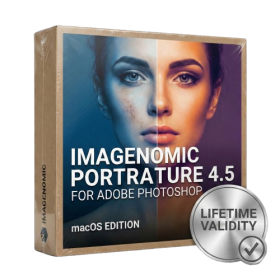
- Lifetime Validity
- Instant Delivery on Email
- Supported on All Apple Mac Systems
- Any Installation Problem Freely Contact Us(Will Give You Support)
- Smooth skin naturally while preserving texture using advanced AI algorithms.
- Generate precise skin masks automatically to isolate subjects instantly.
- Process massive batches of photos rapidly with optimized multi-core performance.
- Remove blemishes and imperfections without blurring eyelashes or eyebrows.
- Even out skin tones to correct redness and blotchiness effortlessly.
- Apply professional retouching styles quickly with a customizable preset library.
- Fine-tune mask selection manually with the interactive refinement brush.
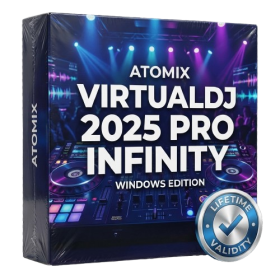
- AUTOMATIC DELIVERY INSTANTLY ON REGISTERED EMAIL .
- Any Installation Problem Freely Contact Us(Will Give You Support)
- Lifetime Validity
- Windows Version
- Works with Internet and Antivirus
- File Size: 461MB
- v8.5.8472
- Swap vocals or drums between tracks instantly with the new StemSwap Sampler.
- Isolate track elements in real-time for seamless live mashups and remixes.
- Export playlists to USB drives for CDJs with new subfolder support.
- Sync music libraries across devices automatically via improved Cloud Drive tools.
- Plug and play with over 300+ controllers including the latest AlphaTheta models.
- Mix video and karaoke with customizable on-screen graphics and lyrics.
- Scratch with precision using the improved ultra-low latency DVS engine.
- Stream sets directly to social platforms without external broadcasting software.
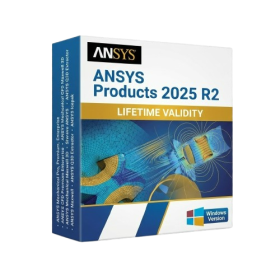
- AUTOMATIC DELIVERY INSTANTLY ON REGISTERED EMAIL .
- Any Installation Problem Freely Contact Us(Will Give You Support)
- Lifetime Validity
- Windows Version
- ANSYS Products includes the following applications:
- ANSYS Mechanical Pro, Premium, Enterprise
- ANSYS CFD Premium and Enterprise
- ANSYS Mechanical CFD Maxwell 3D
- ANSYS Mechanical Maxwell 3D
- ANSYS Mechanical CFD
- ANSYS HFSS
- Siwave ANSYS
- ANSYS Maxwell
- ANSYS Q3D Extractor
- ANSYS Icepak

- AUTOMATIC DELIVERY INSTANTLY ON REGISTERED EMAIL .
- Any Installation Problem Freely Contact Us(Will Give You Support)
- Lifetime Validity
- Windows Version
- Online & Offline both working
- Create watertight meshes instantly for 3D printing with the new ShrinkWrap tool.
- Generate dynamic 2D sections and plans directly from 3D models with ClippingDrawings.
- Model organic shapes with greater precision using supported SubD creases.
- Manipulate geometry intuitively with the new customized Auto Gumball.
- Extrude and modify faces instantly using the direct PushPull workflow.
- Render scenes significantly faster with the optimized Cycles engine.
- Customize the modernized interface to match your specific drafting workflow.

- Lifetime Validity
- Instant Delivery on Email
- Supported on All Apple Mac Systems
- Any Installation Problem Freely Contact Us(Will Give You Support)
- Visual Search: Find clips by describing objects or actions (e.g., “sunset”).
- Beat Detection: Auto-generate markers to sync edits to music beats.
- Transcript Search: Find footage by typing spoken dialogue.
- Magnetic Mask: Isolate subjects instantly without green screens.
- Spatial Video: Edit and grade 3D content for Apple Vision Pro.
- Voice Isolation: Remove background noise with one click.
- Transcribe to Captions: Auto-generate subtitles on-device.
- Smooth Slo-Mo: AI-generated frames for perfect slow motion.
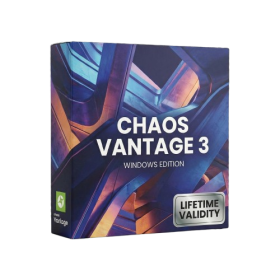
- AUTOMATIC DELIVERY INSTANTLY ON REGISTERED EMAIL .
- Any Installation Problem Freely Contact Us(Will Give You Support)
- Lifetime Validity
- Windows Version
- Explore massive 3D scenes in 100% ray-traced real-time without waiting for renders.
- Sync changes instantly from 3ds Max, SketchUp, Rhino, and Revit via Live Link.
- Render photorealistic animations at lightning speeds using NVIDIA DLSS 3.5 support.
- Populate environments with millions of objects using the built-in Chaos Scatter tool.
- Switch between different lighting setups, materials, and moods instantly with Scene States.
- Visualize complex animated characters and deformable meshes perfectly in real-time.
- Lifetime Validity
- Instant Delivery on Email
- Supported on All Apple Mac Systems
- Any Installation Problem Freely Contact Us(Will Give You Support)
- Run natively on Apple Silicon (M1/M2/M3) for significantly faster processing speeds.
- Experience fluid viewport navigation with the new Apple Metal graphics pipeline.
- Create watertight meshes from open geometry instantly using the ShrinkWrap command.
- Customize your workspace with new Window Layouts that match the Windows interface.
- Render ray-traced images in real-time using GPU-accelerated Cycles on Metal.
- Model organically with sharp edges using the new SubD Creases feature.
- Extrude and subtract geometry directly from faces with the intuitive PushPull workflow.
- Create dynamic 3D sections with hatch patterns using improved Clipping Planes.
- Access new data types and attributes directly within the upgraded Grasshopper.

- AUTOMATIC DELIVERY INSTANTLY ON REGISTERED EMAIL .
- Any Installation Problem Freely Contact Us(Will Give You Support)
- Lifetime Validity
- Windows Version
- Professional Edition
- Preview files in real-time while the scan is still running with “On-the-Fly” preview.
- Pause and resume recovery scans instantly to save progress without restarting.
- Recover data from BitLocker-encrypted drives by simply entering the password.
- Create bootable USB media to salvage files from crashed or unbootable PCs.
- Repair corrupt videos and photos automatically using the Premium repair tools.
- Multitask efficiently with native dual-monitor support for the recovery interface.
- Scan large 4K hard drives with 4096-byte sectors using the optimized engine.
- Retrieve data from RAID 0, 5, and 6 arrays seamlessly with the Technician edition.
- AUTOMATIC DELIVERY INSTANTLY ON REGISTERED EMAIL .
- Any Installation Problem Freely Contact Us(Will Give You Support)
- Lifetime Validity
- Windows Version
- For 3ds Max 2021 – 2027
- Render and clip real-world 3D scans natively with full Gaussian Splatting support.
- Simulate complex light fixtures significantly faster using the new V-Ray Luminaire.
- Generate accurate stars, moon, and phases instantly with the procedural Night Sky.
- Create PBR materials from simple photos automatically with the AI Material Generator.
- Stream interactive 3D scenes to clients via a web link with Chaos Cloud Streaming.
- Analyze scene performance and spot bottlenecks precisely using the V-Ray Profiler.
- Render realistic caustics and refractions at high speeds with updated V-Ray GPU.