
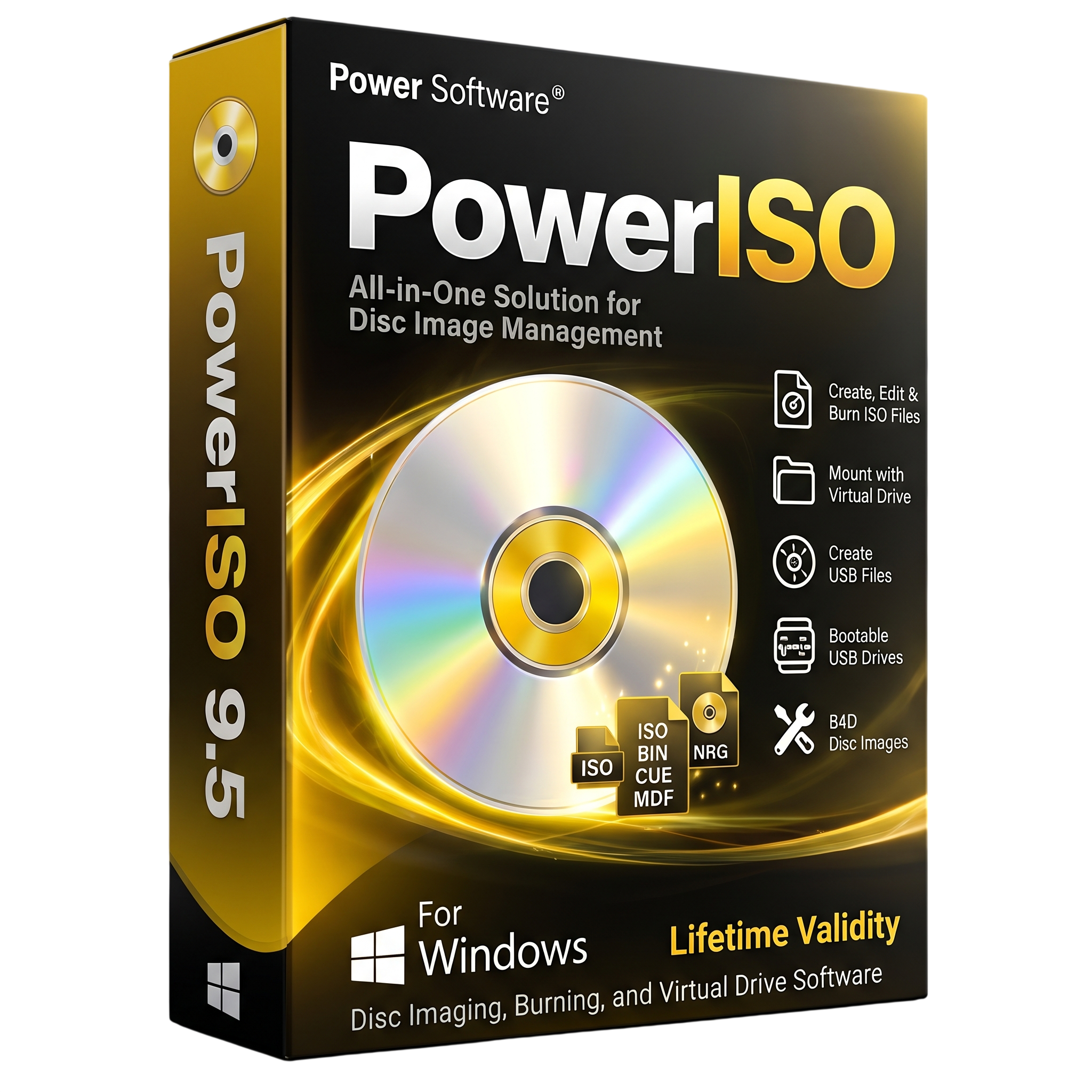
PowerISO 9.5 for Lifetime
- AUTOMATIC DELIVERY INSTANTLY ON REGISTERED EMAIL .
- Any Installation Problem Freely Contact Us(Will Give You Support)
- Lifetime Validity
- Windows Version
- All-in-one ISO and disc image management software for Windows.
- Create, open, edit, extract, compress, encrypt, and convert image files.
- Supports ISO, BIN, NRG, DAA, MDF, CDI, and other popular formats.
- Create bootable USB drives for Windows, Linux, and other operating systems.
- Mount multiple disc images as virtual optical drives.
- Burn and copy CD, DVD, and Blu-ray discs.
- Create, split, compress, and password-protect DAA image files.
- Open and manage supported ZIP, RAR, and 7Z archives.
- Rip audio CDs and convert supported audio formats.
- Version 9.5 includes minor bug fixes and general improvements.
- Available for 32-bit, 64-bit, and ARM64 Windows systems.
₹500.00
Description
PowerISO 9.5 is an all-in-one disc image management and optical media utility for Windows. It allows users to create, open, edit, extract, compress, encrypt, split, and convert CD, DVD, and Blu-ray image files. With its integrated virtual drive, users can mount disc images and access their contents without first extracting them to a physical drive.
The software supports a wide range of popular disc image formats, including ISO, BIN, NRG, CDI, DAA, MDF, and other commonly used formats. Users can create ISO images from files and folders, copy physical discs to image files, modify existing image contents, and convert images between supported formats. Its built-in file browser makes it easy to manage files stored inside disc images.
PowerISO also provides tools for creating bootable USB drives and preparing installation media for Windows and Linux. Users can create bootable drives from supported ISO images, install Windows onto a USB drive, and perform supported USB image backup and restoration tasks. The virtual drive feature allows multiple supported disc images to be mounted as virtual optical drives for convenient access.
Additional features include archive management, DAA compression, password protection, image splitting, audio CD ripping, audio format conversion, and optical disc burning. These tools make PowerISO useful for software distribution, operating system installation, data backup, and everyday disc image management.
Key Features
- Create ISO Images: Build ISO files from folders, files, and supported physical optical discs.
- Edit Disc Images: Add, delete, rename, and modify files inside supported image formats.
- Extract Image Contents: Extract individual files or complete folders from disc images.
- Virtual Drive: Mount ISO and other supported image files as virtual optical drives.
- Image Conversion: Convert between supported image formats, including ISO, BIN, NRG, DAA, and other formats.
- Bootable USB Creation: Create bootable USB drives from supported ISO images for Windows, Linux, and other operating systems.
- Windows Installation Media: Prepare Windows installation USB drives and supported Windows-to-USB installations.
- Disc Burning: Burn image files and data to CD, DVD, and Blu-ray discs using compatible optical drives.
- Disc Copying: Copy supported optical discs into ISO and other image formats.
- DAA Compression: Compress disc image files using PowerISO’s Direct-Access-Archive format.
- Encryption and Password Protection: Protect supported image files with passwords.
- Image Splitting: Divide large image files into smaller segments for storage or transfer.
- Archive Management: Open and process supported archive formats, including ZIP, RAR, and 7Z.
- Audio CD Tools: Rip audio CDs and convert supported audio formats.
- USB Image Backup: Create image backups of USB drives and restore supported images to USB devices.
What’s New in Version 9.5
- Minor Bug Fixes: Resolves reported issues and improves overall application reliability.
- General Enhancements: Includes small refinements to existing features and application behavior.
Note: The official Version 9.5 change log lists minor bug fixes and enhancements rather than major new features. Bootable USB creation from ZIP, RAR, and 7Z archives was introduced in Version 9.4.
Professional Applications
- Software Installation: Create and manage ISO images and bootable installation media.
- System Administration: Prepare Windows and Linux bootable USB drives for installation and maintenance.
- Data Backup: Create disc images and USB drive backups for storage and restoration.
- Virtual Disc Management: Mount multiple image files without using physical optical media.
- Software Distribution: Package files into ISO images for convenient storage and transfer.
- Optical Media Management: Burn, copy, rip, and organize CD, DVD, and Blu-ray media.
- Archive Management: Compress, encrypt, split, and extract supported image and archive files.
System Requirements
Minimum Requirements
- Operating System: Windows 11, Windows 10, Windows 8/8.1, Windows 7, Windows Vista, Windows XP, Windows 2000, Windows Me, or Windows 98, according to the vendor’s published compatibility list.
- Processor: Intel Pentium 166 MHz or equivalent.
- Memory: 64 MB RAM.
- Storage: At least 128 MB of available hard disk space according to the published system requirements.
- Architecture: Separate 32-bit and 64-bit Windows editions are available; an ARM64 edition is also provided.
- Optical Drive: Optional CD, DVD, or Blu-ray writer for physical disc burning and copying.
Recommended Requirements
- Operating System: Fully updated Windows 10 or Windows 11.
- Processor: Modern Intel Core or AMD Ryzen processor.
- Memory: 4 GB RAM or more for comfortable multitasking.
- Storage: SSD with sufficient free space for large image files and temporary operations.
- Optical Drive: Compatible CD/DVD/Blu-ray writer when physical disc burning is required.
- USB Device: Compatible USB flash drive with sufficient capacity for bootable media creation.
Related Products
- AUTOMATIC DELIVERY INSTANTLY ON REGISTERED EMAIL .
- Any Installation Problem Freely Contact Us(Will Give You Support)
- Lifetime Validity
- Windows Version
- For 3ds Max 2021 – 2027
- Render and clip real-world 3D scans natively with full Gaussian Splatting support.
- Simulate complex light fixtures significantly faster using the new V-Ray Luminaire.
- Generate accurate stars, moon, and phases instantly with the procedural Night Sky.
- Create PBR materials from simple photos automatically with the AI Material Generator.
- Stream interactive 3D scenes to clients via a web link with Chaos Cloud Streaming.
- Analyze scene performance and spot bottlenecks precisely using the V-Ray Profiler.
- Render realistic caustics and refractions at high speeds with updated V-Ray GPU.
- AUTOMATIC DELIVERY INSTANTLY ON REGISTERED EMAIL .
- Any Installation Problem Freely Contact Us(Will Give You Support)
- Lifetime Validity
- Windows Version
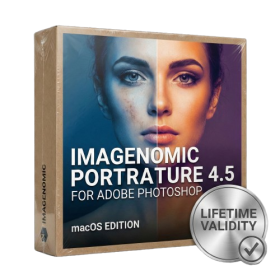
- Smooth skin naturally while preserving texture using advanced AI algorithms.
- Generate precise skin masks automatically to isolate subjects instantly.
- Process massive batches of photos rapidly with optimized multi-core performance.
- Remove blemishes and imperfections without blurring eyelashes or eyebrows.
- Even out skin tones to correct redness and blotchiness effortlessly.
- Apply professional retouching styles quickly with a customizable preset library.
- Fine-tune mask selection manually with the interactive refinement brush.
- Lifetime Validity
- Instant Delivery on Email
- Supported on All Apple Mac Systems
- Any Installation Problem Freely Contact Us(Will Give You Support)
- Smooth skin naturally while preserving texture using advanced AI algorithms.
- Generate precise skin masks automatically to isolate subjects instantly.
- Process massive batches of photos rapidly with optimized multi-core performance.
- Remove blemishes and imperfections without blurring eyelashes or eyebrows.
- Even out skin tones to correct redness and blotchiness effortlessly.
- Apply professional retouching styles quickly with a customizable preset library.
- Fine-tune mask selection manually with the interactive refinement brush.
- Lifetime Validity
- Instant Delivery on Email
- Supported on All Apple Mac Systems
- Any Installation Problem Freely Contact Us(Will Give You Support)
- Run natively on Apple Silicon (M1/M2/M3) for significantly faster processing speeds.
- Experience fluid viewport navigation with the new Apple Metal graphics pipeline.
- Create watertight meshes from open geometry instantly using the ShrinkWrap command.
- Customize your workspace with new Window Layouts that match the Windows interface.
- Render ray-traced images in real-time using GPU-accelerated Cycles on Metal.
- Model organically with sharp edges using the new SubD Creases feature.
- Extrude and subtract geometry directly from faces with the intuitive PushPull workflow.
- Create dynamic 3D sections with hatch patterns using improved Clipping Planes.
- Access new data types and attributes directly within the upgraded Grasshopper.
- AUTOMATIC DELIVERY INSTANTLY ON REGISTERED EMAIL .
- Any Installation Problem Freely Contact Us(Will Give You Support)
- Lifetime Validity
- Windows Version
- Generate invoices.
- Manage multiple companies and financial years from a single unified interface.
- Track inventory stocks across different godowns and locations in real-time.
- Automate bank reconciliation by uploading digital bank statements directly.
- Calculate employee salaries, PF, and TDS accurately with the integrated Payroll module.
- Access business data remotely using the secure Tally.NET connection services.
- AUTOMATIC DELIVERY INSTANTLY ON REGISTERED EMAIL .
- Any Installation Problem Freely Contact Us(Will Give You Support)
- Lifetime Validity
- Windows Version
- Retopo Brush: Draw low-poly topology directly on your sculpt.
- Python Support: Automate tasks with industry-standard scripting.
- Asset System: Separate user folders for safer customization.
- ZModeler Update: Auto-creasing and improved visual feedback.
- NoiseMaker 2.0: Transform and rotate alphas for surface noise.
- Redshift AOVs: Export render passes for professional compositing.
- Sculptris Pro: Add polygons dynamically only where you need detail.
- DynaMesh: Remesh your model instantly to fix stretched geometry.
- GoZ: Single-click transfer to Maya, Blender, Cinema 4D, and UE5.
- PolyPaint: Paint texture data directly on the mesh vertices.
- Lifetime Validity
- Instant Delivery on Email
- Supported on All Apple Mac Systems
- Any Installation Problem Freely Contact Us(Will Give You Support)
- Render natively on Apple Silicon (M1/M2/M3) for maximum speed and efficiency.
- Generate photorealistic backgrounds instantly from text prompts using the AI Shots tool.
- Share interactive 3D product reviews securely with stakeholders via KeyShot Web Viewer.
- Automate complex rendering pipelines using the advanced Python scripting console.
- Import native files directly from high-end CAD systems like Siemens NX, Catia, and Creo.
- Switch seamlessly between CPU and GPU rendering to utilize Apple Metal graphics power.
- Create standardized material libraries for your organization with OpenPBR support.
- Accelerate post-production compositing with automatic Cryptomatte mask generation.
- Lifetime Validity
- Instant Delivery on Email
- Supported on All Apple Mac Systems
- Any Installation Problem Freely Contact Us(Will Give You Support)
- Perpetual License: Own the software forever (no mandatory subscription).
- Apple Silicon Native: Blazing fast performance on M1/M2/M3 chips.
- IDML Import: Open and edit Adobe InDesign files seamlessly.
- Flex Layouts: Create responsive HTML5 web pages without coding.
- Native App Export: Publish directly to iOS and Android apps.
- Advanced Typography: Granular control over kerning and OpenType.
- PDF Conversion: Turn PDFs into editable Quark objects instantly.
- AUTOMATIC DELIVERY INSTANTLY ON REGISTERED EMAIL .
- Any Installation Problem Freely Contact Us(Will Give You Support)
- Lifetime Validity
- Windows Version
- Works with Internet and Antivirus
- File Size: 461MB
- v8.5.8472
- Swap vocals or drums between tracks instantly with the new StemSwap Sampler.
- Isolate track elements in real-time for seamless live mashups and remixes.
- Export playlists to USB drives for CDJs with new subfolder support.
- Sync music libraries across devices automatically via improved Cloud Drive tools.
- Plug and play with over 300+ controllers including the latest AlphaTheta models.
- Mix video and karaoke with customizable on-screen graphics and lyrics.
- Scratch with precision using the improved ultra-low latency DVS engine.
- Stream sets directly to social platforms without external broadcasting software.
- AUTOMATIC DELIVERY INSTANTLY ON REGISTERED EMAIL .
- Any Installation Problem Freely Contact Us(Will Give You Support)
- Lifetime Validity
- Windows Version
- New Desktop: Modern, faster UI with fully supported Dark Mode.
- AI Assistant: Generate and debug code using the built-in AI Chat.
- Python Interop: Seamless data exchange between MATLAB and Python.
- Simulink 3D: Photorealistic simulation powered by Unreal Engine 5.
- Live Editor: Embed sliders and buttons directly into your scripts.
- App Building: Create standalone Windows apps without C++ knowledge.
- Code Gen: Export C/C++ code for embedded hardware instantly.
- 5G/6G Tools: Advanced modeling for next-gen wireless networks.
- Automotive: specialized toolboxes for ADAS and autonomous driving.
- Cloud Run: Run your scripts in a browser via MATLAB Online.
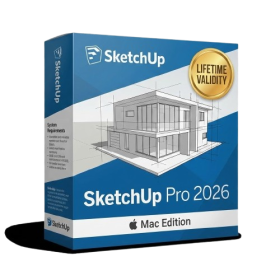
- AUTOMATIC DELIVERY INSTANTLY ON REGISTERED EMAIL .
- Any Installation Problem Freely Contact Us(Will Give You Support)
- Lifetime Validity
- Mac Version
- Run natively on Apple Silicon (M1/M2/M3/M4/M5) for blazing-fast performance.
- Visualize models with realistic depth using the new Ambient Occlusion engine.
- Generate unique textures instantly with integrated AI-powered prompts.
- Sync projects seamlessly between Mac, iPad, and Web versions.
- Convert iPhone LiDAR scans into 3D models automatically via Scan-to-Design.
- Create 2D documentation faster with the optimized LayOut rendering engine.
- Import and export USDZ files easily for Apple AR visualization.
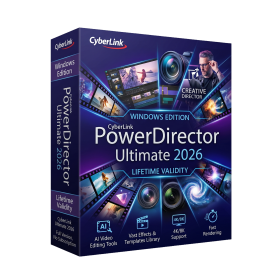
- AUTOMATIC DELIVERY INSTANTLY ON REGISTERED EMAIL .
- Any Installation Problem Freely Contact Us(Will Give You Support)
- Lifetime Validity
- Windows Version
- AI-Powered Editing: Includes AI Object Masking, AI Sky Replacement, AI Motion Tracking, and AI Restoration Assistant for automatic noise reduction and audio enhancement.
- Performance & Tools: Enhanced screen recording (camera and screen simultaneously), frame interpolation for smoother video, and support for high-end formats.
- Content Library: Access to a vast, though slightly limited compared to 365, library of templates, effects, LUTs, and stock music.
- Usability: Features an intuitive drag-and-drop, multi-timeline interface suitable for both beginners and advanced users.
- Capabilities: Supports 4K/8K editing, 360-degree video, and vertical video for social media