
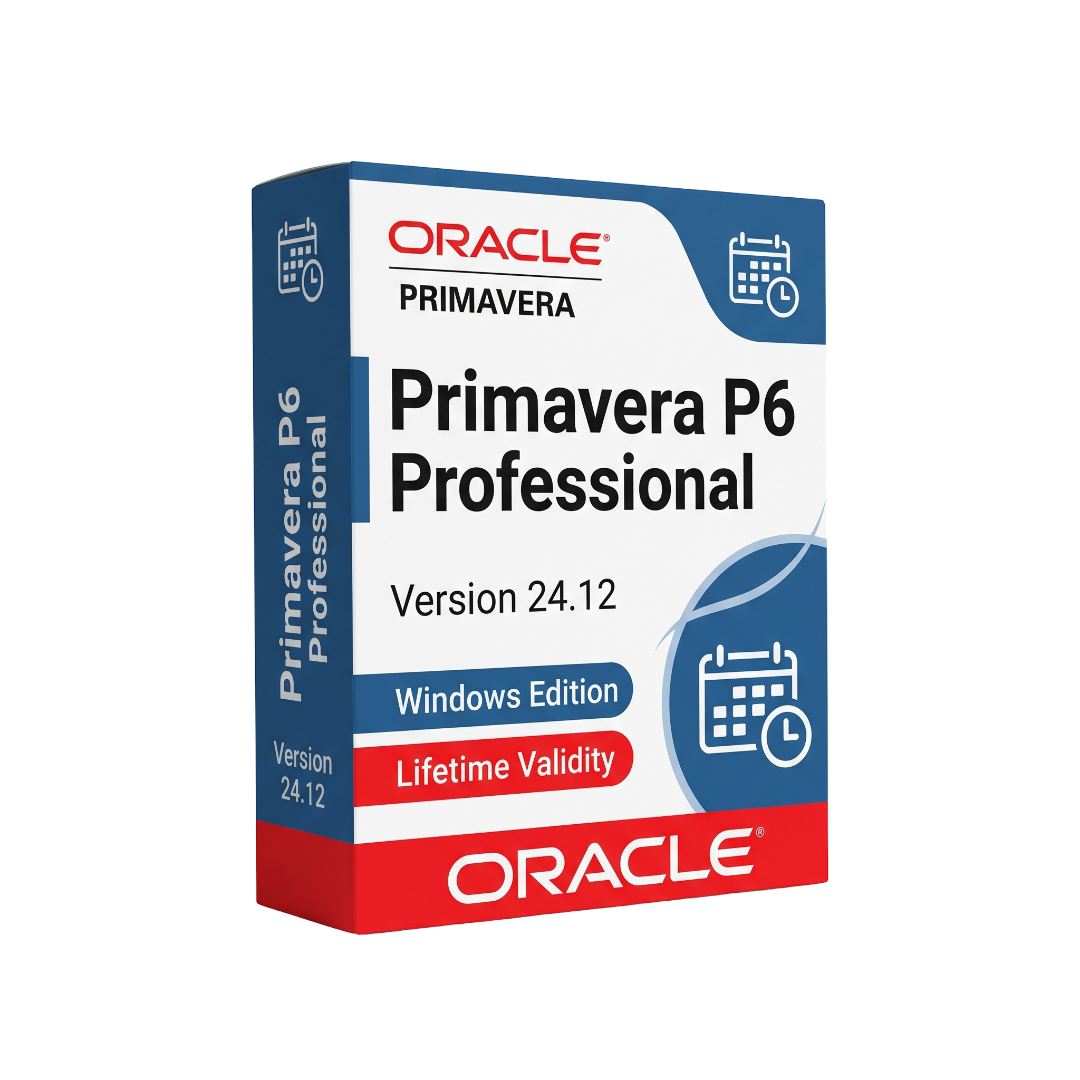
Primavera P6 Professional for Lifetime
- AUTOMATIC DELIVERY INSTANTLY ON REGISTERED EMAIL .
- Any Installation Problem Freely Contact Us(Will Give You Support)
- Lifetime Validity
- Windows Version
- Professional project planning and scheduling platform
- Windows 64-bit support
- Work Breakdown Structure (WBS) management
- Critical Path Method (CPM) scheduling
- Activities, milestones, relationships, and constraints
- Resource and role management
- Resource-loaded scheduling
- Cost and expense management
- Project baseline creation and comparison
- Baseline change preview
- Progress tracking and schedule control
₹550.00
Description
Primavera P6 Professional 24.12 for Windows is a professional project planning and scheduling application from Oracle Primavera, designed for project managers, planners, schedulers, project controls teams, engineers, and construction professionals. It provides tools for developing detailed project schedules, defining activities and relationships, assigning resources and costs, establishing baselines, monitoring progress, and analyzing schedule performance across complex projects. Oracle provides tested configurations specifically for P6 Professional 24.12.
The software provides a structured environment for creating work breakdown structures, activities, calendars, relationships, constraints, resources, roles, expenses, codes, and project baselines. Users can schedule and reschedule projects using critical-path analysis, review float and activity dates, compare current schedules against baselines, and track actual progress against planned work. P6 Professional can also work with standalone SQLite databases or connect to supported enterprise database environments.
P6 Professional 24.12 includes enhanced baseline management that allows users to preview proposed baseline changes before committing them. The release also improves XER import control, including options for handling Responsible Manager information, and provides clearer Global Change reports showing affected project and WBS information. Timesheet approval functionality allows authorized Resource Managers, Project Managers, and delegates to review, approve, or reject timesheets and maintain timesheet history notes.
The platform supports professional project-controls workflows including resource planning, cost management, schedule analysis, baseline comparison, reporting, and multi-project management. It can be used in construction, engineering, infrastructure, energy, oil and gas, manufacturing, aerospace, government, and other industries where detailed project scheduling and progress control are required.
Key Features
• Professional project planning and scheduling
• Work Breakdown Structure (WBS) management
• Activity creation and detailed activity management
• CPM critical-path scheduling
• Activity relationships and dependencies
• Calendars, constraints, milestones, and float analysis
• Resource and role management
• Resource-loaded scheduling
• Cost and expense management
• Project baselines and baseline comparison
• Preview changes before updating a baseline
• Progress tracking and actual-date management
• Schedule checking and leveling
• Global Change functionality
• Improved Global Change reporting with Project ID and WBS information
• XER project import and export
• Improved Responsible Manager handling during XER imports
• Timesheet viewing, approval, and rejection
• Timesheet History Notes
• Delegate support for timesheet approvals
• SQLite standalone database support
• Oracle and Microsoft database connectivity options
• P6 Professional Cloud Connect support
• Project and resource codes
• User-defined fields and project data
• Professional project reporting and visualization
• P6 Visualizer integration
• Multi-project and enterprise project management workflows
• ClickOnce deployment support
• 64-bit Windows client support
What’s New
Primavera P6 Professional 24.12
• Preview changes before committing updates to a project baseline
• Improved control over baseline update operations
• Responsible Manager added as an XER Global data type
• Options to keep existing, update existing, or not import Responsible Manager information
• Improved clarity in Global Change reports
• Project ID and WBS codes are displayed for affected items in Global Change reports
• Improved terminology for milestone activities with atypical relationships
• Timesheet approval and rejection capabilities for Resource Managers and Project Managers
• Timesheet approval delegation
• Timesheet History Notes
• Improved SQLite project check-in/check-out performance
• Improved ClickOnce code-signing support
• ClickOnce installer renamed to p6professionalsetup.exe
• Multiple bug fixes and usability improvements included in the 24.12 release
Professional Applications
• Construction project scheduling
• Civil engineering and infrastructure projects
• Architecture and engineering project controls
• Oil and gas projects
• Energy and utilities
• Manufacturing projects
• Aerospace and defense programs
• Industrial plant construction
• Transportation and railway projects
• Government and public-sector projects
• Resource planning and allocation
• Cost and schedule control
• Project progress monitoring
• Baseline and variance analysis
• Contractor and subcontractor schedule management
• Large-scale multi-project portfolio planning
System Requirements
Minimum Requirements
- OS: Windows 10/11 64-bit and other Oracle-certified Windows configurations for P6 Professional 24.12. Oracle’s tested-configuration documentation should be used for exact certified combinations.
- CPU: Modern x86-64 processor
- RAM: 4 GB or more recommended for practical standalone use
- Storage: At least 5 GB available disk space for the P6 client and related components.
- Database: SQLite for standalone deployments or supported Oracle/Microsoft database configurations for enterprise deployments
- Framework: Microsoft .NET Framework 4.6.2 or applicable prerequisite for ClickOnce installation.
- Display: 1280 × 800 or higher recommended
- Internet: Required for cloud-connected, licensing, update, and network-based deployments where applicable
Related Products
- Lifetime Validity
- Instant Delivery on Email
- Any Installation Problem Freely Contact Us(Will Give You Support)
- Supported on Windows 10,11
- File Size: 7.47GB (20.3.2 Version)
- Ai Features are working
- Works with Internet and Antivirus
- Generate complex color grades instantly from text prompts or reference images with AI Match.
- Isolate and remix individual instruments from a stereo music track using Fairlight AI Stem Separation.
- Track objects obscured by smoke or glass perfectly with the new Deep Neural Magic Mask.
- Edit spatial video natively for Apple Vision Pro and Meta Quest with full depth visualization.
- Remove unwanted moving objects from complex backgrounds automatically with Generative Fill for Video.
- AUTOMATIC DELIVERY INSTANTLY ON REGISTERED EMAIL .
- Any Installation Problem Freely Contact Us(Will Give You Support)
- Lifetime Validity
- Windows Version
- ANSYS Products includes the following applications:
- ANSYS Mechanical Pro, Premium, Enterprise
- ANSYS CFD Premium and Enterprise
- ANSYS Mechanical CFD Maxwell 3D
- ANSYS Mechanical Maxwell 3D
- ANSYS Mechanical CFD
- ANSYS HFSS
- Siwave ANSYS
- ANSYS Maxwell
- ANSYS Q3D Extractor
- ANSYS Icepak
- AUTOMATIC DELIVERY INSTANTLY ON REGISTERED EMAIL .
- Any Installation Problem Freely Contact Us(Will Give You Support)
- Lifetime Validity
- Windows Version
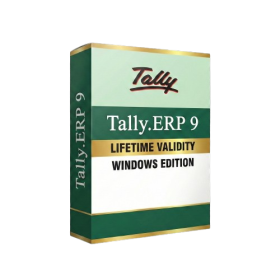
- Generate invoices.
- Manage multiple companies and financial years from a single unified interface.
- Track inventory stocks across different godowns and locations in real-time.
- Automate bank reconciliation by uploading digital bank statements directly.
- Calculate employee salaries, PF, and TDS accurately with the integrated Payroll module.
- Access business data remotely using the secure Tally.NET connection services.
- AUTOMATIC DELIVERY INSTANTLY ON REGISTERED EMAIL .
- Any Installation Problem Freely Contact Us(Will Give You Support)
- Lifetime Validity
- Windows Version
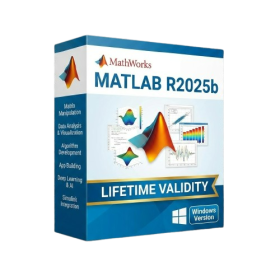
- New Desktop: Modern, faster UI with fully supported Dark Mode.
- AI Assistant: Generate and debug code using the built-in AI Chat.
- Python Interop: Seamless data exchange between MATLAB and Python.
- Simulink 3D: Photorealistic simulation powered by Unreal Engine 5.
- Live Editor: Embed sliders and buttons directly into your scripts.
- App Building: Create standalone Windows apps without C++ knowledge.
- Code Gen: Export C/C++ code for embedded hardware instantly.
- 5G/6G Tools: Advanced modeling for next-gen wireless networks.
- Automotive: specialized toolboxes for ADAS and autonomous driving.
- Cloud Run: Run your scripts in a browser via MATLAB Online.

- AUTOMATIC DELIVERY INSTANTLY ON REGISTERED EMAIL .
- Any Installation Problem Freely Contact Us(Will Give You Support)
- Lifetime Validity
- Windows Version
- Version: 4.20
- Revit 2023, 2024, 2025, 2026 and 2027
- SketchUp 2024, 2025 and 2026
- Rhino 7.0 and 8.3 (or later)
- Archicad 27, 28 and 29
- Vectorworks 2024, 2025 2026, 2027
- Navigate scenes with a unified, redesigned user interface for faster workflows.
- Enhance export quality instantly with the AI-powered NVIDIA Denoiser.
- Simulate realistic colored shadows for glass and transparent materials.
- Upscale textures and assets automatically using the Chaos AI Enhancer.
- Apply pencil and watercolor effects with new Artistic Visual Modes.
- Immerse clients in designs with support for Meta Quest 3 and HTC Vive.

- AUTOMATIC DELIVERY INSTANTLY ON REGISTERED EMAIL .
- Any Installation Problem Freely Contact Us(Will Give You Support)
- Lifetime Validity
- Windows Version
- Type effortlessly in multiple Indian languages with enhanced Unicode keyboard handlers.
- Detect and switch between 32-bit and 64-bit applications automatically while typing.
- Access thousands of high-quality calligraphic fonts for professional designs.
- Convert legacy text to Unicode instantly with the advanced file conversion utility.
- Design stylish 3D titles and logos easily using the Avishkar Plus tool.
- Check spelling in Indian languages directly with the integrated Spell Checker.
- Integrate seamlessly with open-source apps like Inkscape, GIMP, and Scribus.

- AUTOMATIC DELIVERY INSTANTLY ON REGISTERED EMAIL .
- Any Installation Problem Freely Contact Us(Will Give You Support)
- Lifetime Validity
- Windows Version
- Rock-Solid Tracking: The industry standard for planar tracking.
- PowerMesh: Track warped surfaces like skin and fabric.
- Generative Remove: Auto-remove objects and wires with AI.
- Stabilization: Smooth out shaky handheld footage instantly.
- Insert Module: Perfect screen replacements with motion blur.
- Magnetic Roto: Snap masks to edges for fast rotoscoping.
- Lens Correction: Fix or match lens distortion easily.

- Lifetime Validity
- Instant Delivery on Email
- Supported on All Apple Mac Systems
- Any Installation Problem Freely Contact Us(Will Give You Support)
- Visual Search: Find clips by describing objects or actions (e.g., “sunset”).
- Beat Detection: Auto-generate markers to sync edits to music beats.
- Transcript Search: Find footage by typing spoken dialogue.
- Magnetic Mask: Isolate subjects instantly without green screens.
- Spatial Video: Edit and grade 3D content for Apple Vision Pro.
- Voice Isolation: Remove background noise with one click.
- Transcribe to Captions: Auto-generate subtitles on-device.
- Smooth Slo-Mo: AI-generated frames for perfect slow motion.

- AUTOMATIC DELIVERY INSTANTLY ON REGISTERED EMAIL .
- Any Installation Problem Freely Contact Us(Will Give You Support)
- Lifetime Validity
- Windows Version
- Route complex PCB traces automatically with the new AI-driven auto-interactive router.
- Collaborate seamlessly with mechanical engineers via the enhanced real-time MCAD CoDesigner.
- Simulate power integrity and signal performance instantly within the unified design environment.
- Manage component shortages proactively with live supply chain data in ActiveBOM.
- Visualize multi-board systems and rigid-flex designs in photorealistic 3D detail.
- Sync all design changes and version history securely to the cloud with Altium 365.
- Define complex high-speed design rules easily using the visual Constraint Manager.
- AUTOMATIC DELIVERY INSTANTLY ON REGISTERED EMAIL .
- Any Installation Problem Freely Contact Us(Will Give You Support)
- Lifetime Validity
- Windows Version
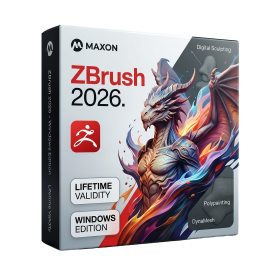
- Retopo Brush: Draw low-poly topology directly on your sculpt.
- Python Support: Automate tasks with industry-standard scripting.
- Asset System: Separate user folders for safer customization.
- ZModeler Update: Auto-creasing and improved visual feedback.
- NoiseMaker 2.0: Transform and rotate alphas for surface noise.
- Redshift AOVs: Export render passes for professional compositing.
- Sculptris Pro: Add polygons dynamically only where you need detail.
- DynaMesh: Remesh your model instantly to fix stretched geometry.
- GoZ: Single-click transfer to Maya, Blender, Cinema 4D, and UE5.
- PolyPaint: Paint texture data directly on the mesh vertices.
- Lifetime Validity
- Instant Delivery on Email
- Any Installation Problem Freely Contact Us(Will Give You Support)
- Supported on Windows 10,11
- Pre-Activated for Lifetime Validity
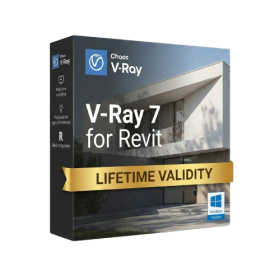
- Supports: Revit 2022 to 2026
- Import and render real-world 3D Gaussian Splats directly within the Revit interface.
- Generate custom PBR textures instantly from text prompts with the AI Material Generator.
- Visualize changes in real-time using the seamless Chaos Vantage Live Link.
- Populate scenes with vegetation and crowds efficiently using Chaos Scatter.
- Edit colors and apply finishing touches directly in the advanced V-Ray Frame Buffer.
- Ensure material consistency across different software with native OpenPBR support.
- Add realistic details like road markings or graffiti using V-Ray Decals.
- Simulate dynamic skies and cloud shadows with the procedural Cloud system.
- Generate dozens of lighting variations automatically with the Light Gen tool.
- Accelerate rendering times significantly with optimized NVIDIA RTX GPU support.
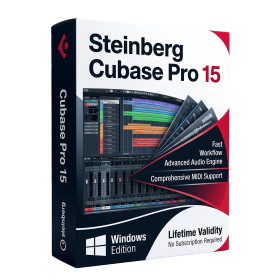
- AUTOMATIC DELIVERY INSTANTLY ON REGISTERED EMAIL .
- Any Installation Problem Freely Contact Us(Will Give You Support)
- Lifetime Validity
- Windows Version
- Included Instruments:
- Halion 7
- Halion Sonic 7
- Groove Agent 6
- Groove Agent SE 6
- WaveLab Pro 13
- Dorico Pro 6
- Backbone 1.6
- PadShop Pro 2
- Retrologue 2.5
- SpectraLayers Pro 13
- Iconica Sketch
- Verve
- Drum Machine