
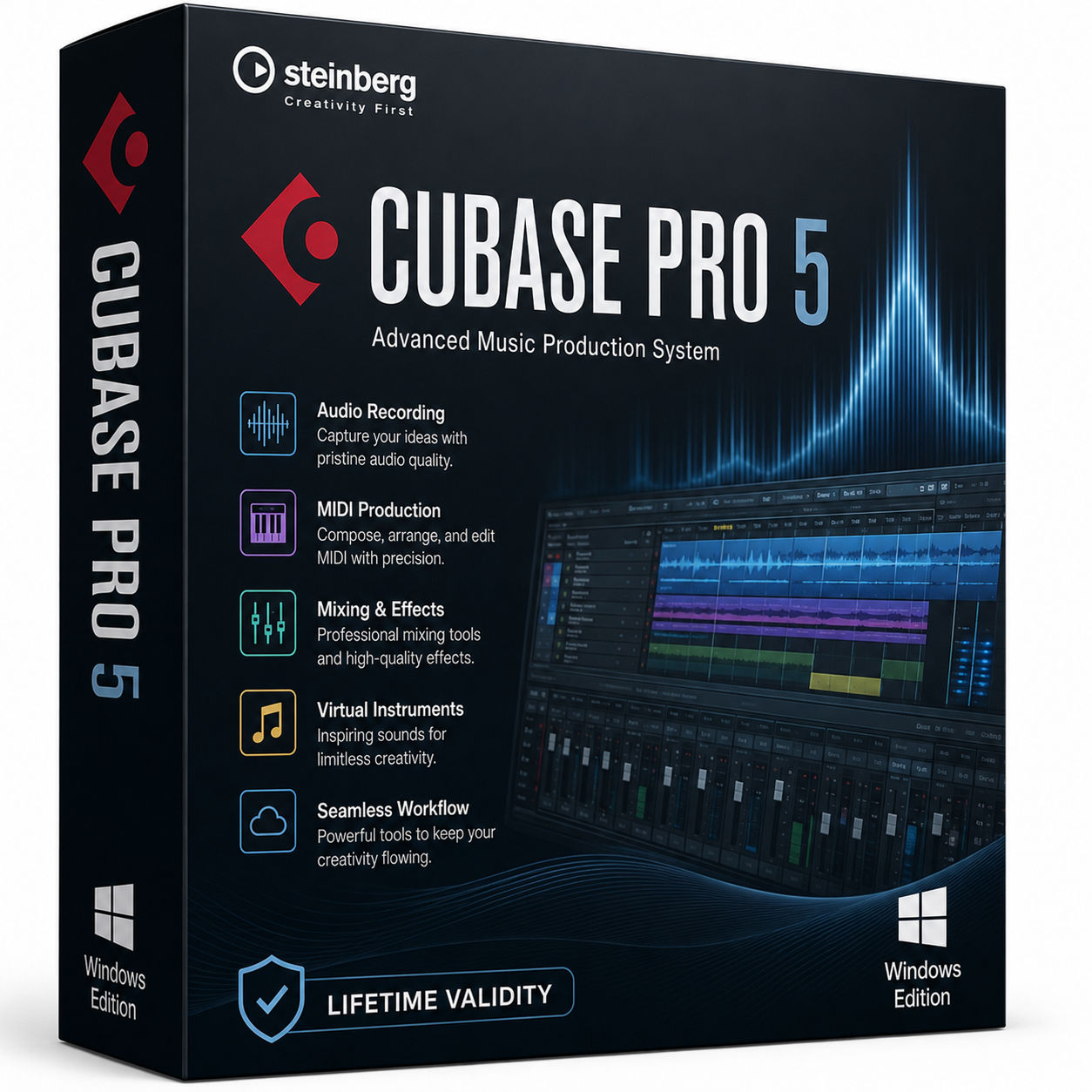
Steinberg Cubase Pro 5 for Lifetime
- AUTOMATIC DELIVERY INSTANTLY ON REGISTERED EMAIL .
- Any Installation Problem Freely Contact Us(Will Give You Support)
- Lifetime Validity
- Windows Version
- Split mixed audio files into separate stems instantly with integrated AI spectral separation.
- Generate inspiring chord sequences automatically using the advanced AI Composition Assistant.
- Correct vocal pitch and timing transparently with the updated VariAudio 4 engine.
- Mix immersive spatial audio efficiently with the fully integrated Dolby Atmos Renderer.
- Control complex plugin parameters via the revamped, customizable MIDI Remote integration.
- Manage massive orchestral templates smoothly with the optimized Windows hybrid-core audio engine.
₹500.00
Description
Cubase Pro 5 for Windows is a professional digital audio workstation (DAW) developed by Steinberg for music production, recording, editing, mixing, MIDI sequencing, and audio mastering. Released in 2009, Cubase 5 introduced a range of innovative tools for composers, producers, recording engineers, and musicians, making it one of the most influential DAWs of its time. It supports professional studio workflows with multitrack recording, virtual instruments, VST effects, surround mixing, and advanced MIDI editing.
Built on Steinberg’s renowned VST technology, Cubase Pro 5 offers a complete music production environment where users can compose, arrange, record, edit, and mix music using audio tracks, MIDI tracks, virtual instruments, and professional effects. It became especially popular among film composers, electronic music producers, and studio professionals due to its stability, powerful MIDI capabilities, and flexible workflow.
Included Content
This package includes a comprehensive collection of Cubase effects, virtual instruments, and MIDI tools.
Included Effect Plug-ins
- Delay Plug-ins
- Distortion Plug-ins
- Dynamics Plug-ins
- EQ Plug-ins
- Filter Plug-ins
- Mastering (UV22HR)
- Modulation Plug-ins
- Other Utility Plug-ins
- PitchShift & Pitch Correct
- Restoration Plug-ins (Grungelizer)
- Reverb Plug-ins
- Spatial Plug-ins
- Surround Plug-ins (Cubase only)
- Tools Plug-ins
Included VST Instruments
- Prologue
- Spector (Cubase only)
- Mystic (Cubase only)
- HALionOne
- Groove Agent ONE
- LoopMash (Cubase only)
- Embracer – Surround Pad Synthesizer (Cubase only)
- Monologue – Monophonic Analog Modeling Synthesizer (Cubase only)
Included MIDI Effects
- Arpache 5
- Arpache SX
- Auto LFO
- Beat Designer
- Chorder
- Compressor
- Context Gate
- Density
- Micro Tuner
- MIDI Control
- MIDI Echo
- MIDI Modifiers
- MIDI Monitor
- Note to CC
- Quantizer
- Step Designer
- Track Control
- Transformer
This collection provides a wide range of professional tools for music production, sound design, mixing, mastering, MIDI composition, and creative audio processing. Some features and instruments are available exclusively in Cubase editions that support them, as indicated above.
🎵 Key Features
- 🎼 Professional multitrack audio recording and editing
- 🎹 Advanced MIDI sequencing and piano roll editing
- 🎛️ Powerful audio mixing with automation support
- 🎧 Built-in VST instruments and professional audio effects
- 🎚️ VST3 plugin support for enhanced performance
- 🎙️ Unlimited audio and MIDI recording capabilities (system dependent)
- 🎼 Score Editor for music notation and composition
- 🎵 Groove Agent ONE drum sampler included
- 🎛️ LoopMash for creative loop manipulation
- 🎸 VST Amp Rack for realistic guitar amp simulation
- 🌐 Surround sound mixing support
- 🔊 Advanced audio quantization and pitch correction tools
🚀 Highlights of Cubase Pro 5
Cubase 5 introduced several major features that significantly improved music production workflows:
- 🎵 VariAudio for integrated pitch correction and vocal editing
- 🎛️ LoopMash for intelligent loop remixing
- 🥁 Groove Agent ONE virtual drum instrument
- 🎸 VST Amp Rack guitar amplifier and effects simulation
- 🎼 Enhanced Score Editor for notation
- 🎧 Improved Control Room monitoring system
- 🎚️ Expanded automation editing tools
- ⚡ Better multicore CPU optimization and performance
These additions made Cubase 5 a powerful solution for both studio recording and music composition.
🎼 Professional Applications
Cubase Pro 5 is commonly used for:
- 🎵 Music production and songwriting
- 🎙️ Vocal and instrument recording
- 🎧 Audio editing and mastering
- 🎹 MIDI sequencing and orchestral composition
- 🎬 Film scoring and soundtrack production
- 🎸 Guitar recording with amp simulation
- 📻 Podcast and voice-over production
- 🎛️ Electronic music creation
💻 System Requirements (Windows)
✅ Minimum Requirements
- OS: Windows XP (SP2), Windows Vista, or Windows 7
- Processor: Intel Pentium or AMD processor (2 GHz or faster recommended)
- RAM: 1 GB minimum (2 GB recommended)
- Storage: 4 GB free disk space
- Display: 1280 × 800 resolution recommended
- Audio: ASIO-compatible audio interface recommended
- Drive: DVD-ROM drive for installation
- USB: USB port required for Steinberg USB-eLicenser (dongle)
- Internet: Required for product activation and updates
Related Products
- Lifetime Validity
- Instant Delivery on Email
- Supported on All Apple Mac Systems
- Any Installation Problem Freely Contact Us(Will Give You Support)
- Render natively on Apple Silicon (M1/M2/M3) for maximum speed and efficiency.
- Generate photorealistic backgrounds instantly from text prompts using the AI Shots tool.
- Share interactive 3D product reviews securely with stakeholders via KeyShot Web Viewer.
- Automate complex rendering pipelines using the advanced Python scripting console.
- Import native files directly from high-end CAD systems like Siemens NX, Catia, and Creo.
- Switch seamlessly between CPU and GPU rendering to utilize Apple Metal graphics power.
- Create standardized material libraries for your organization with OpenPBR support.
- Accelerate post-production compositing with automatic Cryptomatte mask generation.
- AUTOMATIC DELIVERY INSTANTLY ON REGISTERED EMAIL .
- Any Installation Problem Freely Contact Us(Will Give You Support)
- Lifetime Validity
- Windows Version
- Generate invoices.
- Manage multiple companies and financial years from a single unified interface.
- Track inventory stocks across different godowns and locations in real-time.
- Automate bank reconciliation by uploading digital bank statements directly.
- Calculate employee salaries, PF, and TDS accurately with the integrated Payroll module.
- Access business data remotely using the secure Tally.NET connection services.

- AUTOMATIC DELIVERY INSTANTLY ON REGISTERED EMAIL .
- Any Installation Problem Freely Contact Us(Will Give You Support)
- Lifetime Validity
- Windows Version
- Visualize models with realistic shading and depth using the new Ambient Occlusion engine.
- Import and export IFC files faster with enhanced openBIM interoperability.
- Find and execute any command instantly using the integrated Smart Search tool.
- Generate unique textures and styles quickly with AI-powered Diffusion graphics.
- Collaborate in real-time by syncing models seamlessly with Trimble Connect.
- Create 2D documentation efficiently with the optimized LayOut rendering engine.
- Import complex Revit files accurately with the lightweight Revit Importer.
- Organize geometry effortlessly using the modernized Tag management system.
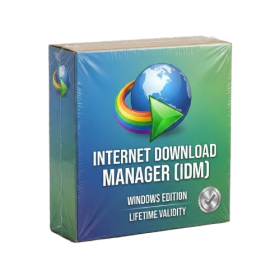
- AUTOMATIC DELIVERY INSTANTLY ON REGISTERED EMAIL .
- Any Installation Problem Freely Contact Us(Will Give You Support)
- Lifetime Validity
- Windows Version
- File Size: 23.5MB
- Accelerate download speeds by up to 5 times with intelligent dynamic file segmentation.
- Resume interrupted downloads instantly without restarting from the beginning.
- Capture videos from streaming sites automatically using the improved download panel.
- Detect and download Ultra HD (4K and 8K) videos with enhanced recognition accuracy.
- Integrate seamlessly with the latest versions of Chrome, Edge, and Firefox.
- Resolve video stream errors (like 403 Forbidden) with updated site compatibility fixes.
- Schedule downloads to start, stop, or shut down your computer automatically.

- AUTOMATIC DELIVERY INSTANTLY ON REGISTERED EMAIL .
- Any Installation Problem Freely Contact Us(Will Give You Support)
- Lifetime Validity
- Windows Version
- Chaos V-Ray 7.40.02 for Rhinoceros 7 – 9 & SketchUp 2021 – 2026
- Render real-world 3D scans with reflections using native Gaussian Splatting support.
- Simulate accurate stars, moon phases, and the Milky Way with the procedural Night Sky.
- Upscale renders to 16K resolution instantly with the one-click AI Upscaler.
- Populate vegetation naturally with new Clustering modes in Chaos Scatter.
- Clip and trim Gaussian Splat models directly within the SketchUp viewport.
- Render complex light fixtures significantly faster using optimized V-Ray Luminaires.
- Remove bright noise pixels automatically during rendering with Firefly Removal.
- Add detail to people and grass without re-rendering using the AI Enhancer.
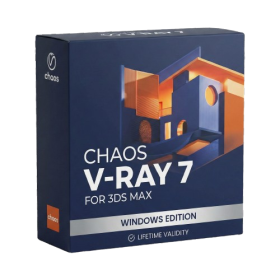
- AUTOMATIC DELIVERY INSTANTLY ON REGISTERED EMAIL .
- Any Installation Problem Freely Contact Us(Will Give You Support)
- Lifetime Validity
- Windows Version
- For 3ds Max 2021 – 2027
- Render and clip real-world 3D scans natively with full Gaussian Splatting support.
- Simulate complex light fixtures significantly faster using the new V-Ray Luminaire.
- Generate accurate stars, moon, and phases instantly with the procedural Night Sky.
- Create PBR materials from simple photos automatically with the AI Material Generator.
- Stream interactive 3D scenes to clients via a web link with Chaos Cloud Streaming.
- Analyze scene performance and spot bottlenecks precisely using the V-Ray Profiler.
- Render realistic caustics and refractions at high speeds with updated V-Ray GPU.
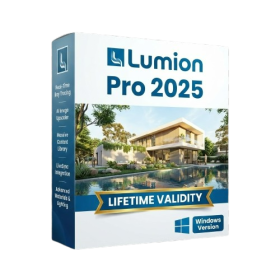
- AUTOMATIC DELIVERY INSTANTLY ON REGISTERED EMAIL .
- Any Installation Problem Freely Contact Us(Will Give You Support)
- Lifetime Validity
- Windows Version
- Hybrid Ray Tracing: Perfect reflections, shadows, and glass instantly.
- LiveSync: Real-time link to Revit, SketchUp, and Rhino.
- Full Library: Over 9,000 assets (trees, cars, people) included.
- Phasing Effect: Animate the construction process easily.
- Real Skies: 60+ HDR skies that light your scene automatically.
- Styles: One-click presets for “Watercolor,” “Sketch,” or “Realistic.”
- 3D Grass: Turn any surface into realistic, volumetric grass.
- Volumetric Spotlights: Create dusty, atmospheric beams of light.
- Material Editor: Add weathering, rounded edges, and foliage to textures.
- Output: Render 8K images, 4K videos, and 360 panoramas.
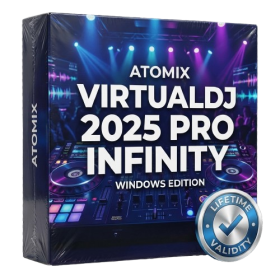
- AUTOMATIC DELIVERY INSTANTLY ON REGISTERED EMAIL .
- Any Installation Problem Freely Contact Us(Will Give You Support)
- Lifetime Validity
- Windows Version
- Works with Internet and Antivirus
- File Size: 461MB
- v8.5.8472
- Swap vocals or drums between tracks instantly with the new StemSwap Sampler.
- Isolate track elements in real-time for seamless live mashups and remixes.
- Export playlists to USB drives for CDJs with new subfolder support.
- Sync music libraries across devices automatically via improved Cloud Drive tools.
- Plug and play with over 300+ controllers including the latest AlphaTheta models.
- Mix video and karaoke with customizable on-screen graphics and lyrics.
- Scratch with precision using the improved ultra-low latency DVS engine.
- Stream sets directly to social platforms without external broadcasting software.

- AUTOMATIC DELIVERY INSTANTLY ON REGISTERED EMAIL .
- Any Installation Problem Freely Contact Us(Will Give You Support)
- Lifetime Validity
- Windows Version
- Version: 4.20
- Revit 2023, 2024, 2025, 2026 and 2027
- SketchUp 2024, 2025 and 2026
- Rhino 7.0 and 8.3 (or later)
- Archicad 27, 28 and 29
- Vectorworks 2024, 2025 2026, 2027
- Navigate scenes with a unified, redesigned user interface for faster workflows.
- Enhance export quality instantly with the AI-powered NVIDIA Denoiser.
- Simulate realistic colored shadows for glass and transparent materials.
- Upscale textures and assets automatically using the Chaos AI Enhancer.
- Apply pencil and watercolor effects with new Artistic Visual Modes.
- Immerse clients in designs with support for Meta Quest 3 and HTC Vive.
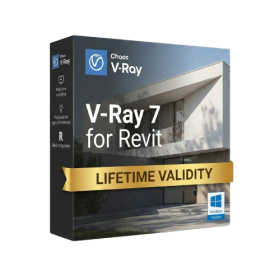
- Lifetime Validity
- Instant Delivery on Email
- Any Installation Problem Freely Contact Us(Will Give You Support)
- Supported on Windows 10,11
- Pre-Activated for Lifetime Validity
- Supports: Revit 2022 to 2026
- Import and render real-world 3D Gaussian Splats directly within the Revit interface.
- Generate custom PBR textures instantly from text prompts with the AI Material Generator.
- Visualize changes in real-time using the seamless Chaos Vantage Live Link.
- Populate scenes with vegetation and crowds efficiently using Chaos Scatter.
- Edit colors and apply finishing touches directly in the advanced V-Ray Frame Buffer.
- Ensure material consistency across different software with native OpenPBR support.
- Add realistic details like road markings or graffiti using V-Ray Decals.
- Simulate dynamic skies and cloud shadows with the procedural Cloud system.
- Generate dozens of lighting variations automatically with the Light Gen tool.
- Accelerate rendering times significantly with optimized NVIDIA RTX GPU support.
- AUTOMATIC DELIVERY INSTANTLY ON REGISTERED EMAIL .
- Any Installation Problem Freely Contact Us(Will Give You Support)
- Lifetime Validity
- Windows Version
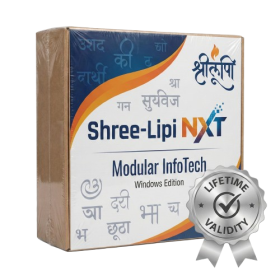
- Type effortlessly in multiple Indian languages with enhanced Unicode keyboard handlers.
- Detect and switch between 32-bit and 64-bit applications automatically while typing.
- Access thousands of high-quality calligraphic fonts for professional designs.
- Convert legacy text to Unicode instantly with the advanced file conversion utility.
- Design stylish 3D titles and logos easily using the Avishkar Plus tool.
- Check spelling in Indian languages directly with the integrated Spell Checker.
- Integrate seamlessly with open-source apps like Inkscape, GIMP, and Scribus.
- AUTOMATIC DELIVERY INSTANTLY ON REGISTERED EMAIL .
- Any Installation Problem Freely Contact Us(Will Give You Support)
- Lifetime Validity
- Windows Version
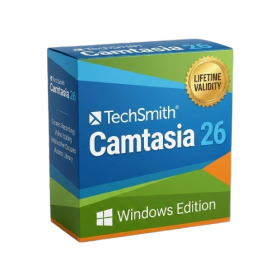
- Edit video content as easily as a text document with the AI-powered text-based editing workflow.
- Instantly remove or replace video backgrounds without a green screen using dynamic AI masking.
- Automatically generate and sync accurate captions and subtitles from your voiceover in seconds.
- Smooth out jerky mouse movements and customize cursor paths with advanced cursor effects.
- Record high-resolution 4K screen capture, webcam, and system audio simultaneously.
- Clean up background noise and balance vocal levels instantly with AI-enhanced audio filters.
- Access a vast library of royalty-free intros, motion graphics, and music directly within the editor.
- Engage viewers by adding interactive quizzes and clickable hotspots directly to your videos.
- Apply professional animations and behaviors to text and images with simple drag-and-drop actions.
- Export videos faster than ever with optimized GPU acceleration for modern hardware.