
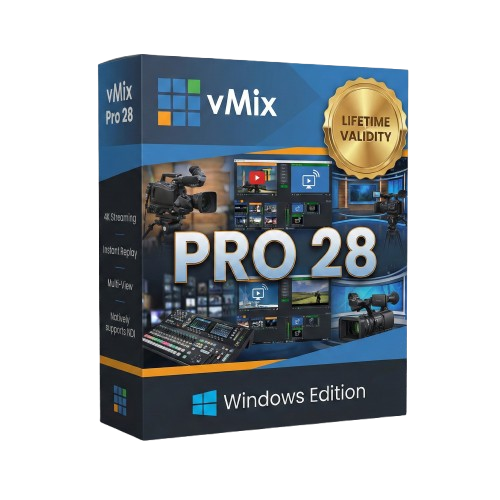
vMix Pro 28 for Lifetime
- AUTOMATIC DELIVERY INSTANTLY ON REGISTERED EMAIL .
- Any Installation Problem Freely Contact Us(Will Give You Support)
- Lifetime Validity
- Windows Version
- File Size: 1.21GB
- Annotate live video feeds instantly using any browser-based device with the built-in Telestrator.
- Stream to up to five different platforms simultaneously without needing external re-streaming services.
- Capture audio from specific apps like Spotify or Zoom individually without capturing system-wide sound.
- Apply unique transitions and graphics to sub-mixes for independent control of venue screens or alternate feeds.
- Merge multiple video layers into a single “flattened” input for easier resizing and positioning.
₹499.00
Description
vMix Pro 28: The Live Production Powerhouse with Built-In Telestration
vMix Pro 28 takes live streaming to a new level of interactivity and professionalism. This latest release solves some of the biggest workflow challenges for broadcasters by introducing a native Telestrator, expanded streaming destinations, and granular control over sub-mixes.
Designed for serious content creators, sports broadcasters, and houses of worship, vMix Pro 28 transforms your Windows PC into a complete broadcast studio. Whether you need to draw on-screen during a sports replay, stream to five different platforms simultaneously, or isolate audio from a specific application, vMix 28 delivers the tools you need without requiring expensive external hardware.
What’s New in vMix 28?
1. Live Web Telestrator
Engage your audience like a major sports network.
- Draw Live: Hosts and commentators can now draw, circle, and annotate directly over the live video feed using a tablet, phone, or laptop browser.
- Zero Latency: Works instantly over the local network—perfect for breaking down game plays, highlighting presentation points, or weather maps.
- No Extra Hardware: No need for expensive dedicated telestration boxes; it’s built right into the vMix Web Controller.
2. Expanded Streaming Power
- 5 Concurrent Streams: You are no longer limited to 3 destinations. vMix 28 allows you to stream to 5 different providers (e.g., YouTube, Facebook, Twitch, Twitter/X, and Vimeo) simultaneously from a single machine.
- Encoder Statistics: A new dedicated tab provides real-time health checks on your streaming encoders, helping you spot CPU or GPU bottlenecks before they affect your broadcast.
3. Advanced Mix Input Control
- Mix Overlays & Stingers: “Mix Inputs” (sub-mixes) now have their own dedicated overlay channels and stinger transitions. This allows you to create completely unique shows for different screens (e.g., one feed for the in-venue projector, another for the livestream) with different graphics on each.
- Flatten Layers: A new workflow tool that instantly merges multiple layers into a single “flat” input, making it easier to crop, move, or effect complex multi-layer compositions as one object.
4. Intelligent Audio & Automation
- Application Audio Capture: Finally, capture audio from a specific Windows app (like Spotify, Zoom, or a web browser) without capturing the entire system sound. It automatically handles “Mix Minus” so you don’t get echo loops.
- Playback Time Triggers: Automate your show with precision. Set triggers to fire specific actions (like fading to black, muting audio, or cutting to a camera) when a video clip reaches a specific timestamp (e.g., “5 seconds remaining”).
Key Features
Pro-Level Production
- Instant Replay: vMix Pro includes a fully featured 4-camera Instant Replay system with slow motion and highlight reels—ideal for live sports.
- 4K & 8K Support: Produce, record, and stream in crystal clear 4K resolution.
- vMix Call: Invite up to 8 remote guests directly into your production with HD video and high-quality audio, seamlessly handling mix-minus for every guest.
Graphics & NDI
- GT Title Designer: Create high-performance, animated 4K titles and lower thirds.
- NDI 6 Support: Fully compatible with the latest NDI tools for sending and receiving video over IP with low latency.
- Virtual Sets: Use chroma key (green screen) to place your talent in realistic virtual 3D environments with tracking zoom.
Reliability
- ISO Recording: Record every camera input separately (MultiCorder) for post-production editing.
- Fault Tolerance: If a video file is corrupt, vMix 28 handles it gracefully without crashing your stream.
Why Choose vMix Pro 28?
- All-in-One: Replaces a switcher, encoder, character generator, recorder, and instant replay machine.
- Cost-Effective: Achieve the same results as a $50,000 hardware setup with a standard PC and vMix Pro.
- Future Proof: With support for AV1 streaming, SRT, and NDI 6, you are ready for the next generation of broadcast standards.
System Requirements
- Operating System: Windows 11 or Windows 10 (64-bit).
- Processor: Intel Core i7 (10th Gen or higher) or AMD Ryzen 7 (3000 series or higher).
- Graphics: NVIDIA GeForce RTX 3050 or higher (RTX 4060+ recommended for 4K and Replay).
- RAM: 16 GB DDR4 (32 GB recommended).
- Storage: Solid State Drive (SSD) for system and recordings.
- Internet: Ethernet connection recommended for streaming.
Related Products
- Pro Edition
- Premium Noise Reduction and Sharpening
- Intuitive Noise Profiling
- Instant Visual Feedback
- Comprehensive Host Integration
- Excellent Hardware Optimization
Out of stock

Grass Valley EDIUS X Workgroup : Edit Anything, Fast
- EDIUS X Workgroup Jump Upgrade from EDIUS 2-8, EDIUS Pro 9 or EDIUS X Pro – this is the version for you if you already have EDIUS version 2-8 (Workgroup or Pro), EDIUS Pro 9 or EDIUS X Pro. When activating the programme you will need to type in your previous EDIUS serial number as well.
- Background Rendering
- GV Job Monitor
- H.265 Export
- Optimized Performance
- Optimized Audio Sync Performance
- 8K file export (H.265/HEVC, ProRes, DNxHR
Out of stock

- Clear timeline for a fast workflow
- Easy trimming of clips
- Comfortable marking of objects
- Manual & automatic object tracking
- Comprehensive keyframe support
- Supporting optional input devices (like USB pedals)
- Effects preview window prior to file export
- Direct YouTube upload if desired
- Compatible with every framerate (24p/25p/30p/50p/60p and more)
- Supports resolutions up to (and including) 8K
Out of stock
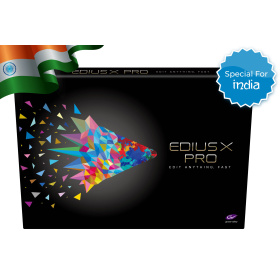
Authorized EDIUS Reseller
- Special Version Only for India (Indian ID needed)
- Validity: Lifetime/Perpetual License
- This is a virtual/downloadable product (Box Not Included)
- Delivery via Email Within 3-4 Days
- User: One Activation (1 PC)
- Can be used Commercially
- Include all EDIUS X Pro features
- Include all Bonus Software (Acon EE, PD Vitascene V4 EE, NB Titler Pro 7 EE)
- Free EDIUS X updates (10.2, 10.3, …)
- Cannot be Upgraded
- Background Rendering
- 8K Support
Out of stock


ProDAD Forensic Suite for EDIUS – Collection of Forensic Software Tools and Forensic Plug-ins for EDIUS. Especially made for the Police.
Out of stock
Grass Valley EDIUS X Pro : Edit Anything, Fast
- Background Rendering
- GV Job Monitor
- H.265 Export
- Optimized Performance
- Optimized Audio Sync Performance
- Native Support for the Latest Cameras and Codecs
Out of stock
Grass Valley EDIUS X Workgroup : Edit Anything, Fast
- Background Rendering
- GV Job Monitor
- H.265 Export
- Optimized Performance
- Optimized Audio Sync Performance
- 8K file export (H.265/HEVC, ProRes, DNxHR
Out of stock
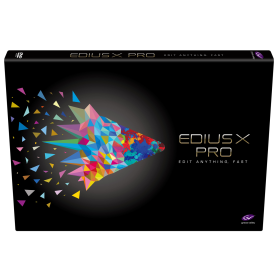
Grass Valley EDIUS X Pro : Edit Anything, Fast
- EDIUS X Pro Upgrade from EDIUS Pro 9 or EDIUS Workgroup 9 – This is the version for you if you already have EDIUS 9. When activating the program you will have to type in your EDIUS 9 serial number as well.
- Background Rendering
- GV Job Monitor
- H.265 Export
- Optimized Performance
- Optimized Audio Sync Performance
- Native Support for the Latest Cameras and Codecs
Out of stock

Grass Valley EDIUS X Workgroup : Edit Anything, Fast
- EDIUS X Workgroup Upgrade from Workgroup 9 – This is the version for you if you already have EDIUS Workgroup 9. When activating the program you will have to type in your EDIUS 9 serial number as well.
- Commercial License
- Background Rendering
- GV Job Monitor
- H.265 Export
- Optimized Performance
- Optimized Audio Sync Performance
- 8K file export (H.265/HEVC, ProRes, DNxHR
Out of stock

- Improve dialog and location sound
- Forensic specialists can improve speech intelligibility
- Attenuate reverberation in existing recordings
- Boost the natural reverberation in existing recordings
- Change the perceived distance in a mix by changing the balance between the direct sound and the reverberation
Out of stock