

VisTitle software is based on Windows Operation System. The system of original 64 bit software (latest version) works on the basis of parallel CPU and GPU, make full use of 64 bit computing and CPU multi-core and multi-thread, apply rendering algorithm of GPU programmable language, and maximize the computing power of current hardware. VisTitle can create 2D titles, 3D titles, and 3D stereo titles in SD, HD, and 2K or 4K resolution. It can apply high quality real-time rendering* of broadcast-level to texts and objects rapidly with high performance.
-50%Limited
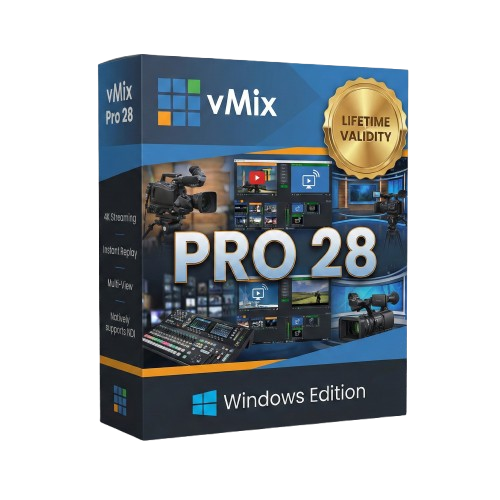
vMix Pro 28 for Lifetime
Brand: vMix
- AUTOMATIC DELIVERY INSTANTLY ON REGISTERED EMAIL .
- Any Installation Problem Freely Contact Us(Will Give You Support)
- Lifetime Validity
- Windows Version
- File Size: 1.21GB
- Annotate live video feeds instantly using any browser-based device with the built-in Telestrator.
- Stream to up to five different platforms simultaneously without needing external re-streaming services.
- Capture audio from specific apps like Spotify or Zoom individually without capturing system-wide sound.
- Apply unique transitions and graphics to sub-mixes for independent control of venue screens or alternate feeds.
- Merge multiple video layers into a single “flattened” input for easier resizing and positioning.
Original price was: ₹999.00.₹499.00Current price is: ₹499.00.
Send Enquiry
Description
vMix Pro 28: The Live Production Powerhouse with Built-In Telestration
vMix Pro 28 takes live streaming to a new level of interactivity and professionalism. This latest release solves some of the biggest workflow challenges for broadcasters by introducing a native Telestrator, expanded streaming destinations, and granular control over sub-mixes.
Designed for serious content creators, sports broadcasters, and houses of worship, vMix Pro 28 transforms your Windows PC into a complete broadcast studio. Whether you need to draw on-screen during a sports replay, stream to five different platforms simultaneously, or isolate audio from a specific application, vMix 28 delivers the tools you need without requiring expensive external hardware.
What’s New in vMix 28?
1. Live Web Telestrator
Engage your audience like a major sports network.
- Draw Live: Hosts and commentators can now draw, circle, and annotate directly over the live video feed using a tablet, phone, or laptop browser.
- Zero Latency: Works instantly over the local network—perfect for breaking down game plays, highlighting presentation points, or weather maps.
- No Extra Hardware: No need for expensive dedicated telestration boxes; it’s built right into the vMix Web Controller.
2. Expanded Streaming Power
- 5 Concurrent Streams: You are no longer limited to 3 destinations. vMix 28 allows you to stream to 5 different providers (e.g., YouTube, Facebook, Twitch, Twitter/X, and Vimeo) simultaneously from a single machine.
- Encoder Statistics: A new dedicated tab provides real-time health checks on your streaming encoders, helping you spot CPU or GPU bottlenecks before they affect your broadcast.
3. Advanced Mix Input Control
- Mix Overlays & Stingers: “Mix Inputs” (sub-mixes) now have their own dedicated overlay channels and stinger transitions. This allows you to create completely unique shows for different screens (e.g., one feed for the in-venue projector, another for the livestream) with different graphics on each.
- Flatten Layers: A new workflow tool that instantly merges multiple layers into a single “flat” input, making it easier to crop, move, or effect complex multi-layer compositions as one object.
4. Intelligent Audio & Automation
- Application Audio Capture: Finally, capture audio from a specific Windows app (like Spotify, Zoom, or a web browser) without capturing the entire system sound. It automatically handles “Mix Minus” so you don’t get echo loops.
- Playback Time Triggers: Automate your show with precision. Set triggers to fire specific actions (like fading to black, muting audio, or cutting to a camera) when a video clip reaches a specific timestamp (e.g., “5 seconds remaining”).
Key Features
Pro-Level Production
- Instant Replay: vMix Pro includes a fully featured 4-camera Instant Replay system with slow motion and highlight reels—ideal for live sports.
- 4K & 8K Support: Produce, record, and stream in crystal clear 4K resolution.
- vMix Call: Invite up to 8 remote guests directly into your production with HD video and high-quality audio, seamlessly handling mix-minus for every guest.
Graphics & NDI
- GT Title Designer: Create high-performance, animated 4K titles and lower thirds.
- NDI 6 Support: Fully compatible with the latest NDI tools for sending and receiving video over IP with low latency.
- Virtual Sets: Use chroma key (green screen) to place your talent in realistic virtual 3D environments with tracking zoom.
Reliability
- ISO Recording: Record every camera input separately (MultiCorder) for post-production editing.
- Fault Tolerance: If a video file is corrupt, vMix 28 handles it gracefully without crashing your stream.
Why Choose vMix Pro 28?
- All-in-One: Replaces a switcher, encoder, character generator, recorder, and instant replay machine.
- Cost-Effective: Achieve the same results as a $50,000 hardware setup with a standard PC and vMix Pro.
- Future Proof: With support for AV1 streaming, SRT, and NDI 6, you are ready for the next generation of broadcast standards.
System Requirements
- Operating System: Windows 11 or Windows 10 (64-bit).
- Processor: Intel Core i7 (10th Gen or higher) or AMD Ryzen 7 (3000 series or higher).
- Graphics: NVIDIA GeForce RTX 3050 or higher (RTX 4060+ recommended for 4K and Replay).
- RAM: 16 GB DDR4 (32 GB recommended).
- Storage: Solid State Drive (SSD) for system and recordings.
- Internet: Ethernet connection recommended for streaming.
Related Products
-21%LimitedSold Out
Brand: Voxengo
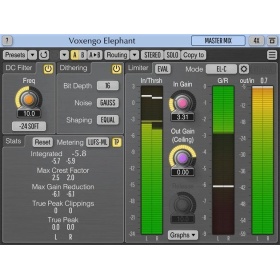
Voxengo Elephant (Brickwall Limiter Plugin)
Original price was: ₹9,599.00.₹7,600.00Current price is: ₹7,600.00.
- Mastering peak limiter
- Stem, sub-mix, drum bus compressor
- Loudness maximizer
- Stereo, 5.1 surround mastering limiter
- Bit-depth converter with noise-shaping
- DC offset removal filter
- EBU R128, K-system level meter
Out of stock
-29%LimitedSold Out
Brand: ABSoft
ABSoft Neat Video 5 – noise reduction for digital video (EDIUS) – Pro Edition
Original price was: ₹12,999.00.₹9,199.00Current price is: ₹9,199.00.
- Pro Edition
- Premium Noise Reduction and Sharpening
- Intuitive Noise Profiling
- Instant Visual Feedback
- Comprehensive Host Integration
- Excellent Hardware Optimization
Out of stock
-35%Limited

Brand: Satyam Film
Video Mixing Editing Training Package
Original price was: ₹10,000.00.₹6,500.00Current price is: ₹6,500.00.
-21%LimitedSold Out
Brand: Voxengo
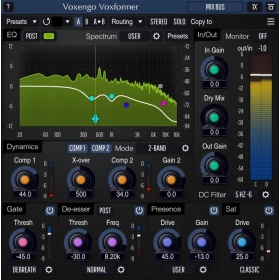
Voxengo Voxformer VST 2.8 Audiofilter
Original price was: ₹6,099.00.₹4,800.00Current price is: ₹4,800.00.
- Vocal track compressor
- Voice streaming compressor plugin
- Instrumental track compressor
- Track equalizer
- Presence booster
- Track saturator
- De-esser
- Noise (de-breath) gate
- Channel strip
- Stereo, mid-side, 5.1 surround plugin
Out of stock
-23%LimitedSold Out

Brand: Acon Digital
Acon Digital Restoration Suite 2 – VST audio filters
Original price was: ₹8,999.00.₹6,900.00Current price is: ₹6,900.00.
- DeNoise 2 is a plug-in designed to reduce noise such as hiss, wind noise, buzz and camera noise. The noise can be reduced automatically in the adaptive mode or after measuring the characteristics of the noise in the noise profile mode. New in version 2 are dynamic noise profiles that capture the dynamic properties of the noise so that noise that fluctuates over time, such as wind noise, can be effectively reduced. The new algorithm has also been greatly improved and is now even less prone to typical de-noising artifacts.
- DeHum 2 targets hum and buzz typically introduced by poorly grounded electrical equipment, but also other tonal noise sources like electrical motor noise. The hum detection algorithm has been improved in version 2 and there’s now a new Scan button that automatically fine tunes the fundamental hum frequency.
- DeClick 2 is designed to remove impulsive noise such as clicks, crackle and thumps. These distortions are frequently encountered on LP and 78 RPM records, but also occur in digital recordings due to drop-outs or distorted data packets. DeClick 2’s thump reduction works also effectively on vocal recordings with unwanted plosives. The algorithm has been improved in version 2 and is now less prone to reducing attacks and transients in the wanted signal.
- DeClip 2 restores audio recordings distorted by analog or digital clipping with an improved algorithm.
Out of stock
-33%LimitedSold Out
Brand: Grass Valley
EDIUS X (EDIUS 10) Workgroup | Video Editing Software (EDU)
Original price was: ₹42,000.00.₹28,000.00Current price is: ₹28,000.00.
Grass Valley EDIUS X Workgroup : Edit Anything, Fast
- Background Rendering
- GV Job Monitor
- H.265 Export
- Optimized Performance
- Optimized Audio Sync Performance
- 8K file export (H.265/HEVC, ProRes, DNxHR
Out of stock
-44%LimitedSold Out
Brand: Grass Valley
EDIUS X (EDIUS 10) Pro | Video Editing Software (Upgrade)
Original price was: ₹24,999.00.₹14,000.00Current price is: ₹14,000.00.
Grass Valley EDIUS X Pro : Edit Anything, Fast
- EDIUS X Pro Upgrade from EDIUS Pro 9 or EDIUS Workgroup 9 – This is the version for you if you already have EDIUS 9. When activating the program you will have to type in your EDIUS 9 serial number as well.
- Background Rendering
- GV Job Monitor
- H.265 Export
- Optimized Performance
- Optimized Audio Sync Performance
- Native Support for the Latest Cameras and Codecs
Out of stock
-42%LimitedSold Out
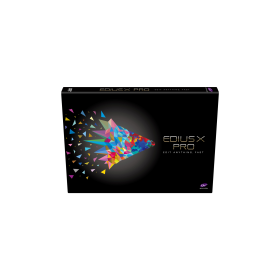
Brand: Grass Valley
EDIUS X Pro | Video Editing Software (EDU)
Original price was: ₹26,000.00.₹14,999.00Current price is: ₹14,999.00.
Grass Valley EDIUS X Pro : Edit Anything, Fast
- Background Rendering
- GV Job Monitor
- H.265 Export
- Optimized Performance
- Optimized Audio Sync Performance
- Native Support for the Latest Cameras and Codecs
Out of stock
-20%LimitedSold Out

EDIUS 9 Projects + After Effects Projects Dongle (Galaxy Pro) With 2TB HDD
Original price was: ₹20,000.00.₹15,999.00Current price is: ₹15,999.00.
 Galaxy Pro: EDIUS Pro 7/8/9 & Adobe After Effects Wedding Projects Dongle One Project are available Multi Types Like Transition, Frames & 3D. Satyam Film Develops 4K, Full HD Projects. Wedding Projects Developer.
- 3 Free Installation Support & Guide
- (Incase Damage Or Wrong Product, Required Unboxing Video)
- Wedding Projects Demo Link
Out of stock
-22%LimitedSold Out
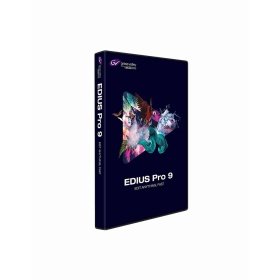
Brand: Grass Valley
EDIUS Pro 9 | Grass Valley | Video Editing Software | Wedding Projects
Original price was: ₹31,999.00.₹24,999.00Current price is: ₹24,999.00.
- Superior 4K HDR workflow
- 700+ Wedding Projects & 3D Effects For EDIUS 9 & Adobe After Effects*
- Real-time conversion of frame rates on the same timeline delivers more efficient editing into the hands of editors
- Fast, flexible user interface, including unlimited video, audio, title and graphics tracks
- 60/50p timecode display
- RED RAW decode GPU support
- Primary color correction (RGB)
- 3-way color correction (YUV)
Out of stock
-21%LimitedSold Out

Brand: proDAD
ProDAD Vitascene V4 PRO – effects and filters
Original price was: ₹27,999.00.₹21,999.00Current price is: ₹21,999.00.
- Over 1,400 professional video filters & transition effects
- Also ideal for animating Text & Graphics
- Supporting up to 8K
- Extensive Presets
- Controllable via Keyframes
- Effective GPU-Acceleration
Out of stock
-20%LimitedSold Out
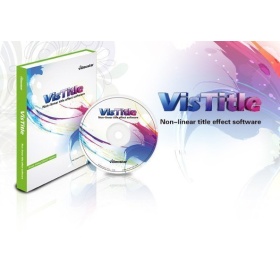
Brand: VisDOM
VisDOM VisTitle V2.9 – Title software
Original price was: ₹25,999.00.₹20,899.00Current price is: ₹20,899.00.
Out of stock