
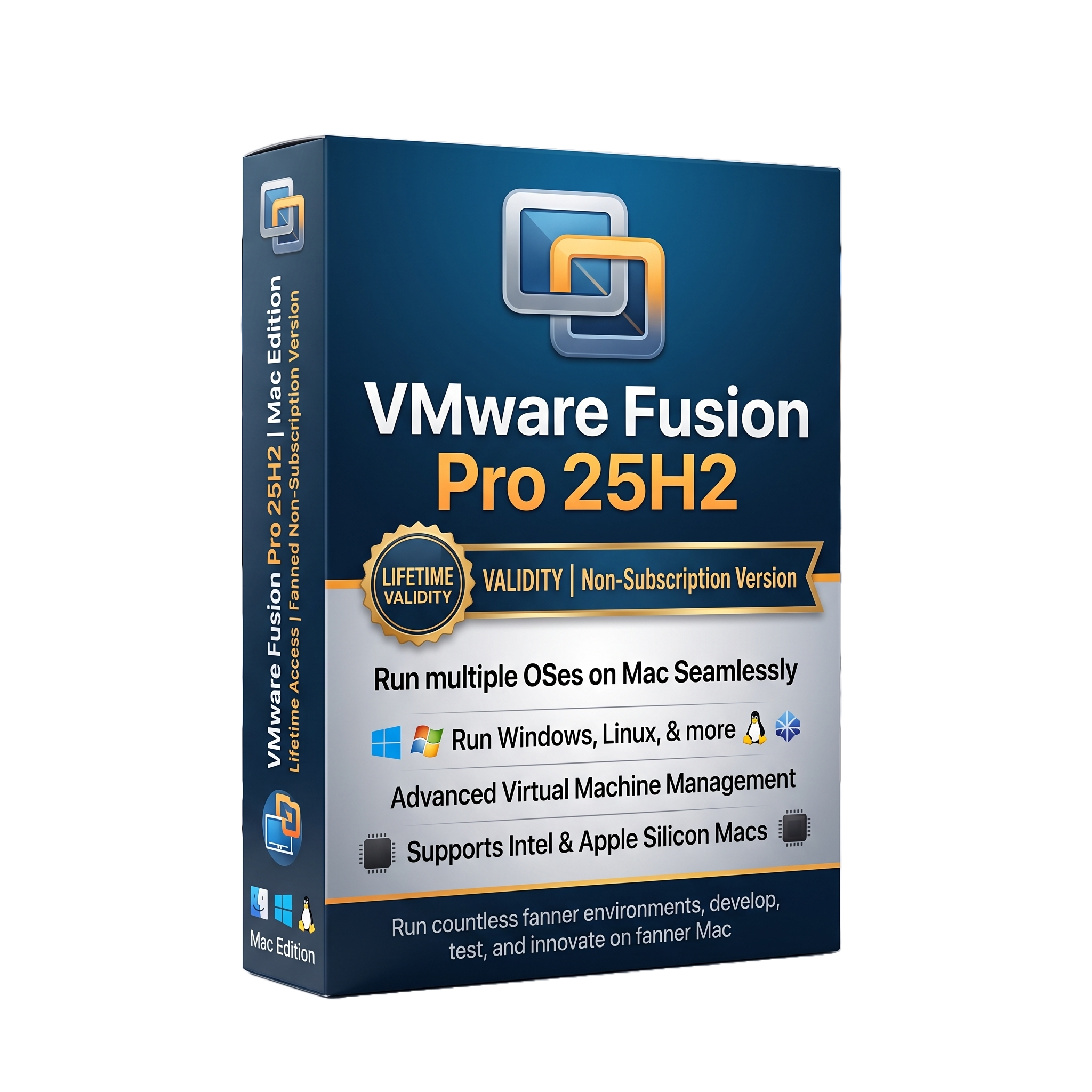
VMware Fusion Pro 25H2 for Mac Lifetime
- AUTOMATIC DELIVERY INSTANTLY ON REGISTERED EMAIL .
- Any Installation Problem Freely Contact Us(Will Give You Support)
- Lifetime Validity
- Mac Version
- Professional virtualization software for Mac
- Supports Intel and Apple Silicon Macs
- Runs Windows and Linux virtual machines
- Windows 11 ARM support on Apple Silicon
- x86/x64 guest OS support on Intel Macs
- Snapshots and VM cloning
- DirectX 11 graphics support
- Virtual networking and network simulation
- REST API and
vmrunautomation
₹500.00
Description
VMware Fusion Pro 25H2 for Mac is a professional desktop virtualization platform from VMware by Broadcom that allows Mac users to create and run virtual machines (VMs) containing Windows, Linux, and other supported operating systems alongside macOS. It provides an isolated virtual hardware environment in which users can install applications, test operating systems, develop software, run enterprise workloads, and maintain separate computing environments without rebooting the Mac. The 25H2 naming scheme represents VMware’s move to calendar-based versioning, with 25H2 corresponding to the second half of 2025.
Fusion Pro supports both Intel-based Macs and Apple Silicon Macs, but the guest operating systems available to a VM depend on the processor architecture. Intel Macs can run x86/x64 guest operating systems, while Apple Silicon Macs use ARM64/aarch64 guest operating systems. Consequently, an Apple Silicon Mac can run Windows 11 for ARM, but cannot natively boot an x86-64 Windows installation inside Fusion.
The Pro edition provides advanced virtualization capabilities such as snapshots, cloning, virtual networking, REST API automation, vmrun automation, vSphere connectivity, network simulation, and enhanced VM management. It is therefore useful not only for running Windows applications but also for software development, QA testing, cybersecurity labs, infrastructure testing, enterprise application compatibility, and virtualized server environments. VMware Fusion 25H2 also supports DirectX 11 graphics on both Intel and Apple Silicon editions, subject to the capabilities and architecture of the host and guest.
Fusion 25H2 is particularly relevant for organizations operating mixed Mac/Windows environments. Users can maintain separate Windows or Linux installations for applications that have no native macOS equivalent, while developers can create disposable virtual machines for testing. VMware’s Pro feature set also enables integration with VMware infrastructure and automation tooling, although individual capabilities differ between Intel and Apple Silicon hosts. For example, Apple Silicon Fusion supports ARM guests, while x86 operating-system guests are not supported on Apple Silicon.
Key Features
- Professional desktop virtualization for macOS
- Supports Intel and Apple Silicon Macs
- Run Windows and Linux virtual machines
- Windows 11 ARM support on Apple Silicon Macs
- x86/x64 guest operating-system support on Intel Macs
- Virtual machine snapshots
- VM cloning in Pro edition
- Virtual networking
- NAT, bridged, and host-only networking workflows
- Network simulation
- REST API automation
vmruncommand-line automation- vSphere connectivity
- DirectX 11 3D graphics support
- Virtual USB device connectivity
- Drag-and-drop support
- Copy-and-paste support
- Auto-fit display resolution on supported configurations
- Multiple virtual CPUs and configurable virtual memory
- Virtual disk management
- VM encryption and security options
- Enterprise development and testing workflows
- Software compatibility testing
- Isolated development environments
- Server and infrastructure testing
- Support for VMware virtual-machine formats
- OVF import/export on Intel hosts
- VMware Tools integration where supported
- Advanced Pro-level VM administration
(Broadcom)
What’s New
VMware Fusion 25H2 introduced VMware’s new calendar-based product naming and several platform-level changes:
- New 25H2 versioning replacing the older 13.x numbering system
- Continued support for Intel Macs
- Continued Apple Silicon support
- ARM64 guest operating-system support on Apple Silicon
- Windows ARM virtualization on Apple Silicon
- DirectX 11 graphics support on both Intel and Apple Silicon
- Snapshots and cloning capabilities
- REST API and
vmrunautomation - vSphere connectivity
- Network simulation
- Improvements to virtual-machine management
- Updated virtualization infrastructure and compatibility
- Continued support for modern Linux and Windows guest environments
Broadcom’s feature matrix confirms that Fusion 25H2 supports run-x86 guests on Intel, run-ARM guests on Apple Silicon, DirectX 11 graphics on both platforms, snapshots, Pro cloning, REST API, vmrun, networking, and vSphere connectivity.
Important architecture limitation: Apple Silicon Macs cannot run x86/x64 guest operating systems directly through Fusion. Windows users on Apple Silicon therefore need an ARM version of Windows, such as Windows 11 ARM.
Professional Applications
VMware Fusion Pro 25H2 is suitable for:
- Running Windows applications on Mac
- Windows 11 ARM virtualization
- Linux development environments
- Software development and testing
- QA and application compatibility testing
- Cybersecurity laboratories
- Enterprise IT testing
- Server and infrastructure testing
- Virtual networking laboratories
- VMware/vSphere administration and testing
- Legacy application testing
- Cross-platform application development
- Training and educational environments
- Temporary disposable test environments
- Enterprise Mac/Windows coexistence
System Requirements
Minimum Requirements
- Operating System: A supported macOS release compatible with Fusion 25H2
- Mac Processor: Intel 64-bit processor or Apple Silicon
- RAM: 8 GB recommended for basic virtualization
- Storage: At least several GB for the Fusion application plus the storage allocated to each virtual machine
- Graphics: Metal-capable graphics hardware recommended
- Display: Standard macOS-supported display
- Internet: Required for downloading, licensing, updates, and certain guest OS installation workflows
- Guest OS: Must match the host CPU architecture; Apple Silicon requires ARM64/aarch64 guest operating systems.
- Virtualization: Hardware virtualization support provided by the Mac processor
Important: VMware Fusion does not include Windows. A Windows license and installation media/entitlement must be obtained separately.
Related Products
- AUTOMATIC DELIVERY INSTANTLY ON REGISTERED EMAIL .
- Any Installation Problem Freely Contact Us(Will Give You Support)
- Lifetime Validity
- Windows Version
- 7.28 Version
- Map video onto complex geometric structures and surfaces with advanced projection mapping tools.
- Stitch multiple projectors into a single seamless widescreen image with soft edge blending.
- Sync video with lighting fixtures using DMX input and advanced LED pixel mapping.
- Lock your visuals perfectly to show tracks and DJ sets using SMPTE timecode input.
- Mix unlimited layers of video, effects, and generative content in real-time.
- Correct mistakes instantly during live setup with the fully integrated Undo/Redo feature.
- AUTOMATIC DELIVERY INSTANTLY ON REGISTERED EMAIL .
- Any Installation Problem Freely Contact Us(Will Give You Support)
- Lifetime Validity
- Windows Version
- Smooth skin naturally while preserving texture using advanced AI algorithms.
- Generate precise skin masks automatically to isolate subjects instantly.
- Process massive batches of photos rapidly with optimized multi-core performance.
- Remove blemishes and imperfections without blurring eyelashes or eyebrows.
- Even out skin tones to correct redness and blotchiness effortlessly.
- Apply professional retouching styles quickly with a customizable preset library.
- Fine-tune mask selection manually with the interactive refinement brush.
- AUTOMATIC DELIVERY INSTANTLY ON REGISTERED EMAIL .
- Any Installation Problem Freely Contact Us(Will Give You Support)
- Lifetime Validity
- Windows Version
- File Size: 23.5MB
- Accelerate download speeds by up to 5 times with intelligent dynamic file segmentation.
- Resume interrupted downloads instantly without restarting from the beginning.
- Capture videos from streaming sites automatically using the improved download panel.
- Detect and download Ultra HD (4K and 8K) videos with enhanced recognition accuracy.
- Integrate seamlessly with the latest versions of Chrome, Edge, and Firefox.
- Resolve video stream errors (like 403 Forbidden) with updated site compatibility fixes.
- Schedule downloads to start, stop, or shut down your computer automatically.

- AUTOMATIC DELIVERY INSTANTLY ON REGISTERED EMAIL .
- Any Installation Problem Freely Contact Us(Will Give You Support)
- Lifetime Validity
- Windows Version
- Online & Offline both working
- Create watertight meshes instantly for 3D printing with the new ShrinkWrap tool.
- Generate dynamic 2D sections and plans directly from 3D models with ClippingDrawings.
- Model organic shapes with greater precision using supported SubD creases.
- Manipulate geometry intuitively with the new customized Auto Gumball.
- Extrude and modify faces instantly using the direct PushPull workflow.
- Render scenes significantly faster with the optimized Cycles engine.
- Customize the modernized interface to match your specific drafting workflow.

- AUTOMATIC DELIVERY INSTANTLY ON REGISTERED EMAIL .
- Any Installation Problem Freely Contact Us(Will Give You Support)
- Lifetime Validity
- Windows Version
- Route complex PCB traces automatically with the new AI-driven auto-interactive router.
- Collaborate seamlessly with mechanical engineers via the enhanced real-time MCAD CoDesigner.
- Simulate power integrity and signal performance instantly within the unified design environment.
- Manage component shortages proactively with live supply chain data in ActiveBOM.
- Visualize multi-board systems and rigid-flex designs in photorealistic 3D detail.
- Sync all design changes and version history securely to the cloud with Altium 365.
- Define complex high-speed design rules easily using the visual Constraint Manager.
- Lifetime Validity
- Instant Delivery on Email
- Any Installation Problem Freely Contact Us(Will Give You Support)
- Supported on Windows 10,11
- Pre-Activated for Lifetime Validity
- Supports: Revit 2022 to 2026
- Import and render real-world 3D Gaussian Splats directly within the Revit interface.
- Generate custom PBR textures instantly from text prompts with the AI Material Generator.
- Visualize changes in real-time using the seamless Chaos Vantage Live Link.
- Populate scenes with vegetation and crowds efficiently using Chaos Scatter.
- Edit colors and apply finishing touches directly in the advanced V-Ray Frame Buffer.
- Ensure material consistency across different software with native OpenPBR support.
- Add realistic details like road markings or graffiti using V-Ray Decals.
- Simulate dynamic skies and cloud shadows with the procedural Cloud system.
- Generate dozens of lighting variations automatically with the Light Gen tool.
- Accelerate rendering times significantly with optimized NVIDIA RTX GPU support.
- AUTOMATIC DELIVERY INSTANTLY ON REGISTERED EMAIL .
- Any Installation Problem Freely Contact Us(Will Give You Support)
- Lifetime Validity
- Windows Version
- Included Instruments:
- Halion 7
- Halion Sonic 7
- Groove Agent 6
- Groove Agent SE 6
- WaveLab Pro 13
- Dorico Pro 6
- Backbone 1.6
- PadShop Pro 2
- Retrologue 2.5
- SpectraLayers Pro 13
- Iconica Sketch
- Verve
- Drum Machine

- Lifetime Validity
- Instant Delivery on Email
- Supported on All Apple Mac Systems
- Any Installation Problem Freely Contact Us(Will Give You Support)
- Visual Search: Find clips by describing objects or actions (e.g., “sunset”).
- Beat Detection: Auto-generate markers to sync edits to music beats.
- Transcript Search: Find footage by typing spoken dialogue.
- Magnetic Mask: Isolate subjects instantly without green screens.
- Spatial Video: Edit and grade 3D content for Apple Vision Pro.
- Voice Isolation: Remove background noise with one click.
- Transcribe to Captions: Auto-generate subtitles on-device.
- Smooth Slo-Mo: AI-generated frames for perfect slow motion.

- AUTOMATIC DELIVERY INSTANTLY ON REGISTERED EMAIL .
- Any Installation Problem Freely Contact Us(Will Give You Support)
- Lifetime Validity
- Windows Version
- Professional Edition
- Preview files in real-time while the scan is still running with “On-the-Fly” preview.
- Pause and resume recovery scans instantly to save progress without restarting.
- Recover data from BitLocker-encrypted drives by simply entering the password.
- Create bootable USB media to salvage files from crashed or unbootable PCs.
- Repair corrupt videos and photos automatically using the Premium repair tools.
- Multitask efficiently with native dual-monitor support for the recovery interface.
- Scan large 4K hard drives with 4096-byte sectors using the optimized engine.
- Retrieve data from RAID 0, 5, and 6 arrays seamlessly with the Technician edition.
- AUTOMATIC DELIVERY INSTANTLY ON REGISTERED EMAIL .
- Any Installation Problem Freely Contact Us(Will Give You Support)
- Lifetime Validity
- Mac Version
- Run natively on Apple Silicon (M1/M2/M3/M4/M5) for blazing-fast performance.
- Visualize models with realistic depth using the new Ambient Occlusion engine.
- Generate unique textures instantly with integrated AI-powered prompts.
- Sync projects seamlessly between Mac, iPad, and Web versions.
- Convert iPhone LiDAR scans into 3D models automatically via Scan-to-Design.
- Create 2D documentation faster with the optimized LayOut rendering engine.
- Import and export USDZ files easily for Apple AR visualization.

- AUTOMATIC DELIVERY INSTANTLY ON REGISTERED EMAIL .
- Any Installation Problem Freely Contact Us(Will Give You Support)
- Lifetime Validity
- Windows Version
- Rock-Solid Tracking: The industry standard for planar tracking.
- PowerMesh: Track warped surfaces like skin and fabric.
- Generative Remove: Auto-remove objects and wires with AI.
- Stabilization: Smooth out shaky handheld footage instantly.
- Insert Module: Perfect screen replacements with motion blur.
- Magnetic Roto: Snap masks to edges for fast rotoscoping.
- Lens Correction: Fix or match lens distortion easily.

- AUTOMATIC DELIVERY INSTANTLY ON REGISTERED EMAIL .
- Any Installation Problem Freely Contact Us(Will Give You Support)
- Lifetime Validity
- Windows Version
- File Size: 1.84GB
- Visualize models with stunning depth and realism using the new graphics engine featuring native Ambient Occlusion.
- Generate unique, seamless textures instantly from simple text prompts with the integrated AI texture generator.
- Import complex Revit files accurately and efficiently with the enhanced, lighter-weight Revit Importer.
- Create 2D documentation in LayOut faster than ever with a new multi-threaded rendering engine that eliminates lag.
- Convert room scans from mobile devices automatically into clean, editable 3D geometry via Scan-to-Design.
- Collaborate in real-time by syncing projects seamlessly across Desktop, iPad, and Web versions.